---
category: general
scraped_at: '2025-11-12T14:09:27.703558'
title: Workspaces
url: /docs/workspaces-agents
---
# Workspaces
Organize your team’s projects in shared workspaces
Your Voiceflow account is organized into workspaces, which act like teams or companies. Each workspace contains one or more [projects](/docs/projects).
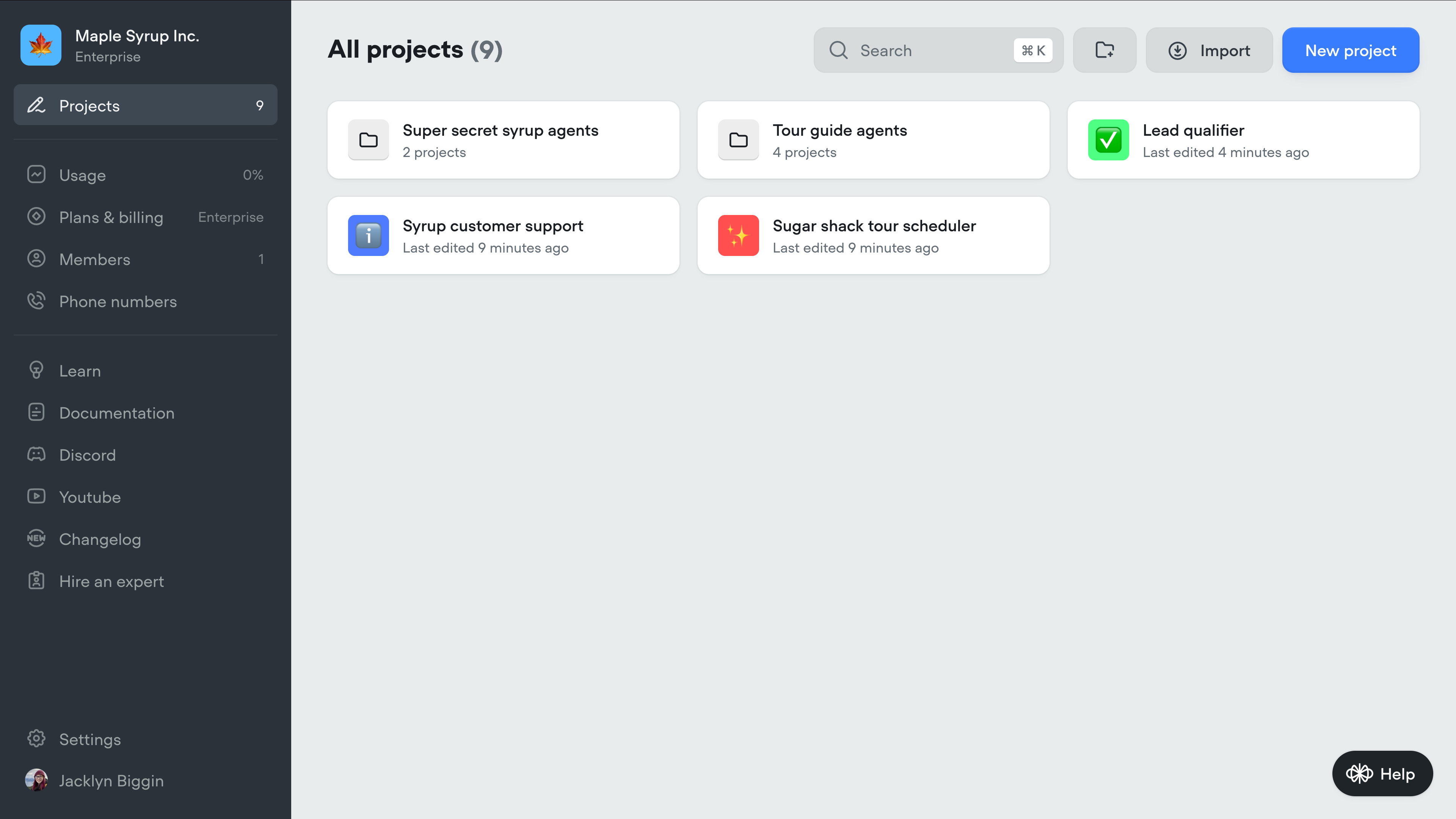
Your workspace is home to your projects and is the first thing you'll see when [logging into Voiceflow](https://creator.voiceflow.com). You can organize your projects inside a workspace using folders, and can customize a project's icon, name, and description by hovering over the project and clicking the three dots that appear. From there, you can also export your agent as a `.vf` file, or share a clone link which allows others to copy your agent.
If you are on a Teams or Enterprise plan, you can create multiple workspaces - just click the name of your workspace in the top left corner of your workspace, then click **new workspace**.
> ℹ️
>
> On non-Enterprise plans, each workspace you create is billed separately. [Learn more](/docs/billing-plans).
## Permissions and collaborators
In Voiceflow, collaboration happens at the **workspace level**. When you invite someone to a workspace, they’ll be able to see all projects inside it.
You can set someone as an editor or viewer for a specific agent, but keep in mind - they’ll still have visibility into the other agents in that workspace. If you want to share a working version of your agent without exposing its internals, use [prototypes](/docs/sharing-prototypes) instead. Prototypes let you send a link so someone can try out the assistant without editing access.
To update someone’s permissions, click the three-dot menu on the project card and choose **manage access**. Please note that you'll only be able to add someone to a project if they're already a member of your workspace. You can manage workspace members using the **Members** option on your workspace's sidebar.
[](https://yz5du1veb1.ufs.sh/f/9fKud4NeF5NSenOkH0udZMmjqWXT2Jz1BkCrxLYFRlwhuOHG)
Updated 5 months ago
---
[Evaluations](/docs/evaluations)[Managing workspaces and team members](/docs/managing-workspaces-teams)
Ask AI
* [Table of Contents](#)
* + [Permissions and collaborators](#permissions-and-collaborators)
