---
category: general
scraped_at: '2025-11-12T14:09:13.661383'
title: Custom interfaces (API)
url: /docs/custom-interfaces
---
# Custom interfaces (API)
# Overview
You can use the Dialog API to integrate your agent with any custom channel or interface (voice, chat or multimodal). Any Voiceflow agent type works with a Custom Channel deployment as it uses the Dialog Manager API, which is available across every project type.
The Dialog Manger API integrates through a REST API with your Custom Channel.
## Example Custom Channel Deployment
> 🚧
>
> ### First steps
>
> Before you start with the Dialog Manager API, you need to create a project on your Voiceflow [workspace](https://creator.voiceflow.com/).
**Clone the starter pack**
Download the API Examples repo found [here](https://github.com/voiceflow/api-examples) to access a variety of prebuilt API examples, including Node.js, Python, Rust, and HTML.
**Authentication**
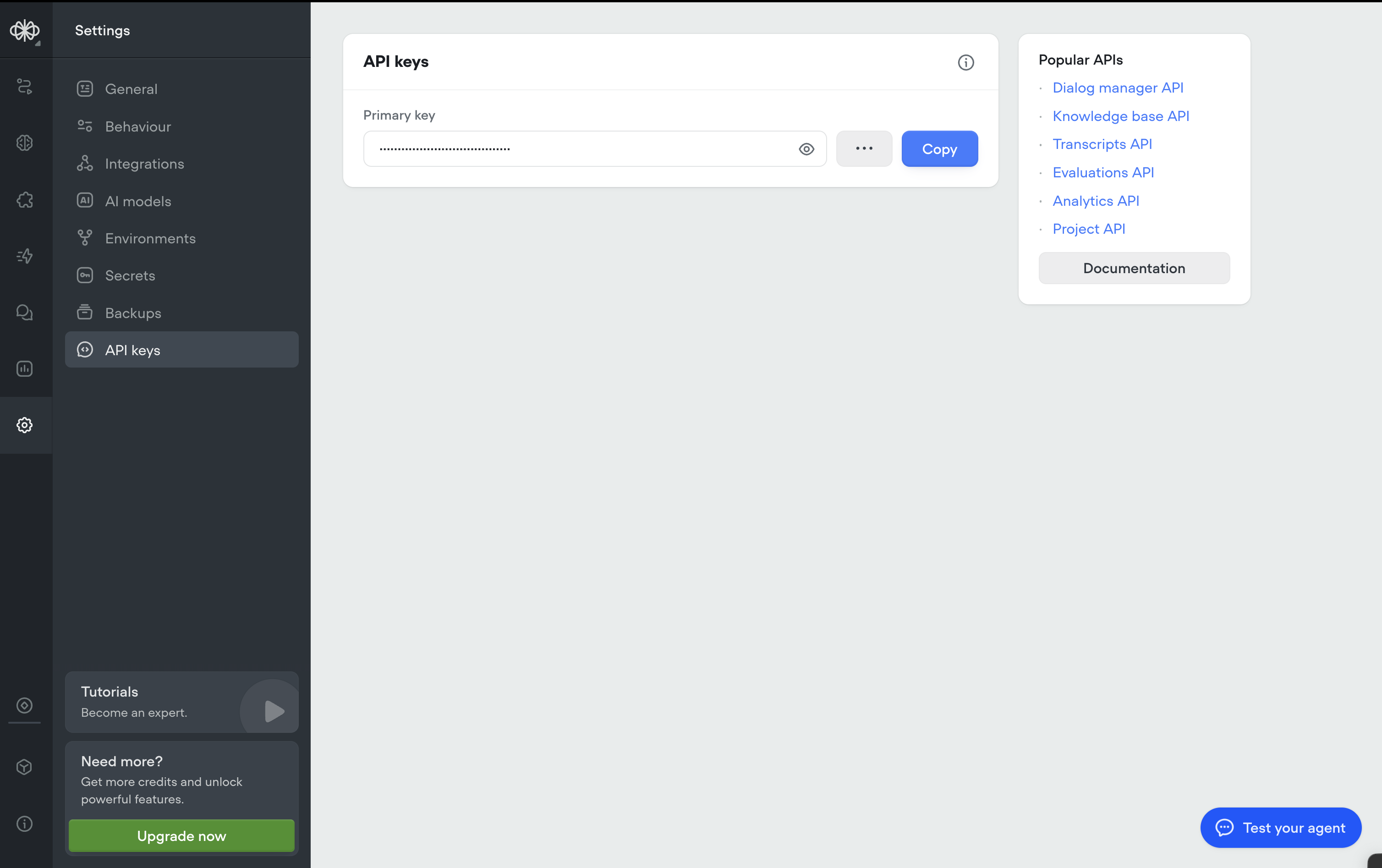
We'll need to access the `Project API key` for the design we want to connect into our app. To obtain the API Key:
1. Open the agent project you are using
2. Select on the ⚙️ **Settings** tab, found on the left-hand menu.
3. Copy the `Primary key` found in the API keys section.
## Launch
Open up the API Examples pack in your favorite code editor.
> 👍
>
> ### **HTML and JQuery**
>
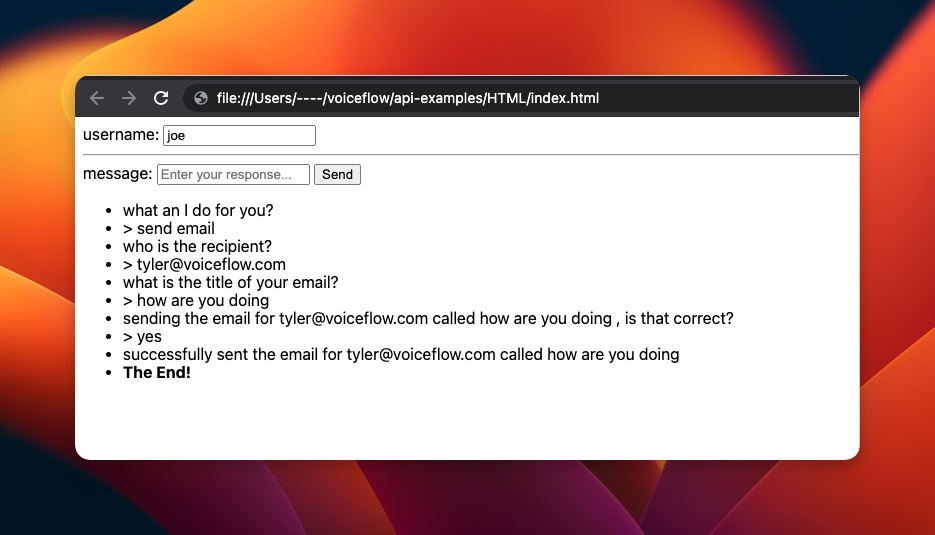
> 1. Replace `'YOUR_API_KEY_HERE'` in `index.html` with your API Key.
> 2. Open index.html on any browser to start your chat!
Example:
> 👍
>
> ### Node.js
>
> 1. If you do not have node, install *Node.js* and npm from [nodejs.org](https://nodejs.org/en/), or follow an equivalent guide.
> 2. In this folder, run `npm install.`
> 3. Replace `'YOUR_API_KEY_HERE'` in `index.js` with your Dialog Manager API Key.
> 4. run `npm` start to start your chat!
Example:
Text
```
$ npm start
> What is your name?: tyler
what can I do for you?
...
> Say something: send email
who is the recipient?
...
> Say something: [email protected]
what is the title of your email?
...
> Say something: How was your day?
sending the email for [email protected] called "How was your day?". Is that correct?
...
> Say something: yes
successfully sent the email for [email protected] called "How was your day?"
The end! Start me again with `npm start`
```
## Video Walkthrough
Updated 3 months ago
---
[Troubleshooting voice](/docs/troubleshooting-voice)[Example interfaces](/docs/example-interfaces)
Ask AI
* [Table of Contents](#)
* + [Overview](#overview)
+ - [Example Custom Channel Deployment](#example-custom-channel-deployment)
- [Launch](#launch)
- [Video Walkthrough](#video-walkthrough)
