---
category: general
scraped_at: '2025-11-12T14:08:53.156596'
title: Custom forms and extensions
url: /docs/custom-web-chat-widgets
---
# Custom forms and extensions
Render custom widgets like file upload, date pickers, and more!
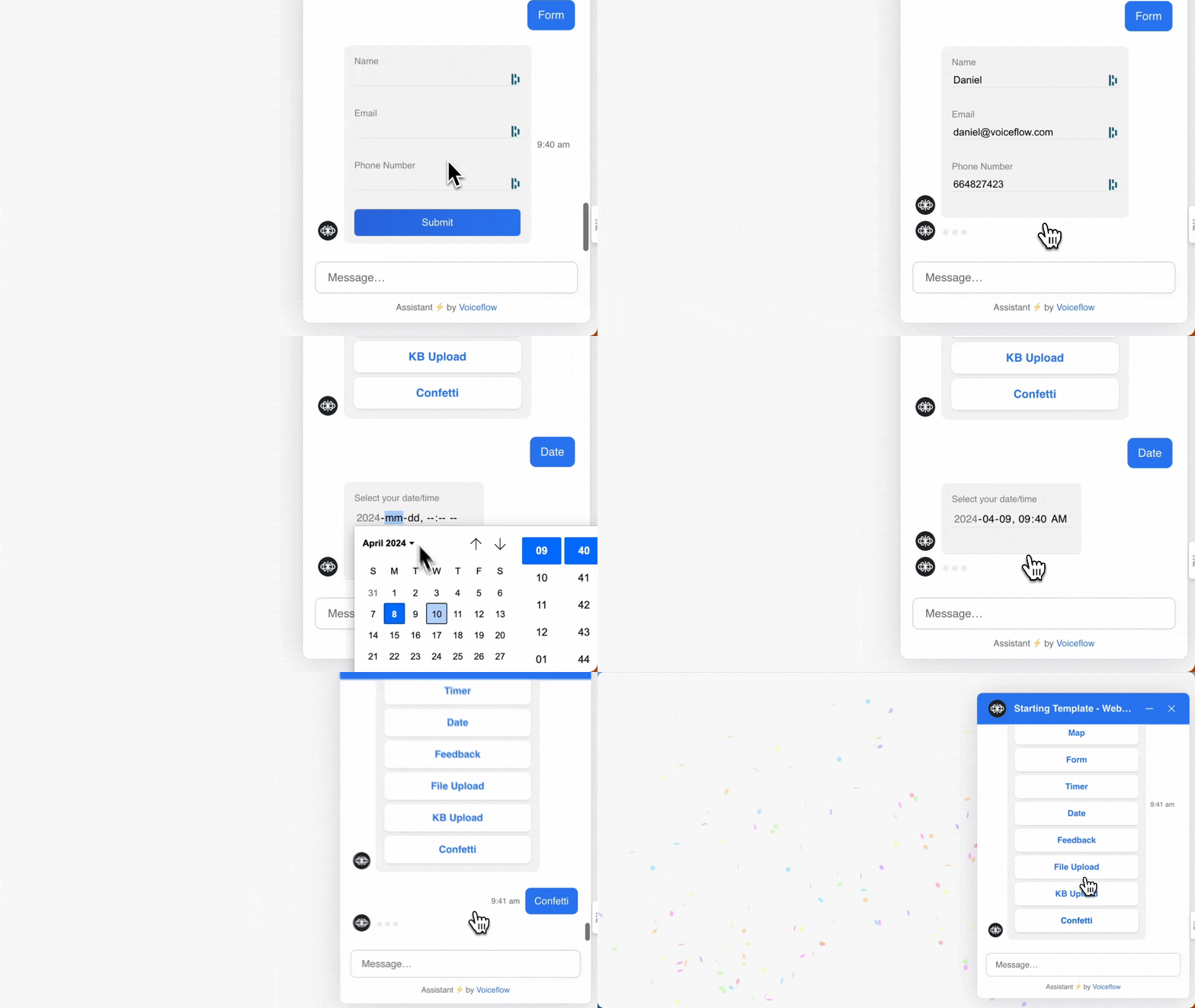
Voiceflow's extensions feature lets you add advanced functionality to your web chat experience. Extensions allow your assistant to render custom widgets or trigger custom effects directly on your website.
There are two types of extensions:
* **Response extensions**: these render interactive widgets inside the web chat window like file uploads, calendar pickers, or payment modals.
* **Effect extensions**: these don’t render a UI element but can trigger changes elsewhere on your site, such as updating a status icon, deep-linking a user, or running custom scripts.
> 📘
>
> Want to jump into code? [Find examples on GitHub](https://github.com/voiceflow-gallagan/vf-extensions-demo/tree/c7a5eda8116dc915f0b85cf9014baeefe92a22c5).
## How extensions work
Extensions are triggered by a [Custom action step](/docs/custom-actions) or a [Function step](/docs/function-step) in your Voiceflow assistant. You define them in your site’s code and register them in the [web chat snippet](/docs/chat-widget#how-to-add-your-agents-widget-to-your-website).
An extension follows the pattern below:
### Response Extension
JavaScript
```
interface ResponseExtension {
name: string,
type: "response",
match: (args: { trace: Trace }) => boolean,
render?: (args: { trace: Trace, element: HTMLDivElement }) => (() => void) | void
}
```
### Effects Extension
JavaScript
```
interface EffectExtension {
name: string,
type: "effect",
match: (args: { trace: Trace }) => boolean,
effect?: (args: { trace: Trace }) => Promise<void> | void
}
```
### Registering extensions in the web chat widget
Once you've defined your extensions, register them using the `assistant.extensions` property in your `chat.load()` script:
JavaScript
```
window.voiceflow.chat.load({
verify: { projectID: 'YOUR_PROJECT_ID' },
url: 'https://general-runtime.voiceflow.com',
versionID: 'production',
assistant: {
extensions: [extension1, extension2, extension3] // your extension's name goes here
}
});
```
There’s no limit to the number of extensions you can include.
## Examples
We recommend starting with an example extension before building your own. Our simplest example is a form input extension. Find out how to build it in the doc below.
[Doc
## Building a form input extension
Build your first extension in just a couple of minutes.
Read doc →](https://docs.voiceflow.com/docs/example-extension-form-input#/)
When you're ready to start experimenting with other types of extensions, visit our sample extensions repo, which has a bunch of different examples for you to try out.
[Repo
## Sample extensions repo
Disable/enable the input field, embed videos and maps, accept input via a form, and trigger a confetti animation with these sample extensions.
View repo →](https://github.com/voiceflow-gallagan/vf-extensions-demo/)
Updated 6 months ago
---
[Custom web chat styling](/docs/advanced-styling)[Example extension: form input](/docs/example-extension-form-input)
Ask AI
* [Table of Contents](#)
* + [How extensions work](#how-extensions-work)
+ [Response Extension](#response-extension)
+ [Effects Extension](#effects-extension)
+ [Registering extensions in the web chat widget](#registering-extensions-in-the-web-chat-widget)
+ [Examples](#examples)
