---
category: general
scraped_at: '2025-11-12T14:09:20.616971'
title: Telegram
url: /docs/deploy-telegram
---
# Telegram
Learn the basics of building a Telegram bot with Voiceflow's Dialog Manager.
## Get started
In this guide, we are creating a Telegram bot that is connected directly with a Voiceflow agent.
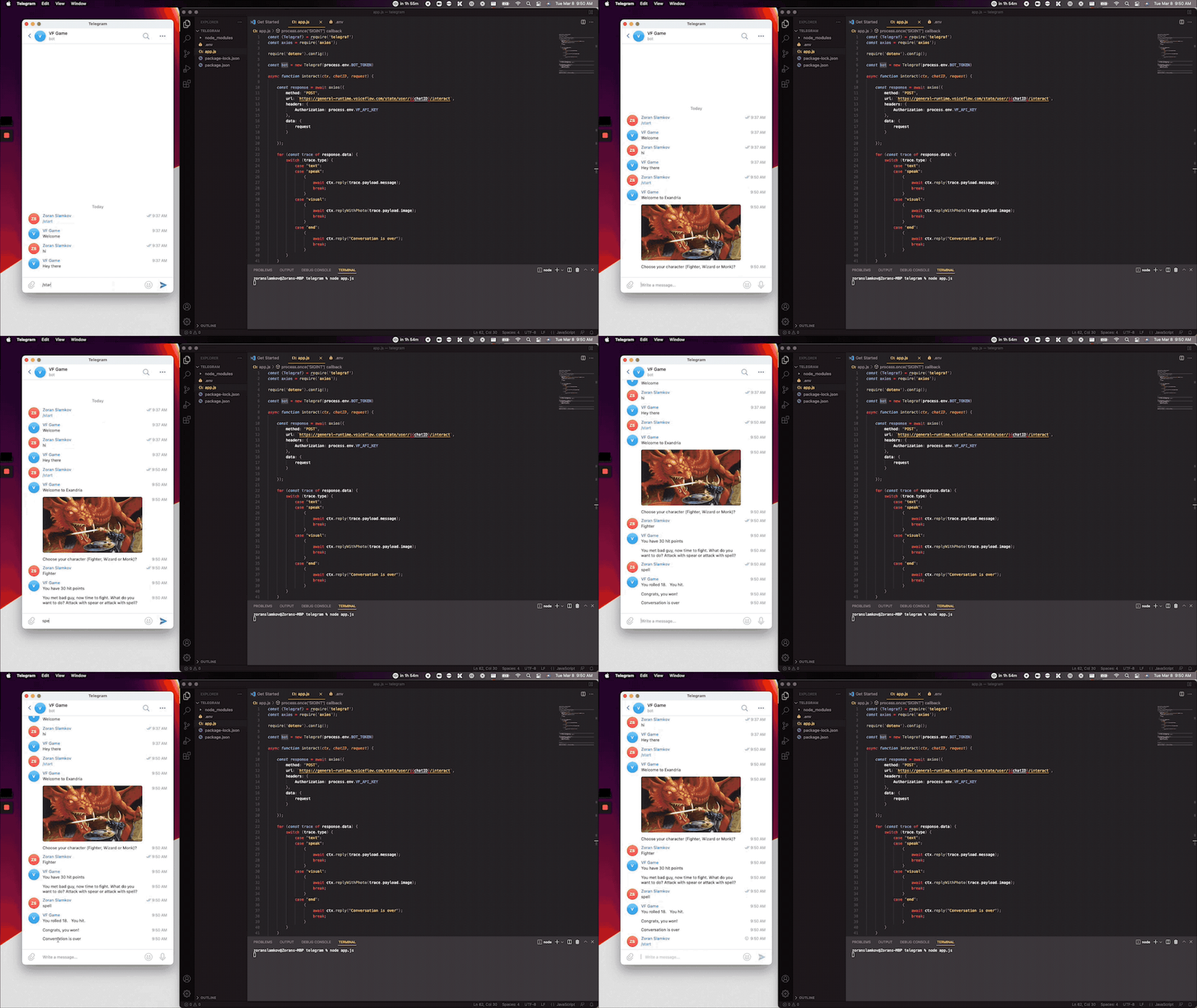
Telegram bot
> 🚧
>
> ### Before you start
>
> 1. **Create a Voiceflow agent**: you need to first build a chat project on [Voiceflow](https://creator.voiceflow.com/)
> 2. **Find your Dialog Manager API Key**: Follow these [instructions](https://developer.voiceflow.com/reference/project) to obtain your API key.
> 3. [Template source code on Github](https://github.com/zslamkov/voiceflow_telegram/tree/635fc7bad6bb0d5967a9066a9d0bba862e895760)
## Create your Telegram bot
First, create a bot with BotFather. BotFather is the one bot to rule them all. We will use it to create new bot accounts and manage your existing bots.
If you open a chat with a BotFather, click on the “Start” button.
We should create a new bot by clicking `/newbot` command. Next, you should enter any name for the bot. In this example, we named it VF Game.
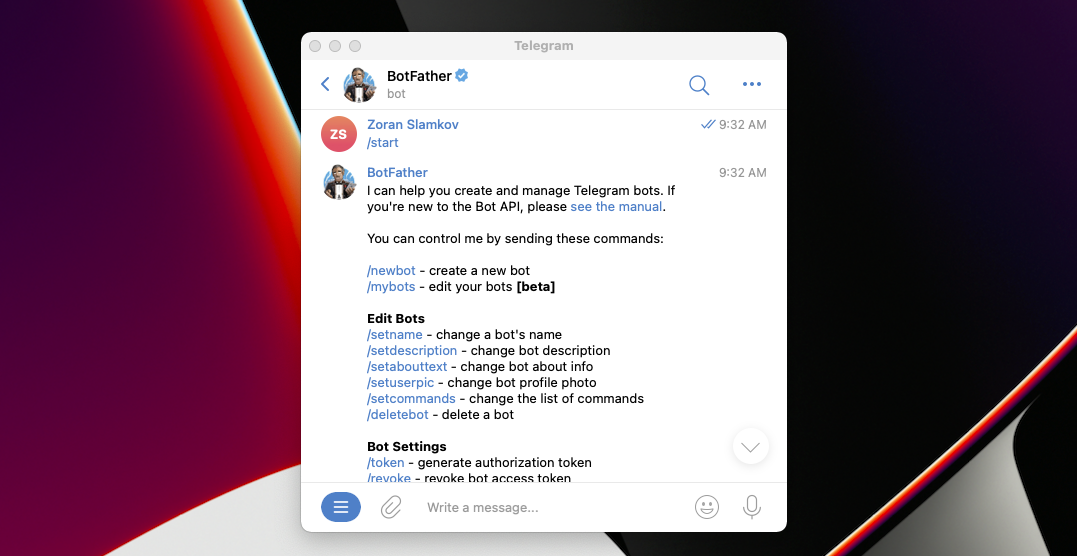
BotFather
The Telegram setup is completed! Remember to add your Telegram token to your `.env` file in the property `BOT_TOKEN`
## Telegraf setup
We can create bot by the following code lines:
JavaScript
```
const Telegraf = require('telegraf') // import telegram lib
const bot = new Telegraf(process.env.BOT_TOKEN) // get the token from envirenment variable
bot.start((ctx) => ctx.reply('Welcome')) // display Welcome text when we start bot
bot.hears('hi', (ctx) => ctx.reply('Hey there')) // listen and handle when user type hi text
bot.launch() // start
```
## Voiceflow setup
First, create a new function that takes Telegraf `ctx`, `userID` and a `request` in as arguments:
`async function interact(ctx, chatID, request){}`
Inside the function, make an API call to the Voiceflow `/interact` endpoint.
JavaScript
```
const response = await axios({
method: "POST",
url: `https://general-runtime.voiceflow.com/state/user/${chatID}/interact`,
headers: {
Authorization: process.env.VOICEFLOW_API_KEY
},
data: {
request
}
});
```
Expect Voiceflow to return an array. Iterate over the array to map the various response types to an operation.
JavaScript
```
for (const trace of response.data) {
switch (trace.type) {
case "text":
case "speak":
{
await ctx.reply(trace.payload.message);
break;
}
case "visual":
{
await ctx.replyWithPhoto(trace.payload.image);
break;
}
case "end":
{
await ctx.reply("Conversation is over")
break;
}
}
}
```
Everything is ready. Let's continue with our Telegrom bot code. Let's replace the start standard replay for this one, getting the correct replay from Voiceflow:
JavaScript
```
bot.start(async (ctx) => {
let chatID = ctx.message.chat.id;
await interact(ctx, ctx.message.chat.id, {type: "launch"});
});
```
Then we replace the hi utterance for a regex like (.+). This means that the bot will hear for everything. All the text received we will pass directly to Voiceflow and the we mange the state of the conversation: if it is ended or if it is not ended yet:
JavaScript
```
const ANY_WORD_REGEX = new RegExp(/(.+)/i);
bot.hears(ANY_WORD_REGEX, async (ctx) => {
let chatID = ctx.message.chat.id;
await interact(ctx, chatID, {
type: "text",
payload: ctx.message.text
});
```
## Video Walkthrough
In the video below, we cover the entire integration between Voiceflow and Telegram.
## Sample Code
app.js
```
const {Telegraf} = require('telegraf') // import telegram lib
const axios = require('axios');
require('dotenv').config();
const bot = new Telegraf(process.env.BOT_TOKEN) // get the token from environment variable
async function interact(ctx, chatID, request) {
const response = await axios({
method: "POST",
url: `https://general-runtime.voiceflow.com/state/user/${chatID}/interact`,
headers: {
Authorization: process.env.VOICEFLOW_API_KEY
},
data: {
request
}
});
for (const trace of response.data) {
switch (trace.type) {
case "text":
case "speak":
{
await ctx.reply(trace.payload.message);
break;
}
case "visual":
{
await ctx.replyWithPhoto(trace.payload.image);
break;
}
case "end":
{
await ctx.reply("Conversation is over")
break;
}
}
}
};
bot.start(async (ctx) => {
let chatID = ctx.message.chat.id;
await interact(ctx, chatID, {type: "launch"});
});
const ANY_WORD_REGEX = new RegExp(/(.+)/i);
bot.hears(ANY_WORD_REGEX, async (ctx) => {
let chatID = ctx.message.chat.id;
await interact(ctx, chatID, {
type: "text",
payload: ctx.message.text
});
});
bot.launch() // start
process.once('SIGINT', () => bot.stop('SIGINT'))
process.once('SIGTERM', () => bot.stop('SIGTERM'))
```
# Voiceflow Community Challenge
---
When your bot is part of a group chat, make sure that it can maintain context with the various users
Share it on Twitter and make sure to mention @voiceflow!
Updated 6 months ago
---
[Shopify In-Store Copilot](/docs/custom-interface-shopify)[Unity AI Powered NPC](/docs/custom-interface-unity)
Ask AI
* [Table of Contents](#)
* + - [Get started](#get-started)
- [Create your Telegram bot](#create-your-telegram-bot)
- [Telegraf setup](#telegraf-setup)
- [Voiceflow setup](#voiceflow-setup)
- [Video Walkthrough](#video-walkthrough)
- [Sample Code](#sample-code)
+ [Voiceflow Community Challenge](#voiceflow-community-challenge)
