---
category: general
scraped_at: '2025-11-12T14:08:34.666331'
title: No Match handling
url: /docs/no-match
---
# No Match handling
What happens when my user says something unexpected to the agent?
# Overview
Voiceflow has a hierarchy of how it matches to a user's utterance to an [intent](https://developer.voiceflow.com/v2.0/docs/intents):
1. **Local Triggers**: It first checks to see if you have any intents on the current step that match.
2. **Workflow Triggers**: It then checks to see there are any [triggers](https://developer.voiceflow.com/v2.0/docs/trigger) in the current workflow that match.
3. **Global Triggers**: It then looks to see if what the user said matches any of the global [triggers](https://developer.voiceflow.com/v2.0/docs/trigger)
4. **Local No Match**: If none of the above conditions are met, the agent will follow the ***local no match if one is defined***
5. **KB Fallback**: If there is no local no match present, then the agent will attempt to answer the question with the [knowledge base](https://developer.voiceflow.com/v2.0/docs/knowledge-base)
6. **Global No Match**: If the question cannot be answered by the [knowledge base](https://developer.voiceflow.com/v2.0/docs/knowledge-base), then it will activate the global no match
# Creating a local no match
Every listen step in Voiceflow can have a no match option. If an option is not present — you can add it through the settings.
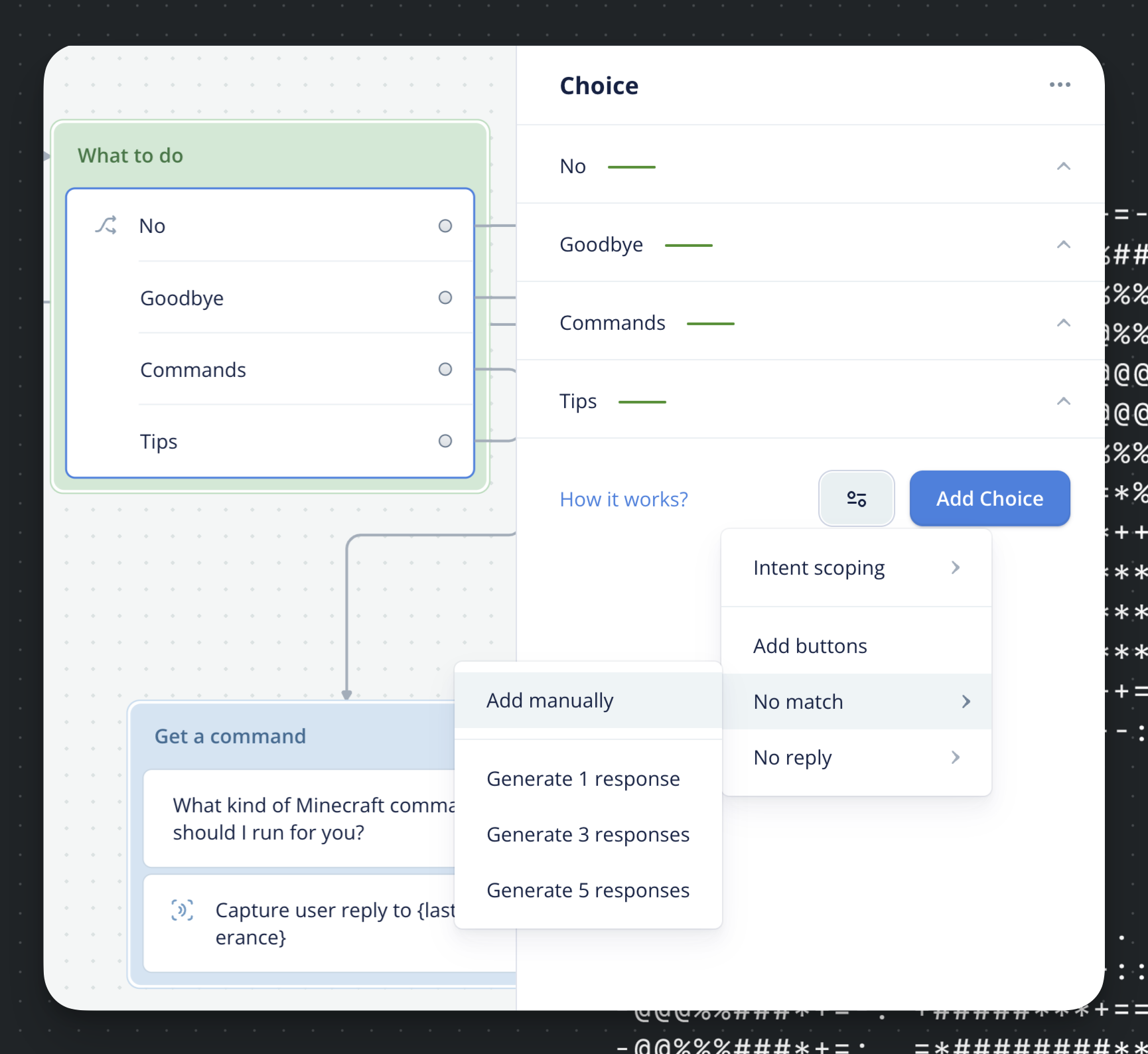
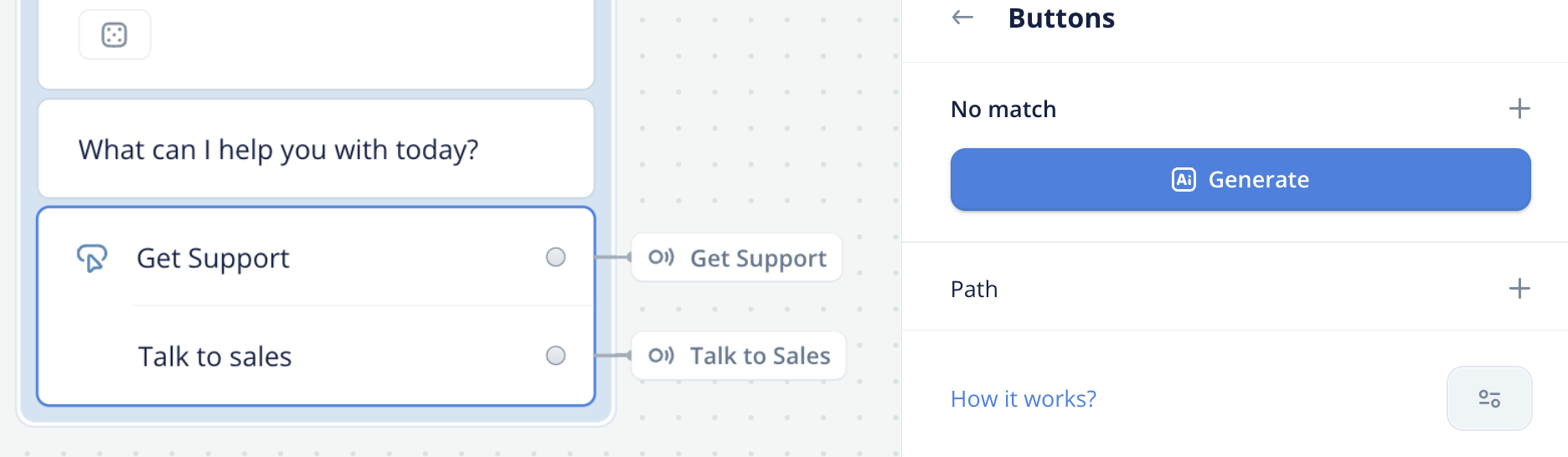
You can choose to have a no match **response**, or a no match **path**.
* **Response**: This is a set of responses that the assistant gives when the no match is triggered. The responses escalate, so if you have 2 no match responses — the first time the local no match is triggered it will say the first response, the second time it will say the second, after that it will move down the hierarchy (to KB Fallback)
* **Path**: This creates a path that you can route if the local no match is activated.
# KB Fallback
The KB fallback sends the user's utterance as a question to the Knowledge Base and uses your default KB settings to answer it. *This uses tokens even if an answer is not found. We recommend ensuring the global settings use a cheaper model like GPT-3.5. You can always override this on specific steps*.
> ❗️
>
> ### The KB fall back is always on and cannnot be turned off.
>
> If you find that it is getting triggered when the user says things like 'hello', we encourage you to add a *greeting* trigger to your home flow or a *spam* filter that gets triggered if a user is typing gibberish.
# Customizing the Global No Match
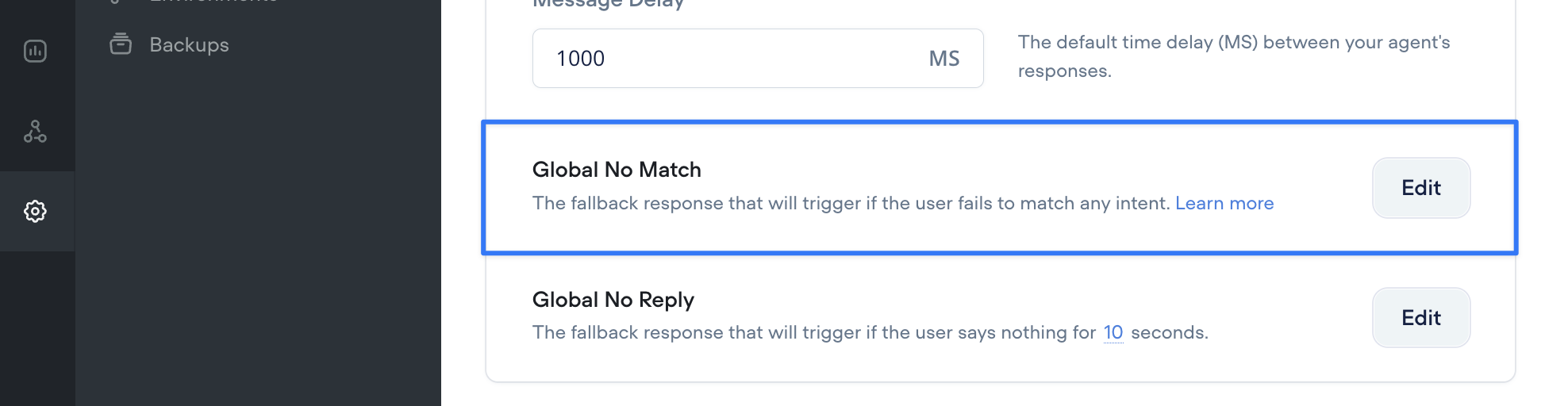
The Global no match can be found in the Agent settings.
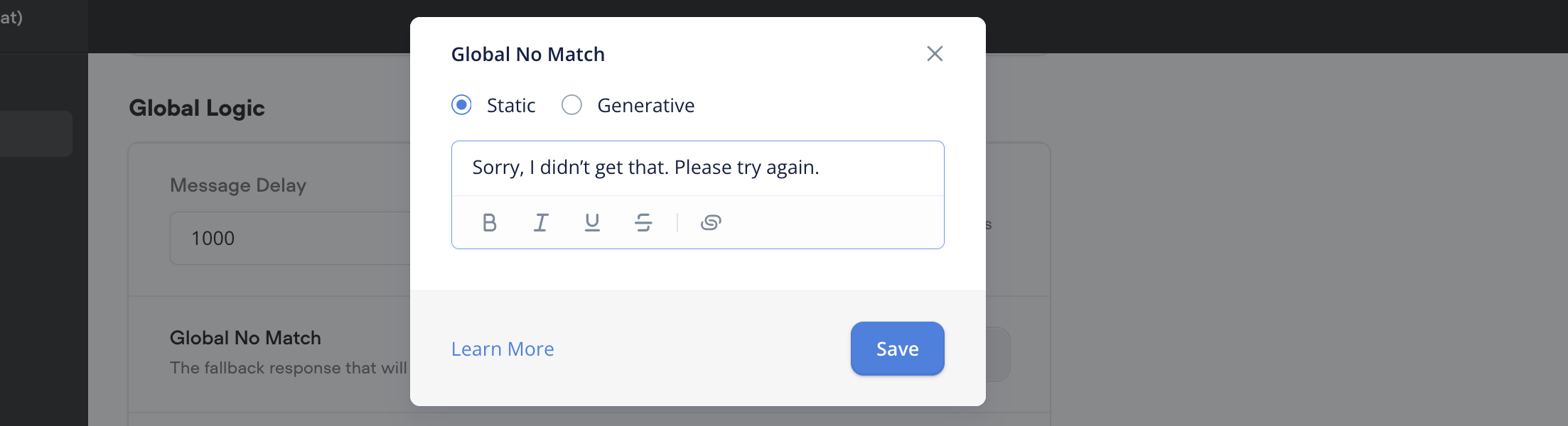
You have the options to make it *static* or *generative*. Generative uses an AI model to answer the user's utterance. This is a good setting to turn on if you want your bot to feel more organic. So if a user asks a question like “what color is the sky” it can answer it using an LLM.
Updated 7 days ago
---
[Memory](/docs/memory)[No Reply handling](/docs/no-reply-response)
Ask AI
* [Table of Contents](#)
* + [Overview](#overview)
+ [Creating a local no match](#creating-a-local-no-match)
+ [KB Fallback](#kb-fallback)
+ [Customizing the Global No Match](#customizing-the-global-no-match)
