---
category: general
scraped_at: '2025-11-12T14:06:48.638270'
title: Languages
url: /docs/languages
---
# Languages
Languages in Voiceflow are dealt with in 4 broad sections, and are handled slightly differently.
1. **The Agent Text**: This is the text you are manually adding to the assistant through text steps, button labels or more. This **can be any language you want**, and if you want to have multiple languages, you could just build out copies of flows with translated text.
2. **The AI Responses**: This is dictated by the AI model. Ensure to **specify the language** that you want the AI to respond in clearly in the prompt and instructions.
3. **Intents**: Intents can be captured **regardless of the language** of the utterance being classified or the example phrases given, for both LLM and NLU intent classification. You do not need to change any settings for this behavior to happen, it's intrinsic to the way the intent classification models are trained.
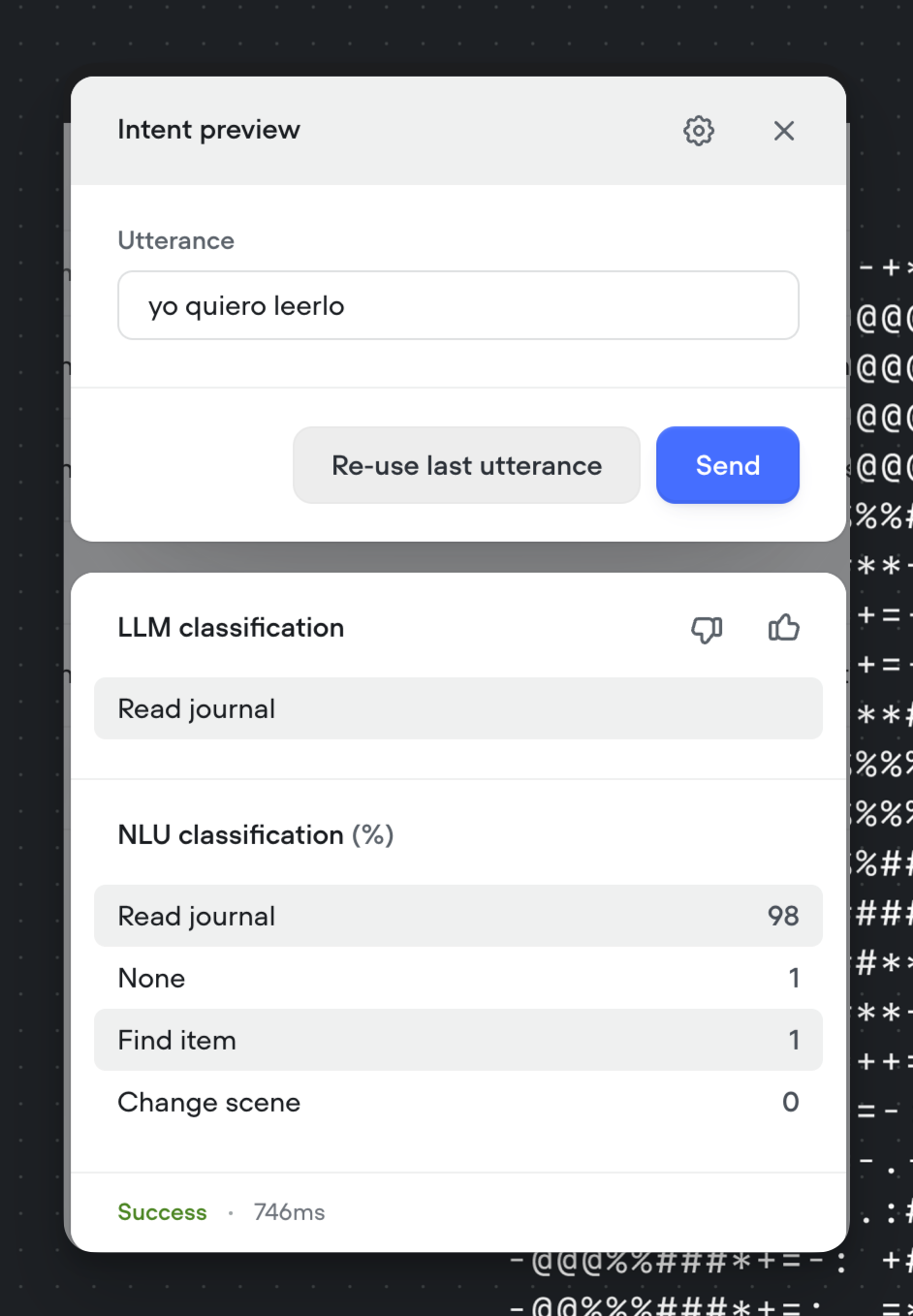
An example of intent classification working with a Spanish utterance on intents defined in English.
4. **Entities**: Depending on which language is selected, the default [entity types](https://developer.voiceflow.com/v2.0/docs/entities) available **might be limited**. This is selected when you **create a project**. Once you have selected it, you cannot change the language of the prebuilt training data for a specific project.
Currently, the best way to support multiple languages is to build out multiple flows for different languages within an agent, or create multiple copies of the same agent in different languages and then host a different version on different languages of your website. Improving multilingual support in agents is on our road map.
## Supported Languages (only for pre-made entities)
Currently, Voiceflow only supports a single language per agent for the **default entity types**.
The following languages are supported and will be compatible with NLU on Voiceflow. Other languages (not on the above list) will still function, but may experience some accuracy issues in when the agent is understanding the user.
Setting this language **will not affect your LLM responses or text steps.**
```
Arabic = 'ar'
Bulgarian = 'bg'
Catalan = 'ca'
ChineseSimplified = 'zh-cn'
ChineseTraditional = 'zh-tw'
Czech = 'cs'
Danish = 'da'
EnglishUS = 'en'
Estonian = 'et'
Flemish = 'nl'
FrenchCA = 'fr-ca'
FrenchFR = 'fr'
German = 'de'
Gujarati = 'gu'
Farsi = 'fa'
Hebrew = 'he'
Hindi = 'hi'
Hungarian = 'hu-HU'
Italian = 'it'
Japanese = 'ja'
Korean = 'ko'
Marathi = 'mr'
Persian = 'fa'
Polish = 'pl'
PortugueseBR = 'pt-br'
PortuguesePT = 'pt'
Romanian = 'ro'
Russian = 'ru'
SpanishES = 'es'
Turkish = 'tr'
Ukrainian = 'uk'
Vietnamese = 'vi'
```
Updated 5 months ago
---
[Environments and Backups](/docs/publishing-environments-backups)[Building blocks](/docs/agent-components)
Ask AI
* [Table of Contents](#)
* + [Supported Languages (only for pre-made entities)](#supported-languages-only-for-pre-made-entities)
