---
category: general
scraped_at: '2025-11-12T14:07:10.128708'
title: Condition step
url: /docs/logic
---
# Condition step
## Creating Conditional Paths
In conversational AI design, controlling the flow and logic of interactions is crucial for delivering effective user experiences. Conditions allow you to add flexibility and dynamic decision-making to your conversation flows using "if-then" logic, allowing you to branch the conversation based on the unique characteristics of the conversation.
### What are Conditions?
Conditions let you define different conversational paths based on whether certain criteria are met. They evaluate user input, variables, or other factors, and route the conversation accordingly.
Conditions are part of our daily decision-making. For example:
* "If it is raining, I will bring an umbrella."
* "If the user's account balance is low, suggest they make a deposit."
The same principle applies - conditions let you specify "If X happens, then do Y."
### Condition Step Functionality
The Condition step is where you configure your conditional logic. It supports two types of conditions:
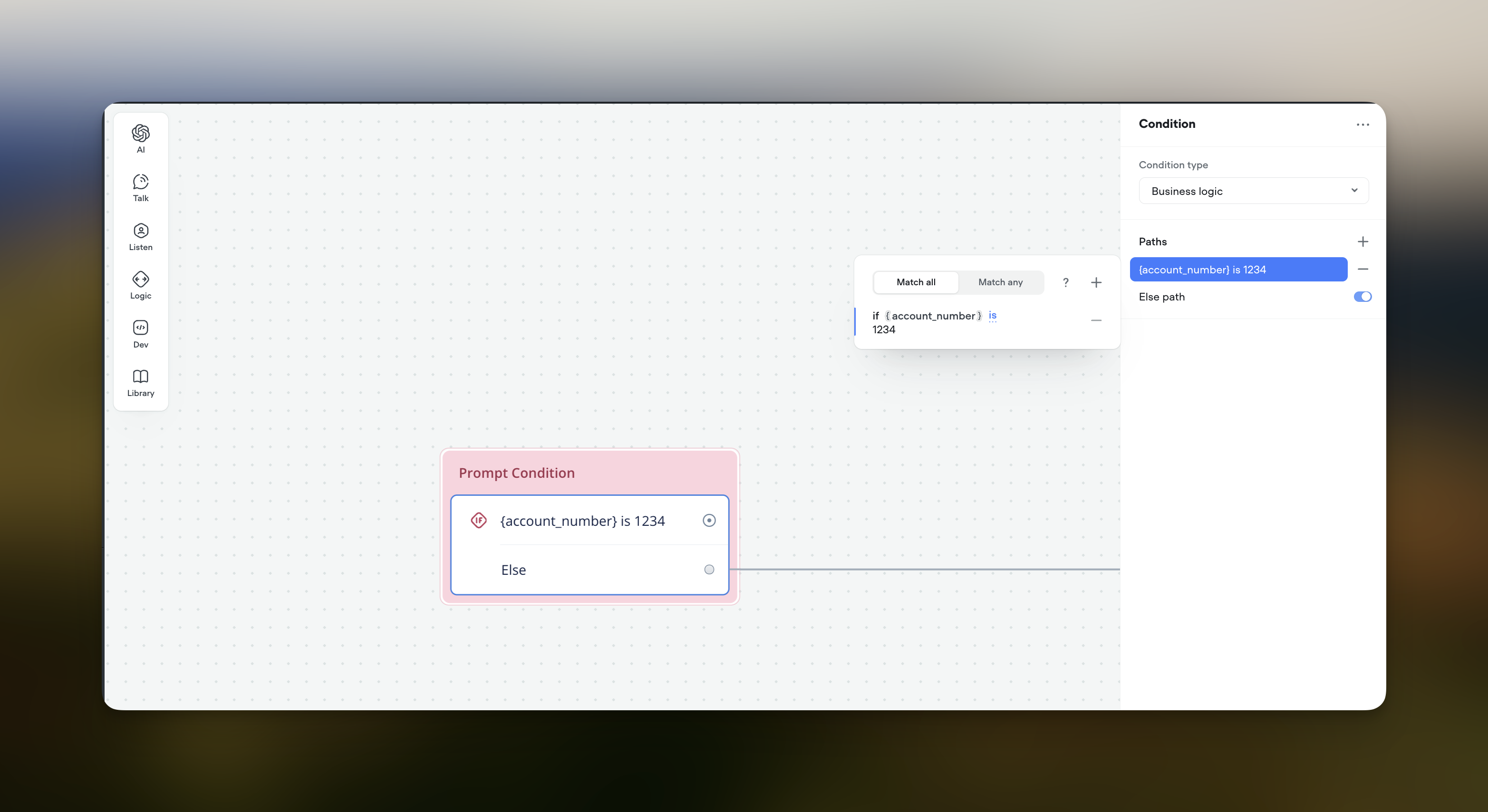
1. **Business Logic**
* Evaluate individual paths using an expression builder or JavaScript
* Useful for straightforward logic based on user input or stored data
* Configure using either the Condition Builder or Expression (JavaScript)
2. **Prompt**
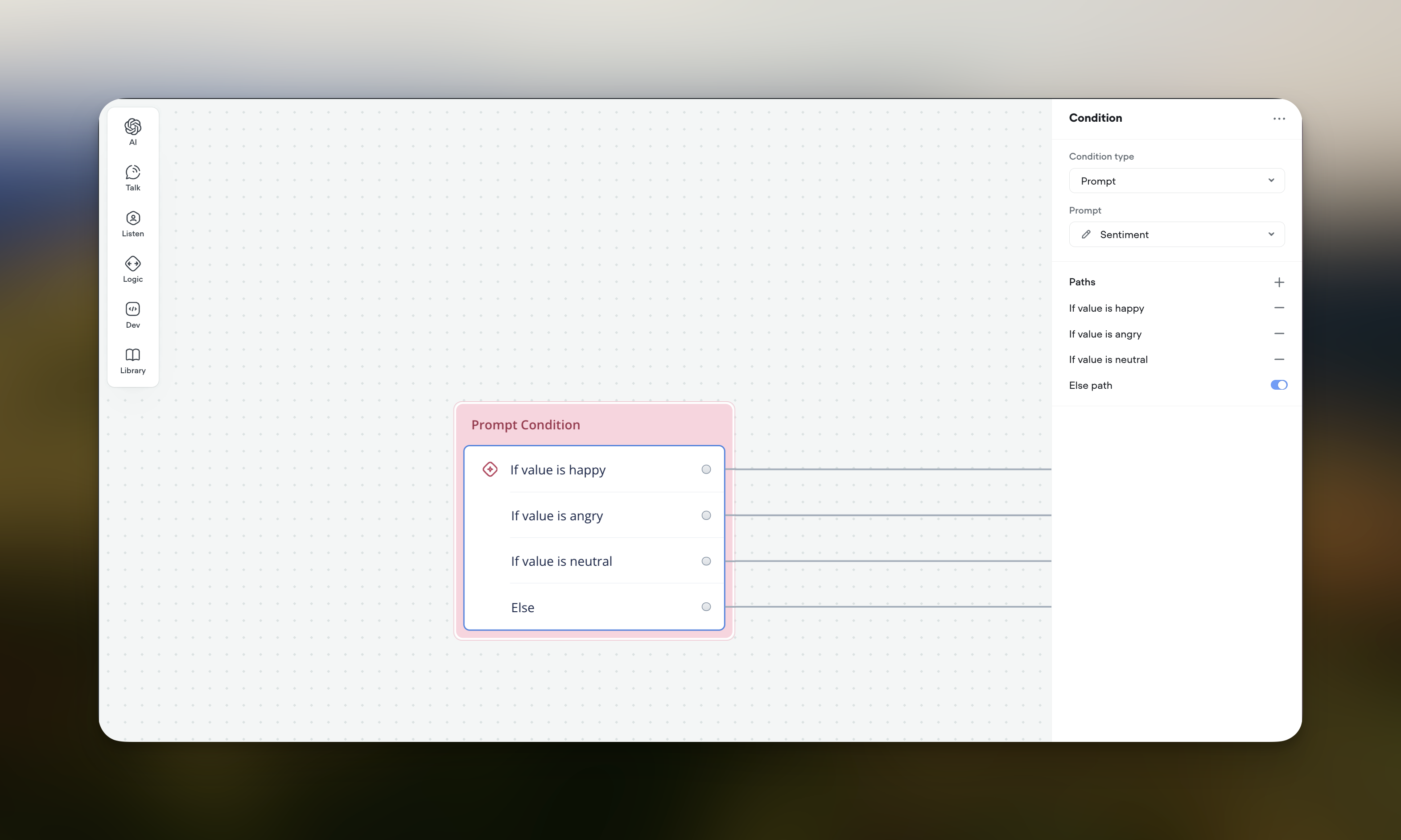
* Evaluate paths based on the output of a generative AI prompt
* Enables more dynamic, contextual interactions powered by large language models
* Define conditional paths using the Condition Builder to match the expected prompt output
* Ideal for sentiment analysis, intent detection, and adaptive responses
### Configuring Conditions
Voiceflow offers two ways to set up your conditions, depending on the chosen condition type:
1. **Condition Builder**
* Available for both "Business Logic" and "Prompt" condition types
* Designed for simple conditions without code
* Define conditions with variables, values, and operators
* Add multiple paths and specify return values for each path
* Provide an "Else path" as a fallback option
> 📘
>
> Example Condition Builder setup for a "Prompt" condition type:
>
> * Prompt: Sentiment
> * Paths:
> + If value is happy → Path 1
> + If value is angry → Path 2
> + If value is neutral → Path 3
> * Else path → Fallback
2. **Expression**
* Available only for the "Business Logic" condition type
* Allows complex logic with custom JavaScript code
* Write code that evaluates to true/false to determine the path
* No need to include return statement
Example Expression condition:
JavaScript
```
age >= 18 && isStudent === true
```
### Condition Evaluation
Conditions compare a selected variable or prompt output to defined target values. If the criteria are met, the corresponding path is activated.
**Important:** Conditions require an exact match, including case-sensitivity. E.g., comparing `{animal}` to `dog` won't match if the variable holds `Dog`.
### Best Practices
* Choose the appropriate condition type based on your requirements
* Use the Condition Builder for simple conditions and Expression for complex logic
* Craft clear, mutually exclusive conditions
* Provide an "Else path" to gracefully handle unexpected scenarios
* Leverage "Prompt" conditions for nuanced, contextual conversations
* Test extensively to ensure conditions behave as intended
By mastering conditional logic in Voiceflow, you'll be able to create robust, adaptable conversational experiences that delight your users. Experiment with different condition types and configurations to find the optimal flow for your use case.
Updated 5 months ago
---
[Capture step](/docs/capture-v2)[Set step](/docs/variables-set)
Ask AI
* [Table of Contents](#)
* + [Creating Conditional Paths](#creating-conditional-paths)
+ - [What are Conditions?](#what-are-conditions)
- [Condition Step Functionality](#condition-step-functionality)
- [Configuring Conditions](#configuring-conditions)
- [Condition Evaluation](#condition-evaluation)
- [Best Practices](#best-practices)
