---
category: general
scraped_at: '2025-11-12T14:07:24.722421'
title: Call forwarding step
url: /docs/call-forwarding-step
---
# Call forwarding step
Forward calls from your agent to another agent or a live represenative.
> ℹ️
>
> You can also forward calls from inside the [Agent step](/docs/agents) using the [Call forwarding tool](/docs/call-forwarding).
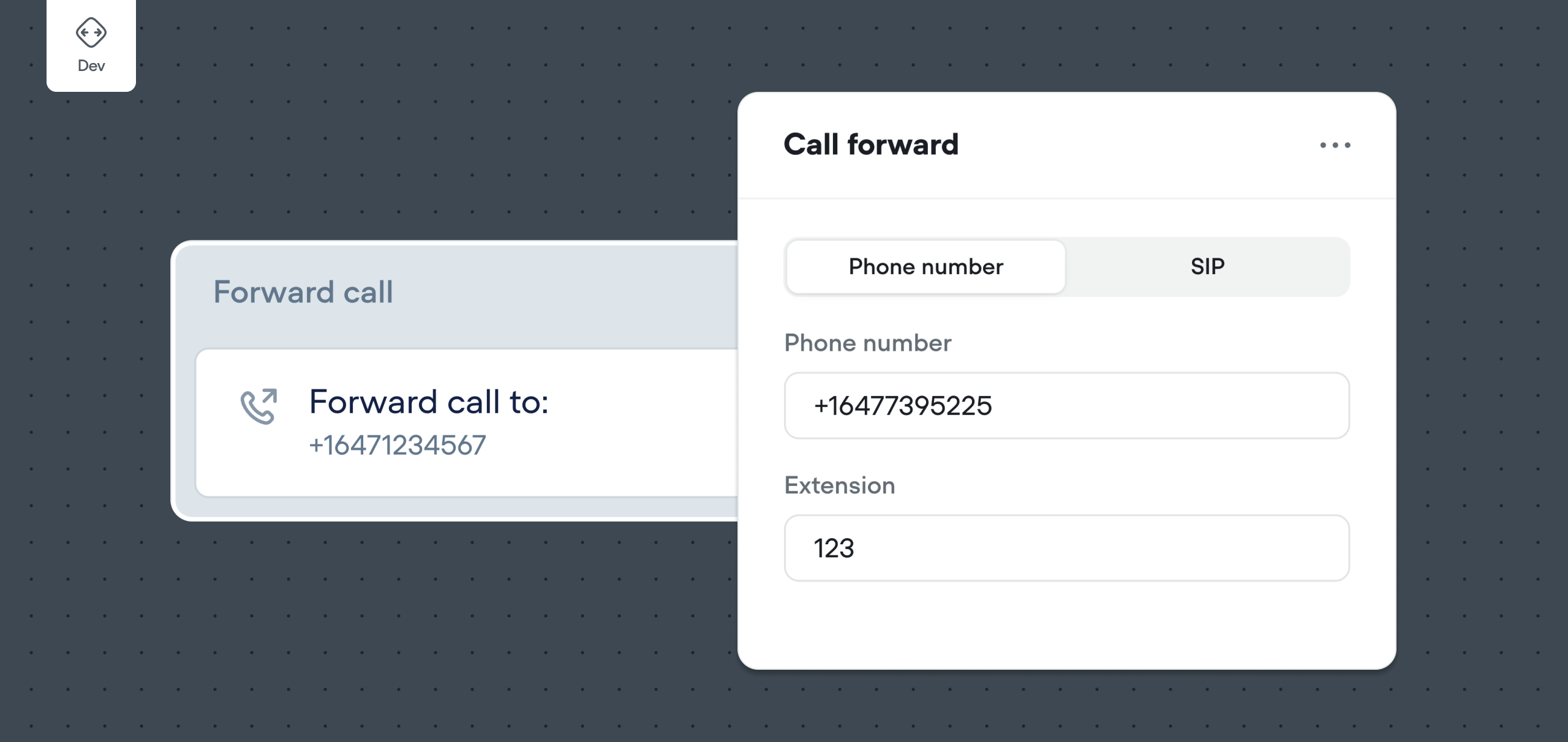
Seamlessly connect your Voice AI agent to the real world with Call Forwarding. This step enables your agent to instantly transfer a conversation to a live person or another AI system—ensuring a smooth and intelligent handoff when automation has reached its limit.
## Basic usage
To use the Call forwarding step, simply drag it onto the canvas, click on the step, then set the message you'd like the agent to send using the input on the sidebar. Don't forget to then connect your step to the rest of your workflow!
[](https://w17llroiln.ufs.sh/f/JH4JLc5mceYks8l3KfGlT9yobAZqe36tMHzS78D0muRx2fLJ)
> The Call Forwarding step hands off the call mid-conversation to:
>
> * Any phone number (including international numbers)
> * A number with an extension
> * A SIP address (used in VoIP systems)
## Forwarding a call via DTMF Menu
The Call Forwarding step also allows your voice agent to bypass phone menus by sending DTMF tones after the call is picked up. This is useful when you need to:
* Automatically enter a menu option (e.g., "Press 1 for Sales")
* Dial an extension
* Navigate call trees without human input
In the **Extension** input field of the Call Forwarding step, you can input a string of DTMF tones to be sent after the call connects. The syntax and behavior depend on the provider you're using.
### Twilio (use `sendDigits`)
Twilio uses the `sendDigits` attribute to control DTMF tone playback after the call connects.
* Format example: `1w2ww3`
* `w`: 0.5 second pause
* `W`: 1 second pause
* Supports: digits `0-9`, `*`, `#`
> **Example use case:**
>
> * press 1, wait 1 second, and then press 2 and 3
> * `1W23`
Reference: [Twilio sendDigits Docs](https://www.twilio.com/docs/voice/twiml/number#attributes-senddigits)
### Vonage (use `dtmfAnswer`)
Vonage supports DTMF playback using the `dtmfAnswer` parameter.
* Format example: `1pp2p3`
* `p`: 0.5 second pause
* Supports: digits `0-9`, `*`, `#`
> **Example use case:**
>
> * To press 1, wait 1 second, then press 2 and 3:
> * `1pp2p3`
Reference: [Vonage DTMF Answer Docs](https://developer.vonage.com/en/voice/voice-api/ncco-reference#phone-pstn---phone-numbers-in-e164-format)
> 📞
>
> ### The agent still requires a phone number
>
> While call forwarding allows the agent to transfer a call to any phone number, it will still require an *imported* number to originate from and communicate with through the [Voice interface](/docs/telephony#/).
.
Updated about 2 months ago
---
[Custom action step](/docs/custom-actions)[Tool step](/docs/tool-step)
Ask AI
* [Table of Contents](#)
* + [Basic usage](#basic-usage)
+ [Forwarding a call via DTMF Menu](#forwarding-a-call-via-dtmf-menu)
+ - [Twilio (use sendDigits )](#twilio-use-senddigits)
- [Vonage (use dtmfAnswer )](#vonage-use-dtmfanswer)
