---
category: general
scraped_at: '2025-11-12T14:09:37.288107'
title: Managing your Voiceflow plan
url: /docs/managing-your-voiceflow-plan
---
# Managing your Voiceflow plan
> ℹ️
>
> ### Enterprise user?
>
> If your workspace is on Voiceflow Enterprise, please contact [[email protected]](/cdn-cgi/l/email-protection#ccbfb9bcbca3beb88cbaa3a5afa9aaa0a3bbe2afa3a1) or your Customer Success Manager to make changes to your plan.
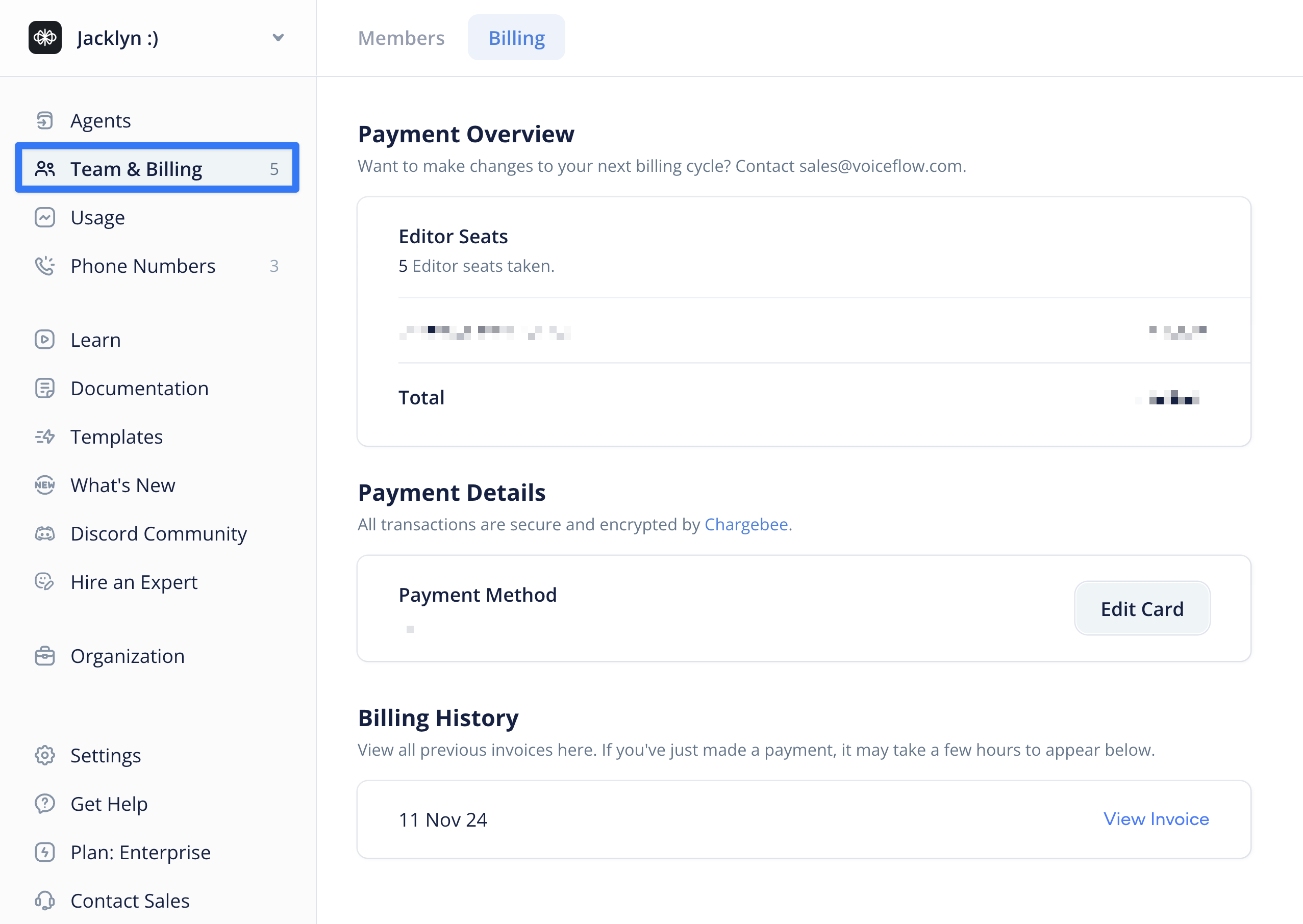
Want to make changes to your plan? Head over to the [Voiceflow dashboard](https://creator.voiceflow.com), click the **Teams & Billing** option on the sidebar, then select **Billing** at the top of the page. From here, you can manage your payment method, change your plan, and add/remove editor seats.
## Cancelling your subscription
To cancel your subscription, simply hit the ‘Cancel Subscription’ button at the bottom of the page. You’ll be downgraded to our Free tier on your next billing cycle. You will lose access to any paid features at this time.
Updated 5 months ago
---
[Billing](/docs/billing-plans)[Credits](/docs/credits)
Ask AI
* [Table of Contents](#)
* + [Cancelling your subscription](#cancelling-your-subscription)
