---
category: general
scraped_at: '2025-11-12T14:08:12.054783'
title: Carousels tool
url: /docs/carousels-tool
---
# Carousels tool
Send multiple visual cards to the user at once.
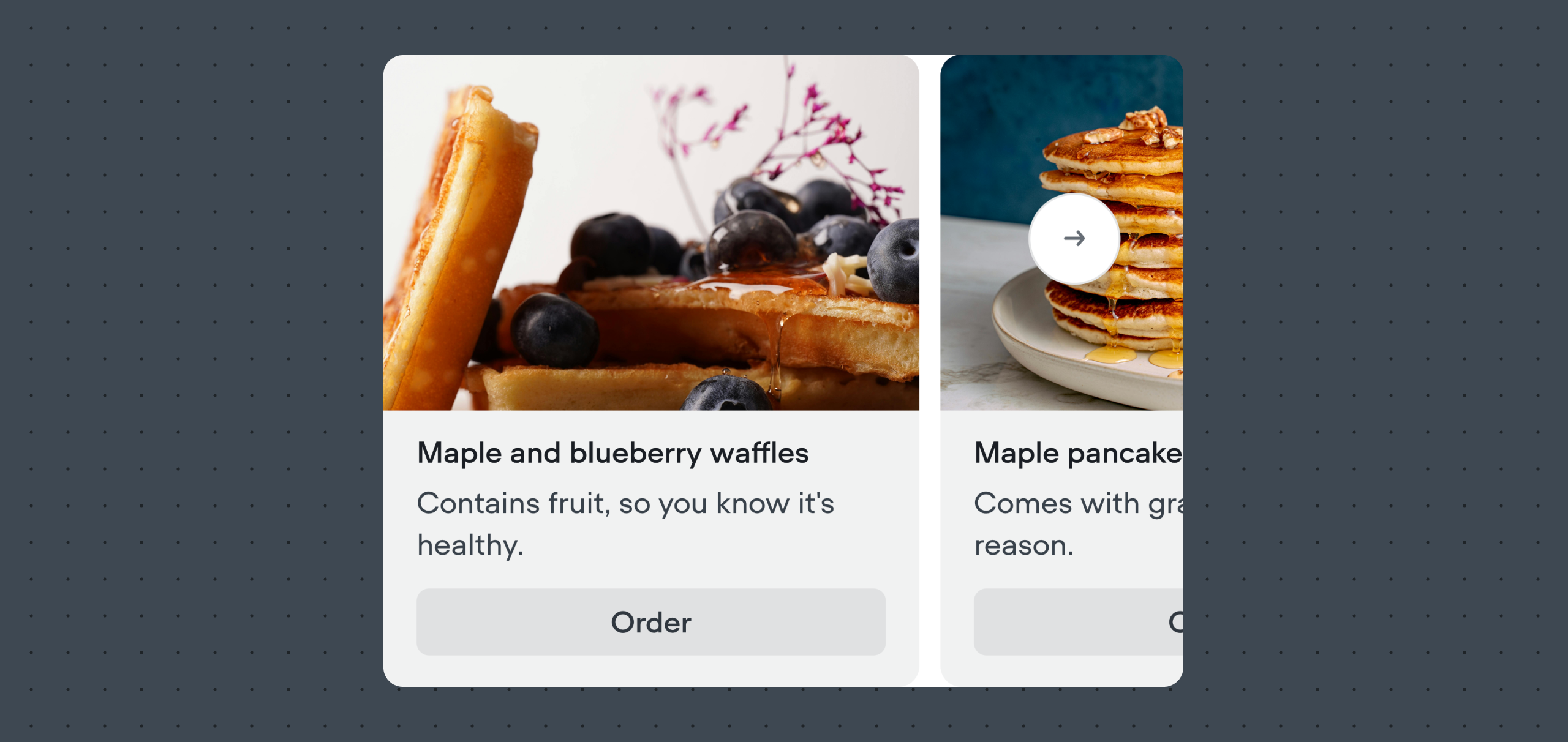
The Carousels tool lets your AI agent present several cards together in a scrollable format. Each card can include a title, image, description, and optional buttons. Carousels are useful when you want to showcase multiple products, options, or pieces of information side by side, giving users an easy way to browse and choose.
Many users pull information about products using an [Integration](/docs/integrations), then visually display it using a carousel. The agent step is capable of automatically transforming JSON responses from integration tools into a carousel automatically, provided it is well-prompted and has enough information to work off.
## Sending carousels from inside the Agent step
[](https://yz5du1veb1.ufs.sh/f/9fKud4NeF5NS0dLObqY2PgpkOf8RGh2YzjZUvq461wulWrJQ)
Inside an [Agent step](/docs/agents), enable the **Carousels** option on the sidebar. Then, set the **LLM description** to describe to your agent when and how it should use the Carousels tool.
We also recommend updating your agent's **Instructions** to also specify when a carousel should be sent. This will dramatically increase your agent's success rate of sending carousels at the correct time.
## Manually sending carousels
You can also manually send buttons to a user using the [Carousels step](/docs/cards-carousels).
[Doc
## Card step
Manually send carousels from outside the Agent step.
Read doc →](./cards-carousels)
Updated about 2 months ago
---
[Cards tool](/docs/cards-tool)[Integrations](/docs/integrations)
Ask AI
* [Table of Contents](#)
* + [Sending carousels from inside the Agent step](#sending-carousels-from-inside-the-agent-step)
+ [Manually sending carousels](#manually-sending-carousels)
