---
category: general
scraped_at: '2025-11-12T14:07:16.062223'
title: Function step
url: /docs/function-step
---
# Function step
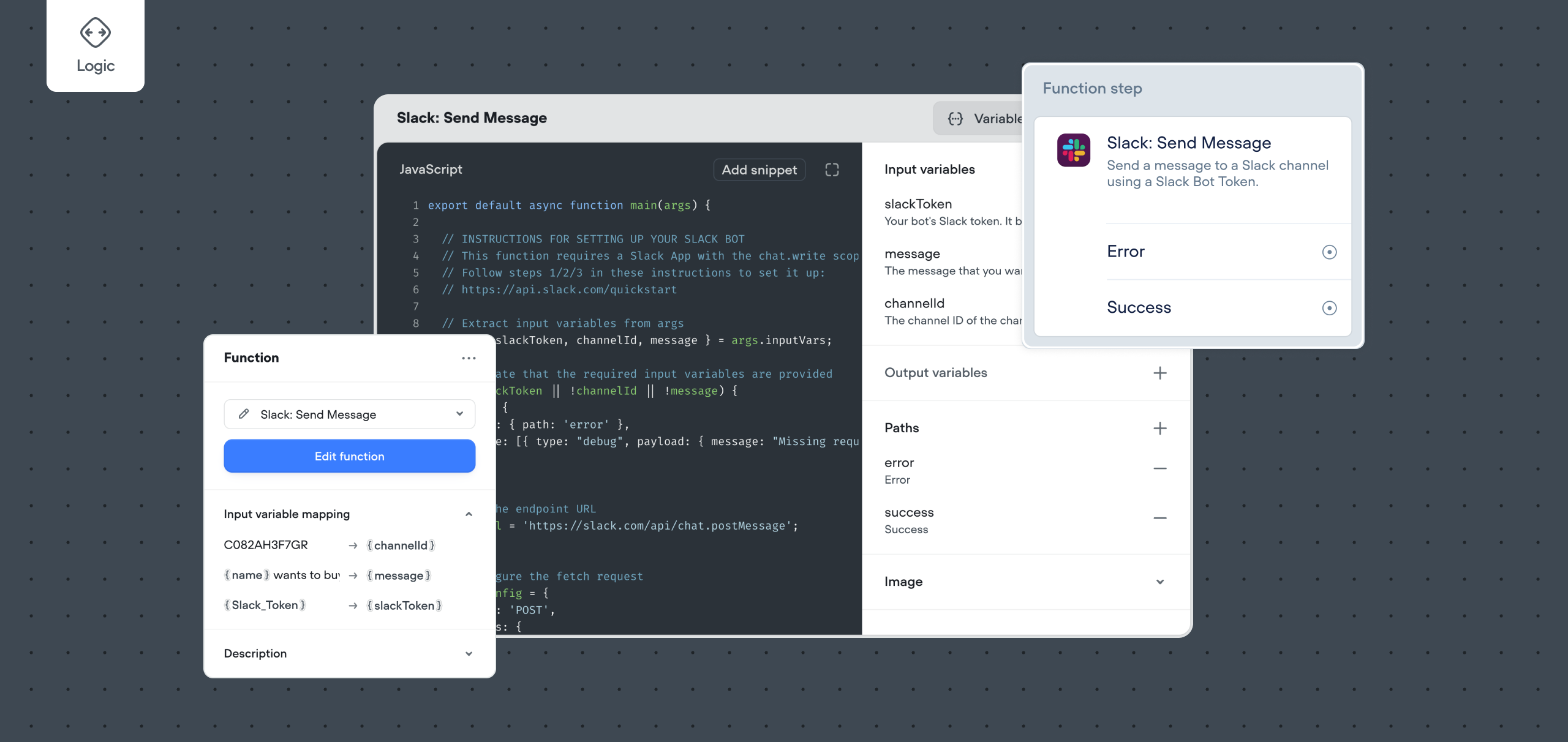
The Function step is a powerful feature that allows developers to create custom logic and operations within their AI Agents. This document will guide you through the process of creating, configuring, and using a Function step on the canvas.
> 📘
>
> ### For a large library of pre-made functions, check out the [function marketplace](https://www.voiceflow.com/resources-functions?products=Function).
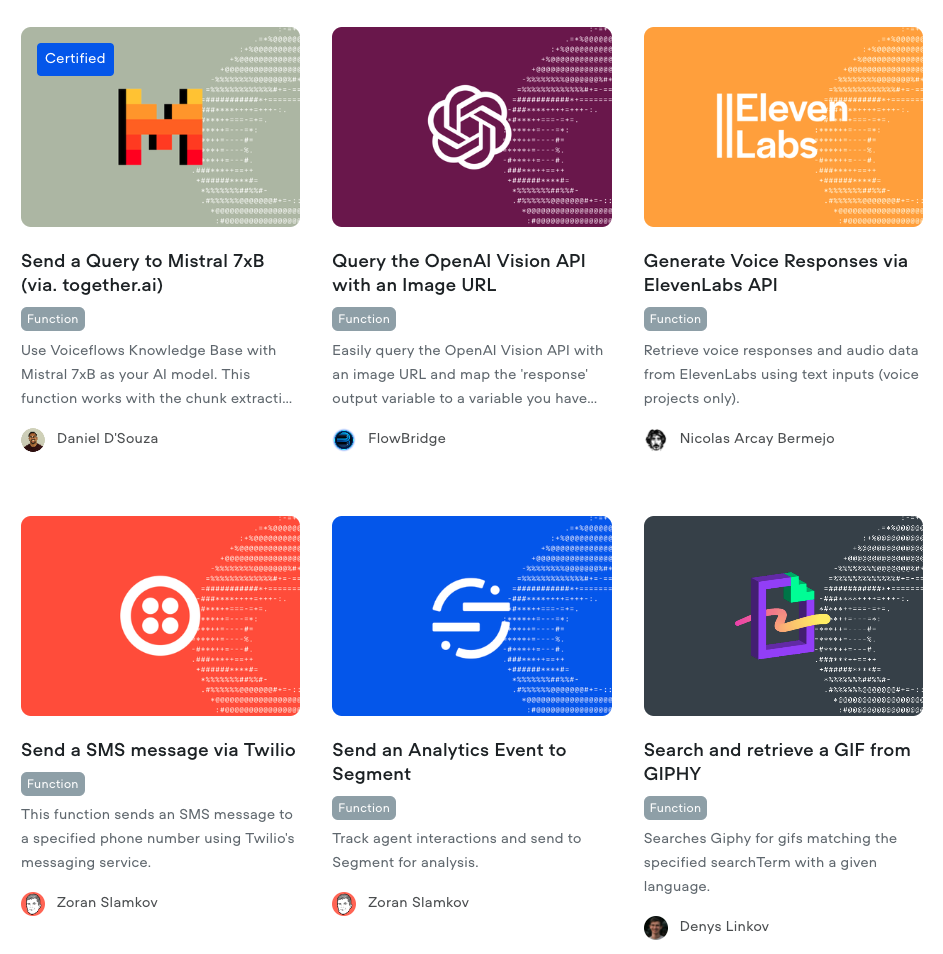
## Using a Function Step
Once you've either [developed](https://developer.voiceflow.com/v2.0/docs/custom-functions) or [imported](https://developer.voiceflow.com/v2.0/docs/custom-functions) your function, you can:
1. Drag the Function step on canvas, which is nested under **Dev** section
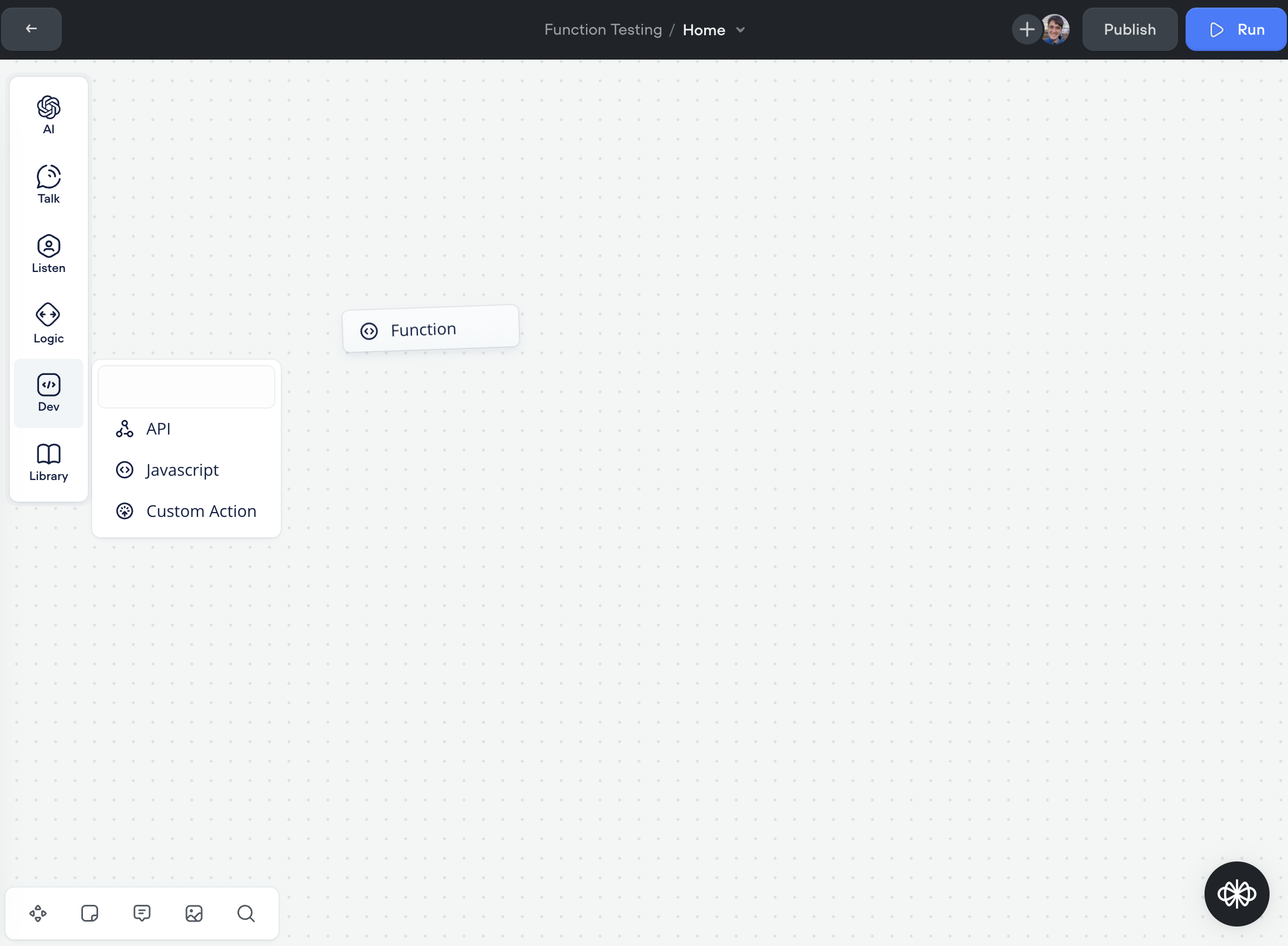
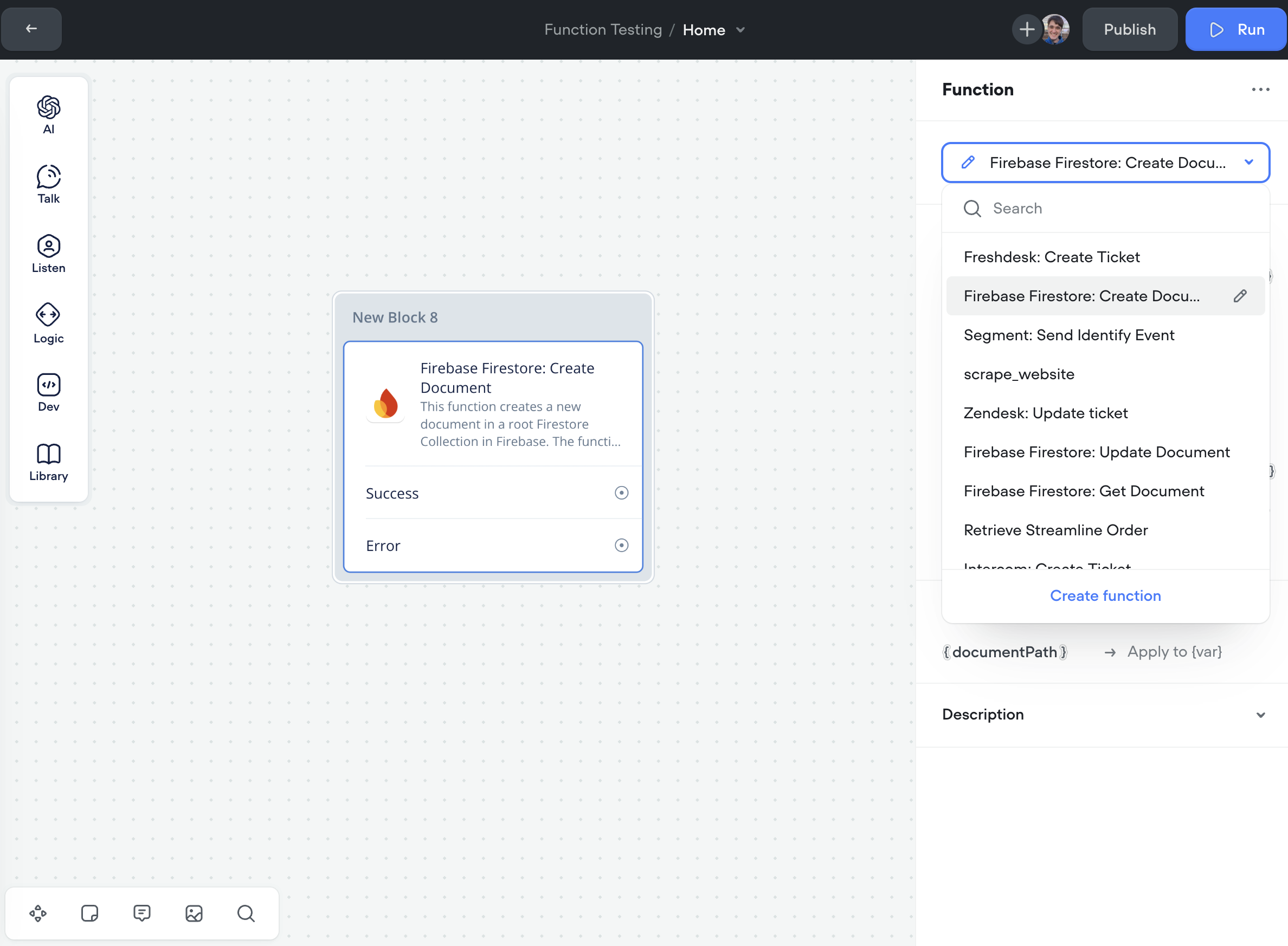
1. Click on the Function step to open the step editor
2. You can either select an existing function from the dropdown or create a new one by clicking the "Create function" button.
## Configuring the Function Step
Next we will be setting up the selected function to integrate with your project.
1. **Input Variable Mapping**
1. Map the input variables by assigning values or variables from your project to the function's parameters.
1. **Note:** Copies of these variables are made when they're passed to the function, so any changes you might make inside the function won't be reflected on the variable passed in. To have a variable updated, put it in the output section.
2. *Example*: { text } is assigned to receive a value or variable from your flow that contains the text you wish to process.
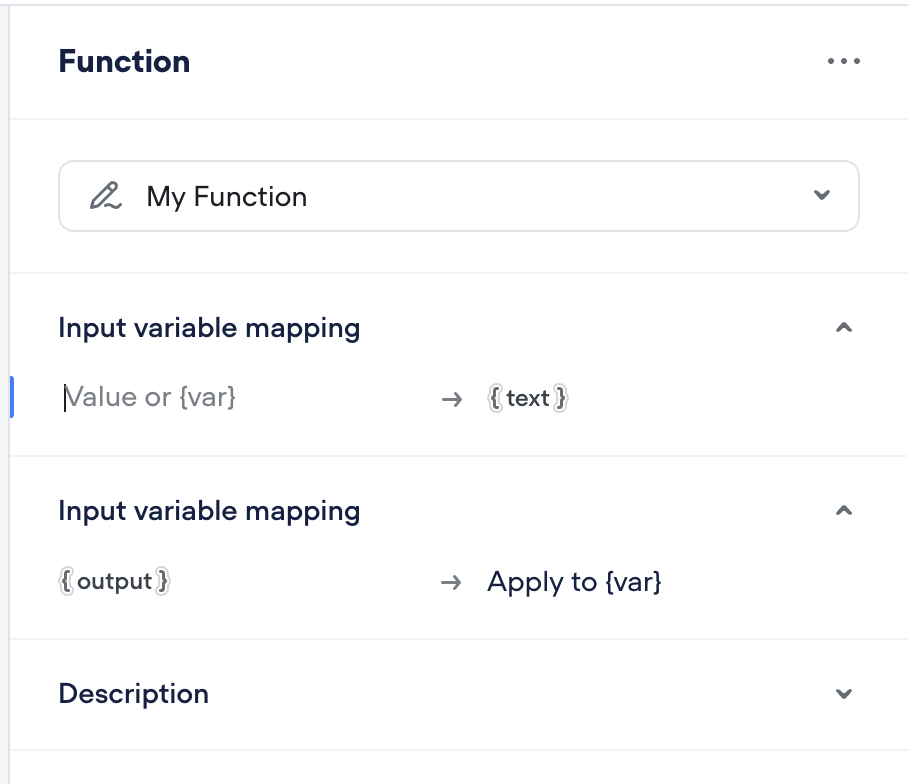
2. **Output Variable Mapping**
1. Define which variable in your flow will receive the output of the function.
2. *Example*: The output of the function, { output }, is applied to {target\_variable}.
> 📘
>
> ### Input variables data types are treated as `strings` .
>
> When using functions, please note that all input variables are treated as `string` data types. Objects, arrays, or any other data types besides `strings` are not allowed as input variables. If you need to use numbers as input, they will still be treated as `strings` unless explicitly converted.
## Using the Function Step
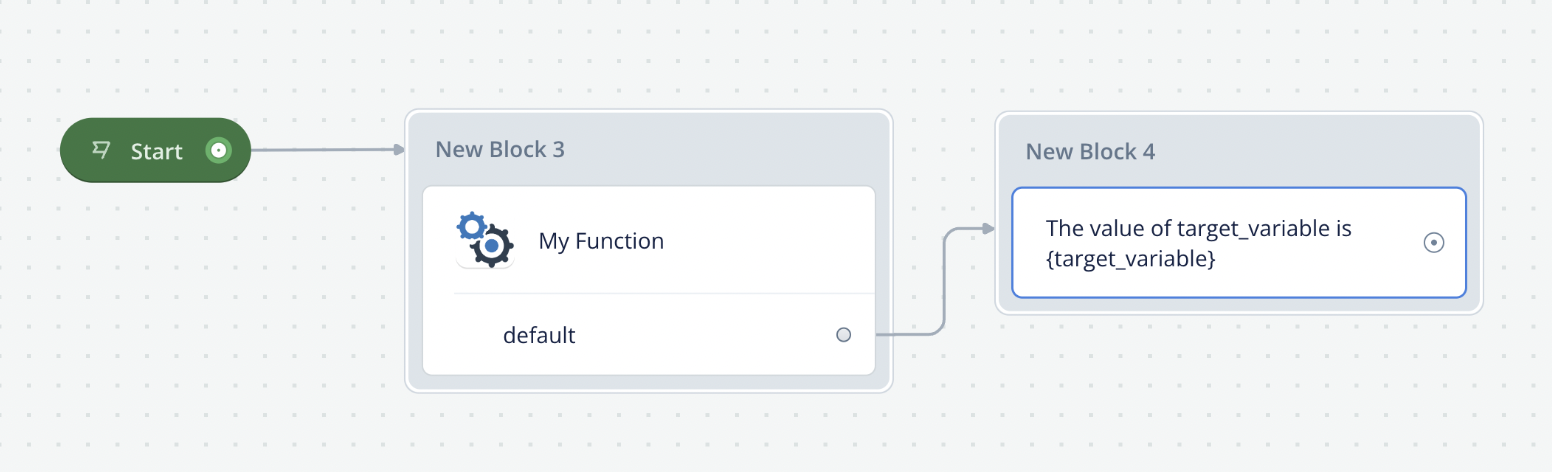
1. **Connecting to Other Blocks**
1. Once configured, your Function step can be connected to other blocks.
2. Connect the "default" port of the Function step to the next step in your flow where you want to utilize the output from the Function step.
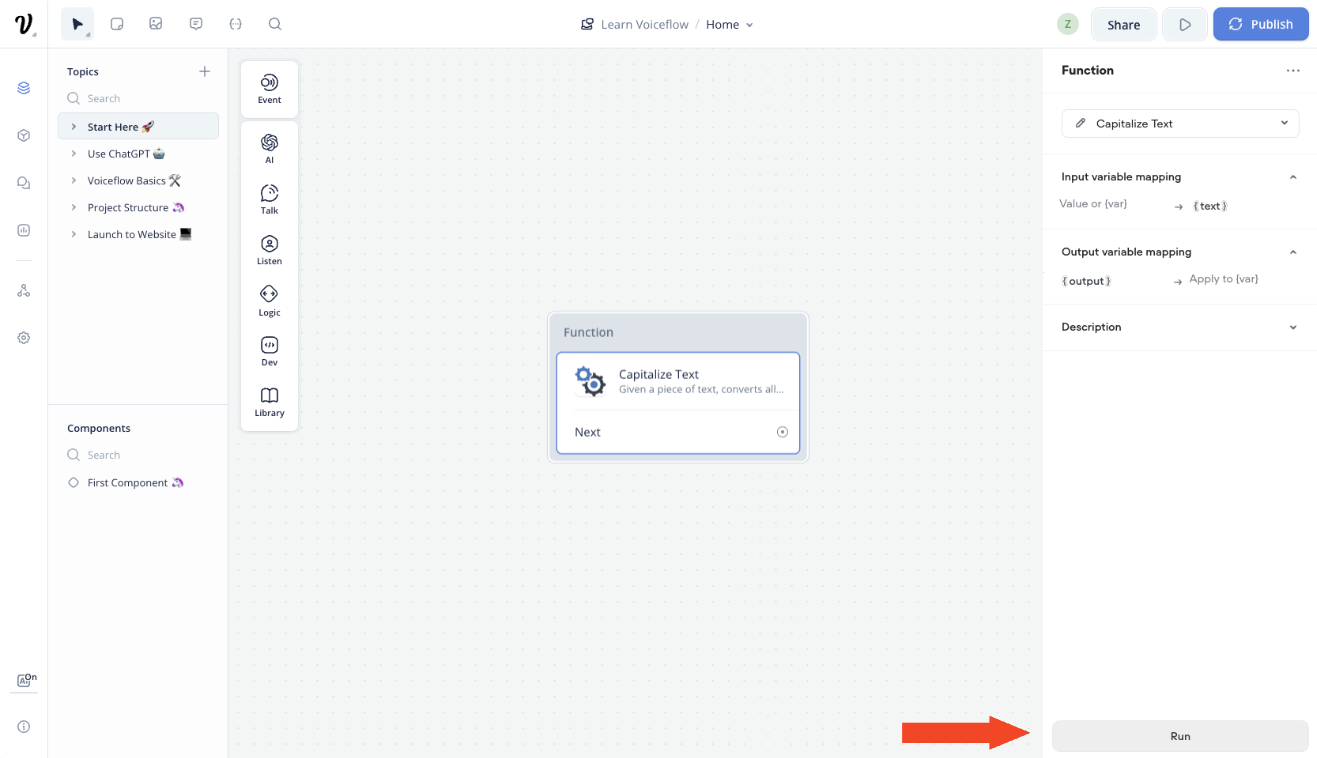
2. **Testing Your Function**
1. After setting up your function with input and output mappings, you can test its behavior using the Voiceflow prototype.
2. Alternatively, you can select the "Run" button on the bottom of the function's step editor to execute the function.
Updated 3 months ago
---
[End step](/docs/todo-end-step)[API step](/docs/api-step)
Ask AI
* [Table of Contents](#)
* + [Using a Function Step](#using-a-function-step)
+ [Configuring the Function Step](#configuring-the-function-step)
+ [Using the Function Step](#using-the-function-step)
