---
category: general
scraped_at: '2025-11-12T14:08:37.976859'
title: No Reply handling
url: /docs/no-reply-response
---
# No Reply handling
How do I sent a message if a user doesn't reply?
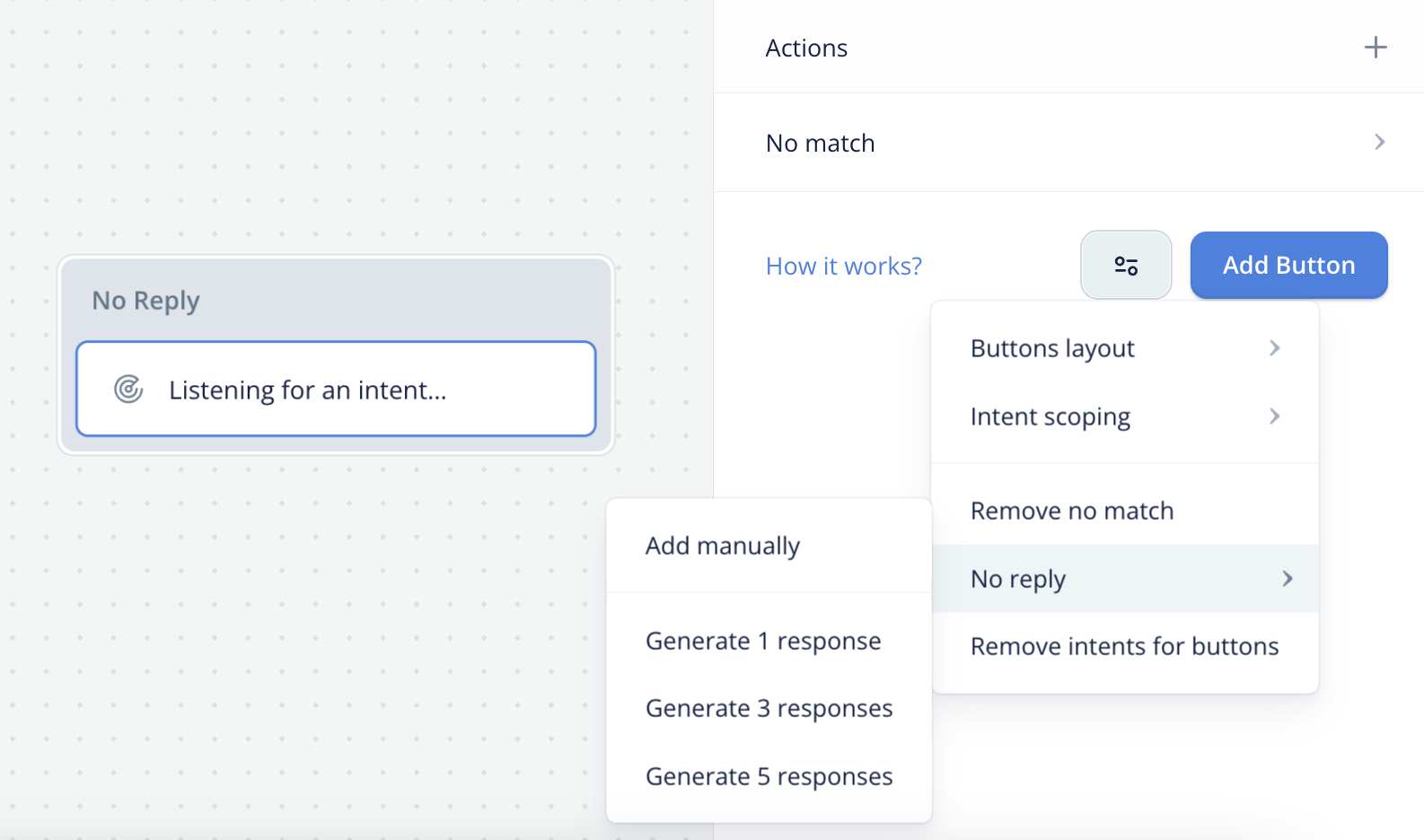
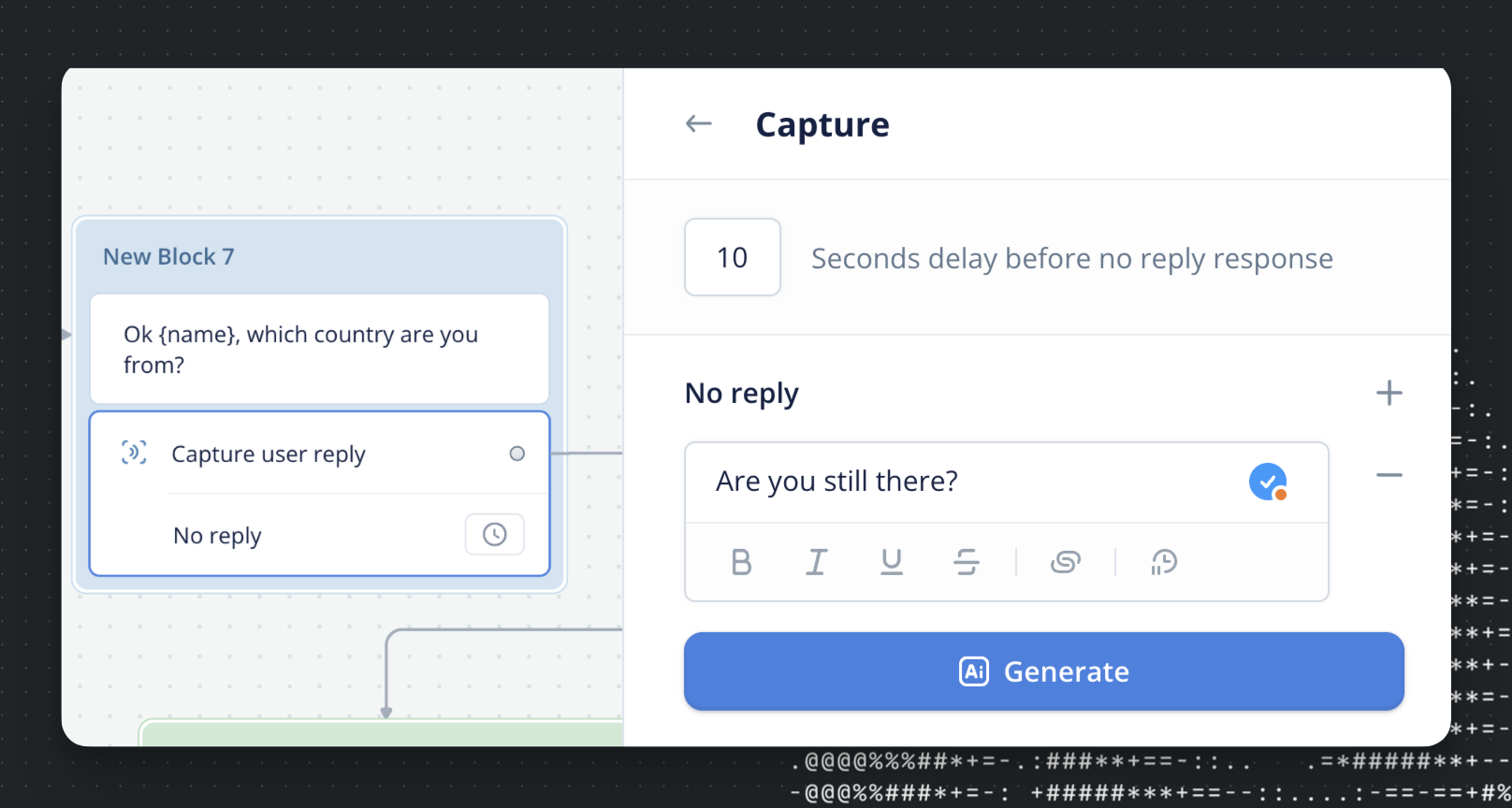
When the user gives no response at all - remaining silent or away from keyboard for a certain amount of time - we can use the no reply feature. Under any "User Input" type step, there is an option to "Add No Reply Response" and designate a timeout period.
## Setting a global no reply
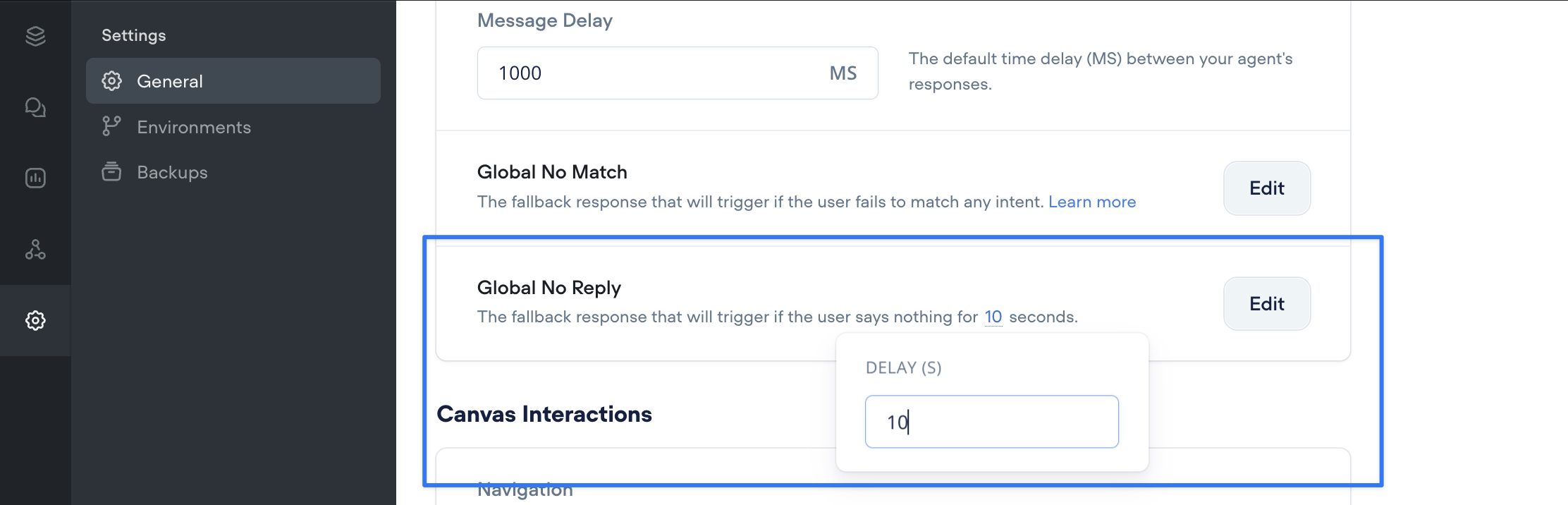
If you want your assistant to have a global no reply (i.e. at any point in the conversation), you can set this in the agent settings.
> 📘
>
> ### We **don't recommend using this for chat experiences**, as users often leave and come back to an agent much later. This is more relevant for **voice** experiences.
By default, the delay for No Reply is **10 seconds**, but you can change this by clicking on the number like shown above in the global settings. This time can also be configured on a case-by-case basis for reach reply, and can have a path attached to the no reply case in certain conditions.
## Handling No Reply in Production
To handle interactions within the Dialog Manager API, we can reference the `no-reply` trace:
```
trace: [
...otherTraces,
{
type: "no-reply",
payload: {
timeout: 5
}
}
]
```
The responsibility of handling this is **on your client** that is calling the API. This would require a timer function of some kind that detects if the user has not responded within the `timeout` number of seconds. In which case, your next `request` should simply be `type: no-reply` to denote that the user has not replied, and then the API will handle the logic accordingly.
```
{
action: {
type: "no-reply"
},
// state, config, and other metadata here
}
```
Updated 7 days ago
---
[No Match handling](/docs/no-match)[LLM fallback](/docs/llm-fallback-system-beta)
Ask AI
* [Table of Contents](#)
* + [Setting a global no reply](#setting-a-global-no-reply)
+ [Handling No Reply in Production](#handling-no-reply-in-production)
