---
category: general
scraped_at: '2025-11-12T14:08:42.402940'
title: Publishing agents to production
url: /docs/publishing-agents
---
# Publishing agents to production
Once your agent is built, it's time to release it into the world in just a few clicks.
Once you've build an awesome agent, it's time to launch it to production. To use our [web chat widget](/docs/chat-widget), [voice integration](/docs/telephony), or [API](/docs/text-based-interfaces) with your agent, you must have published at least one production version of your agent.
## Publishing to production
To publish a production version of your agent, click the green ***Publish*** button in the top right corner of the canvas. You can also optionally add a custom name and release notes for your version.
[](https://yz5du1veb1.ufs.sh/f/9fKud4NeF5NSoUqfrPgQC79nZF1sPaJTXmIcz5SWNAHtxVbj)
## Viewing release history
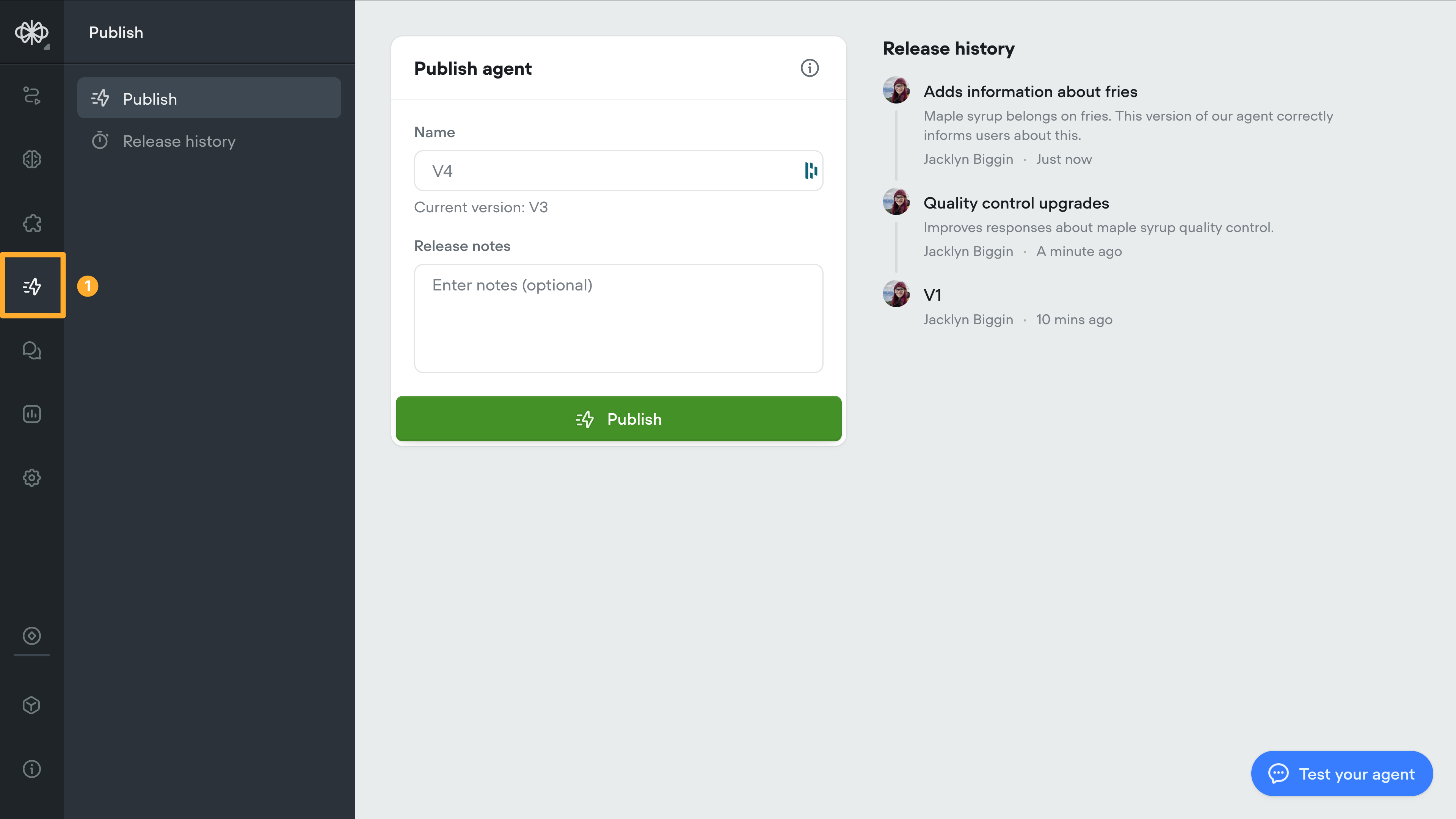
You can access your agent's release history by clicking the lighting bolt icon on the editor's sidebar. From here, you can see the names, release dates, and changelog notes about each release, as well as the person who published it.
Updated 5 months ago
---
[Keypad input (DTMF)](/docs/dtmf)[Web chat widget](/docs/chat-widget)
Ask AI
* [Table of Contents](#)
* + [Publishing to production](#publishing-to-production)
+ [Viewing release history](#viewing-release-history)
