Office Word MCP Server
Office-Word-MCP-서버
Microsoft Word 문서를 생성, 읽기 및 조작하기 위한 모델 컨텍스트 프로토콜(MCP) 서버입니다. 이 서버는 AI 비서가 표준화된 인터페이스를 통해 Word 문서를 작업할 수 있도록 지원하며, 풍부한 문서 편집 기능을 제공합니다.
개요
Office-Word-MCP-Server는 모델 컨텍스트 프로토콜을 구현하여 Word 문서 작업을 도구 및 리소스 형태로 제공합니다. AI 비서와 Microsoft Word 문서를 연결하는 다리 역할을 하여 문서 생성, 콘텐츠 추가, 서식 지정 및 분석을 지원합니다.
이 서버는 문제를 핵심 기능, 도구, 유틸리티로 구분하는 모듈형 아키텍처를 갖추고 있어 향후 개선을 위해 유지 관리와 확장이 매우 용이합니다.
예
폼프트
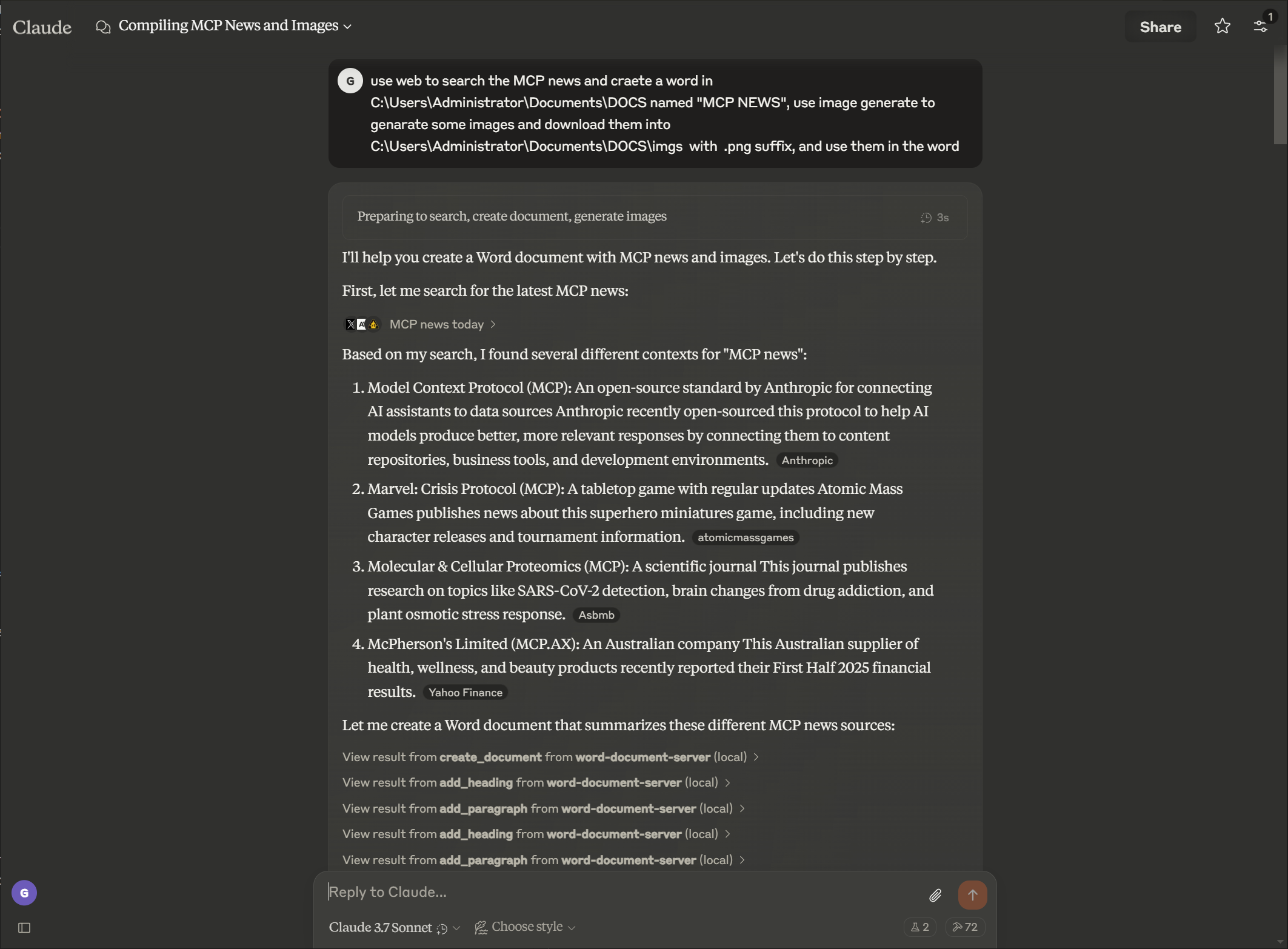
산출
Related MCP server: Claude Document MCP Server
특징
문서 관리
메타데이터를 사용하여 새 Word 문서 만들기
텍스트 추출 및 문서 구조 분석
문서 속성 및 통계 보기
디렉토리에서 사용 가능한 문서 나열
기존 문서의 사본을 만듭니다
여러 문서를 단일 문서로 병합
Word 문서를 PDF 형식으로 변환
콘텐츠 생성
다양한 레벨의 제목 추가
선택적 스타일로 문단 삽입
사용자 정의 데이터로 테이블 만들기
비례적 크기 조정으로 이미지 추가
페이지 나누기 삽입
문서에 각주와 미주 추가
각주를 미주로 변환
각주 및 미주 스타일 사용자 지정
서식 있는 텍스트 서식
특정 텍스트 섹션 서식 지정(굵게, 기울임꼴, 밑줄)
텍스트 색상 및 글꼴 속성 변경
텍스트 요소에 사용자 정의 스타일 적용
문서 전체에서 텍스트 검색 및 바꾸기
표 서식
테두리와 스타일을 사용하여 표 서식 지정
고유한 서식을 사용하여 헤더 행 만들기
셀 음영 및 사용자 정의 테두리 적용
가독성 향상을 위한 구조 표
고급 문서 조작
문단 삭제
사용자 정의 문서 스타일 만들기
문서 전체에 일관된 서식 적용
세부적인 제어를 통해 특정 텍스트 범위 서식 지정
문서 보호
문서에 암호 보호 추가
편집 가능한 섹션으로 제한된 편집을 구현합니다.
문서에 디지털 서명 추가
문서의 진위성 및 무결성을 확인하세요
설치
필수 조건
Python 3.8 이상
pip 패키지 관리자
기본 설치
지엑스피1
설치 스크립트 사용
또는 다음을 처리하는 제공된 설정 스크립트를 사용할 수 있습니다.
필수 조건 확인
가상 환경 설정
종속성 설치
MCP 구성 생성
python setup_mcp.pyClaude for Desktop 사용
구성
방법 1: 로컬 설치 후
설치 후 Claude for Desktop 구성 파일에 서버를 추가합니다.
{
"mcpServers": {
"word-document-server": {
"command": "python",
"args": ["/path/to/word_mcp_server.py"]
}
}
}방법 2: 설치 없이(uvx 사용)
uvx 패키지 관리자를 사용하여 로컬 설치 없이도 Claude for Desktop이 서버를 사용하도록 구성할 수도 있습니다.
{
"mcpServers": {
"word-document-server": {
"command": "uvx",
"args": ["--from", "office-word-mcp-server", "word_mcp_server"]
}
}
}구성 파일 위치:
macOS:
~/Library/Application Support/Claude/claude_desktop_config.jsonWindows:
%APPDATA%\Claude\claude_desktop_config.json
구성을 로드하려면 데스크톱용 Claude를 다시 시작하세요.
예제 작업
구성이 완료되면 Claude에게 다음과 같은 작업을 수행하도록 요청할 수 있습니다.
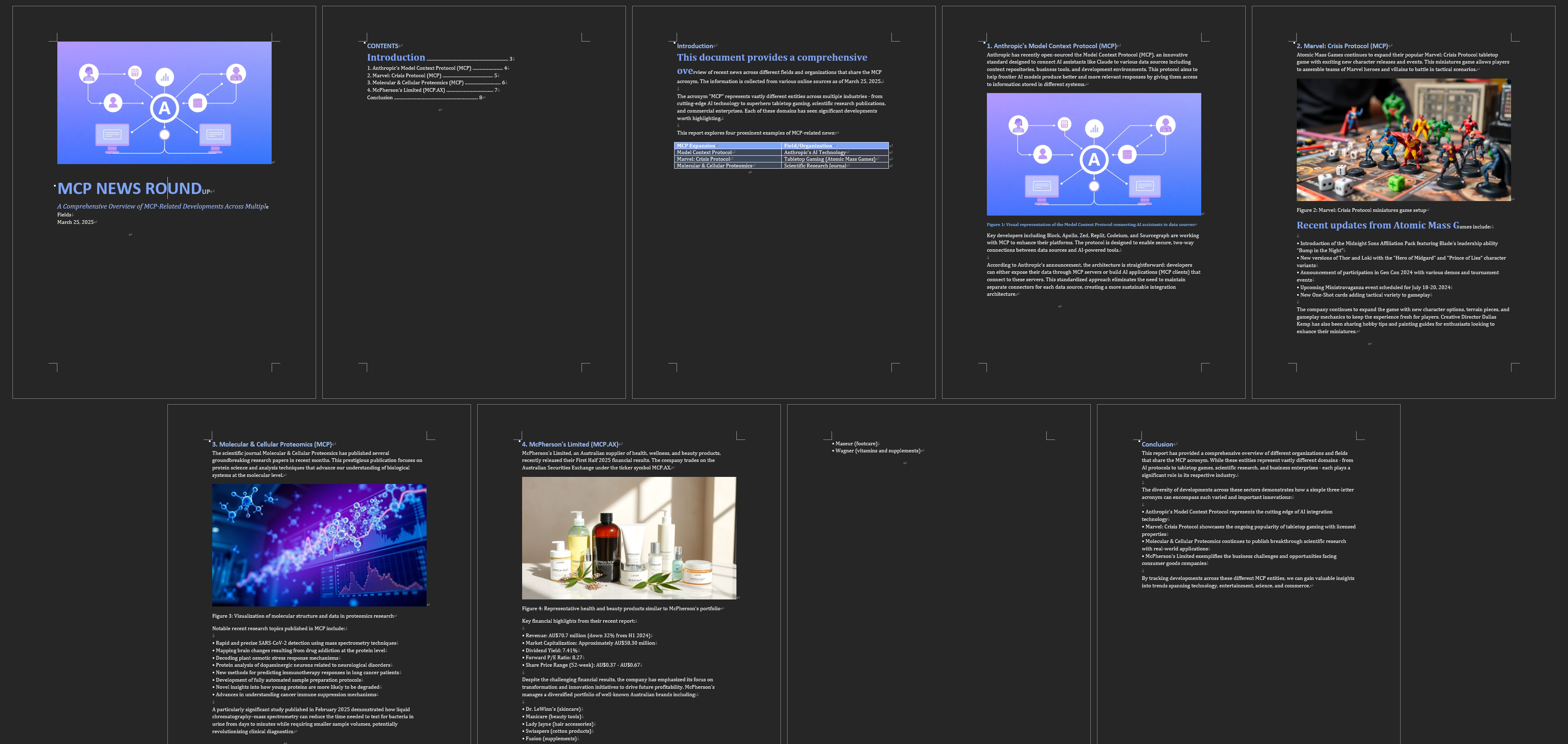
"제목 페이지가 있는 'report.docx'라는 이름의 새 문서를 만듭니다."
"문서에 제목과 세 개의 단락을 추가합니다"
"판매 데이터가 포함된 4x4 테이블 삽입"
"2번째 문단의 '중요'라는 단어를 굵고 빨간색으로 표시하세요."
"'이전 용어'의 모든 인스턴스를 검색하여 '새 용어'로 바꾸세요"
"섹션 제목에 대한 사용자 정의 스타일 만들기"
"내 문서의 표에 서식 적용"
API 참조
문서 생성 및 속성
create_document(filename, title=None, author=None)
get_document_info(filename)
get_document_text(filename)
get_document_outline(filename)
list_available_documents(directory=".")
copy_document(source_filename, destination_filename=None)
convert_to_pdf(filename, output_filename=None)콘텐츠 추가
add_heading(filename, text, level=1)
add_paragraph(filename, text, style=None)
add_table(filename, rows, cols, data=None)
add_picture(filename, image_path, width=None)
add_page_break(filename)콘텐츠 추출
get_document_text(filename)
get_paragraph_text_from_document(filename, paragraph_index)
find_text_in_document(filename, text_to_find, match_case=True, whole_word=False)텍스트 서식
format_text(filename, paragraph_index, start_pos, end_pos, bold=None,
italic=None, underline=None, color=None, font_size=None, font_name=None)
search_and_replace(filename, find_text, replace_text)
delete_paragraph(filename, paragraph_index)
create_custom_style(filename, style_name, bold=None, italic=None,
font_size=None, font_name=None, color=None, base_style=None)표 서식
format_table(filename, table_index, has_header_row=None,
border_style=None, shading=None)문제 해결
일반적인 문제
누락된 스타일
일부 문서에는 제목 및 표 작업에 필요한 스타일이 없을 수 있습니다.
서버는 누락된 스타일을 만들거나 직접 서식을 사용하려고 시도합니다.
최상의 결과를 얻으려면 표준 Word 스타일이 있는 템플릿을 사용하세요.
권한 문제
서버에 문서 경로에 대한 읽기/쓰기 권한이 있는지 확인하세요.
copy_document함수를 사용하여 잠긴 문서의 편집 가능한 사본을 만듭니다.작업이 실패하면 파일 소유권과 권한을 확인하세요.
이미지 삽입 문제
이미지 파일에는 절대 경로를 사용하세요
이미지 형식 호환성 확인(JPEG, PNG 권장)
이미지 파일 크기 및 권한 확인
디버깅
환경 변수를 설정하여 자세한 로깅을 활성화합니다.
export MCP_DEBUG=1 # Linux/macOS
set MCP_DEBUG=1 # Windows기여하다
기여를 환영합니다! 풀 리퀘스트를 제출해 주세요.
저장소를 포크하세요
기능 브랜치를 생성합니다(
git checkout -b feature/amazing-feature)변경 사항을 커밋하세요(
git commit -m 'Add some amazing feature')브랜치에 푸시(
git push origin feature/amazing-feature)풀 리퀘스트 열기
특허
이 프로젝트는 MIT 라이선스에 따라 라이선스가 부여되었습니다. 자세한 내용은 라이선스 파일을 참조하세요.
감사의 말
프로토콜 사양을 위한 모델 컨텍스트 프로토콜
Word 문서 조작을 위한 python-docx
Python MCP 구현을 위한 FastMCP
참고: 이 서버는 시스템의 문서 파일과 상호 작용합니다. Claude for Desktop 또는 다른 MCP 클라이언트에서 작업을 확인하기 전에 요청된 작업이 적절한지 항상 확인하십시오.
Available Tools
54 toolsadd_endnote_to_documentC
Add an endnote to a specific paragraph in a Word document.
Inputs: filename (required), paragraph_index (required), endnote_text (required).
add_footnote_after_textC
Add a footnote after specific text with proper superscript formatting. This enhanced function ensures footnotes display correctly as superscript.
Inputs: filename (required), search_text (required), footnote_text (required), output_filename.
add_footnote_before_textC
Add a footnote before specific text with proper superscript formatting. This enhanced function ensures footnotes display correctly as superscript.
Inputs: filename (required), search_text (required), footnote_text (required), output_filename.
add_footnote_enhancedC
Enhanced footnote addition with guaranteed superscript formatting. Adds footnote at the end of a specific paragraph with proper style handling.
Inputs: filename (required), paragraph_index (required), footnote_text (required), output_filename.
add_footnote_robustC
Add footnote with robust validation and Word compliance. This is the production-ready version with comprehensive error handling.
Inputs: filename (required), search_text, paragraph_index, footnote_text, +2 more.
add_footnote_to_documentC
Add a footnote to a specific paragraph in a Word document.
Inputs: filename (required), paragraph_index (required), footnote_text (required).
add_headingA
Add a heading to a Word document with optional formatting.
Args: filename: Path to Word document text: Heading text level: Heading level (1-9) font_name: Font family (e.g., 'Helvetica') font_size: Font size in points (e.g., 14) bold: Make heading bold italic: Make heading italic border_bottom: Add bottom border (for section headers)
Inputs: filename (required), text (required), level, font_name, +4 more.
add_page_breakC
Add a page break to the document.
Inputs: filename (required).
add_paragraphB
Add a paragraph to a Word document with optional formatting.
Args: filename: Path to Word document text: Paragraph text content style: Optional paragraph style name font_name: Font family (e.g., 'Helvetica', 'Times New Roman') font_size: Font size in points (e.g., 14, 36) bold: Make text bold italic: Make text italic color: Text color as hex RGB (e.g., '000000')
Inputs: filename (required), text (required), style, font_name, +4 more.
add_pictureC
Add an image to a Word document.
Inputs: filename (required), image_path (required), width.
add_tableC
Add a table to a Word document.
Inputs: filename (required), rows (required), cols (required), data.
apply_table_alternating_rowsC
Apply alternating row colors to a table for better readability.
Inputs: filename (required), table_index (required), color1, color2.
auto_fit_table_columnsC
Set table columns to auto-fit based on content.
Inputs: filename (required), table_index (required).
convert_to_pdfC
Convert a Word document to PDF format.
Inputs: filename (required), output_filename.
copy_documentC
Create a copy of a Word document.
Inputs: source_filename (required), destination_filename.
create_custom_styleC
Create a custom style in the document.
Inputs: filename (required), style_name (required), bold, italic, +4 more.
create_documentC
Create a new Word document with optional metadata.
Inputs: filename (required), title, author.
customize_footnote_styleC
Customize footnote numbering and formatting in a Word document.
Inputs: filename (required), numbering_format, start_number, font_name, +1 more.
delete_footnote_from_documentC
Delete a footnote from a Word document. Identify the footnote either by ID (1, 2, 3, etc.) or by searching for text near it.
Inputs: filename (required), footnote_id, search_text, output_filename.
delete_footnote_robustC
Delete footnote with comprehensive cleanup and orphan removal. Ensures complete removal from document.xml, footnotes.xml, and relationships.
Inputs: filename (required), footnote_id, search_text, clean_orphans.
delete_paragraphC
Delete a paragraph from a document.
Inputs: filename (required), paragraph_index (required).
find_text_in_documentC
Find occurrences of specific text in a Word document.
Inputs: filename (required), text_to_find (required), match_case, whole_word.
format_tableC
Format a table with borders, shading, and structure.
Inputs: filename (required), table_index (required), has_header_row, border_style, +1 more.
format_table_cell_textC
Format text within a specific table cell.
Inputs: filename (required), table_index (required), row_index (required), col_index (required), +7 more.
format_textC
Format a specific range of text within a paragraph.
Inputs: filename (required), paragraph_index (required), start_pos (required), end_pos (required), +6 more.
get_all_commentsC
Extract all comments from a Word document.
Inputs: filename (required).
get_comments_by_authorC
Extract comments from a specific author in a Word document.
Inputs: filename (required), author (required).
get_comments_for_paragraphC
Extract comments for a specific paragraph in a Word document.
Inputs: filename (required), paragraph_index (required).
get_document_infoC
Get information about a Word document.
Inputs: filename (required).
get_document_outlineC
Get the structure of a Word document.
Inputs: filename (required).
get_document_textC
Extract all text from a Word document.
Inputs: filename (required).
get_document_xmlC
Get the raw XML structure of a Word document.
Inputs: filename (required).
get_paragraph_text_from_documentC
Get text from a specific paragraph in a Word document.
Inputs: filename (required), paragraph_index (required).
highlight_table_headerC
Apply special highlighting to table header row.
Inputs: filename (required), table_index (required), header_color, text_color.
insert_header_near_textA
Insert a header (with specified style) before or after the target paragraph. Specify by text or paragraph index. Args: filename (str), target_text (str, optional), header_title (str), position ('before' or 'after'), header_style (str, default 'Heading 1'), target_paragraph_index (int, optional).
Inputs: filename (required), target_text, header_title, position, +2 more.
insert_line_or_paragraph_near_textB
Insert a new line or paragraph (with specified or matched style) before or after the target paragraph. Specify by text or paragraph index. Args: filename (str), target_text (str, optional), line_text (str), position ('before' or 'after'), line_style (str, optional), target_paragraph_index (int, optional).
Inputs: filename (required), target_text, line_text, position, +2 more.
insert_numbered_list_near_textA
Insert a bulleted or numbered list before or after the target paragraph. Specify by text or paragraph index. Args: filename (str), target_text (str, optional), list_items (list of str), position ('before' or 'after'), target_paragraph_index (int, optional), bullet_type ('bullet' for bullets or 'number' for numbered lists, default: 'bullet').
Inputs: filename (required), target_text, list_items, position, +2 more.
list_available_documentsC
List all .docx files in the specified directory.
Inputs: directory.
merge_table_cellsC
Merge cells in a rectangular area of a table.
Inputs: filename (required), table_index (required), start_row (required), start_col (required), +2 more.
merge_table_cells_horizontalC
Merge cells horizontally in a single row.
Inputs: filename (required), table_index (required), row_index (required), start_col (required), +1 more.
merge_table_cells_verticalC
Merge cells vertically in a single column.
Inputs: filename (required), table_index (required), col_index (required), start_row (required), +1 more.
protect_documentC
Add password protection to a Word document.
Inputs: filename (required), password (required).
replace_block_between_manual_anchorsC
Replace all content between start_anchor_text and end_anchor_text (or next logical header if not provided).
Inputs: filename (required), start_anchor_text (required), new_paragraphs (required), end_anchor_text, +2 more.
replace_paragraph_block_below_headerC
Reemplaza el bloque de párrafos debajo de un encabezado, evitando modificar TOC.
Inputs: filename (required), header_text (required), new_paragraphs (required), detect_block_end_fn.
search_and_replaceC
Search for text and replace all occurrences.
Inputs: filename (required), find_text (required), replace_text (required).
set_table_alignment_allC
Set text alignment for all cells in a table.
Inputs: filename (required), table_index (required), horizontal, vertical.
set_table_cell_alignmentC
Set text alignment for a specific table cell.
Inputs: filename (required), table_index (required), row_index (required), col_index (required), +2 more.
set_table_cell_paddingC
Set padding/margins for a specific table cell.
Inputs: filename (required), table_index (required), row_index (required), col_index (required), +5 more.
set_table_cell_shadingC
Apply shading/filling to a specific table cell.
Inputs: filename (required), table_index (required), row_index (required), col_index (required), +2 more.
set_table_column_widthC
Set the width of a specific table column.
Inputs: filename (required), table_index (required), col_index (required), width (required), +1 more.
set_table_column_widthsC
Set the widths of multiple table columns.
Inputs: filename (required), table_index (required), widths (required), width_type.
set_table_widthC
Set the overall width of a table.
Inputs: filename (required), table_index (required), width (required), width_type.
unprotect_documentC
Remove password protection from a Word document.
Inputs: filename (required), password (required).
validate_document_footnotesC
Validate all footnotes in document for coherence and compliance. Returns detailed report on ID conflicts, orphaned content, missing styles, etc.
Inputs: filename (required).
Tool Schema Changelog
Recent tool additions, removals, and schema changes observed during successful MCP inspections.
Loading tool schema changelog…
TDQS
Scored across 54 tools
Multiple tools have overlapping purposes, especially for footnotes (e.g., add_footnote_to_document, add_footnote_enhanced, add_footnote_robust, add_footnote_before_text, add_footnote_after_text) and table formatting (e.g., set_table_cell_alignment vs. set_table_alignment_all, merge_table_cells vs. merge_table_cells_horizontal/vertical). Descriptions help somewhat, but the boundaries are unclear, leading to potential misselection.
The naming follows a mostly snake_case pattern, but conventions are mixed with inconsistent verb styles (e.g., 'add' vs. 'insert' vs. 'apply' vs. 'set' for similar operations) and some tools have overly verbose names (e.g., replace_block_between_manual_anchors). While readable, it lacks a predictable pattern across all tools.
With 54 tools, the count is excessive for a Word document server, making it heavy and overwhelming. Many tools could be consolidated (e.g., multiple footnote addition/deletion tools, redundant table formatting functions), indicating poor scoping and bloat.
The tool set covers a wide range of Word document operations, including creation, formatting, tables, footnotes, comments, and conversion to PDF. Minor gaps exist (e.g., no direct tool for adding comments or managing sections), but core workflows are well-covered, allowing agents to work around most limitations.
Maintenance
Related MCP Connectors
A comprehensive Model Context Protocol (MCP) server that enables AI assistants to interact with yo…
A Model Context Protocol server for Wix AI tools
The Mercado Pago MCP Server implements the Model Context Protocol to provide AI agents and LLMs with access to Mercado Pago's APIs and tools within compatible development environments. It acts as an intermediary that translates Mercado Pago resources into executable functions (tools) that AI applications can invoke to perform actions and automate flows. The server simplifies integration, enables using documentation to implement or improve code, and optimizes operations through natural language interactions without manual implementations.
One MCP server for the services your AI needs: memory, files, Microsoft 365, kanban and more.
Related MCP Servers
- AlicenseAqualityDmaintenanceA server providing tools to read, write, and edit Microsoft Word (docx) files through the Model Context Protocol, allowing operations like complete document reading, content creation, targeted paragraph editing, and text insertion.439MIT
- AlicenseNot gradedqualityDmaintenanceA Model Context Protocol server that allows Claude Desktop to perform document operations on Microsoft Word, Excel, and PDF files including creation, editing, and format conversion.52MIT
- FlicenseAqualityDmaintenanceA comprehensive Model Context Protocol server that processes Microsoft Word documents with full formatting support, enabling text extraction, HTML/Markdown conversion, structure analysis, and image extraction.52-
- -licenseNot gradedqualityNot gradedmaintenanceA Python server implementing Model Context Protocol for advanced Microsoft Word document manipulation, enabling programmatic automation of complex document processing tasks.-