Glama
Office Word MCP Server

Office Word MCP Server

by GongRzhe

Office-Word-MCP-サーバー

Microsoft Word文書の作成、読み取り、操作のためのモデルコンテキストプロトコル(MCP)サーバー。このサーバーにより、AIアシスタントは標準化されたインターフェースを介してWord文書を操作でき、豊富なドキュメント編集機能を提供します。

概要

Office-Word-MCP-Serverは、モデルコンテキストプロトコルを実装し、Word文書の操作をツールおよびリソースとして公開します。AIアシスタントとMicrosoft Word文書間の橋渡しとして機能し、文書の作成、コンテンツの追加、書式設定、分析を可能にします。

サーバーは、コア機能、ツール、ユーティリティに関心を分離するモジュール式アーキテクチャを採用しており、将来の機能強化に備えて保守性と拡張性が非常に高くなっています。

例

突然
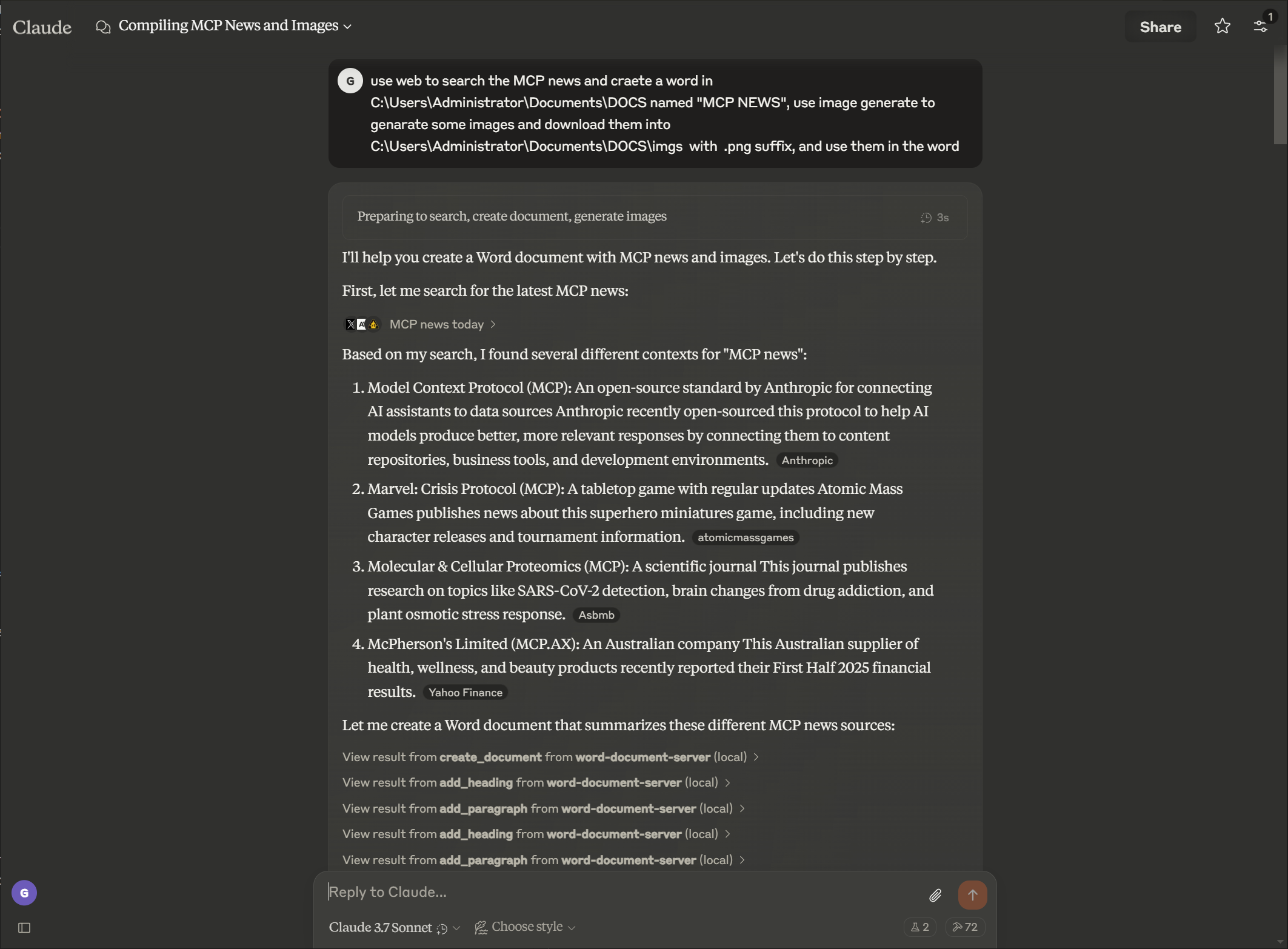
画像

出力

画像

Related MCP server: Claude Document MCP Server

特徴

ドキュメント管理

  • メタデータを含む新しい Word 文書を作成する

  • テキストを抽出し、文書構造を分析する

  • ドキュメントのプロパティと統計情報を表示する

  • ディレクトリ内の利用可能なドキュメントを一覧表示する

  • 既存のドキュメントのコピーを作成する

  • 複数の文書を1つの文書に結合する

  • Word文書をPDF形式に変換する

コンテンツ作成

  • 異なるレベルの見出しを追加する

  • オプションのスタイルで段落を挿入する

  • カスタムデータでテーブルを作成する

  • 比例スケーリングで画像を追加する

  • 改ページを挿入する

  • 文書に脚注と文末脚注を追加する

  • 脚注を文末脚注に変換する

  • 脚注と文末脚注のスタイルをカスタマイズする

リッチテキストフォーマット

  • 特定のテキストセクションの書式設定(太字、斜体、下線)

  • テキストの色とフォントのプロパティを変更する

  • テキスト要素にカスタムスタイルを適用する

  • 文書全体のテキストの検索と置換

表の書式設定

  • 境界線とスタイルで表をフォーマットする

  • 異なる書式のヘッダー行を作成する

  • セルの網掛けとカスタム境界線を適用する

  • 読みやすさを向上させるための表の構造化

高度なドキュメント操作

  • 段落を削除する

  • カスタムドキュメントスタイルを作成する

  • ドキュメント全体で一貫した書式を適用する

  • 詳細な制御で特定の範囲のテキストをフォーマットする

文書保護

  • ドキュメントにパスワード保護を追加する

  • 編集可能なセクションで制限された編集を実装する

  • 文書にデジタル署名を追加する

  • 文書の真正性と完全性を検証する

インストール

前提条件

  • Python 3.8以上

  • pip パッケージマネージャー

基本的なインストール

# Clone the repository
git clone https://github.com/GongRzhe/Office-Word-MCP-Server.git
cd Office-Word-MCP-Server

# Install dependencies
pip install -r requirements.txt

セットアップスクリプトの使用

あるいは、次の処理を実行する提供されているセットアップ スクリプトを使用することもできます。

  • 前提条件の確認

  • 仮想環境の設定

  • 依存関係のインストール

  • MCP構成の生成

python setup_mcp.py

Claude for Desktop での使用

構成

方法1: ローカルインストール後

  1. インストール後、Claude for Desktop 構成ファイルにサーバーを追加します。

{
  "mcpServers": {
    "word-document-server": {
      "command": "python",
      "args": ["/path/to/word_mcp_server.py"]
    }
  }
}

方法2: インストールなし(uvxを使用)

  1. uvx パッケージ マネージャーを使用して、ローカル インストールなしでサーバーを使用するように Claude for Desktop を構成することもできます。

{
  "mcpServers": {
    "word-document-server": {
      "command": "uvx",
      "args": ["--from", "office-word-mcp-server", "word_mcp_server"]
    }
  }
}
  1. 構成ファイルの場所:

    • macOS: ~/Library/Application Support/Claude/claude_desktop_config.json

    • Windows: %APPDATA%\Claude\claude_desktop_config.json

  2. 構成をロードするには、Claude for Desktop を再起動します。

操作例

設定が完了すると、Claude に次のような操作の実行を依頼できるようになります。

  • 「タイトルページ付きの「report.docx」という新しいドキュメントを作成します」

  • 「文書に見出しと3つの段落を追加する」

  • 「売上データを含む4x4のテーブルを挿入する」

  • 「第2段落の「重要」という単語を太字と赤色で表示します」

  • 「「古い用語」のすべてのインスタンスを検索して「新しい用語」に置き換えます」

  • 「セクション見出しのカスタムスタイルを作成する」

  • 「文書内の表に書式を適用する」

APIリファレンス

ドキュメントの作成とプロパティ

create_document(filename, title=None, author=None)
get_document_info(filename)
get_document_text(filename)
get_document_outline(filename)
list_available_documents(directory=".")
copy_document(source_filename, destination_filename=None)
convert_to_pdf(filename, output_filename=None)

コンテンツの追加

add_heading(filename, text, level=1)
add_paragraph(filename, text, style=None)
add_table(filename, rows, cols, data=None)
add_picture(filename, image_path, width=None)
add_page_break(filename)

コンテンツ抽出

get_document_text(filename)
get_paragraph_text_from_document(filename, paragraph_index)
find_text_in_document(filename, text_to_find, match_case=True, whole_word=False)

テキストの書式設定

format_text(filename, paragraph_index, start_pos, end_pos, bold=None,
            italic=None, underline=None, color=None, font_size=None, font_name=None)
search_and_replace(filename, find_text, replace_text)
delete_paragraph(filename, paragraph_index)
create_custom_style(filename, style_name, bold=None, italic=None,
                    font_size=None, font_name=None, color=None, base_style=None)

表の書式設定

format_table(filename, table_index, has_header_row=None,
             border_style=None, shading=None)

トラブルシューティング

よくある問題

  1. スタイルが見つからない

    • 一部の文書では、見出しや表の操作に必要なスタイルが不足している場合があります。

    • サーバーは不足しているスタイルを作成するか、直接書式設定を使用します。

    • 最良の結果を得るには、標準のWordスタイルのテンプレートを使用してください。

  2. 権限の問題

    • サーバーにドキュメントパスの読み取り/書き込み権限があることを確認する

    • ロックされたドキュメントの編集可能なコピーを作成するには、 copy_document関数を使用します。

    • 操作が失敗した場合はファイルの所有権と権限を確認してください

  3. 画像挿入の問題

    • 画像ファイルには絶対パスを使用する

    • 画像形式の互換性を確認する(JPEG、PNG を推奨)

    • 画像ファイルのサイズと権限を確認する

デバッグ

環境変数を設定して詳細なログ記録を有効にします。

export MCP_DEBUG=1  # Linux/macOS
set MCP_DEBUG=1     # Windows

貢献

貢献を歓迎します!お気軽にプルリクエストを送信してください。

  1. リポジトリをフォークする

  2. 機能ブランチを作成します( git checkout -b feature/amazing-feature )

  3. 変更をコミットします ( git commit -m 'Add some amazing feature' )

  4. ブランチにプッシュする ( git push origin feature/amazing-feature )

  5. プルリクエストを開く

ライセンス

このプロジェクトは MIT ライセンスに基づいてライセンスされています - 詳細については LICENSE ファイルを参照してください。

謝辞


注: このサーバーはシステム上のドキュメントファイルとやり取りします。Claude for Desktop やその他の MCP クライアントで確認する前に、要求された操作が適切であることを必ず確認してください。

Available Tools

54 tools
add_endnote_to_documentC

Add an endnote to a specific paragraph in a Word document.

Inputs: filename (required), paragraph_index (required), endnote_text (required).

add_footnote_after_textC

Add a footnote after specific text with proper superscript formatting. This enhanced function ensures footnotes display correctly as superscript.

Inputs: filename (required), search_text (required), footnote_text (required), output_filename.

add_footnote_before_textC

Add a footnote before specific text with proper superscript formatting. This enhanced function ensures footnotes display correctly as superscript.

Inputs: filename (required), search_text (required), footnote_text (required), output_filename.

add_footnote_enhancedC

Enhanced footnote addition with guaranteed superscript formatting. Adds footnote at the end of a specific paragraph with proper style handling.

Inputs: filename (required), paragraph_index (required), footnote_text (required), output_filename.

add_footnote_robustC

Add footnote with robust validation and Word compliance. This is the production-ready version with comprehensive error handling.

Inputs: filename (required), search_text, paragraph_index, footnote_text, +2 more.

add_footnote_to_documentC

Add a footnote to a specific paragraph in a Word document.

Inputs: filename (required), paragraph_index (required), footnote_text (required).

add_headingA

Add a heading to a Word document with optional formatting.

Args: filename: Path to Word document text: Heading text level: Heading level (1-9) font_name: Font family (e.g., 'Helvetica') font_size: Font size in points (e.g., 14) bold: Make heading bold italic: Make heading italic border_bottom: Add bottom border (for section headers)

Inputs: filename (required), text (required), level, font_name, +4 more.

add_page_breakC

Add a page break to the document.

Inputs: filename (required).

add_paragraphB

Add a paragraph to a Word document with optional formatting.

Args: filename: Path to Word document text: Paragraph text content style: Optional paragraph style name font_name: Font family (e.g., 'Helvetica', 'Times New Roman') font_size: Font size in points (e.g., 14, 36) bold: Make text bold italic: Make text italic color: Text color as hex RGB (e.g., '000000')

Inputs: filename (required), text (required), style, font_name, +4 more.

add_pictureC

Add an image to a Word document.

Inputs: filename (required), image_path (required), width.

add_tableC

Add a table to a Word document.

Inputs: filename (required), rows (required), cols (required), data.

apply_table_alternating_rowsC

Apply alternating row colors to a table for better readability.

Inputs: filename (required), table_index (required), color1, color2.

auto_fit_table_columnsC

Set table columns to auto-fit based on content.

Inputs: filename (required), table_index (required).

convert_to_pdfC

Convert a Word document to PDF format.

Inputs: filename (required), output_filename.

copy_documentC

Create a copy of a Word document.

Inputs: source_filename (required), destination_filename.

create_custom_styleC

Create a custom style in the document.

Inputs: filename (required), style_name (required), bold, italic, +4 more.

create_documentC

Create a new Word document with optional metadata.

Inputs: filename (required), title, author.

customize_footnote_styleC

Customize footnote numbering and formatting in a Word document.

Inputs: filename (required), numbering_format, start_number, font_name, +1 more.

delete_footnote_from_documentC

Delete a footnote from a Word document. Identify the footnote either by ID (1, 2, 3, etc.) or by searching for text near it.

Inputs: filename (required), footnote_id, search_text, output_filename.

delete_footnote_robustC

Delete footnote with comprehensive cleanup and orphan removal. Ensures complete removal from document.xml, footnotes.xml, and relationships.

Inputs: filename (required), footnote_id, search_text, clean_orphans.

delete_paragraphC

Delete a paragraph from a document.

Inputs: filename (required), paragraph_index (required).

find_text_in_documentC

Find occurrences of specific text in a Word document.

Inputs: filename (required), text_to_find (required), match_case, whole_word.

format_tableC

Format a table with borders, shading, and structure.

Inputs: filename (required), table_index (required), has_header_row, border_style, +1 more.

format_table_cell_textC

Format text within a specific table cell.

Inputs: filename (required), table_index (required), row_index (required), col_index (required), +7 more.

format_textC

Format a specific range of text within a paragraph.

Inputs: filename (required), paragraph_index (required), start_pos (required), end_pos (required), +6 more.

get_all_commentsC

Extract all comments from a Word document.

Inputs: filename (required).

get_comments_by_authorC

Extract comments from a specific author in a Word document.

Inputs: filename (required), author (required).

get_comments_for_paragraphC

Extract comments for a specific paragraph in a Word document.

Inputs: filename (required), paragraph_index (required).

get_document_infoC

Get information about a Word document.

Inputs: filename (required).

get_document_outlineC

Get the structure of a Word document.

Inputs: filename (required).

get_document_textC

Extract all text from a Word document.

Inputs: filename (required).

get_document_xmlC

Get the raw XML structure of a Word document.

Inputs: filename (required).

get_paragraph_text_from_documentC

Get text from a specific paragraph in a Word document.

Inputs: filename (required), paragraph_index (required).

highlight_table_headerC

Apply special highlighting to table header row.

Inputs: filename (required), table_index (required), header_color, text_color.

insert_header_near_textA

Insert a header (with specified style) before or after the target paragraph. Specify by text or paragraph index. Args: filename (str), target_text (str, optional), header_title (str), position ('before' or 'after'), header_style (str, default 'Heading 1'), target_paragraph_index (int, optional).

Inputs: filename (required), target_text, header_title, position, +2 more.

insert_line_or_paragraph_near_textB

Insert a new line or paragraph (with specified or matched style) before or after the target paragraph. Specify by text or paragraph index. Args: filename (str), target_text (str, optional), line_text (str), position ('before' or 'after'), line_style (str, optional), target_paragraph_index (int, optional).

Inputs: filename (required), target_text, line_text, position, +2 more.

insert_numbered_list_near_textA

Insert a bulleted or numbered list before or after the target paragraph. Specify by text or paragraph index. Args: filename (str), target_text (str, optional), list_items (list of str), position ('before' or 'after'), target_paragraph_index (int, optional), bullet_type ('bullet' for bullets or 'number' for numbered lists, default: 'bullet').

Inputs: filename (required), target_text, list_items, position, +2 more.

list_available_documentsC

List all .docx files in the specified directory.

Inputs: directory.

merge_table_cellsC

Merge cells in a rectangular area of a table.

Inputs: filename (required), table_index (required), start_row (required), start_col (required), +2 more.

merge_table_cells_horizontalC

Merge cells horizontally in a single row.

Inputs: filename (required), table_index (required), row_index (required), start_col (required), +1 more.

merge_table_cells_verticalC

Merge cells vertically in a single column.

Inputs: filename (required), table_index (required), col_index (required), start_row (required), +1 more.

protect_documentC

Add password protection to a Word document.

Inputs: filename (required), password (required).

replace_block_between_manual_anchorsC

Replace all content between start_anchor_text and end_anchor_text (or next logical header if not provided).

Inputs: filename (required), start_anchor_text (required), new_paragraphs (required), end_anchor_text, +2 more.

replace_paragraph_block_below_headerC

Reemplaza el bloque de párrafos debajo de un encabezado, evitando modificar TOC.

Inputs: filename (required), header_text (required), new_paragraphs (required), detect_block_end_fn.

search_and_replaceC

Search for text and replace all occurrences.

Inputs: filename (required), find_text (required), replace_text (required).

set_table_alignment_allC

Set text alignment for all cells in a table.

Inputs: filename (required), table_index (required), horizontal, vertical.

set_table_cell_alignmentC

Set text alignment for a specific table cell.

Inputs: filename (required), table_index (required), row_index (required), col_index (required), +2 more.

set_table_cell_paddingC

Set padding/margins for a specific table cell.

Inputs: filename (required), table_index (required), row_index (required), col_index (required), +5 more.

set_table_cell_shadingC

Apply shading/filling to a specific table cell.

Inputs: filename (required), table_index (required), row_index (required), col_index (required), +2 more.

set_table_column_widthC

Set the width of a specific table column.

Inputs: filename (required), table_index (required), col_index (required), width (required), +1 more.

set_table_column_widthsC

Set the widths of multiple table columns.

Inputs: filename (required), table_index (required), widths (required), width_type.

set_table_widthC

Set the overall width of a table.

Inputs: filename (required), table_index (required), width (required), width_type.

unprotect_documentC

Remove password protection from a Word document.

Inputs: filename (required), password (required).

validate_document_footnotesC

Validate all footnotes in document for coherence and compliance. Returns detailed report on ID conflicts, orphaned content, missing styles, etc.

Inputs: filename (required).

Tool Schema Changelog

Recent tool additions, removals, and schema changes observed during successful MCP inspections.

Loading tool schema changelog…

    TDQS

    C2.6/5.0

    Scored across 54 tools

    Disambiguation2/5

    Multiple tools have overlapping purposes, especially for footnotes (e.g., add_footnote_to_document, add_footnote_enhanced, add_footnote_robust, add_footnote_before_text, add_footnote_after_text) and table formatting (e.g., set_table_cell_alignment vs. set_table_alignment_all, merge_table_cells vs. merge_table_cells_horizontal/vertical). Descriptions help somewhat, but the boundaries are unclear, leading to potential misselection.

    Naming Consistency3/5

    The naming follows a mostly snake_case pattern, but conventions are mixed with inconsistent verb styles (e.g., 'add' vs. 'insert' vs. 'apply' vs. 'set' for similar operations) and some tools have overly verbose names (e.g., replace_block_between_manual_anchors). While readable, it lacks a predictable pattern across all tools.

    Tool Count2/5

    With 54 tools, the count is excessive for a Word document server, making it heavy and overwhelming. Many tools could be consolidated (e.g., multiple footnote addition/deletion tools, redundant table formatting functions), indicating poor scoping and bloat.

    Completeness4/5

    The tool set covers a wide range of Word document operations, including creation, formatting, tables, footnotes, comments, and conversion to PDF. Minor gaps exist (e.g., no direct tool for adding comments or managing sections), but core workflows are well-covered, allowing agents to work around most limitations.

    Maintenance

    ActivityInactive
    ResponsivenessNo recent community issues

    Related MCP Connectors

    Related MCP Servers

    • F
      license
      A
      quality
      D
      maintenance
      A comprehensive Model Context Protocol server that processes Microsoft Word documents with full formatting support, enabling text extraction, HTML/Markdown conversion, structure analysis, and image extraction.
      5
      2
      -
    • -
      license
      Not graded
      quality
      Not graded
      maintenance
      A Python server implementing Model Context Protocol for advanced Microsoft Word document manipulation, enabling programmatic automation of complex document processing tasks.
      -