
A
licenseA
qualityD
maintenanceAn MCP server that enables LLMs to generate spoken audio from text using OpenAI's Text-to-Speech API, supporting various voices, models, and audio formats.
1
2 npm
1
MIT

English | 日本語
Сервер MCP для синтеза речи с использованием VOICEVOX
🎮 Попробуйте браузерное демо — Протестируйте VoicevoxClient прямо в браузере
Заставьте вашего ИИ-ассистента говорить — Синтез речи из MCP-клиентов, таких как Claude Desktop
UI-аудиоплеер (MCP Apps) — Воспроизведение аудио прямо в чате с интерактивным плеером (ChatGPT / Claude Desktop / Claude Web и т.д.)
Многоперсонажные диалоги — Переключение говорящих по сегментам в одном вызове
Плавное воспроизведение — Управление очередью, мгновенное воспроизведение, предварительная загрузка, потоковая передача
Кроссплатформенность — Работает на Windows, macOS, Linux (включая WSL)
Related MCP server: voiceroid_daemon-mcp
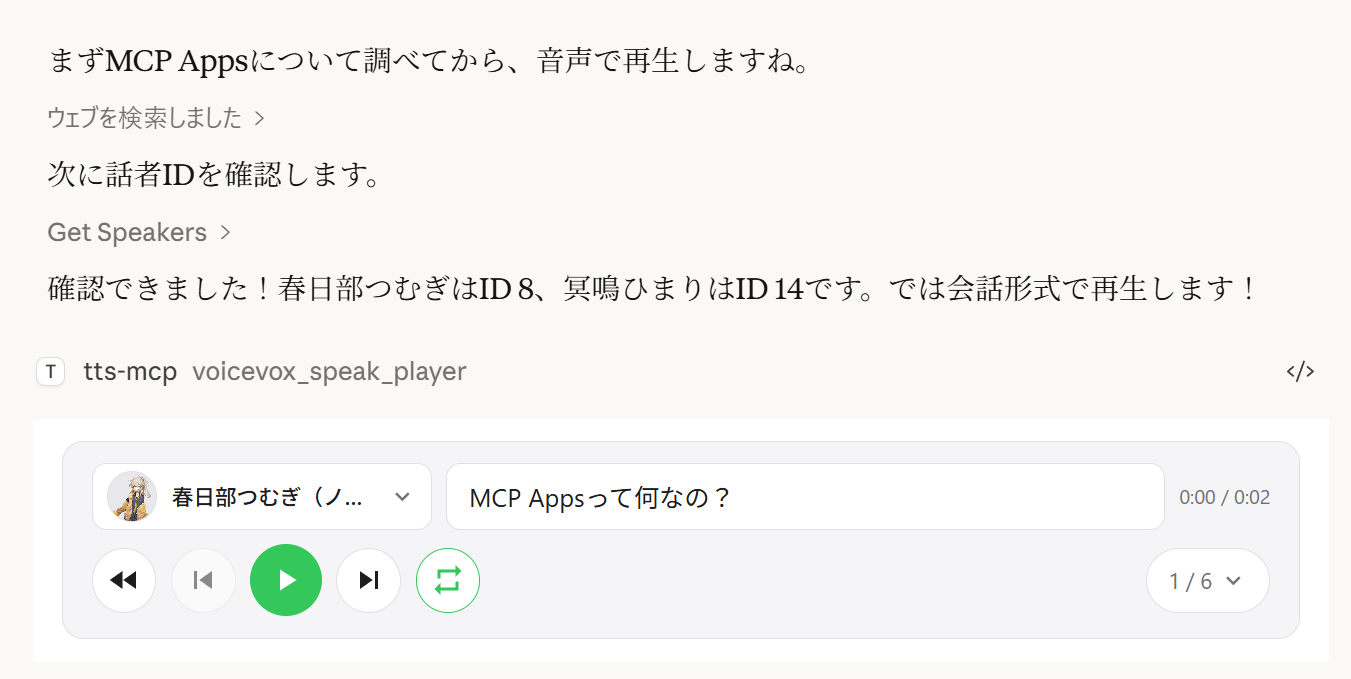
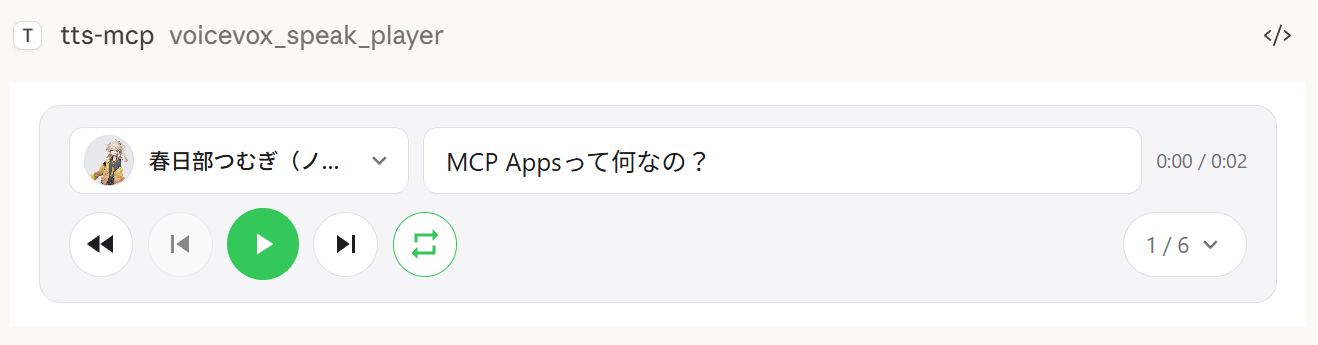
Инструмент voicevox_speak_player использует MCP Apps для отображения интерактивного аудиоплеера прямо в чате. В отличие от стандартного инструмента voicevox_speak, который воспроизводит аудио на сервере, аудио воспроизводится на стороне клиента (в браузере/приложении) — аудиоустройство на сервере не требуется.
Воспроизведение на стороне клиента — Аудио воспроизводится в чате Claude Desktop, а не на сервере. Работает даже при удалённых подключениях.
Элементы управления воспроизведением — Полное управление воспроизведением, встроенное в разговор
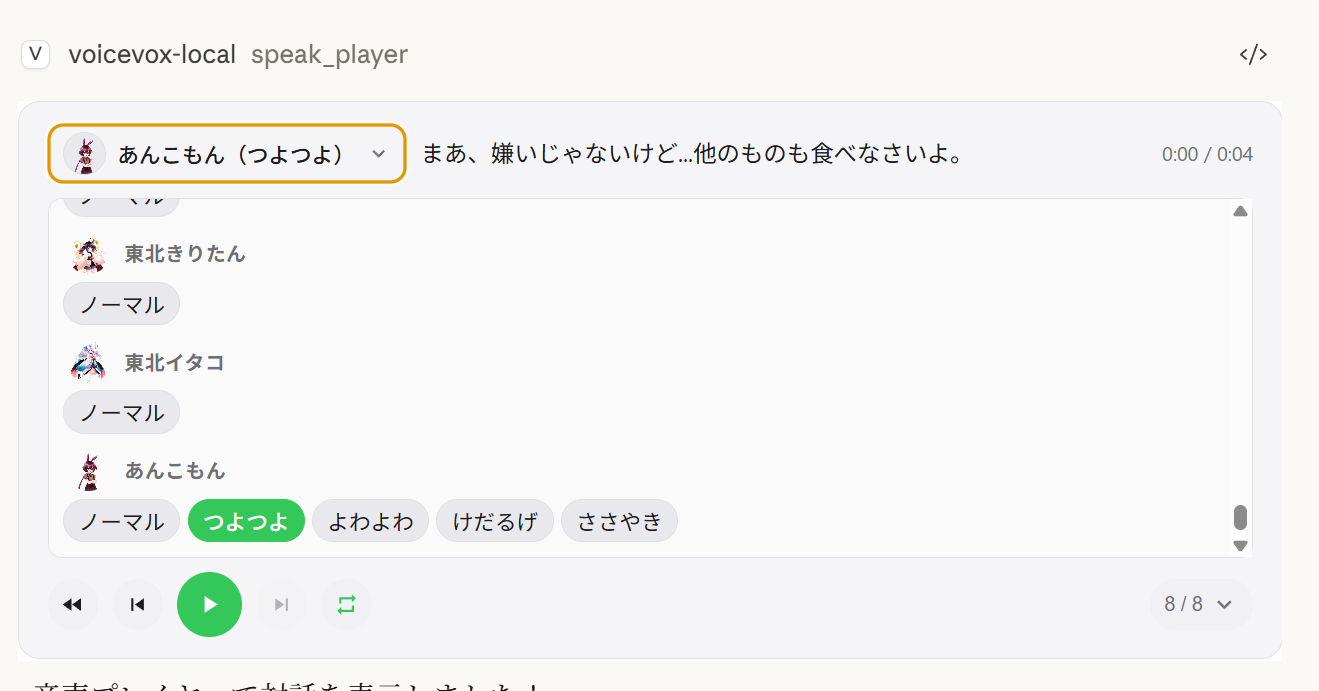
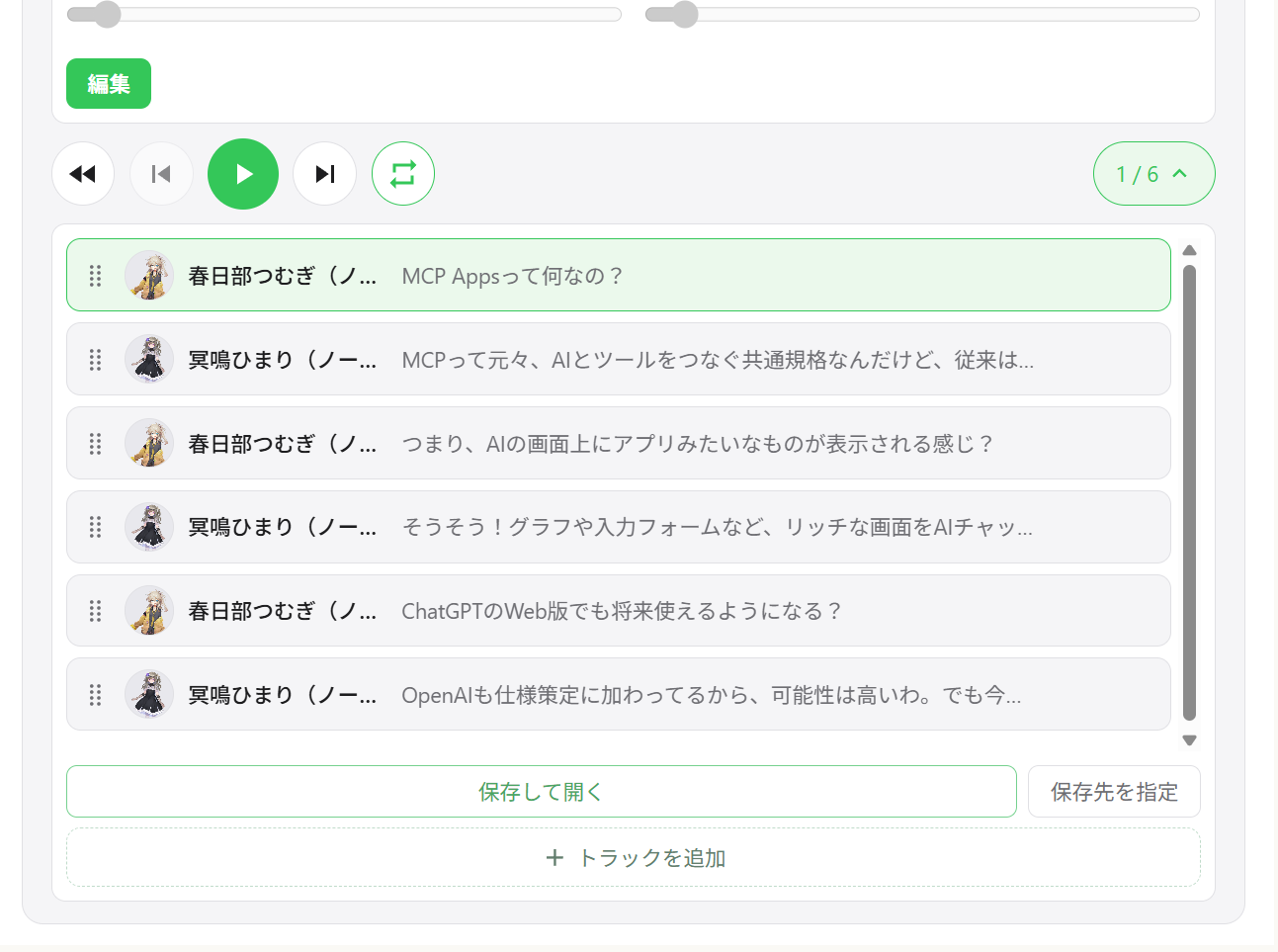
Многоговорящий диалог — Последовательное воспроизведение нескольких говорящих в одном плеере с навигацией по дорожкам
Переключение говорящих — Изменение голоса любого сегмента прямо из интерфейса плеера
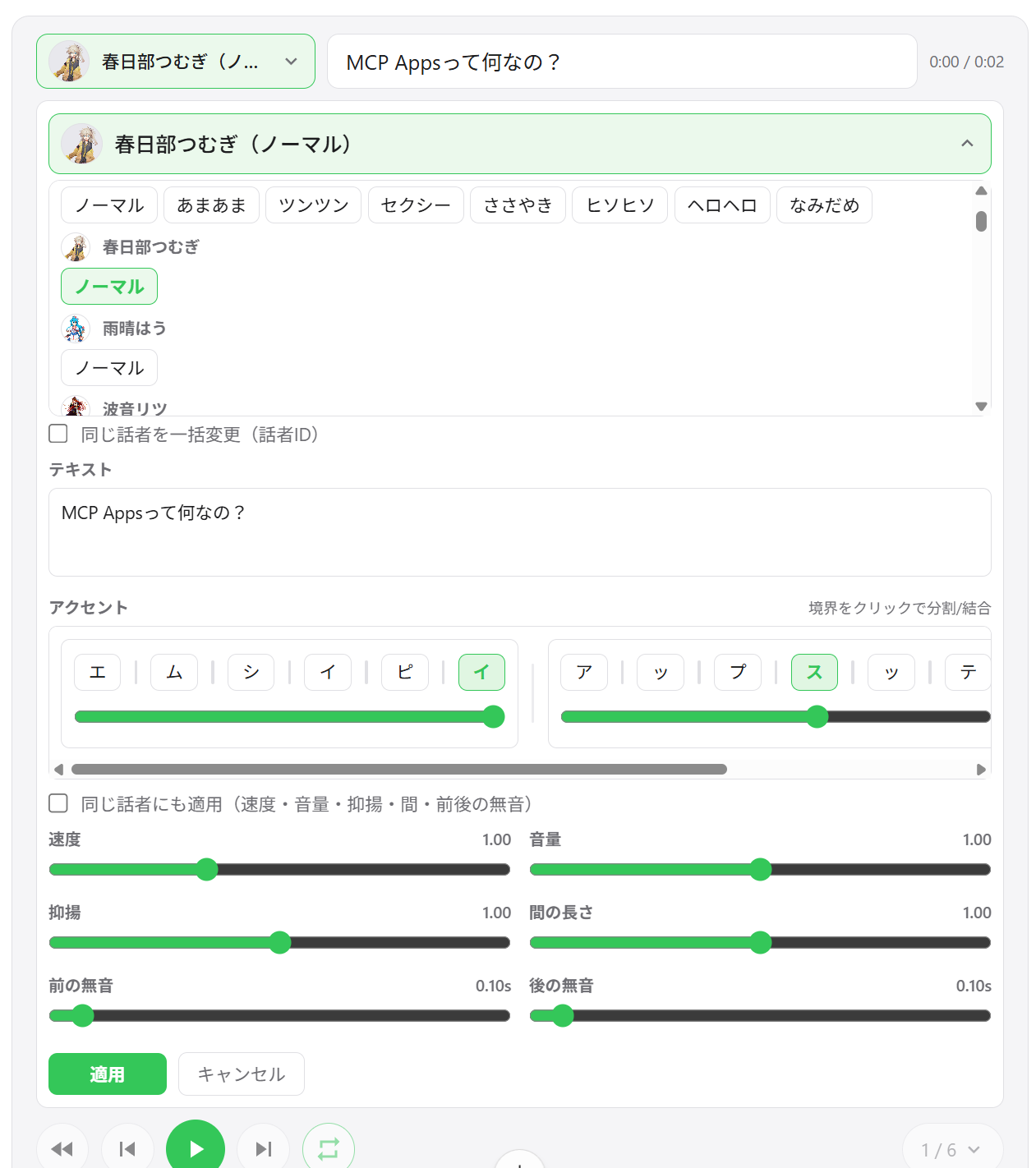
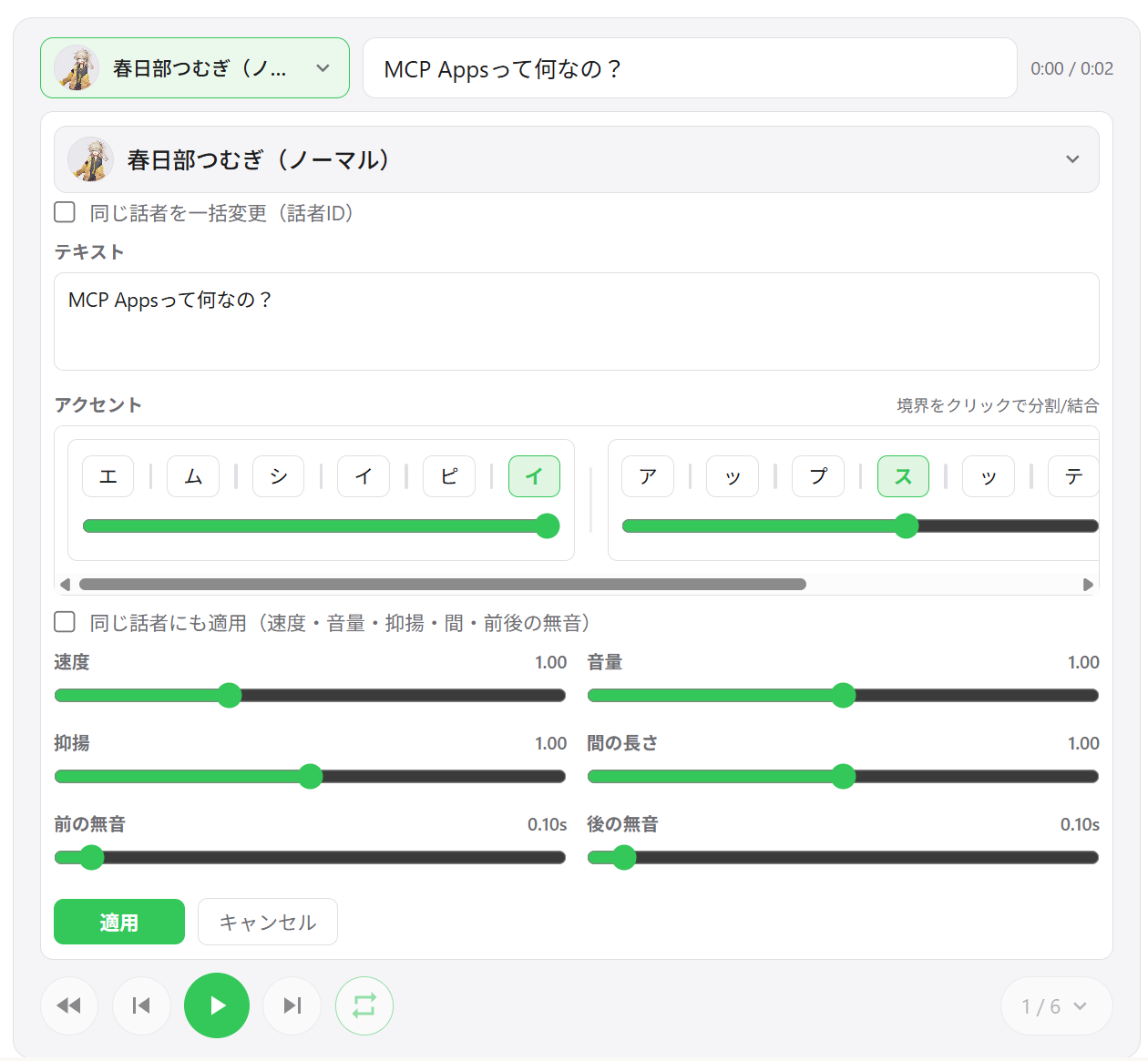
Редактирование сегментов — Настройка скорости, громкости, интонации, длины пауз, а также предшествующей и последующей тишины для каждого сегмента
Редактирование акцентных фраз — Изменение позиций акцента и высоты моры прямо в интерфейсе
Добавление / удаление / переупорядочивание сегментов — Перетаскивание дорожек для изменения порядка; добавление новых сегментов на месте
Экспорт в WAV — Сохранение всех дорожек в виде пронумерованных WAV-файлов и автоматическое открытие папки вывода
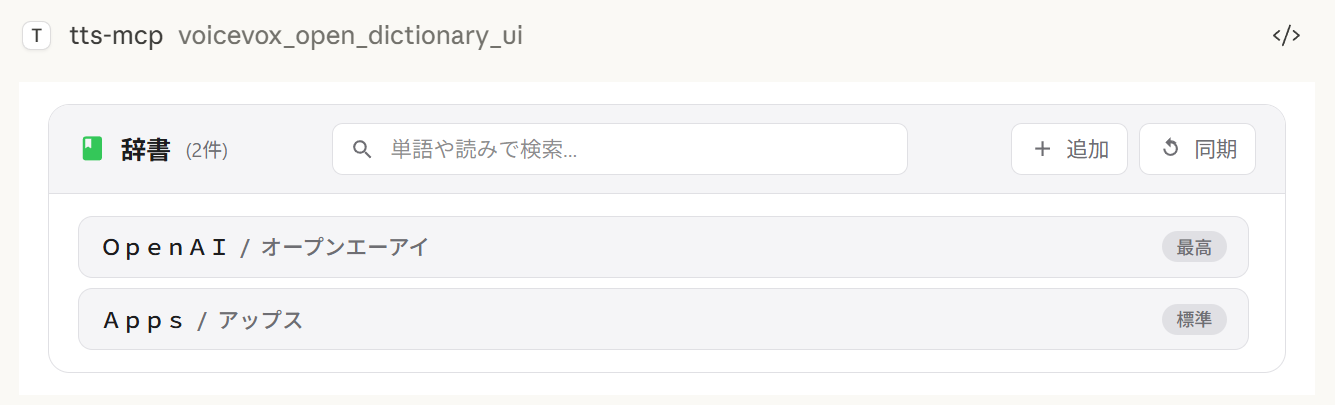
Менеджер пользовательского словаря — Добавление, редактирование и удаление слов пользовательского словаря VOICEVOX с предварительным прослушиванием
Восстановление состояния между сеансами — Состояние плеера сохраняется на сервере; при повторном открытии чата предыдущие дорожки восстанавливаются
Поведение экспорта в зависимости от окружения:
Save and open всегда экспортирует WAV-файлы. Если открытие файлового менеджера не поддерживается, экспорт всё равно выполняется, а путь сохранения отображается в интерфейсе.
Choose output folder использует нативный выбор папки на Windows/macOS. В неподдерживаемых окружениях это действие переключается на каталог экспорта по умолчанию.
Многоговорящее воспроизведение | Список дорожек | Редактирование сегментов |
|
|
|
Выбор говорящего | Менеджер словаря | Экспорт WAV |
|
|
|
Клиент | Подключение | Примечания |
ChatGPT | HTTP (удалённое) | Требуется |
Claude Desktop | stdio (локальное) | Работает из коробки |
Claude Desktop | HTTP (через mcp-remote) | Не задавайте |
Примечание:
speak_playerтребует хост, поддерживающий MCP Apps. В хостах без поддержки MCP Apps этот инструмент недоступен, и вместо него можно использоватьspeak(воспроизведение на стороне сервера).
Инструмент | Описание |
| Создать новую сессию плеера и отобразить интерфейс. Возвращает |
| Обновить все сегменты для существующего плеера (новый |
| Прочитать текущее состояние плеера (с постраничной разбивкой) для настройки ИИ. |
| Открыть интерфейс менеджера пользовательского словаря. |
Node.js 20.0.0 или выше (или Bun) или Docker
VOICEVOX Engine (должен быть запущен; включён в Docker Compose)
ffplay (необязательно, рекомендуется — не нужен при использовании Docker)
ffplay — это лёгкий плеер, входящий в состав FFmpeg, который поддерживает воспроизведение из stdin. При его наличии автоматически включается потоковое воспроизведение с низкой задержкой.
💡 FFplay необязателен. Без него воспроизведение переключается на воспроизведение через временные файлы (Windows: PowerShell, macOS: afplay, Linux: aplay и т.д.).
Простая настройка: установка одной командой для каждой ОС (см. шаги ниже)
Требование: ffplay должен быть в PATH (перезапустите терминал/приложения после установки)
Примеры установки:
Windows (любой из вариантов)
Winget: winget install --id=Gyan.FFmpeg -e
Chocolatey: choco install ffmpeg
Scoop: scoop install ffmpeg
Официальные сборки: скачайте с https://www.gyan.dev/ffmpeg/builds/ или https://github.com/BtbN/FFmpeg-Builds и добавьте папку bin в PATH
macOS
Homebrew: brew install ffmpeg
Linux
Debian/Ubuntu: sudo apt-get update && sudo apt-get install -y ffmpeg
Fedora: sudo dnf install -y ffmpeg
Arch: sudo pacman -S ffmpeg
Настройка PATH:
Windows: добавьте ...\ffmpeg\bin в переменные среды, затем перезапустите PowerShell/терминал и редактор (Claude/VS Code и т.д.)
Проверка: powershell -c "$env:Path" должен содержать путь к ffmpeg
macOS/Linux: обычно определяется автоматически. При необходимости проверьте с помощью echo $PATH, перезапустите оболочку.
MCP-клиенты (Claude Desktop/Code): перезапустите приложение, чтобы перезагрузить PATH.
Проверка:
ffplay -versionЕсли отображается информация о версии, установка завершена. CLI/MCP автоматически обнаружит ffplay и будет использовать потоковое воспроизведение через stdin.
1. Запустите VOICEVOX Engine
2. Добавьте в файл конфигурации Claude Desktop
Расположение файла конфигурации:
Windows: %APPDATA%\Claude\claude_desktop_config.json
macOS: ~/Library/Application Support/Claude/claude_desktop_config.json
{
  "mcpServers": {
    "tts-mcp": {
      "command": "npx",
      "args": ["-y", "@kajidog/mcp-tts-voicevox"]
    }
  }
}
💡 Если вы используете Bun, просто замените
npxнаbunx:"command": "bunx", "args": ["@kajidog/mcp-tts-voicevox"]
3. Перезапустите Claude Desktop
Всё готово! Попросите Claude «поздороваться», и он заговорит!
Вы можете запустить и MCP-сервер, и VOICEVOX Engine одной командой с помощью Docker Compose. Установка Node.js или VOICEVOX не требуется.
1. Запустите контейнеры
docker compose up -dЭто запускает VOICEVOX Engine и MCP-сервер (в режиме HTTP на порту 3000).
2. Добавьте в файл конфигурации Claude Desktop (с помощью mcp-remote)
{
  "mcpServers": {
    "tts-mcp": {
      "command": "npx",
      "args": ["-y", "mcp-remote", "http://localhost:3000/mcp"]
    }
  }
}
3. Перезапустите Claude Desktop
Безопасность (Docker):
docker-compose.ymlпубликует порт 3000 без аутентификации.MCP_ALLOWED_HOSTSздесь не является защитой — не-браузерные клиенты могут отправлять любой заголовокHost, — поэтому любой, кто может получить доступ к порту, может использовать сервер. УстановитеMCP_API_KEY(и отправляйте его какX-API-Key), или ограничьте порт доверенной сетью / только localhost. Также рекомендуется установитьVOICEVOX_ALLOWED_OUTPUT_DIRS, чтобы ограничить, куда инструменты записи файлов могут записывать.
Ограничения (Docker): В Docker-контейнере нет аудиоустройства, поэтому инструмент
voicevox_speak(воспроизведение на стороне сервера) по умолчанию отключён. Вместо него используйтеvoicevox_speak_player— он воспроизводит аудио на стороне клиента (в Claude Desktop) и работает без аудиоустройства на сервере. См. UI-аудиоплеер для подробностей.
voicevox_speak — Синтез речиОсновная функция, вызываемая из Claude.
Параметр | Описание | По умолчанию |
| Текст для произнесения (несколько сегментов, разделённых переводами строк) | Обязательный |
| Встроенная акцентная нотация (имеет приоритет над | (не задано) |
| ID говорящего | 1 |
| Скорость воспроизведения | 1.0 |
| Мгновенное воспроизведение (очищает очередь) | true |
| Ожидание начала воспроизведения | false |
| Ожидание завершения воспроизведения | false |
immediate/waitForStart/waitForEndисчезают из схемы инструмента, когда задан соответствующий параметр--restrict-*.
Примеры:
// Simple text
{ "text": "Hello" }

// Specify speaker
{ "text": "Hello", "speaker": 3 }

// Different speakers per segment
{ "text": "1:Hello\n3:Nice weather today" }

// Wait for completion (synchronous processing)
{ "text": "Wait for this to finish before continuing", "waitForEnd": true }

// Control the accent with inline notation (`,` separates phrases, `[` marks the accent)
{ "text": "こんにちは世界", "phrases": "コン[ニ]チワ,セ[カ]イ" }phrases (а также поле произношения в инструментах пользовательского словаря) принимает катакану с встроенным маркером акцента:
, разделяет акцентные фразы — コン[ニ]チワ,セ[カ]イ
[ отмечает, где происходит падение высоты тона; コン[ニ]チワ означает, что акцент падает на ニ
Если скобки опущены для фразы, сохраняется собственная оценка акцента VOICEVOX
text остаётся обязательным, даже если задан phrases — передайте туда обычный текст, а нотация будет произнесена.
voicevox_get_accent_phrases возвращает ту же нотацию для заданного текста, поэтому вы можете прочитать оценённый акцент, изменить скобки и передать его обратно в phrases.
Инструмент | Описание |
| Говорить с помощью UI-аудиоплеера (см. Инструменты плеера MCP) |
| Проверить подключение к VOICEVOX Engine |
| Получить список доступных говорящих |
| Остановить воспроизведение и очистить очередь |
| Сгенерировать аудиофайл |
Инструменты пользовательского словаря (группа dictionary):
Инструмент | Описание |
| Получить чтение и позиции акцента текста в виде встроенной нотации |
| Список слов пользовательского словаря (фильтр + постраничная разбивка) |
| Добавить слово (произношение принимает встроенную акцентную нотацию) |
| Обновить слово (пропущенные поля сохраняют своё значение) |
| Удалить слово по UUID |
| Добавить несколько слов одновременно |
| Обновить несколько слов одновременно |
Любой инструмент можно отключить индивидуально с помощью --disable-tools / VOICEVOX_DISABLED_TOOLS, или по группе с помощью --disable-groups / VOICEVOX_DISABLED_GROUPS.
Переменная | Описание | По умолчанию |
| URL движка |
|
| ID говорящего по умолчанию |
|
| Скорость воспроизведения |
|
| Повторные попытки при сбоях API-запросов (0 — отключено) |
|
| Начальная задержка повтора в мс (экспоненциальная задержка) |
|
| Тайм-аут для одного API-запроса VOICEVOX в мс. Увеличьте для длинного текста или медленного движка |
|
Переменная | Описание | По умолчанию |
| Потоковое воспроизведение (требуется |
|
| Завершающая тишина на сегмент в секундах. Увеличьте для более длинной паузы между сегментами в очереди (также защищает конец речи от обрезания при потоковом воспроизведении) | по умолчанию движка |
| Немедленное воспроизведение |
|
| Ожидание начала воспроизведения |
|
| Ожидание окончания воспроизведения |
|
Ограничьте ИИ в указании определённых параметров.
Переменная | Описание |
| Ограничить параметр |
| Ограничить параметр |
| Ограничить параметр |
# Disable individual tools
export VOICEVOX_DISABLED_TOOLS=speak_player,synthesize_file

# Disable a built-in group of tools
export VOICEVOX_DISABLED_GROUPS=player

# Combine groups and individual tools
export VOICEVOX_DISABLED_GROUPS=dictionary
export VOICEVOX_DISABLED_TOOLS=synthesize_file
Встроенные группы для VOICEVOX_DISABLED_GROUPS / --disable-groups:
Группа | Инструменты |
|
|
|
|
|
|
|
|
Переменная | Описание | По умолчанию |
| Домен виджета для UI-плеера (обязательно для ChatGPT, например | (не задано) |
| Автовоспроизведение аудио в UI-плеере |
|
| Включить экспорт (скачивание) дорожек из UI-плеера ( |
|
| Каталог вывода по умолчанию для экспортированных дорожек (также используется как запасной вариант, когда выбор папки недоступен) |
|
| Каталог для файлов кэша плеера ( |
|
| Включить постоянный аудио-кэш на диске ( |
|
| Срок хранения аудио-кэша в днях ( |
|
| Максимальный размер аудио-кэша в МБ ( |
|
| Путь к сохранённому JSON-файлу состояния плеера |
|
Переменная | Описание | По умолчанию |
| Каталоги через запятую, в которые инструменты записи файлов ( | (не задано) |
Переменная | Описание | По умолчанию |
| Включить HTTP-режим |
|
| HTTP-порт |
|
| HTTP-хост |
|
| Разрешённые хосты (через запятую) |
|
| Разрешённые источники (через запятую) |
|
| Обязательный API-ключ для | (не задано) |
Аргументы командной строки имеют приоритет над переменными окружения.
Полный актуальный список параметров всегда доступен через npx @kajidog/mcp-tts-voicevox --help.
# Basic settings
npx @kajidog/mcp-tts-voicevox --url http://192.168.1.100:50021 --speaker 3 --speed 1.2

# HTTP mode
npx @kajidog/mcp-tts-voicevox --http --port 8080

# With restrictions
npx @kajidog/mcp-tts-voicevox --restrict-immediate --restrict-wait-for-end

# Disable individual tools
npx @kajidog/mcp-tts-voicevox --disable-tools speak_player,synthesize_file

# Disable a tool group
npx @kajidog/mcp-tts-voicevox --disable-groups player
Аргумент | Описание |
| Показать справку |
| Показать версию |
| Создать |
| Путь к файлу конфигурации |
| URL движка VOICEVOX |
| ID диктора по умолчанию |
| Скорость воспроизведения |
| Потоковое воспроизведение |
| Тишина после каждого сегмента (пауза между сегментами в очереди) |
| Немедленное воспроизведение |
| Ожидание начала |
| Ожидание завершения |
| Ограничить немедленное воспроизведение |
| Ограничить waitForStart |
| Ограничить waitForEnd |
| Каталоги, в которые инструменты записи файлов могут выполнять запись (через запятую; не задано = без ограничений) |
| Отключить инструменты (имена инструментов через запятую) |
| Отключить группы инструментов: |
| Автовоспроизведение в UI-плеере |
| Включить/отключить экспорт дорожек (скачивание) в UI-плеере |
| Каталог вывода по умолчанию для экспортированных дорожек |
| Каталог кэша плеера |
| Путь к файлу сохраняемого состояния плеера |
| Включить/отключить дисковый аудиокэш для плеера |
| Срок хранения аудиокэша в днях ( |
| Максимальный размер аудиокэша в МБ ( |
| Режим HTTP |
| HTTP-порт |
| HTTP-хост |
| Разрешённые хосты (через запятую) |
| Разрешённые источники (через запятую) |
| Обязательный API-ключ для |
Вместо переменных окружения и аргументов CLI (или в дополнение к ним) можно использовать JSON-файл конфигурации. Это удобно, когда нужно настроить много параметров.
Порядок приоритета: аргументы CLI > переменные окружения > файл конфигурации > значения по умолчанию
npx @kajidog/mcp-tts-voicevox --initЭта команда создаёт .voicevoxrc.json в текущем каталоге со всеми настройками по умолчанию. Отредактируйте его по мере необходимости.
npx @kajidog/mcp-tts-voicevox --config ./my-config.jsonИли через переменную окружения:
VOICEVOX_CONFIG=./my-config.json npx @kajidog/mcp-tts-voicevox.voicevoxrc.json{
"url": "http://192.168.1.50:50021",
"speaker": 3,
"speed": 1.2,
"http": true,
"port": 8080,
"disable-tools": ["synthesize_file"],
"disable-groups": ["dictionary"]
}Ключи можно записывать в kebab-case (use-streaming), camelCase (useStreaming) или во внутренних именах ключей (defaultSpeaker). Если .voicevoxrc.json существует в текущем каталоге, он загружается автоматически.
Для удалённых подключений:
Запуск сервера:
# Linux/macOS
MCP_HTTP_MODE=true MCP_HTTP_PORT=3000 npx @kajidog/mcp-tts-voicevox

# Windows PowerShell
$env:MCP_HTTP_MODE='true'; $env:MCP_HTTP_PORT='3000'; npx @kajidog/mcp-tts-voicevox
Конфигурация Claude Desktop (с использованием mcp-remote):
{
  "mcpServers": {
    "tts-mcp-proxy": {
      "command": "npx",
      "args": ["-y", "mcp-remote", "http://localhost:3000/mcp"]
    }
  }
}С помощью Claude Code можно настроить разных дикторов по умолчанию для каждого проекта, используя пользовательские заголовки в .mcp.json:
Заголовок | Описание |
| ID диктора по умолчанию для этого проекта |
| API-ключ, когда настроен |
Пример .mcp.json:
{
  "mcpServers": {
    "tts": {
      "type": "http",
      "url": "http://localhost:3000/mcp",
      "headers": {
        "X-Voicevox-Speaker": "113",
        "X-API-Key": "your-api-key"
      }
    }
  }
}
Это позволяет каждому проекту автоматически использовать свой голосовой персонаж.
Порядок приоритета:
Явный параметр speaker в вызове инструмента (наивысший)
Значение по умолчанию проекта из заголовка X-Voicevox-Speaker
Глобальная настройка VOICEVOX_DEFAULT_SPEAKER (наименьший)
Подключение из WSL к MCP-серверу, работающему на Windows:
# Method 1: From default gateway
ip route show | grep -oP 'default via \K[\d.]+'
# Usually in the format 172.x.x.1

# Method 2: From /etc/resolv.conf (WSL2)
cat /etc/resolv.conf | grep nameserver | awk '{print $2}'Добавьте IP-адрес шлюза WSL в MCP_ALLOWED_HOSTS, чтобы разрешить доступ из WSL:
$env:MCP_HTTP_MODE='true'
$env:MCP_ALLOWED_HOSTS='localhost,127.0.0.1,172.29.176.1'
npx @kajidog/mcp-tts-voicevox
Или с помощью аргументов CLI:
npx @kajidog/mcp-tts-voicevox --http --allowed-hosts "localhost,127.0.0.1,172.29.176.1"{
"mcpServers": {
"tts": {
"type": "http",
"url": "http://172.29.176.1:3000/mcp"
}
}
}⚠️ Внутри WSL
localhostуказывает на саму WSL. Используйте IP-адрес шлюза WSL для доступа к хосту Windows.
Чтобы использовать с ChatGPT, разверните MCP-сервер в режиме HTTP в облаке с доступом к движку VOICEVOX.
Разверните с помощью Docker на Render, Railway и т. п. (Dockerfile включён).
Запустите движок VOICEVOX локально и откройте к нему доступ через ngrok, либо разверните его вместе с MCP-сервером.
Переменная | Пример | Описание |
|
| URL движка VOICEVOX |
|
| Включить режим HTTP |
|
| Имя развёрнутого хоста |
|
| Домен виджета для UI-плеера (обязательно для ChatGPT) |
|
| Отключить воспроизведение на стороне сервера (нет аудиоустройства) |
|
| Отключить функцию экспорта (файлы нельзя скачать из облака) |
Перейдите в Настройки ChatGPT → Connectors → Add MCP server URL (https://your-app.onrender.com/mcp).
Основные шаги такие же, как для ChatGPT, но значение VOICEVOX_PLAYER_DOMAIN отличается.
Claude Web требует, чтобы ui.domain был выделенным доменом на основе хэша. Вычислите его следующей командой:
node -e "console.log(require('crypto').createHash('sha256').update('Your MCP server URL').digest('hex').slice(0,32)+'.claudemcpcontent.com')"Пример: если URL вашего MCP-сервера — https://your-app.onrender.com/mcp:
node -e "console.log(require('crypto').createHash('sha256').update('https://your-app.onrender.com/mcp').digest('hex').slice(0,32)+'.claudemcpcontent.com')"
# Example output: 48fb73a6...claudemcpcontent.com
Установите полученное значение как VOICEVOX_PLAYER_DOMAIN.
Примечание: поскольку ChatGPT и Claude Web требуют разные значения
VOICEVOX_PLAYER_DOMAIN, один экземпляр не может обслуживать оба клиента одновременно. Разверните отдельные экземпляры для каждого клиента или переключайте переменную окружения в зависимости от целевого клиента.
1. Проверьте, запущен ли движок VOICEVOX
curl http://localhost:50021/speakers2. Проверьте инструменты воспроизведения для вашей платформы
ОС | Требуемый инструмент |
Linux | Один из |
macOS |
|
Windows | PowerShell (предустановлен) |
Проверьте установку пакета: npm list -g @kajidog/mcp-tts-voicevox
Проверьте синтаксис JSON в файле конфигурации
Перезапустите клиент
Пакет | Описание |
| MCP-сервер ( |
Универсальная клиентская библиотека VOICEVOX (можно использовать независимо) | |
| Общая MCP-инфраструктура (схема конфигурации, загрузчик HTTP/stdio). Не публикуется — встраивается в сервер |
| Аудиоплеер на React, встроенный в один HTML-файл. Не публикуется |
git clone https://github.com/kajidog/mcp-tts-voicevox.git
cd mcp-tts-voicevox
pnpm installМенеджер пакетов — pnpm (npm / yarn не поддерживаются).
Команда | Описание |
| Собрать все пакеты |
| Запустить тесты |
| Запустить линтер (один проход Biome по всему рабочему пространству) |
| Проверить типы во всех пакетах |
| Добавить changeset для изменения, видимого пользователю |
Dev-серверы находятся в пакете server, поэтому запускайте их с фильтром:
Команда | Описание |
| Запустить dev-сервер (stdio) |
| Запустить dev-сервер в режиме HTTP |
| Запустить dev-сервер с Bun |
| Запустить HTTP dev-сервер с Bun |
ISC
Generate a query for voice synthesis
| Name | Required | Description | Default |
|---|---|---|---|
| text | Yes | Text for voice synthesis | |
| speaker | No | Default speaker ID (optional) | |
| speedScale | No | Playback speed (optional, default from environment) |
Does the description disclose side effects, auth requirements, rate limits, or destructive behavior?
No annotations are provided, so the description carries full burden. 'Generate a query' suggests this creates some intermediate representation, but doesn't disclose what happens next - does it return a query ID for later use? Does it validate parameters? Is it read-only or has side effects? The description lacks behavioral context about permissions, rate limits, or what 'query' means operationally.
Agents need to know what a tool does to the world before calling it. Descriptions should go beyond structured annotations to explain consequences.
Is the description appropriately sized, front-loaded, and free of redundancy?
The description is a single, efficient sentence with zero wasted words. It's appropriately sized for a tool with good schema coverage and gets straight to the point without unnecessary elaboration. Every word earns its place in conveying the core purpose.
Shorter descriptions cost fewer tokens and are easier for agents to parse. Every sentence should earn its place.
Given the tool's complexity, does the description cover enough for an agent to succeed on first attempt?
For a tool with no annotations and no output schema, the description is insufficient. It doesn't explain what the generated query is used for, what format it returns, or how it differs from actual synthesis tools. Given the complexity of voice synthesis workflows and multiple sibling tools, more context about this tool's role in the ecosystem is needed.
Complex tools with many parameters or behaviors need more documentation. Simple tools need less. This dimension scales expectations accordingly.
Does the description clarify parameter syntax, constraints, interactions, or defaults beyond what the schema provides?
Schema description coverage is 100%, so the schema already documents all three parameters (text, speaker, speedScale) with their descriptions. The tool description adds no additional parameter semantics beyond what's in the schema. The baseline score of 3 reflects adequate but minimal value addition given the comprehensive schema coverage.
Input schemas describe structure but not intent. Descriptions should explain non-obvious parameter relationships and valid value ranges.
Does the description clearly state what the tool does and how it differs from similar tools?
The description states 'Generate a query for voice synthesis' which provides a basic purpose (verb: generate, resource: query for voice synthesis). However, it's vague about what the query actually does - is it for previewing, testing, or preparing synthesis? It doesn't distinguish from sibling tools like 'synthesize_file' or 'speak' which also relate to voice synthesis.
Agents choose between tools based on descriptions. A clear purpose with a specific verb and resource helps agents select the right tool.
Does the description explain when to use this tool, when not to, or what alternatives exist?
The description provides no guidance on when to use this tool versus alternatives. With sibling tools like 'synthesize_file' and 'speak' that also handle voice synthesis, there's no indication whether this tool is for preparation, testing, or a different phase of the synthesis workflow. No context about prerequisites or exclusions is provided.
Agents often have multiple tools that could apply. Explicit usage guidance like "use X instead of Y when Z" prevents misuse.
Get detail of a speaker by id
| Name | Required | Description | Default |
|---|---|---|---|
| uuid | Yes | Speaker UUID (speaker uuid) |
Does the description disclose side effects, auth requirements, rate limits, or destructive behavior?
No annotations are provided, so the description carries the full burden of behavioral disclosure. It mentions 'Get detail' but doesn't specify if this is a read-only operation, what permissions are needed, error handling, or response format. This leaves significant gaps for a tool that likely interacts with a speaker database.
Agents need to know what a tool does to the world before calling it. Descriptions should go beyond structured annotations to explain consequences.
Is the description appropriately sized, front-loaded, and free of redundancy?
The description is a single, efficient sentence with no wasted words. It's front-loaded with the core action ('Get detail'), making it easy to scan and understand quickly.
Shorter descriptions cost fewer tokens and are easier for agents to parse. Every sentence should earn its place.
Given the tool's complexity, does the description cover enough for an agent to succeed on first attempt?
Given no annotations and no output schema, the description is incomplete. It doesn't explain what 'detail' includes (e.g., speaker attributes, capabilities), potential errors, or how this fits with sibling tools like 'synthesize_file'. For a tool with one parameter but unknown behavioral traits, more context is needed.
Complex tools with many parameters or behaviors need more documentation. Simple tools need less. This dimension scales expectations accordingly.
Does the description clarify parameter syntax, constraints, interactions, or defaults beyond what the schema provides?
Schema description coverage is 100%, with the parameter 'uuid' documented as 'Speaker UUID (speaker uuid)'. The description adds no additional meaning beyond this, such as format examples or where to obtain the UUID. Baseline 3 is appropriate since the schema does the heavy lifting.
Input schemas describe structure but not intent. Descriptions should explain non-obvious parameter relationships and valid value ranges.
Does the description clearly state what the tool does and how it differs from similar tools?
The description clearly states the verb ('Get detail') and resource ('speaker'), making the purpose understandable. However, it doesn't differentiate from sibling tools like 'get_speakers' (which likely lists speakers) or explain what 'detail' entails beyond the ID lookup.
Agents choose between tools based on descriptions. A clear purpose with a specific verb and resource helps agents select the right tool.
Does the description explain when to use this tool, when not to, or what alternatives exist?
No guidance is provided on when to use this tool versus alternatives. For example, it doesn't clarify if this should be used after 'get_speakers' to fetch more information or in what contexts (e.g., before synthesis). The description only states the basic function without context.
Agents often have multiple tools that could apply. Explicit usage guidance like "use X instead of Y when Z" prevents misuse.
Get a list of available speakers
| Name | Required | Description | Default |
|---|---|---|---|
No parameters | |||
Does the description disclose side effects, auth requirements, rate limits, or destructive behavior?
With no annotations provided, the description carries the full burden of behavioral disclosure. It states the tool retrieves a list, implying a read-only operation, but doesn't cover aspects like whether it requires authentication, has rate limits, returns paginated results, or what format the list is in. For a tool with zero annotation coverage, this is a significant gap in transparency.
Agents need to know what a tool does to the world before calling it. Descriptions should go beyond structured annotations to explain consequences.
Is the description appropriately sized, front-loaded, and free of redundancy?
The description is a single, efficient sentence ('Get a list of available speakers') that is front-loaded and wastes no words. It directly states the tool's purpose without unnecessary elaboration, making it highly concise and well-structured for its simplicity.
Shorter descriptions cost fewer tokens and are easier for agents to parse. Every sentence should earn its place.
Given the tool's complexity, does the description cover enough for an agent to succeed on first attempt?
Given the tool's complexity (simple list retrieval) but lack of annotations and output schema, the description is incomplete. It doesn't explain what the list contains, how it's formatted, or any behavioral traits. For a tool with no structured data beyond the input schema, more context is needed to be fully helpful to an agent.
Complex tools with many parameters or behaviors need more documentation. Simple tools need less. This dimension scales expectations accordingly.
Does the description clarify parameter syntax, constraints, interactions, or defaults beyond what the schema provides?
The input schema has 0 parameters with 100% coverage, so the schema fully documents the lack of inputs. The description doesn't add parameter details beyond this, which is appropriate. Since there are no parameters, the baseline is 4, as the description doesn't need to compensate for any gaps.
Input schemas describe structure but not intent. Descriptions should explain non-obvious parameter relationships and valid value ranges.
Does the description clearly state what the tool does and how it differs from similar tools?
The description states the tool's purpose ('Get a list of available speakers'), which is clear but vague. It specifies the verb ('Get') and resource ('speakers'), but doesn't distinguish it from sibling tools like 'get_speaker_detail' or explain what 'available' means in this context. This is adequate but has clear gaps in specificity.
Agents choose between tools based on descriptions. A clear purpose with a specific verb and resource helps agents select the right tool.
Does the description explain when to use this tool, when not to, or what alternatives exist?
The description provides no guidance on when to use this tool versus alternatives. It doesn't mention sibling tools like 'get_speaker_detail' for detailed information or 'synthesize_file' for synthesis operations, nor does it specify prerequisites or contexts for usage. This leaves the agent without explicit or implied usage instructions.
Agents often have multiple tools that could apply. Explicit usage guidance like "use X instead of Y when Z" prevents misuse.
Check if VOICEVOX Engine is running and reachable
| Name | Required | Description | Default |
|---|---|---|---|
No parameters | |||
Does the description disclose side effects, auth requirements, rate limits, or destructive behavior?
No annotations are provided, so the description carries the full burden of behavioral disclosure. It states the tool checks if the engine is 'running and reachable,' implying a read-only, non-destructive operation, but doesn't detail what happens on failure (e.g., error responses), latency, or any side effects. For a tool with zero annotation coverage, this leaves gaps in understanding its behavior.
Agents need to know what a tool does to the world before calling it. Descriptions should go beyond structured annotations to explain consequences.
Is the description appropriately sized, front-loaded, and free of redundancy?
The description is a single, efficient sentence: 'Check if VOICEVOX Engine is running and reachable.' It is front-loaded with the core purpose, has no wasted words, and is appropriately sized for a simple tool. Every part of the sentence earns its place by conveying essential information.
Shorter descriptions cost fewer tokens and are easier for agents to parse. Every sentence should earn its place.
Given the tool's complexity, does the description cover enough for an agent to succeed on first attempt?
Given the tool's low complexity (0 parameters, no output schema, no annotations), the description is minimally adequate. It states what the tool does but lacks details on usage context, error handling, or return values. Without an output schema, it doesn't explain what 'check' returns (e.g., status, boolean), leaving some gaps for an agent to understand fully.
Complex tools with many parameters or behaviors need more documentation. Simple tools need less. This dimension scales expectations accordingly.
Does the description clarify parameter syntax, constraints, interactions, or defaults beyond what the schema provides?
The tool has 0 parameters, and the input schema has 100% description coverage (though empty). The description doesn't need to explain parameters, so it naturally adds no value beyond the schema. A baseline score of 4 is appropriate for zero-parameter tools, as there's no parameter information to compensate for.
Input schemas describe structure but not intent. Descriptions should explain non-obvious parameter relationships and valid value ranges.
Does the description clearly state what the tool does and how it differs from similar tools?
The description clearly states the tool's purpose: 'Check if VOICEVOX Engine is running and reachable.' It uses a specific verb ('Check') and identifies the target resource ('VOICEVOX Engine'), making it easy to understand. However, it doesn't explicitly differentiate from sibling tools like 'get_speakers' or 'synthesize_file', which serve different purposes but also interact with VOICEVOX.
Agents choose between tools based on descriptions. A clear purpose with a specific verb and resource helps agents select the right tool.
Does the description explain when to use this tool, when not to, or what alternatives exist?
No guidance is provided on when to use this tool versus alternatives. The description doesn't mention prerequisites (e.g., before using other tools), exclusions, or contextual cues. For example, it doesn't specify if this should be called first to verify connectivity before invoking 'speak' or 'synthesize_file'.
Agents often have multiple tools that could apply. Explicit usage guidance like "use X instead of Y when Z" prevents misuse.
Convert text to speech and play it. Text is split by line breaks (\n) into separate speech units. Each line is processed as an independent audio segment.
| Name | Required | Description | Default |
|---|---|---|---|
| text | Yes | Text split by line breaks (\n). IMPORTANT: Each line = one speech unit (processed and played separately). Keep the FIRST LINE SHORT for quick playback start - audio begins as soon as the first line is synthesized. Example: "Hi!\nThis is a longer explanation that follows." Optional speaker prefix per line: "1:Hello\n2:World" | |
| query | No | Voice synthesis query | |
| speaker | No | Default speaker ID (optional) | |
| speedScale | No | Playback speed (optional, default from environment) | |
| immediate | No | If true, stops current playback and plays new audio immediately. If false, waits for current playback to finish. Default depends on environment variable. | |
| waitForStart | No | Wait for playback to start (optional, default: false) | |
| waitForEnd | No | Wait for playback to end (optional, default: false) |
Does the description disclose side effects, auth requirements, rate limits, or destructive behavior?
With no annotations provided, the description carries full burden and does well by disclosing key behavioral traits: text is split by line breaks into separate speech units, each line processed independently, and the first line should be short for quick playback start. It doesn't mention error handling, rate limits, or authentication needs, but covers core playback behavior adequately.
Agents need to know what a tool does to the world before calling it. Descriptions should go beyond structured annotations to explain consequences.
Is the description appropriately sized, front-loaded, and free of redundancy?
The description is front-loaded with the core purpose in the first sentence, followed by specific behavioral details in the second. Both sentences earn their place by providing essential information without redundancy. It's appropriately sized for the tool's complexity.
Shorter descriptions cost fewer tokens and are easier for agents to parse. Every sentence should earn its place.
Given the tool's complexity, does the description cover enough for an agent to succeed on first attempt?
Given no annotations and no output schema, the description does well to cover the main behavior and text processing logic. However, it doesn't address potential side effects (e.g., interrupting current playback, which is hinted at in the 'immediate' parameter schema), error cases, or what the tool returns. For a 7-parameter tool with mutation implications, it's good but not fully complete.
Complex tools with many parameters or behaviors need more documentation. Simple tools need less. This dimension scales expectations accordingly.
Does the description clarify parameter syntax, constraints, interactions, or defaults beyond what the schema provides?
Schema description coverage is 100%, so the schema already documents all 7 parameters thoroughly. The description adds minimal parameter semantics beyond the schema—it mentions line break processing and first line optimization, which relates to the 'text' parameter but doesn't significantly enhance understanding of parameters like 'query' or 'speaker'. Baseline 3 is appropriate given high schema coverage.
Input schemas describe structure but not intent. Descriptions should explain non-obvious parameter relationships and valid value ranges.
Does the description clearly state what the tool does and how it differs from similar tools?
The description clearly states the specific action ('Convert text to speech and play it') and resource (audio output), distinguishing it from siblings like 'synthesize_file' (file output) and 'stop_speaker' (playback control). It explicitly mentions text processing by line breaks, which adds specificity beyond the basic function.
Agents choose between tools based on descriptions. A clear purpose with a specific verb and resource helps agents select the right tool.
Does the description explain when to use this tool, when not to, or what alternatives exist?
The description implies usage for text-to-speech playback but doesn't explicitly state when to use this tool versus alternatives like 'synthesize_file' (for file output) or 'generate_query' (possibly for query generation). It provides some context about line break processing but lacks explicit guidance on tool selection scenarios.
Agents often have multiple tools that could apply. Explicit usage guidance like "use X instead of Y when Z" prevents misuse.
Stop current audio playback
| Name | Required | Description | Default |
|---|---|---|---|
| random_string | Yes | Dummy parameter for no-parameter tools |
Does the description disclose side effects, auth requirements, rate limits, or destructive behavior?
With no annotations provided, the description carries full burden but only states the basic action. It does not disclose behavioral traits like whether this requires specific permissions, what happens if no audio is playing, error conditions, or side effects. The description is minimal and lacks necessary context for safe invocation.
Agents need to know what a tool does to the world before calling it. Descriptions should go beyond structured annotations to explain consequences.
Is the description appropriately sized, front-loaded, and free of redundancy?
The description is a single, clear sentence with zero wasted words. It is perfectly front-loaded and appropriately sized for a simple action tool.
Shorter descriptions cost fewer tokens and are easier for agents to parse. Every sentence should earn its place.
Given the tool's complexity, does the description cover enough for an agent to succeed on first attempt?
Given no annotations and no output schema, the description is incomplete for a mutation tool. It does not explain what happens after stopping playback (e.g., success/failure response, state changes) or error handling, leaving significant gaps for the agent.
Complex tools with many parameters or behaviors need more documentation. Simple tools need less. This dimension scales expectations accordingly.
Does the description clarify parameter syntax, constraints, interactions, or defaults beyond what the schema provides?
The tool has 0 meaningful parameters (only a dummy parameter with 100% schema coverage). The description correctly omits parameter details since none are needed for the core functionality, adding appropriate value beyond the schema.
Input schemas describe structure but not intent. Descriptions should explain non-obvious parameter relationships and valid value ranges.
Does the description clearly state what the tool does and how it differs from similar tools?
The description 'Stop current audio playback' clearly states the specific action (stop) and resource (current audio playback). It distinguishes from siblings like 'speak' or 'synthesize_file' which initiate playback rather than stop it.
Agents choose between tools based on descriptions. A clear purpose with a specific verb and resource helps agents select the right tool.
Does the description explain when to use this tool, when not to, or what alternatives exist?
The description implies usage when audio is currently playing, but does not explicitly state when to use this tool versus alternatives or provide any exclusions. It lacks guidance on prerequisites or timing considerations.
Agents often have multiple tools that could apply. Explicit usage guidance like "use X instead of Y when Z" prevents misuse.
Generate an audio file and return its absolute path
| Name | Required | Description | Default |
|---|---|---|---|
| text | No | Text for voice synthesis (if both query and text provided, query takes precedence) | |
| query | No | Voice synthesis query | |
| output | Yes | Output path for the audio file | |
| speaker | No | Default speaker ID (optional) | |
| speedScale | No | Playback speed (optional, default from environment) |
Does the description disclose side effects, auth requirements, rate limits, or destructive behavior?
With no annotations provided, the description carries the full burden of behavioral disclosure. It mentions generating a file and returning a path, but lacks details on permissions, side effects (e.g., file system changes), rate limits, error handling, or audio format specifics. This is inadequate for a tool that creates files, as it doesn't clarify behavioral traits beyond the basic operation.
Agents need to know what a tool does to the world before calling it. Descriptions should go beyond structured annotations to explain consequences.
Is the description appropriately sized, front-loaded, and free of redundancy?
The description is a single, efficient sentence that front-loads the core action and return value. Every word earns its place, with no redundancy or unnecessary elaboration, making it easy to parse quickly.
Shorter descriptions cost fewer tokens and are easier for agents to parse. Every sentence should earn its place.
Given the tool's complexity, does the description cover enough for an agent to succeed on first attempt?
Given the complexity of a file-generation tool with 5 parameters, no annotations, and no output schema, the description is incomplete. It doesn't cover behavioral aspects like side effects, error cases, or audio specifics, and lacks usage context. This leaves significant gaps for an AI agent to understand how to invoke it correctly in various scenarios.
Complex tools with many parameters or behaviors need more documentation. Simple tools need less. This dimension scales expectations accordingly.
Does the description clarify parameter syntax, constraints, interactions, or defaults beyond what the schema provides?
Schema description coverage is 100%, so the schema already documents all parameters thoroughly (e.g., precedence rules for text vs. query, optional defaults). The description adds no additional parameter semantics beyond what the schema provides, such as explaining the audio generation process or file format details. Baseline 3 is appropriate when the schema does the heavy lifting.
Input schemas describe structure but not intent. Descriptions should explain non-obvious parameter relationships and valid value ranges.
Does the description clearly state what the tool does and how it differs from similar tools?
The description clearly states the action ('Generate an audio file') and the resource ('audio file'), and specifies the return value ('return its absolute path'). It distinguishes from siblings like 'speak' (which might stream audio) and 'generate_query' (which likely creates queries rather than files). However, it doesn't explicitly differentiate from all siblings (e.g., 'stop_speaker' is clearly different).
Agents choose between tools based on descriptions. A clear purpose with a specific verb and resource helps agents select the right tool.
Does the description explain when to use this tool, when not to, or what alternatives exist?
No guidance is provided on when to use this tool versus alternatives. The description doesn't mention prerequisites, context, or comparisons to siblings like 'speak' (which might be for immediate playback) or 'generate_query' (which might be for query generation without file creation).
Agents often have multiple tools that could apply. Explicit usage guidance like "use X instead of Y when Z" prevents misuse.
Recent tool additions, removals, and schema changes observed during successful MCP inspections.
v0.3.1generate_queryget_speaker_detailget_speakersping_voicevoxspeakstop_speakersynthesize_fileScored across 7 tools
Each tool has a clearly distinct purpose with no overlap: generate_query creates synthesis queries, get_speaker_detail and get_speakers handle speaker metadata, ping_voicevox checks engine status, speak plays audio, stop_speaker stops playback, and synthesize_file creates files. The descriptions make it easy to distinguish between query generation, metadata retrieval, status checking, real-time playback control, and file synthesis.
The naming is mostly consistent with a verb_noun pattern (e.g., get_speakers, stop_speaker, synthesize_file), but there are minor deviations: generate_query uses 'generate' instead of a more specific verb like 'create', and ping_voicevox uses 'ping' as a verb which is less conventional but still understandable. All tools use snake_case consistently.
With 7 tools, this server is well-scoped for a TTS system. It covers essential operations like checking engine status, retrieving speaker information, generating queries, real-time speech playback with control, and file synthesis. Each tool earns its place without feeling excessive or insufficient for the domain.
The tool set provides complete coverage for a TTS domain: it includes status checking (ping_voicevox), metadata retrieval (get_speakers, get_speaker_detail), query preparation (generate_query), real-time audio handling (speak, stop_speaker), and file output (synthesize_file). There are no obvious gaps—agents can perform the full lifecycle from setup to synthesis and playback control.
AI voice generation: text-to-speech and voice cloning from any MCP client.
MCP server for Text-to-Speech
MCP server for AI dialogue using various LLM models via AceDataCloud
Remote text-to-speech MCP server with text_to_speech and list_voices tools. Free plan.