A
licenseA
qualityD
maintenanceAn MCP server that enables LLMs to generate spoken audio from text using OpenAI's Text-to-Speech API, supporting various voices, models, and audio formats.
1
6
1
MIT

Deutsch | 日本語
Ein Text-to-Speech-MCP-Server mit VOICEVOX
🎮 Browser-Demo ausprobieren — VoicevoxClient direkt im Browser testen
Deinen KI-Assistenten sprechen lassen — Text-to-Speech aus MCP-Clients wie Claude Desktop
UI-Audioplayer (MCP-Apps) — Audio direkt im Chat mit einem interaktiven Player abspielen (ChatGPT / Claude Desktop / Claude Web usw.)
Multi-Charakter-Gespräche — Sprecher pro Segment in einem einzigen Aufruf wechseln
Flüssige Wiedergabe — Warteschlangenverwaltung, sofortige Wiedergabe, Vorabruf, Streaming
Plattformübergreifend — Funktioniert auf Windows, macOS, Linux (einschließlich WSL)
Related MCP server: voiceroid_daemon-mcp
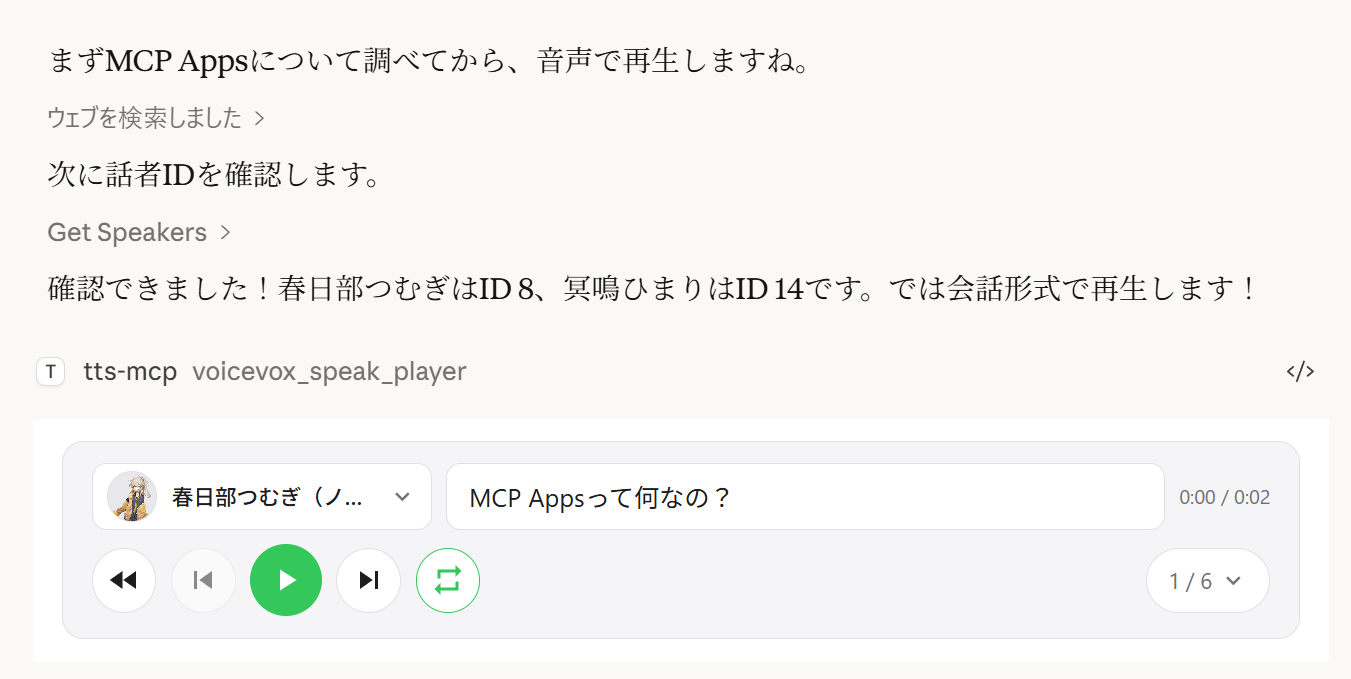
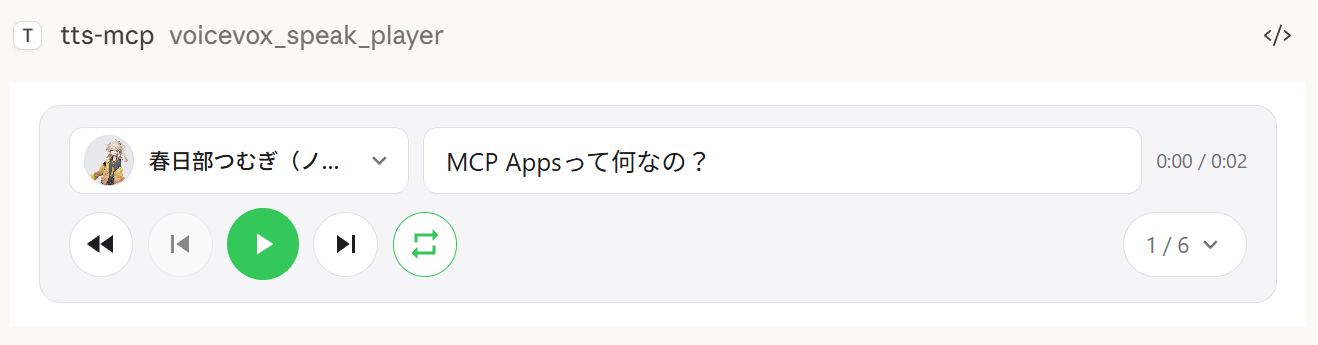
Das Tool voicevox_speak_player verwendet MCP Apps, um einen interaktiven Audioplayer direkt im Chat darzustellen. Im Gegensatz zum Standard-Tool voicevox_speak, das Audio auf dem Server abspielt, wird das Audio clientseitig (im Browser/in der App) abgespielt — es wird kein Audiogerät auf dem Server benötigt.
Clientseitige Wiedergabe — Audio wird im Chat von Claude Desktop abgespielt, nicht auf dem Server. Funktioniert auch über Remote-Verbindungen.
Play/Pause-Steuerung — Vollständige Wiedergabesteuerung direkt im Gespräch
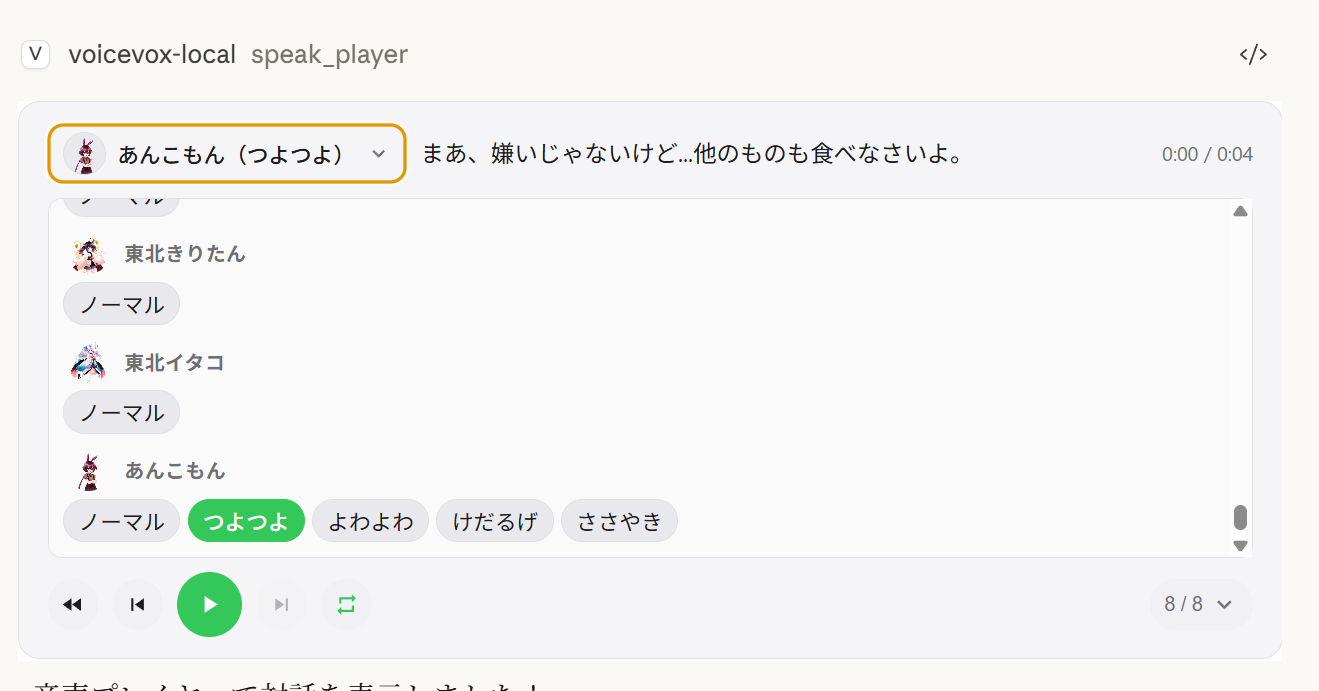
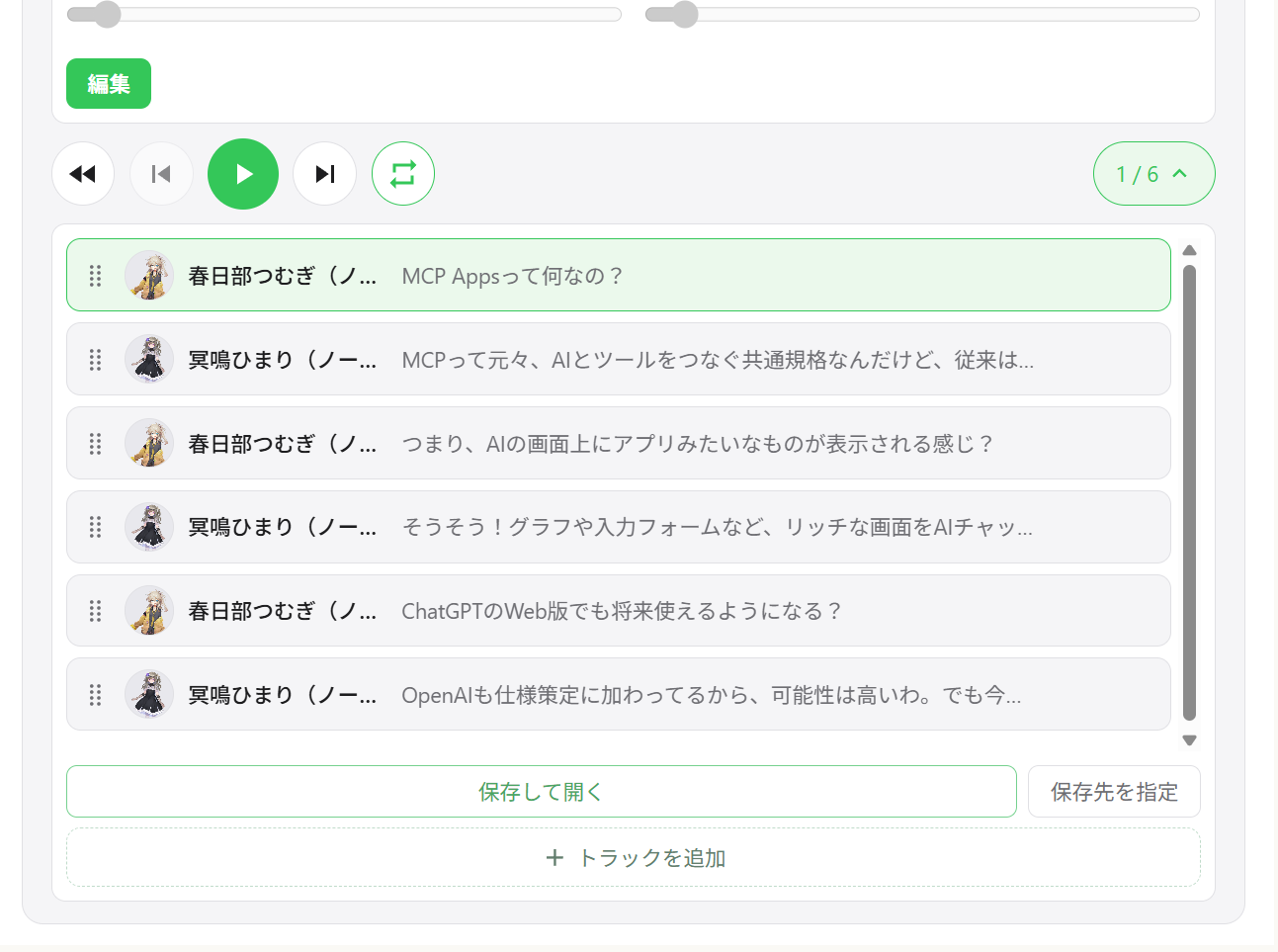
Mehr-Sprecher-Dialog — Sequenzielle Wiedergabe mehrerer Sprecher in einem Player mit Titel-Navigation
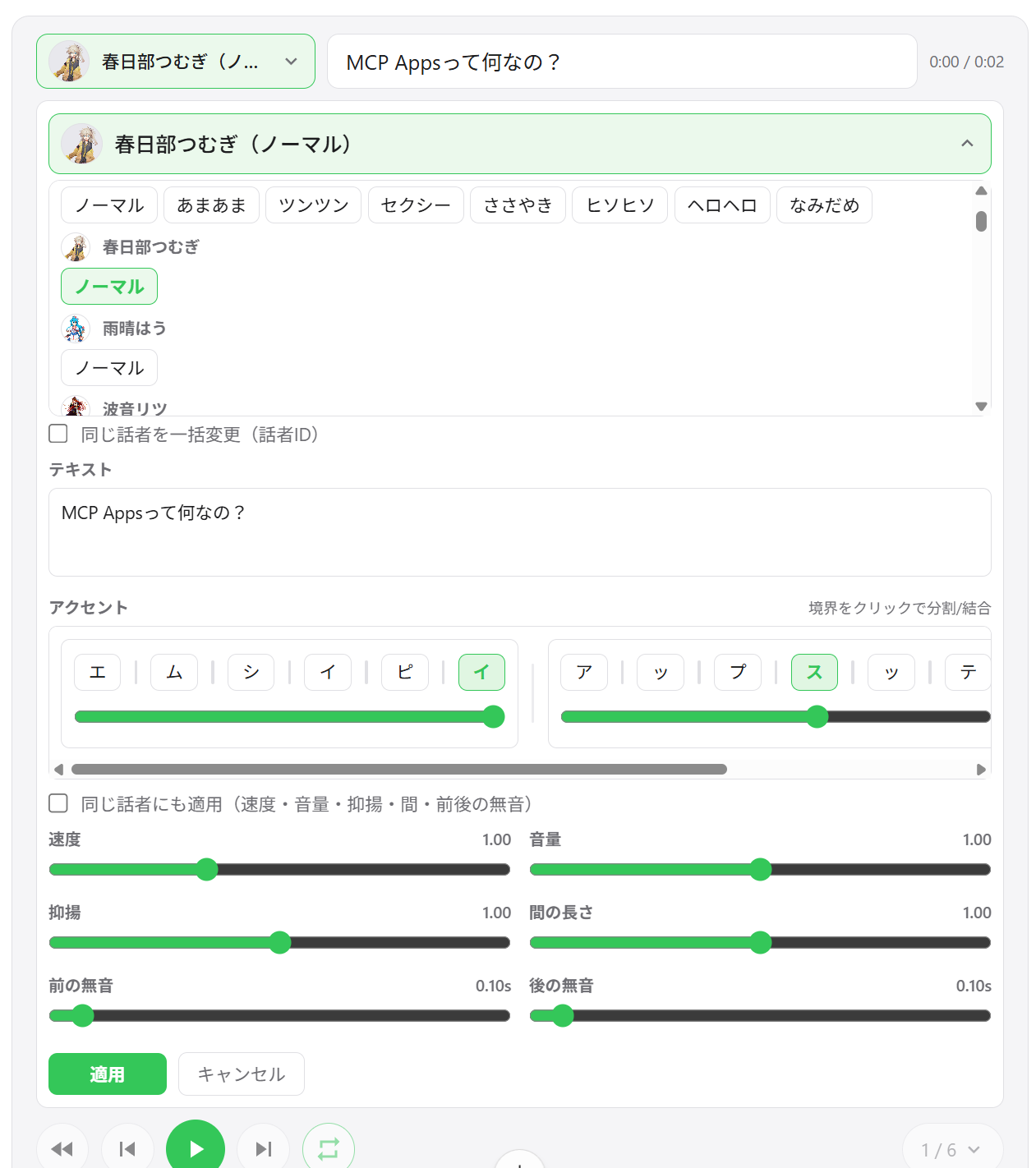
Sprecherwechsel — Stimme jedes Segments direkt über die Player-Oberfläche ändern
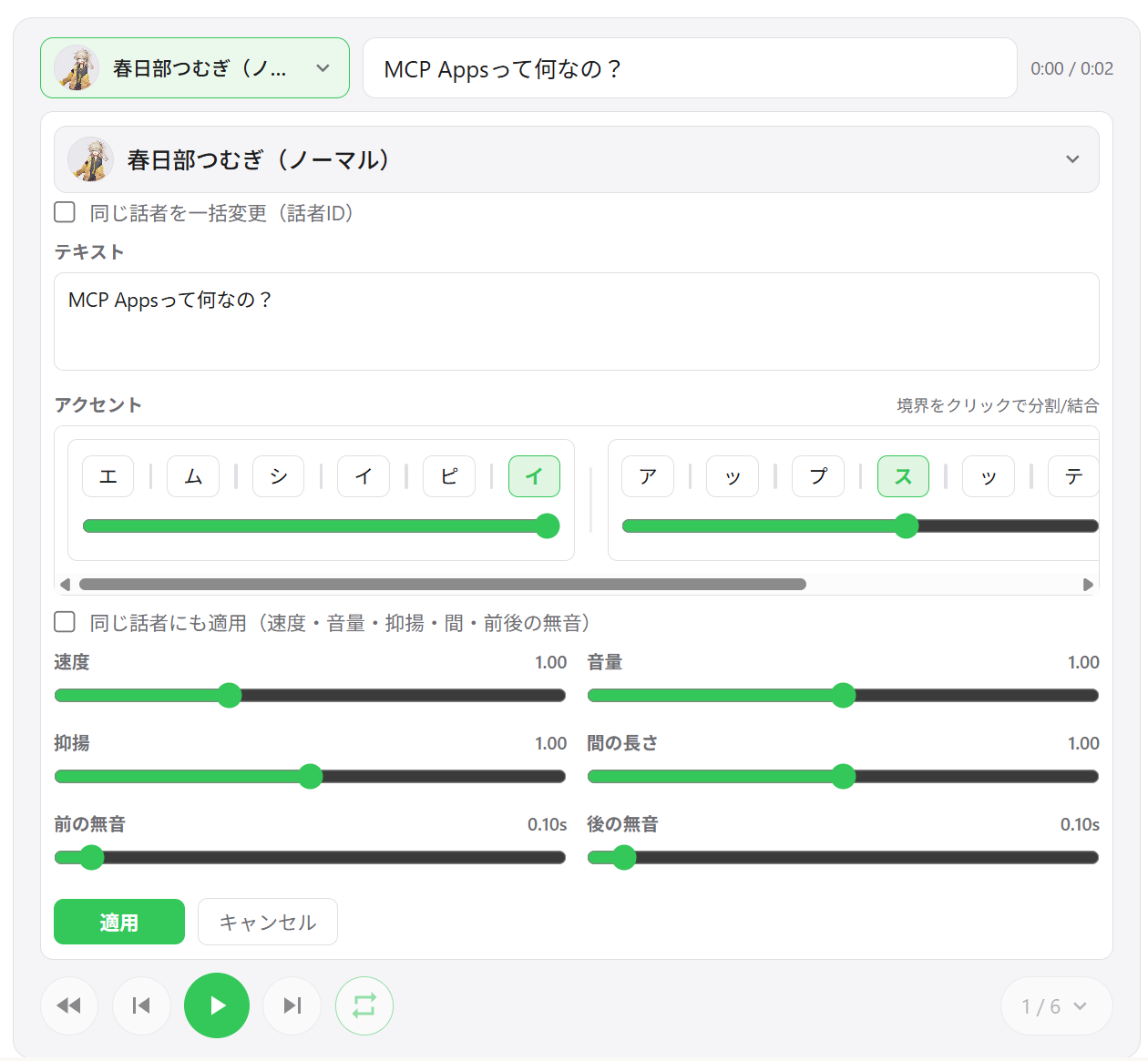
Segmentbearbeitung — Geschwindigkeit, Lautstärke, Intonation, Pausenlänge sowie Vor-/Nach-Stille pro Segment anpassen
Akzentphrasen-Bearbeitung — Akzentpositionen und Mora-Pitch direkt in der Oberfläche bearbeiten
Segmente hinzufügen / löschen / neu anordnen — Titel per Drag-and-Drop neu sortieren; neue Segmente direkt einfügen
WAV-Export — Alle Titel als nummerierte WAV-Dateien speichern und den Ausgabeordner automatisch öffnen
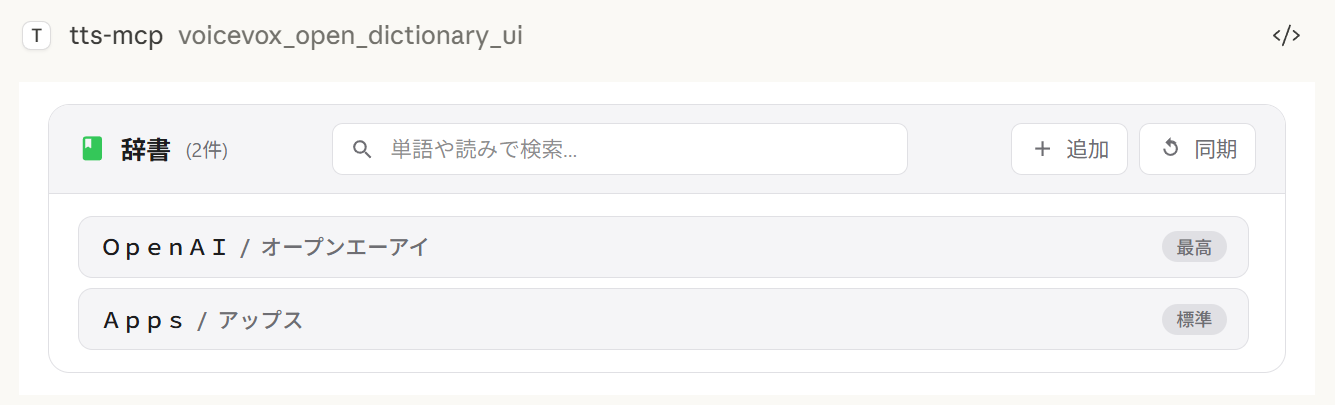
Benutzerwörterbuch-Verwaltung — VOICEVOX-Benutzerwörterbuch-Einträge hinzufügen, bearbeiten und löschen, mit Vorschau-Wiedergabe
Sitzungsübergreifende Zustandswiederherstellung — Der Player-Zustand wird auf dem Server gespeichert; beim erneuten Öffnen des Chats werden frühere Titel wiederhergestellt
Exportverhalten je nach Umgebung:
Speichern und öffnen exportiert immer WAV-Dateien. Wenn das Öffnen des Datei-Explorers nicht unterstützt wird, gelingt der Export trotzdem und der Speicherpfad wird in der Oberfläche angezeigt.
Ausgabeordner wählen verwendet einen nativen Ordner-Dialog auf Windows/macOS. In nicht unterstützten Umgebungen fällt diese Aktion auf das Standard-Exportverzeichnis zurück.
Mehr-Sprecher-Wiedergabe | Titelliste | Segmentbearbeitung |
|
|
|
Sprecherauswahl | Wörterbuch-Verwaltung | WAV-Export |
|
|
|
Client | Verbindung | Hinweise |
ChatGPT | HTTP (remote) |
|
Claude Desktop | stdio (lokal) | Funktioniert sofort |
Claude Desktop | HTTP (über mcp-remote) |
|
Hinweis:
speak_playererfordert einen Host, der MCP Apps unterstützt. In Hosts ohne MCP-Apps-Unterstützung ist das Tool nicht verfügbar; stattdessen kannspeak(serverseitige Wiedergabe) verwendet werden.
Tool | Beschreibung |
| Neue Player-Sitzung erstellen und die Oberfläche anzeigen. Gibt |
| Alle Segmente für einen bestehenden Player aktualisieren (neue |
| Aktuellen Player-Zustand lesen (paginiert) für KI-Anpassung. |
| Benutzerwörterbuch-Verwaltungsoberfläche öffnen. |
Node.js 20.0.0 oder höher (oder Bun) oder Docker
VOICEVOX Engine (muss laufen; in Docker Compose enthalten)
ffplay (optional, empfohlen — mit Docker nicht erforderlich)
ffplay ist ein leichtgewichtiger Player, der in FFmpeg enthalten ist und die Wiedergabe von stdin unterstützt. Wenn verfügbar, aktiviert er automatisch Streaming-Wiedergabe mit geringer Latenz.
💡 FFplay ist optional. Ohne es wird auf die Wiedergabe über temporäre Dateien zurückgegriffen (Windows: PowerShell, macOS: afplay, Linux: aplay usw.).
Einfache Einrichtung: Einzeiler-Installation für jedes Betriebssystem (siehe Schritte unten)
Erforderlich: ffplay muss im PATH sein (nach der Installation Terminal/Apps neu starten)
Installationsbeispiele:
Windows (eine der folgenden Optionen)
Winget: winget install --id=Gyan.FFmpeg -e
Chocolatey: choco install ffmpeg
Scoop: scoop install ffmpeg
Offizielle Builds: Herunterladen von https://www.gyan.dev/ffmpeg/builds/ oder https://github.com/BtbN/FFmpeg-Builds und den bin-Ordner zum PATH hinzufügen
macOS
Homebrew: brew install ffmpeg
Linux
Debian/Ubuntu: sudo apt-get update && sudo apt-get install -y ffmpeg
Fedora: sudo dnf install -y ffmpeg
Arch: sudo pacman -S ffmpeg
PATH-Einrichtung:
Windows: ...\ffmpeg\bin zu den Umgebungsvariablen hinzufügen, dann PowerShell/Terminal und Editor (Claude/VS Code usw.) neu starten
Überprüfen: powershell -c "$env:Path" sollte den ffmpeg-Pfad enthalten
macOS/Linux: Wird normalerweise automatisch erkannt. Bei Bedarf mit echo $PATH prüfen, Shell neu starten.
MCP-Clients (Claude Desktop/Code): App neu starten, um den PATH neu zu laden.
Überprüfung:
ffplay -versionWenn Versionsinformationen angezeigt werden, ist die Installation abgeschlossen. CLI/MCP erkennt ffplay automatisch und verwendet Streaming-Wiedergabe über stdin.
1. VOICEVOX Engine starten
2. Zur Claude-Desktop-Konfigurationsdatei hinzufügen
Speicherort der Konfigurationsdatei:
Windows: %APPDATA%\Claude\claude_desktop_config.json
macOS: ~/Library/Application Support/Claude/claude_desktop_config.json
{
  "mcpServers": {
    "tts-mcp": {
      "command": "npx",
      "args": ["-y", "@kajidog/mcp-tts-voicevox"]
    }
  }
}
💡 Bei Verwendung von Bun einfach
npxdurchbunxersetzen:"command": "bunx", "args": ["@kajidog/mcp-tts-voicevox"]
3. Claude Desktop neu starten
Das war's! Bitte Claude, „Hallo" zu sagen, und es wird sprechen!
Du kannst sowohl den MCP-Server als auch die VOICEVOX Engine mit einem einzigen Befehl über Docker Compose ausführen. Keine Node.js- oder VOICEVOX-Installation erforderlich.
1. Container starten
docker compose up -dDadurch werden die VOICEVOX Engine und der MCP-Server (HTTP-Modus auf Port 3000) gestartet.
2. Zur Claude-Desktop-Konfigurationsdatei hinzufügen (mit mcp-remote)
{
  "mcpServers": {
    "tts-mcp": {
      "command": "npx",
      "args": ["-y", "mcp-remote", "http://localhost:3000/mcp"]
    }
  }
}
3. Claude Desktop neu starten
Sicherheit (Docker):
docker-compose.ymlveröffentlicht Port 3000 ohne Authentifizierung.MCP_ALLOWED_HOSTSist hier keine Verteidigung — Nicht-Browser-Clients können jeden beliebigenHost-Header senden — jeder, der den Port erreichen kann, kann den Server also nutzen. SetzeMCP_API_KEY(und sende ihn alsX-API-Key), oder binde den Port nur an ein vertrauenswürdiges Netzwerk / localhost. Ziehe außerdem in Betracht,VOICEVOX_ALLOWED_OUTPUT_DIRSzu setzen, um einzuschränken, wohin dateischreibende Tools schreiben dürfen.
Einschränkungen (Docker): Der Docker-Container hat kein Audiogerät, daher ist das Tool
voicevox_speak(serverseitige Wiedergabe) standardmäßig deaktiviert. Verwende stattdessenvoicevox_speak_player— es spielt Audio clientseitig (in Claude Desktop) ab und funktioniert ohne Audiogerät auf dem Server. Siehe UI-Audioplayer für Details.
voicevox_speak — Text-to-SpeechDie Hauptfunktion, die von Claude aufgerufen werden kann.
Parameter | Beschreibung | Standard |
| Zu sprechender Text (mehrere Segmente durch Zeilenumbrüche getrennt) | Erforderlich |
| Inline-Akzentnotation (hat Priorität gegenüber | (nicht gesetzt) |
| Sprecher-ID | 1 |
| Wiedergabegeschwindigkeit | 1.0 |
| Sofortige Wiedergabe (leert Warteschlange) | true |
| Auf den Start der Wiedergabe warten | false |
| Auf den Abschluss der Wiedergabe warten | false |
immediate/waitForStart/waitForEndverschwinden aus dem Tool-Schema, wenn die entsprechende Option--restrict-*gesetzt ist.
Beispiele:
// Simple text
{ "text": "Hello" }

// Specify speaker
{ "text": "Hello", "speaker": 3 }

// Different speakers per segment
{ "text": "1:Hello\n3:Nice weather today" }

// Wait for completion (synchronous processing)
{ "text": "Wait for this to finish before continuing", "waitForEnd": true }

// Control the accent with inline notation (`,` separates phrases, `[` marks the accent)
{ "text": "こんにちは世界", "phrases": "コン[ニ]チワ,セ[カ]イ" }phrases (und das Aussprachefeld der Benutzerwörterbuch-Tools) akzeptiert Katakana mit einem Inline-Akzentmarker:
, trennt Akzentphrasen — コン[ニ]チワ,セ[カ]イ
[ markiert, wo die Tonhöhe danach abfällt; コン[ニ]チワ bedeutet, dass der Akzent auf ニ fällt
Wenn die Klammern für eine Phrase weggelassen werden, behält VOICEVOX seine eigene Akzentschätzung für diese Phrase bei
text bleibt auch dann erforderlich, wenn phrases angegeben ist — gib dort den Klartext ein, und die Notation wird gesprochen.
voicevox_get_accent_phrases gibt dieselbe Notation für einen gegebenen Text zurück, sodass du den geschätzten Akzent lesen, die Klammer anpassen und sie wieder in phrases einspeisen kannst.
Tool | Beschreibung |
| Mit UI-Audioplayer sprechen (siehe Player-MCP-Tools) |
| VOICEVOX-Engine-Verbindung prüfen |
| Liste der verfügbaren Sprecher abrufen |
| Wiedergabe stoppen und Warteschlange leeren |
| Audiodatei erzeugen |
Benutzerwörterbuch-Tools (Gruppe dictionary):
Tool | Beschreibung |
| Lesung und Akzentpositionen eines Textes als Inline-Notation abrufen |
| Benutzerwörterbuch-Wörter auflisten (Filter + Paginierung) |
| Wort hinzufügen (Aussprache akzeptiert Inline-Akzentnotation) |
| Wort aktualisieren (weggelassene Felder behalten ihren Wert) |
| Wort per UUID löschen |
| Mehrere Wörter auf einmal hinzufügen |
| Mehrere Wörter auf einmal aktualisieren |
Jedes Tool kann einzeln mit --disable-tools / VOICEVOX_DISABLED_TOOLS deaktiviert werden, oder gruppenweise mit --disable-groups / VOICEVOX_DISABLED_GROUPS.
Variable | Beschreibung | Standard |
| Engine-URL |
|
| Standard-Sprecher-ID |
|
| Wiedergabegeschwindigkeit |
|
| Wiederholungen für fehlgeschlagene API-Anfragen (0 deaktiviert) |
|
| Anfängliche Wiederholungsverzögerung in ms (exponentieller Backoff) |
|
| Timeout für eine einzelne VOICEVOX-API-Anfrage in ms. Erhöhen Sie ihn für langen Text oder eine langsame Engine |
|
Variable | Beschreibung | Standard |
| Streaming-Wiedergabe (erfordert |
|
| Nachlaufende Stille pro Segment in Sekunden. Erhöhen Sie den Wert für eine längere Pause zwischen eingereihten Segmenten (schützt auch das Ende der Sprache vor dem Abschneiden bei Streaming-Wiedergabe) | Engine-Standard |
| Sofortige Wiedergabe |
|
| Auf Wiedergabestart warten |
|
| Auf Wiedergabeende warten |
|
Beschränken Sie die KI auf bestimmte Optionen.
Variable | Beschreibung |
|
|
|
|
|
|
# Disable individual tools
export VOICEVOX_DISABLED_TOOLS=speak_player,synthesize_file

# Disable a built-in group of tools
export VOICEVOX_DISABLED_GROUPS=player

# Combine groups and individual tools
export VOICEVOX_DISABLED_GROUPS=dictionary
export VOICEVOX_DISABLED_TOOLS=synthesize_file
Integrierte Gruppen für VOICEVOX_DISABLED_GROUPS / --disable-groups:
Gruppe | Tools |
|
|
|
|
|
|
|
|
Variable | Beschreibung | Standard |
| Widget-Domain für den UI-Player (erforderlich für ChatGPT, z. B. | (nicht gesetzt) |
| Audio im UI-Player automatisch abspielen |
|
| Track-Export (Download) aus dem UI-Player aktivieren ( |
|
| Standard-Ausgabeverzeichnis für exportierte Tracks (wird auch als Fallback verwendet, wenn die Ordnerauswahl nicht verfügbar ist) |
|
| Verzeichnis für Player-Cache-Dateien ( |
|
| Persistenten Audio-Cache auf der Festplatte aktivieren ( |
|
| Aufbewahrungsdauer des Audio-Caches in Tagen ( |
|
| Obergrenze für die Audio-Cache-Größe in MB ( |
|
| Pfad der persistierten Player-Status-JSON |
|
Variable | Beschreibung | Standard |
| Kommagetrennte Verzeichnisse, in die dateischreibende Tools ( | (nicht gesetzt) |
Variable | Beschreibung | Standard |
| HTTP-Modus aktivieren |
|
| HTTP-Port |
|
| HTTP-Host |
|
| Zulässige Hosts (kommagetrennt) |
|
| Zulässige Origins (kommagetrennt) |
|
| Erforderlicher API-Schlüssel für | (nicht gesetzt) |
Kommandozeilenargumente haben Vorrang vor Umgebungsvariablen.
Die vollständige, aktuelle Liste der Optionen ist jederzeit über npx @kajidog/mcp-tts-voicevox --help verfügbar.
# Basic settings
npx @kajidog/mcp-tts-voicevox --url http://192.168.1.100:50021 --speaker 3 --speed 1.2

# HTTP mode
npx @kajidog/mcp-tts-voicevox --http --port 8080

# With restrictions
npx @kajidog/mcp-tts-voicevox --restrict-immediate --restrict-wait-for-end

# Disable individual tools
npx @kajidog/mcp-tts-voicevox --disable-tools speak_player,synthesize_file

# Disable a tool group
npx @kajidog/mcp-tts-voicevox --disable-groups player
Argument | Beschreibung |
| Hilfe anzeigen |
| Version anzeigen |
|
|
| Pfad zur Konfigurationsdatei |
| VOICEVOX-Engine-URL |
| Standard-Speaker-ID |
| Wiedergabegeschwindigkeit |
| Streaming-Wiedergabe |
| Nachlaufende Stille pro Segment (Pause zwischen eingereihten Segmenten) |
| Sofortige Wiedergabe |
| Auf Start warten |
| Auf Ende warten |
| Sofortige Wiedergabe einschränken |
| waitForStart einschränken |
| waitForEnd einschränken |
| Verzeichnisse, in die Datei-Schreibwerkzeuge schreiben dürfen (kommagetrennt; nicht gesetzt = keine Einschränkung) |
| Werkzeuge deaktivieren (kommagetrennte Werkzeugnamen) |
| Werkzeuggruppen deaktivieren: |
| Automatische Wiedergabe im UI-Player |
| Track-Export (Download) im UI-Player aktivieren/deaktivieren |
| Standard-Ausgabeverzeichnis für exportierte Tracks |
| Player-Cache-Verzeichnis |
| Pfad der gespeicherten Player-Statusdatei |
| Audio-Cache auf der Festplatte für den Player aktivieren/deaktivieren |
| Aufbewahrungstage für den Audio-Cache ( |
| Größenlimit des Audio-Caches in MB ( |
| HTTP-Modus |
| HTTP-Port |
| HTTP-Host |
| Zulässige Hosts (kommagetrennt) |
| Zulässige Origins (kommagetrennt) |
| Erforderlicher API-Schlüssel für |
Sie können anstelle von (oder zusätzlich zu) Umgebungsvariablen und CLI-Argumenten eine JSON-Konfigurationsdatei verwenden. Dies ist nützlich, wenn Sie viele Einstellungen zu konfigurieren haben.
Prioritätsreihenfolge: CLI-Argumente > Umgebungsvariablen > Konfigurationsdatei > Standardwerte
npx @kajidog/mcp-tts-voicevox --initDadurch wird .voicevoxrc.json mit allen Standardeinstellungen im aktuellen Verzeichnis erstellt. Bearbeiten Sie sie nach Bedarf.
npx @kajidog/mcp-tts-voicevox --config ./my-config.jsonOder über eine Umgebungsvariable:
VOICEVOX_CONFIG=./my-config.json npx @kajidog/mcp-tts-voicevox.voicevoxrc.json{
"url": "http://192.168.1.50:50021",
"speaker": 3,
"speed": 1.2,
"http": true,
"port": 8080,
"disable-tools": ["synthesize_file"],
"disable-groups": ["dictionary"]
}Schlüssel können in kebab-case (use-streaming), camelCase (useStreaming) oder als interne Schlüsselnamen (defaultSpeaker) geschrieben werden. Wenn .voicevoxrc.json im aktuellen Verzeichnis vorhanden ist, wird sie automatisch geladen.
Für Remote-Verbindungen:
Server starten:
# Linux/macOS
MCP_HTTP_MODE=true MCP_HTTP_PORT=3000 npx @kajidog/mcp-tts-voicevox

# Windows PowerShell
$env:MCP_HTTP_MODE='true'; $env:MCP_HTTP_PORT='3000'; npx @kajidog/mcp-tts-voicevox
Claude-Desktop-Konfiguration (mit mcp-remote):
{
  "mcpServers": {
    "tts-mcp-proxy": {
      "command": "npx",
      "args": ["-y", "mcp-remote", "http://localhost:3000/mcp"]
    }
  }
}Mit Claude Code können Sie pro Projekt unterschiedliche Standard-Speaker über benutzerdefinierte Header in .mcp.json konfigurieren:
Header | Beschreibung |
| Standard-Speaker-ID für dieses Projekt |
| API-Schlüssel, wenn |
Beispiel .mcp.json:
{
  "mcpServers": {
    "tts": {
      "type": "http",
      "url": "http://localhost:3000/mcp",
      "headers": {
        "X-Voicevox-Speaker": "113",
        "X-API-Key": "your-api-key"
      }
    }
  }
}
Dadurch kann jedes Projekt automatisch eine andere Sprachfigur verwenden.
Prioritätsreihenfolge:
Expliziter speaker-Parameter im Werkzeugaufruf (höchste)
Projektstandard aus dem X-Voicevox-Speaker-Header
Globale VOICEVOX_DEFAULT_SPEAKER-Einstellung (niedrigste)
Verbindung von WSL zu einem MCP-Server, der unter Windows läuft:
# Method 1: From default gateway
ip route show | grep -oP 'default via \K[\d.]+'
# Usually in the format 172.x.x.1

# Method 2: From /etc/resolv.conf (WSL2)
cat /etc/resolv.conf | grep nameserver | awk '{print $2}'Fügen Sie die WSL-Gateway-IP zu MCP_ALLOWED_HOSTS hinzu, um den Zugriff von WSL zu ermöglichen:
$env:MCP_HTTP_MODE='true'
$env:MCP_ALLOWED_HOSTS='localhost,127.0.0.1,172.29.176.1'
npx @kajidog/mcp-tts-voicevox
Oder mit CLI-Argumenten:
npx @kajidog/mcp-tts-voicevox --http --allowed-hosts "localhost,127.0.0.1,172.29.176.1"{
"mcpServers": {
"tts": {
"type": "http",
"url": "http://172.29.176.1:3000/mcp"
}
}
}⚠️ Innerhalb von WSL bezieht sich
localhostauf WSL selbst. Verwenden Sie die WSL-Gateway-IP, um auf den Windows-Host zuzugreifen.
Um ChatGPT zu verwenden, stellen Sie den MCP-Server im HTTP-Modus in der Cloud mit Zugriff auf eine VOICEVOX-Engine bereit.
Stellen Sie mit Docker auf Render, Railway usw. bereit (Dockerfile ist enthalten).
Führen Sie die VOICEVOX-Engine lokal aus und machen Sie sie über ngrok zugänglich, oder stellen Sie sie zusammen mit dem MCP-Server bereit.
Variable | Beispiel | Beschreibung |
|
| VOICEVOX-Engine-URL |
|
| HTTP-Modus aktivieren |
|
| Bereitgestellter Hostname |
|
| Widget-Domain für den UI-Player (für ChatGPT erforderlich) |
|
| Serverseitige Wiedergabe deaktivieren (kein Audiogerät) |
|
| Exportfunktion deaktivieren (Dateien können nicht aus der Cloud heruntergeladen werden) |
Gehen Sie zu ChatGPT-Einstellungen → Connectors → MCP-Server-URL hinzufügen (https://your-app.onrender.com/mcp).
Die grundlegenden Schritte sind dieselben wie bei ChatGPT, aber der Wert von VOICEVOX_PLAYER_DOMAIN ist anders.
Claude Web erfordert, dass ui.domain eine hash-basierte dedizierte Domain ist. Berechnen Sie sie mit dem folgenden Befehl:
node -e "console.log(require('crypto').createHash('sha256').update('Your MCP server URL').digest('hex').slice(0,32)+'.claudemcpcontent.com')"Beispiel: Wenn Ihre MCP-Server-URL https://your-app.onrender.com/mcp ist:
node -e "console.log(require('crypto').createHash('sha256').update('https://your-app.onrender.com/mcp').digest('hex').slice(0,32)+'.claudemcpcontent.com')"
# Example output: 48fb73a6...claudemcpcontent.com
Setzen Sie diesen Ausgabewert als VOICEVOX_PLAYER_DOMAIN.
Hinweis: Da ChatGPT und Claude Web unterschiedliche
VOICEVOX_PLAYER_DOMAIN-Werte erfordern, kann eine einzelne Instanz nicht beide Clients gleichzeitig bedienen. Stellen Sie für jeden Client separate Instanzen bereit oder wechseln Sie die Umgebungsvariable je nach Zielclient.
1. Prüfen, ob die VOICEVOX-Engine läuft
curl http://localhost:50021/speakers2. Plattformspezifische Wiedergabe-Werkzeuge prüfen
OS | Erforderliches Werkzeug |
Linux | Eines von |
macOS |
|
Windows | PowerShell (vorinstalliert) |
Paketinstallation prüfen: npm list -g @kajidog/mcp-tts-voicevox
JSON-Syntax in der Konfigurationsdatei überprüfen
Client neu starten
Paket | Beschreibung |
| MCP-Server ( |
Allgemeine VOICEVOX-Client-Bibliothek (kann unabhängig verwendet werden) | |
| Gemeinsame MCP-Infrastruktur (Konfigurationsschema, HTTP/stdio-Launcher). Nicht veröffentlicht – im Server gebündelt |
| React-basierte Audio-Player-Oberfläche, in einer einzigen HTML-Datei gebündelt. Nicht veröffentlicht |
git clone https://github.com/kajidog/mcp-tts-voicevox.git
cd mcp-tts-voicevox
pnpm installDer Paketmanager ist pnpm (npm / yarn werden nicht unterstützt).
Befehl | Beschreibung |
| Alle Pakete bauen |
| Tests ausführen |
| Lint ausführen (ein einzelner Biome-Durchlauf über den gesamten Workspace) |
| Typprüfung für jedes Paket |
| Ein Changeset für eine benutzersichtbare Änderung hinzufügen |
Dev-Server befinden sich im Server-Paket, also starte sie mit einem Filter:
Befehl | Beschreibung |
| Dev-Server starten (stdio) |
| Dev-Server im HTTP-Modus starten |
| Dev-Server mit Bun starten |
| HTTP-Dev-Server mit Bun starten |
Generate a query for voice synthesis
| Name | Required | Description | Default |
|---|---|---|---|
| text | Yes | Text for voice synthesis | |
| speaker | No | Default speaker ID (optional) | |
| speedScale | No | Playback speed (optional, default from environment) |
Does the description disclose side effects, auth requirements, rate limits, or destructive behavior?
No annotations are provided, so the description carries full burden. 'Generate a query' suggests this creates some intermediate representation, but doesn't disclose what happens next - does it return a query ID for later use? Does it validate parameters? Is it read-only or has side effects? The description lacks behavioral context about permissions, rate limits, or what 'query' means operationally.
Agents need to know what a tool does to the world before calling it. Descriptions should go beyond structured annotations to explain consequences.
Is the description appropriately sized, front-loaded, and free of redundancy?
The description is a single, efficient sentence with zero wasted words. It's appropriately sized for a tool with good schema coverage and gets straight to the point without unnecessary elaboration. Every word earns its place in conveying the core purpose.
Shorter descriptions cost fewer tokens and are easier for agents to parse. Every sentence should earn its place.
Given the tool's complexity, does the description cover enough for an agent to succeed on first attempt?
For a tool with no annotations and no output schema, the description is insufficient. It doesn't explain what the generated query is used for, what format it returns, or how it differs from actual synthesis tools. Given the complexity of voice synthesis workflows and multiple sibling tools, more context about this tool's role in the ecosystem is needed.
Complex tools with many parameters or behaviors need more documentation. Simple tools need less. This dimension scales expectations accordingly.
Does the description clarify parameter syntax, constraints, interactions, or defaults beyond what the schema provides?
Schema description coverage is 100%, so the schema already documents all three parameters (text, speaker, speedScale) with their descriptions. The tool description adds no additional parameter semantics beyond what's in the schema. The baseline score of 3 reflects adequate but minimal value addition given the comprehensive schema coverage.
Input schemas describe structure but not intent. Descriptions should explain non-obvious parameter relationships and valid value ranges.
Does the description clearly state what the tool does and how it differs from similar tools?
The description states 'Generate a query for voice synthesis' which provides a basic purpose (verb: generate, resource: query for voice synthesis). However, it's vague about what the query actually does - is it for previewing, testing, or preparing synthesis? It doesn't distinguish from sibling tools like 'synthesize_file' or 'speak' which also relate to voice synthesis.
Agents choose between tools based on descriptions. A clear purpose with a specific verb and resource helps agents select the right tool.
Does the description explain when to use this tool, when not to, or what alternatives exist?
The description provides no guidance on when to use this tool versus alternatives. With sibling tools like 'synthesize_file' and 'speak' that also handle voice synthesis, there's no indication whether this tool is for preparation, testing, or a different phase of the synthesis workflow. No context about prerequisites or exclusions is provided.
Agents often have multiple tools that could apply. Explicit usage guidance like "use X instead of Y when Z" prevents misuse.
Get detail of a speaker by id
| Name | Required | Description | Default |
|---|---|---|---|
| uuid | Yes | Speaker UUID (speaker uuid) |
Does the description disclose side effects, auth requirements, rate limits, or destructive behavior?
No annotations are provided, so the description carries the full burden of behavioral disclosure. It mentions 'Get detail' but doesn't specify if this is a read-only operation, what permissions are needed, error handling, or response format. This leaves significant gaps for a tool that likely interacts with a speaker database.
Agents need to know what a tool does to the world before calling it. Descriptions should go beyond structured annotations to explain consequences.
Is the description appropriately sized, front-loaded, and free of redundancy?
The description is a single, efficient sentence with no wasted words. It's front-loaded with the core action ('Get detail'), making it easy to scan and understand quickly.
Shorter descriptions cost fewer tokens and are easier for agents to parse. Every sentence should earn its place.
Given the tool's complexity, does the description cover enough for an agent to succeed on first attempt?
Given no annotations and no output schema, the description is incomplete. It doesn't explain what 'detail' includes (e.g., speaker attributes, capabilities), potential errors, or how this fits with sibling tools like 'synthesize_file'. For a tool with one parameter but unknown behavioral traits, more context is needed.
Complex tools with many parameters or behaviors need more documentation. Simple tools need less. This dimension scales expectations accordingly.
Does the description clarify parameter syntax, constraints, interactions, or defaults beyond what the schema provides?
Schema description coverage is 100%, with the parameter 'uuid' documented as 'Speaker UUID (speaker uuid)'. The description adds no additional meaning beyond this, such as format examples or where to obtain the UUID. Baseline 3 is appropriate since the schema does the heavy lifting.
Input schemas describe structure but not intent. Descriptions should explain non-obvious parameter relationships and valid value ranges.
Does the description clearly state what the tool does and how it differs from similar tools?
The description clearly states the verb ('Get detail') and resource ('speaker'), making the purpose understandable. However, it doesn't differentiate from sibling tools like 'get_speakers' (which likely lists speakers) or explain what 'detail' entails beyond the ID lookup.
Agents choose between tools based on descriptions. A clear purpose with a specific verb and resource helps agents select the right tool.
Does the description explain when to use this tool, when not to, or what alternatives exist?
No guidance is provided on when to use this tool versus alternatives. For example, it doesn't clarify if this should be used after 'get_speakers' to fetch more information or in what contexts (e.g., before synthesis). The description only states the basic function without context.
Agents often have multiple tools that could apply. Explicit usage guidance like "use X instead of Y when Z" prevents misuse.
Get a list of available speakers
| Name | Required | Description | Default |
|---|---|---|---|
No parameters | |||
Does the description disclose side effects, auth requirements, rate limits, or destructive behavior?
With no annotations provided, the description carries the full burden of behavioral disclosure. It states the tool retrieves a list, implying a read-only operation, but doesn't cover aspects like whether it requires authentication, has rate limits, returns paginated results, or what format the list is in. For a tool with zero annotation coverage, this is a significant gap in transparency.
Agents need to know what a tool does to the world before calling it. Descriptions should go beyond structured annotations to explain consequences.
Is the description appropriately sized, front-loaded, and free of redundancy?
The description is a single, efficient sentence ('Get a list of available speakers') that is front-loaded and wastes no words. It directly states the tool's purpose without unnecessary elaboration, making it highly concise and well-structured for its simplicity.
Shorter descriptions cost fewer tokens and are easier for agents to parse. Every sentence should earn its place.
Given the tool's complexity, does the description cover enough for an agent to succeed on first attempt?
Given the tool's complexity (simple list retrieval) but lack of annotations and output schema, the description is incomplete. It doesn't explain what the list contains, how it's formatted, or any behavioral traits. For a tool with no structured data beyond the input schema, more context is needed to be fully helpful to an agent.
Complex tools with many parameters or behaviors need more documentation. Simple tools need less. This dimension scales expectations accordingly.
Does the description clarify parameter syntax, constraints, interactions, or defaults beyond what the schema provides?
The input schema has 0 parameters with 100% coverage, so the schema fully documents the lack of inputs. The description doesn't add parameter details beyond this, which is appropriate. Since there are no parameters, the baseline is 4, as the description doesn't need to compensate for any gaps.
Input schemas describe structure but not intent. Descriptions should explain non-obvious parameter relationships and valid value ranges.
Does the description clearly state what the tool does and how it differs from similar tools?
The description states the tool's purpose ('Get a list of available speakers'), which is clear but vague. It specifies the verb ('Get') and resource ('speakers'), but doesn't distinguish it from sibling tools like 'get_speaker_detail' or explain what 'available' means in this context. This is adequate but has clear gaps in specificity.
Agents choose between tools based on descriptions. A clear purpose with a specific verb and resource helps agents select the right tool.
Does the description explain when to use this tool, when not to, or what alternatives exist?
The description provides no guidance on when to use this tool versus alternatives. It doesn't mention sibling tools like 'get_speaker_detail' for detailed information or 'synthesize_file' for synthesis operations, nor does it specify prerequisites or contexts for usage. This leaves the agent without explicit or implied usage instructions.
Agents often have multiple tools that could apply. Explicit usage guidance like "use X instead of Y when Z" prevents misuse.
Check if VOICEVOX Engine is running and reachable
| Name | Required | Description | Default |
|---|---|---|---|
No parameters | |||
Does the description disclose side effects, auth requirements, rate limits, or destructive behavior?
No annotations are provided, so the description carries the full burden of behavioral disclosure. It states the tool checks if the engine is 'running and reachable,' implying a read-only, non-destructive operation, but doesn't detail what happens on failure (e.g., error responses), latency, or any side effects. For a tool with zero annotation coverage, this leaves gaps in understanding its behavior.
Agents need to know what a tool does to the world before calling it. Descriptions should go beyond structured annotations to explain consequences.
Is the description appropriately sized, front-loaded, and free of redundancy?
The description is a single, efficient sentence: 'Check if VOICEVOX Engine is running and reachable.' It is front-loaded with the core purpose, has no wasted words, and is appropriately sized for a simple tool. Every part of the sentence earns its place by conveying essential information.
Shorter descriptions cost fewer tokens and are easier for agents to parse. Every sentence should earn its place.
Given the tool's complexity, does the description cover enough for an agent to succeed on first attempt?
Given the tool's low complexity (0 parameters, no output schema, no annotations), the description is minimally adequate. It states what the tool does but lacks details on usage context, error handling, or return values. Without an output schema, it doesn't explain what 'check' returns (e.g., status, boolean), leaving some gaps for an agent to understand fully.
Complex tools with many parameters or behaviors need more documentation. Simple tools need less. This dimension scales expectations accordingly.
Does the description clarify parameter syntax, constraints, interactions, or defaults beyond what the schema provides?
The tool has 0 parameters, and the input schema has 100% description coverage (though empty). The description doesn't need to explain parameters, so it naturally adds no value beyond the schema. A baseline score of 4 is appropriate for zero-parameter tools, as there's no parameter information to compensate for.
Input schemas describe structure but not intent. Descriptions should explain non-obvious parameter relationships and valid value ranges.
Does the description clearly state what the tool does and how it differs from similar tools?
The description clearly states the tool's purpose: 'Check if VOICEVOX Engine is running and reachable.' It uses a specific verb ('Check') and identifies the target resource ('VOICEVOX Engine'), making it easy to understand. However, it doesn't explicitly differentiate from sibling tools like 'get_speakers' or 'synthesize_file', which serve different purposes but also interact with VOICEVOX.
Agents choose between tools based on descriptions. A clear purpose with a specific verb and resource helps agents select the right tool.
Does the description explain when to use this tool, when not to, or what alternatives exist?
No guidance is provided on when to use this tool versus alternatives. The description doesn't mention prerequisites (e.g., before using other tools), exclusions, or contextual cues. For example, it doesn't specify if this should be called first to verify connectivity before invoking 'speak' or 'synthesize_file'.
Agents often have multiple tools that could apply. Explicit usage guidance like "use X instead of Y when Z" prevents misuse.
Convert text to speech and play it. Text is split by line breaks (\n) into separate speech units. Each line is processed as an independent audio segment.
| Name | Required | Description | Default |
|---|---|---|---|
| text | Yes | Text split by line breaks (\n). IMPORTANT: Each line = one speech unit (processed and played separately). Keep the FIRST LINE SHORT for quick playback start - audio begins as soon as the first line is synthesized. Example: "Hi!\nThis is a longer explanation that follows." Optional speaker prefix per line: "1:Hello\n2:World" | |
| query | No | Voice synthesis query | |
| speaker | No | Default speaker ID (optional) | |
| speedScale | No | Playback speed (optional, default from environment) | |
| immediate | No | If true, stops current playback and plays new audio immediately. If false, waits for current playback to finish. Default depends on environment variable. | |
| waitForStart | No | Wait for playback to start (optional, default: false) | |
| waitForEnd | No | Wait for playback to end (optional, default: false) |
Does the description disclose side effects, auth requirements, rate limits, or destructive behavior?
With no annotations provided, the description carries full burden and does well by disclosing key behavioral traits: text is split by line breaks into separate speech units, each line processed independently, and the first line should be short for quick playback start. It doesn't mention error handling, rate limits, or authentication needs, but covers core playback behavior adequately.
Agents need to know what a tool does to the world before calling it. Descriptions should go beyond structured annotations to explain consequences.
Is the description appropriately sized, front-loaded, and free of redundancy?
The description is front-loaded with the core purpose in the first sentence, followed by specific behavioral details in the second. Both sentences earn their place by providing essential information without redundancy. It's appropriately sized for the tool's complexity.
Shorter descriptions cost fewer tokens and are easier for agents to parse. Every sentence should earn its place.
Given the tool's complexity, does the description cover enough for an agent to succeed on first attempt?
Given no annotations and no output schema, the description does well to cover the main behavior and text processing logic. However, it doesn't address potential side effects (e.g., interrupting current playback, which is hinted at in the 'immediate' parameter schema), error cases, or what the tool returns. For a 7-parameter tool with mutation implications, it's good but not fully complete.
Complex tools with many parameters or behaviors need more documentation. Simple tools need less. This dimension scales expectations accordingly.
Does the description clarify parameter syntax, constraints, interactions, or defaults beyond what the schema provides?
Schema description coverage is 100%, so the schema already documents all 7 parameters thoroughly. The description adds minimal parameter semantics beyond the schema—it mentions line break processing and first line optimization, which relates to the 'text' parameter but doesn't significantly enhance understanding of parameters like 'query' or 'speaker'. Baseline 3 is appropriate given high schema coverage.
Input schemas describe structure but not intent. Descriptions should explain non-obvious parameter relationships and valid value ranges.
Does the description clearly state what the tool does and how it differs from similar tools?
The description clearly states the specific action ('Convert text to speech and play it') and resource (audio output), distinguishing it from siblings like 'synthesize_file' (file output) and 'stop_speaker' (playback control). It explicitly mentions text processing by line breaks, which adds specificity beyond the basic function.
Agents choose between tools based on descriptions. A clear purpose with a specific verb and resource helps agents select the right tool.
Does the description explain when to use this tool, when not to, or what alternatives exist?
The description implies usage for text-to-speech playback but doesn't explicitly state when to use this tool versus alternatives like 'synthesize_file' (for file output) or 'generate_query' (possibly for query generation). It provides some context about line break processing but lacks explicit guidance on tool selection scenarios.
Agents often have multiple tools that could apply. Explicit usage guidance like "use X instead of Y when Z" prevents misuse.
Stop current audio playback
| Name | Required | Description | Default |
|---|---|---|---|
| random_string | Yes | Dummy parameter for no-parameter tools |
Does the description disclose side effects, auth requirements, rate limits, or destructive behavior?
With no annotations provided, the description carries full burden but only states the basic action. It does not disclose behavioral traits like whether this requires specific permissions, what happens if no audio is playing, error conditions, or side effects. The description is minimal and lacks necessary context for safe invocation.
Agents need to know what a tool does to the world before calling it. Descriptions should go beyond structured annotations to explain consequences.
Is the description appropriately sized, front-loaded, and free of redundancy?
The description is a single, clear sentence with zero wasted words. It is perfectly front-loaded and appropriately sized for a simple action tool.
Shorter descriptions cost fewer tokens and are easier for agents to parse. Every sentence should earn its place.
Given the tool's complexity, does the description cover enough for an agent to succeed on first attempt?
Given no annotations and no output schema, the description is incomplete for a mutation tool. It does not explain what happens after stopping playback (e.g., success/failure response, state changes) or error handling, leaving significant gaps for the agent.
Complex tools with many parameters or behaviors need more documentation. Simple tools need less. This dimension scales expectations accordingly.
Does the description clarify parameter syntax, constraints, interactions, or defaults beyond what the schema provides?
The tool has 0 meaningful parameters (only a dummy parameter with 100% schema coverage). The description correctly omits parameter details since none are needed for the core functionality, adding appropriate value beyond the schema.
Input schemas describe structure but not intent. Descriptions should explain non-obvious parameter relationships and valid value ranges.
Does the description clearly state what the tool does and how it differs from similar tools?
The description 'Stop current audio playback' clearly states the specific action (stop) and resource (current audio playback). It distinguishes from siblings like 'speak' or 'synthesize_file' which initiate playback rather than stop it.
Agents choose between tools based on descriptions. A clear purpose with a specific verb and resource helps agents select the right tool.
Does the description explain when to use this tool, when not to, or what alternatives exist?
The description implies usage when audio is currently playing, but does not explicitly state when to use this tool versus alternatives or provide any exclusions. It lacks guidance on prerequisites or timing considerations.
Agents often have multiple tools that could apply. Explicit usage guidance like "use X instead of Y when Z" prevents misuse.
Generate an audio file and return its absolute path
| Name | Required | Description | Default |
|---|---|---|---|
| text | No | Text for voice synthesis (if both query and text provided, query takes precedence) | |
| query | No | Voice synthesis query | |
| output | Yes | Output path for the audio file | |
| speaker | No | Default speaker ID (optional) | |
| speedScale | No | Playback speed (optional, default from environment) |
Does the description disclose side effects, auth requirements, rate limits, or destructive behavior?
With no annotations provided, the description carries the full burden of behavioral disclosure. It mentions generating a file and returning a path, but lacks details on permissions, side effects (e.g., file system changes), rate limits, error handling, or audio format specifics. This is inadequate for a tool that creates files, as it doesn't clarify behavioral traits beyond the basic operation.
Agents need to know what a tool does to the world before calling it. Descriptions should go beyond structured annotations to explain consequences.
Is the description appropriately sized, front-loaded, and free of redundancy?
The description is a single, efficient sentence that front-loads the core action and return value. Every word earns its place, with no redundancy or unnecessary elaboration, making it easy to parse quickly.
Shorter descriptions cost fewer tokens and are easier for agents to parse. Every sentence should earn its place.
Given the tool's complexity, does the description cover enough for an agent to succeed on first attempt?
Given the complexity of a file-generation tool with 5 parameters, no annotations, and no output schema, the description is incomplete. It doesn't cover behavioral aspects like side effects, error cases, or audio specifics, and lacks usage context. This leaves significant gaps for an AI agent to understand how to invoke it correctly in various scenarios.
Complex tools with many parameters or behaviors need more documentation. Simple tools need less. This dimension scales expectations accordingly.
Does the description clarify parameter syntax, constraints, interactions, or defaults beyond what the schema provides?
Schema description coverage is 100%, so the schema already documents all parameters thoroughly (e.g., precedence rules for text vs. query, optional defaults). The description adds no additional parameter semantics beyond what the schema provides, such as explaining the audio generation process or file format details. Baseline 3 is appropriate when the schema does the heavy lifting.
Input schemas describe structure but not intent. Descriptions should explain non-obvious parameter relationships and valid value ranges.
Does the description clearly state what the tool does and how it differs from similar tools?
The description clearly states the action ('Generate an audio file') and the resource ('audio file'), and specifies the return value ('return its absolute path'). It distinguishes from siblings like 'speak' (which might stream audio) and 'generate_query' (which likely creates queries rather than files). However, it doesn't explicitly differentiate from all siblings (e.g., 'stop_speaker' is clearly different).
Agents choose between tools based on descriptions. A clear purpose with a specific verb and resource helps agents select the right tool.
Does the description explain when to use this tool, when not to, or what alternatives exist?
No guidance is provided on when to use this tool versus alternatives. The description doesn't mention prerequisites, context, or comparisons to siblings like 'speak' (which might be for immediate playback) or 'generate_query' (which might be for query generation without file creation).
Agents often have multiple tools that could apply. Explicit usage guidance like "use X instead of Y when Z" prevents misuse.
Recent tool additions, removals, and schema changes observed during successful MCP inspections. Dates show when Glama detected each change.
v0.3.1generate_queryget_speaker_detailget_speakersping_voicevoxspeakstop_speakersynthesize_fileEach tool has a clearly distinct purpose with no overlap: generate_query creates synthesis queries, get_speaker_detail and get_speakers handle speaker metadata, ping_voicevox checks engine status, speak plays audio, stop_speaker stops playback, and synthesize_file creates files. The descriptions make it easy to distinguish between query generation, metadata retrieval, status checking, real-time playback control, and file synthesis.
The naming is mostly consistent with a verb_noun pattern (e.g., get_speakers, stop_speaker, synthesize_file), but there are minor deviations: generate_query uses 'generate' instead of a more specific verb like 'create', and ping_voicevox uses 'ping' as a verb which is less conventional but still understandable. All tools use snake_case consistently.
With 7 tools, this server is well-scoped for a TTS system. It covers essential operations like checking engine status, retrieving speaker information, generating queries, real-time speech playback with control, and file synthesis. Each tool earns its place without feeling excessive or insufficient for the domain.
The tool set provides complete coverage for a TTS domain: it includes status checking (ping_voicevox), metadata retrieval (get_speakers, get_speaker_detail), query preparation (generate_query), real-time audio handling (speak, stop_speaker), and file output (synthesize_file). There are no obvious gaps—agents can perform the full lifecycle from setup to synthesis and playback control.
Unclaimed servers have limited discoverability.
If you are the server author, to access and configure the admin panel.
AI voice generation: text-to-speech and voice cloning from any MCP client.
MCP server for Text-to-Speech
MCP server for AI dialogue using various LLM models via AceDataCloud
MCP server exposing the AceDataCloud Fish Audio API (text-to-speech with voice conditioning)
We provide all the information about MCP servers via our MCP API.
curl -X GET 'https://glama.ai/api/mcp/v1/servers/kajidog/mcp-tts-voicevox'
If you have feedback or need assistance with the MCP directory API, please join our Discord server