
[!중요한]
이 저장소는 도구 중복을 피하기 위해
🚀 Memgraph MCP 서버
Memgraph MCP 서버는 Memgraph를 LLM과 연결하도록 설계된 Model Context Protocol(MCP)의 가벼운 서버 구현입니다.
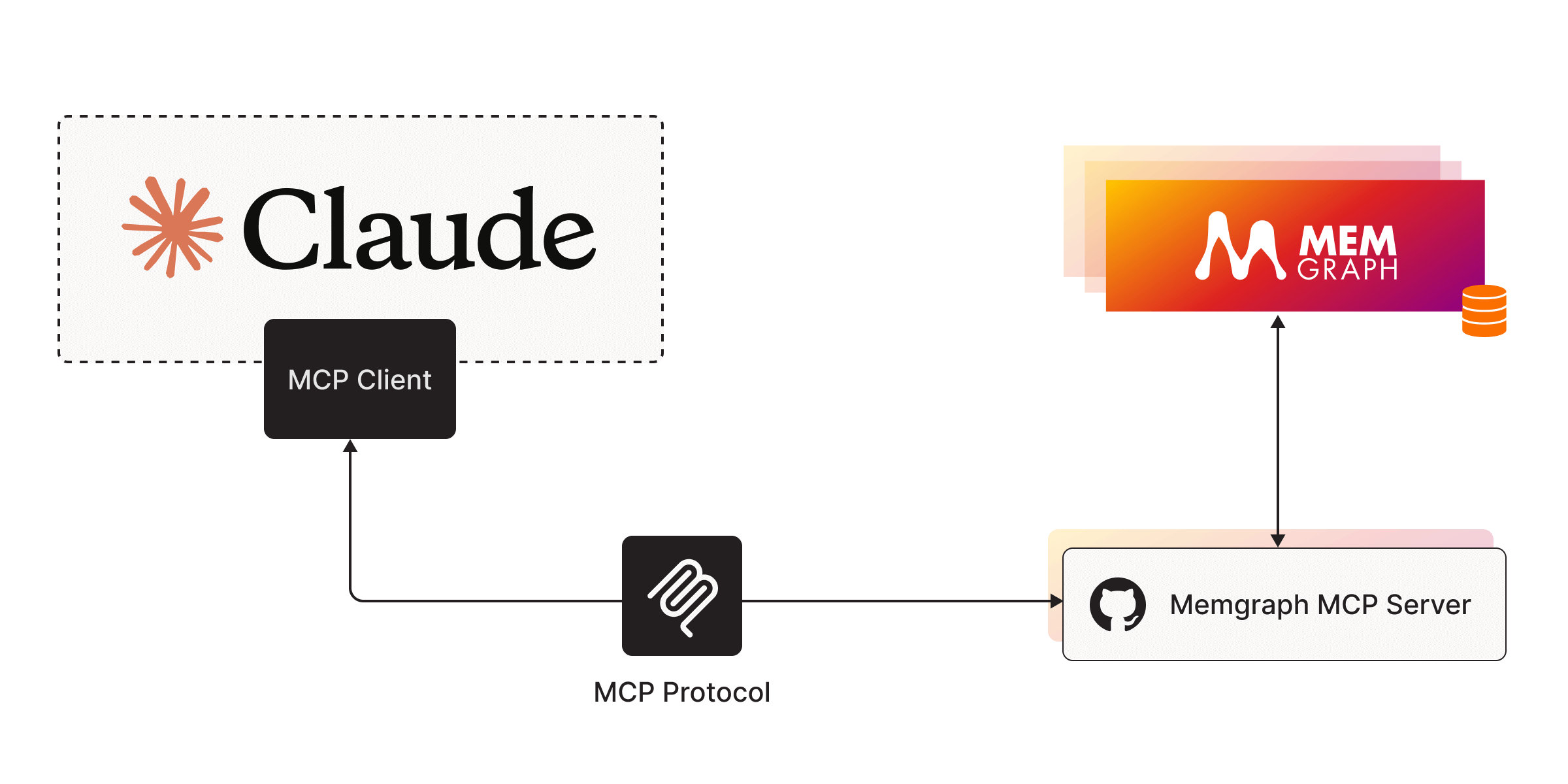
⚡ 빠른 시작
1. Memgraph MCP 서버 실행
uv설치하고uv venv로venv생성하세요..venv\Scripts\activate로 가상 환경을 활성화하세요.종속성 설치:
uv add "mcp[cli]" httpxMemgraph MCP 서버를 실행합니다:
uv run server.py.
2. MCP 클라이언트 실행
데스크톱에 Claude를 설치하세요.
Claude 구성에 Memgraph 서버를 추가합니다.
맥OS/리눅스
지엑스피1
윈도우
구성 예:
[!메모]
명령 필드에 uv 실행 파일의 전체 경로를 입력해야 할 수도 있습니다. MacOS/Linux에서는which uv, Windows에서는where uv실행하여 경로를 확인할 수 있습니다. 서버의 절대 경로를 입력해야 합니다.
3. 데이터베이스와 채팅
Memgraph MAGE를 실행하세요:
docker run -p 7687:7687 memgraph/memgraph-mage --schema-info-enabled=True--schema-info-enabled구성 설정이True로 설정되어 LLM이SHOW SCHEMA INFO쿼리를 실행할 수 있습니다.Claude Desktop을 열고 Memgraph 도구와 리소스 목록을 확인하세요. 직접 사용해 보세요! ( Memgraph Lab 데이터셋에서 더미 데이터를 불러올 수 있습니다.)
Related MCP server: mcp-graphql
🔧도구
실행_쿼리()
Memgraph에 대해 Cypher 쿼리를 실행합니다.
🗃️ 리소스
get_schema()
Memgraph 스키마 정보를 가져옵니다(필수 조건: --schema-info-enabled=True ).
🗺️ 로드맵
Memgraph MCP 서버는 아직 초기 단계입니다. 저희는 서버 기능을 확장하고 Memgraph를 최신 AI 워크플로에 더욱 쉽게 통합할 수 있도록 적극적으로 노력하고 있습니다. 가까운 시일 내에 JavaScript 기반 환경을 더욱 효과적으로 지원하기 위해 TypeScript 버전의 서버를 출시할 예정입니다. 또한, 이 프로젝트를 중앙 AI 툴킷 저장소로 이전하여 LangChain, LlamaIndex, MCP용 다른 도구 및 통합 기능과 함께 사용할 계획입니다. 저희의 목표는 Memgraph를 핵심으로 그래프 기반 애플리케이션과 지능형 에이전트를 원활하게 구축할 수 있도록 하는 통합 오픈소스 툴킷을 제공하는 것입니다.
