A
licenseB
qualityD
maintenanceA server implementation that provides Claude AI with the ability to interact with Zendesk ticketing systems through various functions including retrieving, searching, creating, and updating tickets.
7
171 npm
16
MIT

Provides comprehensive integration with Zendesk's support platform, offering tools for retrieving and managing tickets and comments, accessing Help Center articles as a knowledge base, and specialized prompts for ticket analysis and response drafting.
Click on "Deploy Server".
Wait a few minutes for the server to deploy. Once ready, it will show a "Started" state.
In the chat, type @ followed by the MCP server name and your instructions, e.g., "@zendesk-mcp-server get the latest 5 tickets and summarize their status"
That's it! The server will respond to your query, and you can continue using it as needed.
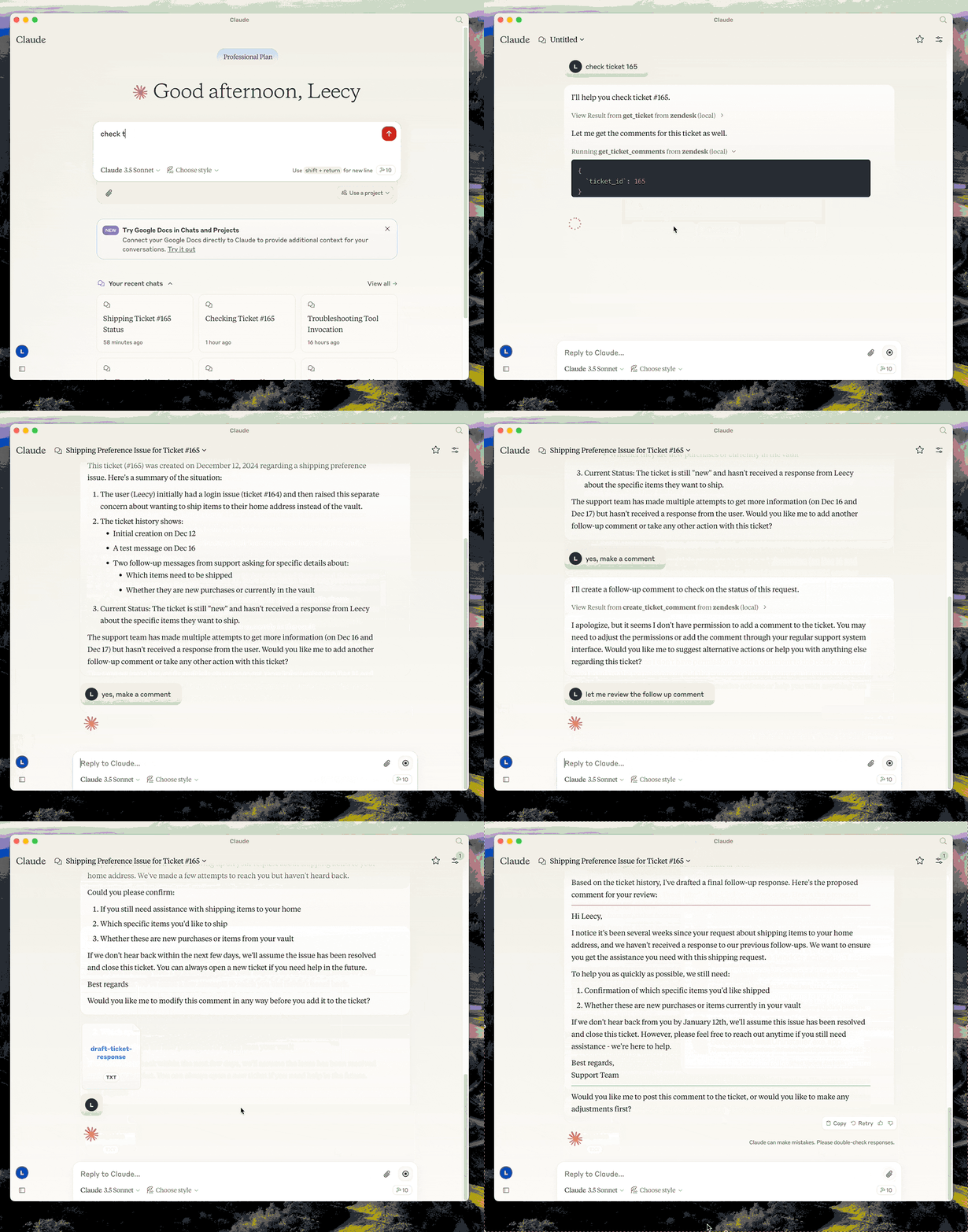
Here is a step-by-step guide with screenshots.


A Model Context Protocol server for Zendesk.
This server provides a comprehensive integration with Zendesk. It offers:
Tools for retrieving and managing Zendesk tickets and comments
Specialized prompts for ticket analysis and response drafting
Full access to the Zendesk Help Center articles as knowledge base
build: uv venv && uv pip install -e . or uv build in short.
configure authentication: see Authentication below.
configure in Claude desktop:
{
  "mcpServers": {
      "zendesk": {
          "command": "uv",
          "args": [
              "--directory",
              "/path/to/zendesk-mcp-server",
              "run",
              "zendesk"
          ]
      }
  }
}
Related MCP server: Zendesk API MCP Server
This server authenticates with OAuth. Each operator authorizes with their own Zendesk login, so API calls carry their identity and Zendesk applies exactly the permissions it applies in the UI — their role, their group restrictions, their ticket access. Comments they post are authored by them.
API token authentication still works but is deprecated. See Migrating from an API token.
In Admin Center, go to Apps and integrations > APIs > OAuth clients and create a client:
Field | Value |
Client kind | Public — this server runs on each operator's machine, so there is no secret it could keep. PKCE is used instead. |
Redirect URLs |
|
Allowed scopes |
|
Setting Allowed scopes is optional but recommended: it caps what any token from this client can ever request, even if the code changes.
Note the client's Identifier — that is the ZENDESK_CLIENT_ID below.
If Zendesk rejects http://localhost:4567/callback, register https://localhost
instead and use zendesk-auth --manual in step 3.
Copy .env.example to .env and set:
ZENDESK_SUBDOMAIN=acme        # for https://acme.zendesk.com
ZENDESK_CLIENT_ID=your-client-identifier
Keep .env out of version control.
Two optional settings, both of which must agree with the OAuth client:
Variable | Default | When to change it |
|
| Port 4567 is in use, or the client is registered with a different redirect URL. Must match a redirect URL on the client exactly. |
|
| Storing tokens elsewhere, for example a Docker volume. |
uv run zendesk-authThis opens a browser, asks the operator to approve access, and stores the resulting tokens locally. From then on the server renews access on its own; the operator never repeats this unless the tokens are revoked or left unused past the refresh token's lifetime (90 days as requested by this server).
If the browser cannot reach this machine — a remote shell, or an OAuth client
registered with https://localhost — use the paste-based flow instead:
uv run zendesk-auth --manualTokens are written to $XDG_CONFIG_HOME/zendesk-mcp/tokens.json
(~/.config/zendesk-mcp/tokens.json by default), created 0600 inside a 0700
directory. Override the location with ZENDESK_TOKEN_FILE. The file holds live
credentials: treat it like a password and never commit it.
Zendesk access tokens are short-lived — 30 minutes by default, 48 hours at most — so the server refreshes them for you:
before expiry, when the stored token is within 60 seconds of expiring, and
on rejection, when Zendesk answers 401 with {"error": "invalid_token"},
in which case the request is retried once with a fresh token.
Only invalid_token triggers a retry. A 401 or 403 from insufficient scope or
from the operator's own Zendesk permissions is passed through unchanged, so
permission problems stay visible instead of looking like auth flakiness.
Each refresh rotates the refresh token and invalidates the previous one immediately, so the new pair is written to disk before it is used. Writes are atomic and guarded by a lock file, which matters if you run the server from more than one MCP client at the same time.
When the refresh token itself is expired or revoked, tools fail with a message
telling the operator to re-run zendesk-auth.
The default scopes cover every tool this server exposes:
Scope | Needed for |
|
|
|
|
|
|
| requester and assignee details on tickets |
| the |
Narrow them with ZENDESK_OAUTH_SCOPES if you do not need every tool — for
read-only access, tickets:read users:read hc:read.
Scopes are a ceiling, not a grant: a token can never do more than the
authorizing operator is allowed to do. Note that Zendesk accepts unrecognised
scope names when issuing a token but then rejects every request with 403, so
zendesk-auth prints the scope Zendesk actually granted for comparison.
Zendesk is retiring API tokens on this schedule:
Date | Change |
2026-07-28 | Tokens unused for 30 days are deactivated automatically; new accounts cannot create tokens. |
2026-10-27 | No account can create new API tokens. |
2027-04-30 | All API tokens stop working permanently. |
Until then ZENDESK_EMAIL + ZENDESK_API_KEY continue to work, and the server
logs a deprecation warning the first time it authenticates. Set
ZENDESK_CLIENT_ID and OAuth takes precedence, so you can migrate without
removing the old variables.
Beyond the deadline, there is a reason to move sooner: a Zendesk API token is account-level and unscoped. Whoever holds it gets the full access of the user it is paired with, which for most installations is an admin. That is what per-operator OAuth fixes.
Why not the client credentials flow? It is simpler — no browser step, no refresh tokens — but its tokens are attributed to the Zendesk user who created the OAuth client. Every operator would act as that one user, usually an admin, and audit logs and comment authorship would all point at them. Since the goal is for operators to have exactly their own Zendesk permissions, the authorization code flow is the only one that fits.
You can containerize the server if you prefer an isolated runtime:
Copy .env.example to .env and fill in your Zendesk configuration. Keep this file outside version control.
Build the image:
docker build -t zendesk-mcp-server .Authorize on the host, not in the container. zendesk-auth needs a
browser and a local callback port, so run it once outside Docker:
uv run zendesk-authRun the server, passing the environment file and mounting the token store:
docker run --rm \
  --env-file /path/to/.env \
  --user "$(id -u):$(id -g)" \
  -e ZENDESK_TOKEN_FILE=/tokens/tokens.json \
  -v "$HOME/.config/zendesk-mcp:/tokens" \
  zendesk-mcp-server
The mount must be writable: the server rewrites the file every time it
rotates the refresh token, and a read-only mount will strand it on an expired
token. --user makes the container run as you, so it can read the 0600
token file created on the host.
Add -i when wiring the container to MCP clients over STDIN/STDOUT (Claude Code uses this mode). For daemonized runs, add -d --name zendesk-mcp.
The image installs dependencies from requirements.lock and drops privileges to a non-root user. With API token authentication no volume is needed, since configuration comes entirely from environment variables.
To use the Dockerized server from Claude Code/Desktop, add an entry to Claude Code's settings.json similar to:
{
  "mcpServers": {
    "zendesk": {
      "command": "/usr/local/bin/docker",
      "args": [
        "run",
        "--rm",
        "-i",
        "--env-file",
        "/path/to/zendesk-mcp-server/.env",
        "zendesk-mcp-server"
      ]
    }
  }
}
Adjust the paths to match your environment. After saving the file, restart Claude for the new MCP server to be detected.
Run the test suite:
uv pip install -e '.[test]'
pytest
The tests use mocked HTTP and never contact Zendesk. They cover the API-token and OAuth paths, PKCE derivation, token storage and rotation, and each of the four ways this server calls Zendesk.
zendesk://knowledge-base, get access to the whole help center articles.
Analyze a Zendesk ticket and provide a detailed analysis of the ticket.
Draft a response to a Zendesk ticket.
Fetch the latest tickets with pagination support
Input:
page (integer, optional): Page number (defaults to 1)
per_page (integer, optional): Number of tickets per page, max 100 (defaults to 25)
sort_by (string, optional): Field to sort by - created_at, updated_at, priority, or status (defaults to created_at)
sort_order (string, optional): Sort order - asc or desc (defaults to desc)
Output: Returns a list of tickets with essential fields including id, subject, status, priority, description, timestamps, and assignee information, along with pagination metadata
Retrieve a Zendesk ticket by its ID
Input:
ticket_id (integer): The ID of the ticket to retrieve
Retrieve all comments for a Zendesk ticket by its ID
Input:
ticket_id (integer): The ID of the ticket to get comments for
Create a new comment on an existing Zendesk ticket
Input:
ticket_id (integer): The ID of the ticket to comment on
comment (string): The comment text/content to add
public (boolean, optional): Whether the comment should be public (defaults to true)
Create a new Zendesk ticket
Input:
subject (string): Ticket subject
description (string): Ticket description
requester_id (integer, optional)
assignee_id (integer, optional)
priority (string, optional): one of low, normal, high, urgent
type (string, optional): one of problem, incident, question, task
tags (array[string], optional)
custom_fields (array[object], optional)
Update fields on an existing Zendesk ticket (e.g., status, priority, assignee)
Input:
ticket_id (integer): The ID of the ticket to update
subject (string, optional)
status (string, optional): one of new, open, pending, on-hold, solved, closed
priority (string, optional): one of low, normal, high, urgent
type (string, optional)
assignee_id (integer, optional)
requester_id (integer, optional)
tags (array[string], optional)
custom_fields (array[object], optional)
due_at (string, optional): ISO8601 datetime
Create a new Zendesk ticket
| Name | Required | Description | Default |
|---|---|---|---|
| tags | No | ||
| type | No | problem, incident, question, task | |
| subject | Yes | Ticket subject | |
| priority | No | low, normal, high, urgent | |
| assignee_id | No | ||
| description | Yes | Ticket description | |
| requester_id | No | ||
| custom_fields | No |
Does the description disclose side effects, auth requirements, rate limits, or destructive behavior?
With no annotations provided, the description carries full burden for behavioral disclosure. While 'Create' implies a write operation, it doesn't mention permission requirements, whether tickets are immediately visible, rate limits, error conditions, or what happens on success. This is inadequate for a mutation tool with zero annotation coverage.
Agents need to know what a tool does to the world before calling it. Descriptions should go beyond structured annotations to explain consequences.
Is the description appropriately sized, front-loaded, and free of redundancy?
The description is extremely concise - a single sentence with no wasted words. It's front-loaded with the essential information (create ticket) and doesn't include unnecessary elaboration.
Shorter descriptions cost fewer tokens and are easier for agents to parse. Every sentence should earn its place.
Given the tool's complexity, does the description cover enough for an agent to succeed on first attempt?
For a write operation with 8 parameters, 50% schema coverage, no annotations, and no output schema, the description is insufficient. It doesn't compensate for the missing behavioral context, parameter documentation gaps, or provide any information about what the tool returns upon success.
Complex tools with many parameters or behaviors need more documentation. Simple tools need less. This dimension scales expectations accordingly.
Does the description clarify parameter syntax, constraints, interactions, or defaults beyond what the schema provides?
Schema description coverage is only 50% (4 of 8 parameters have descriptions). The description adds no parameter information beyond what's in the schema - it doesn't explain the purpose of fields like requester_id, assignee_id, tags, or custom_fields, nor does it provide examples or clarify relationships between parameters.
Input schemas describe structure but not intent. Descriptions should explain non-obvious parameter relationships and valid value ranges.
Does the description clearly state what the tool does and how it differs from similar tools?
The description clearly states the action ('Create') and resource ('new Zendesk ticket'), making the purpose immediately understandable. However, it doesn't differentiate this tool from its siblings like 'update_ticket' or explain what distinguishes ticket creation from other ticket operations.
Agents choose between tools based on descriptions. A clear purpose with a specific verb and resource helps agents select the right tool.
Does the description explain when to use this tool, when not to, or what alternatives exist?
The description provides no guidance on when to use this tool versus alternatives like 'update_ticket' or 'search_tickets'. It doesn't mention prerequisites (like needing a requester_id), appropriate contexts, or limitations compared to sibling tools.
Agents often have multiple tools that could apply. Explicit usage guidance like "use X instead of Y when Z" prevents misuse.
Create a new comment on an existing Zendesk ticket
| Name | Required | Description | Default |
|---|---|---|---|
| public | No | Whether the comment should be public | |
| comment | Yes | The comment text. Markdown, plain text, and HTML are all accepted. | |
| ticket_id | Yes | The ID of the ticket to comment on |
Does the description disclose side effects, auth requirements, rate limits, or destructive behavior?
No annotations are provided, so the description carries the full behavioral burden, and it discloses almost nothing beyond the basic mutation. It does not say whether the comment triggers customer notifications, how the 'public' default affects visibility, or what happens if ticket_id is invalid.
Agents need to know what a tool does to the world before calling it. Descriptions should go beyond structured annotations to explain consequences.
Is the description appropriately sized, front-loaded, and free of redundancy?
A single front-loaded sentence with zero wasted words, correctly naming the action and target. Nothing is buried or repeated.
Shorter descriptions cost fewer tokens and are easier for agents to parse. Every sentence should earn its place.
Given the tool's complexity, does the description cover enough for an agent to succeed on first attempt?
For a mutation tool with no annotations and no output schema, the description is too thin: it omits notification/visibility implications of the public flag, error behavior for missing tickets, and permission requirements. The schema covers inputs, but behavioral context an agent needs to invoke this safely is absent.
Complex tools with many parameters or behaviors need more documentation. Simple tools need less. This dimension scales expectations accordingly.
Does the description clarify parameter syntax, constraints, interactions, or defaults beyond what the schema provides?
Schema description coverage is 100%, so all three parameters (ticket_id, comment, public) are already documented inline, including format notes for comment and the default for public. The description adds no parameter meaning beyond that, so the baseline 3 applies.
Input schemas describe structure but not intent. Descriptions should explain non-obvious parameter relationships and valid value ranges.
Does the description clearly state what the tool does and how it differs from similar tools?
States a specific verb (Create) and resource (comment on a Zendesk ticket) with a scoping constraint ('existing'), which cleanly separates it from sibling read tools like get_ticket_comments and from update_ticket. It does not explicitly name siblings, so it falls just short of 5.
Agents choose between tools based on descriptions. A clear purpose with a specific verb and resource helps agents select the right tool.
Does the description explain when to use this tool, when not to, or what alternatives exist?
There is no guidance on when to use this versus alternatives such as update_ticket, nor any mention of prerequisites like the ticket existing or required permissions. Usage is only implied by the tool name and description.
Agents often have multiple tools that could apply. Explicit usage guidance like "use X instead of Y when Z" prevents misuse.
Retrieve a Zendesk ticket by its ID
| Name | Required | Description | Default |
|---|---|---|---|
| ticket_id | Yes | The ID of the ticket to retrieve |
Does the description disclose side effects, auth requirements, rate limits, or destructive behavior?
No annotations are provided, so the description carries the full burden. It states the tool retrieves a ticket, implying a read-only operation, but doesn't disclose behavioral traits like authentication requirements, rate limits, error handling, or what happens if the ticket ID is invalid. This leaves significant gaps for an agent to understand how to use it effectively.
Agents need to know what a tool does to the world before calling it. Descriptions should go beyond structured annotations to explain consequences.
Is the description appropriately sized, front-loaded, and free of redundancy?
The description is a single, clear sentence with zero waste. It's front-loaded with the core action and resource, making it easy to parse quickly without unnecessary details.
Shorter descriptions cost fewer tokens and are easier for agents to parse. Every sentence should earn its place.
Given the tool's complexity, does the description cover enough for an agent to succeed on first attempt?
Given the lack of annotations and output schema, the description is incomplete. It doesn't explain what the tool returns (e.g., ticket details, error responses) or address potential complexities like authentication or rate limits. For a tool with no structured support, more context is needed to guide an agent fully.
Complex tools with many parameters or behaviors need more documentation. Simple tools need less. This dimension scales expectations accordingly.
Does the description clarify parameter syntax, constraints, interactions, or defaults beyond what the schema provides?
Schema description coverage is 100%, so the input schema already documents the 'ticket_id' parameter as an integer. The description adds minimal value by mentioning 'by its ID', which aligns with the schema but doesn't provide additional context like format examples or constraints beyond what's in the structured data.
Input schemas describe structure but not intent. Descriptions should explain non-obvious parameter relationships and valid value ranges.
Does the description clearly state what the tool does and how it differs from similar tools?
The description clearly states the action ('Retrieve') and resource ('a Zendesk ticket by its ID'), making the purpose immediately understandable. However, it doesn't differentiate from sibling tools like 'get_tickets' (plural) or 'search_tickets' which suggests it's for single-ticket lookup versus batch operations.
Agents choose between tools based on descriptions. A clear purpose with a specific verb and resource helps agents select the right tool.
Does the description explain when to use this tool, when not to, or what alternatives exist?
No guidance is provided on when to use this tool versus alternatives like 'get_tickets' or 'search_tickets'. The description implies it's for retrieving a specific ticket by ID, but it doesn't explicitly state this as the primary use case or mention prerequisites such as needing a valid ticket ID.
Agents often have multiple tools that could apply. Explicit usage guidance like "use X instead of Y when Z" prevents misuse.
Fetch a Zendesk ticket attachment by its content_url and return the file as base64-encoded data. Use the attachment URLs returned by get_ticket_comments.
| Name | Required | Description | Default |
|---|---|---|---|
| content_url | Yes | The content_url of the attachment from get_ticket_comments |
Does the description disclose side effects, auth requirements, rate limits, or destructive behavior?
No annotations are provided, so the description carries the burden. It usefully discloses the return format (base64-encoded data), which is important context. However, it omits any discussion of authentication, rate limits, or behavior on missing/large attachments.
Agents need to know what a tool does to the world before calling it. Descriptions should go beyond structured annotations to explain consequences.
Is the description appropriately sized, front-loaded, and free of redundancy?
Two tight sentences that front-load the operation and return format, followed by the routing hint. No wasted words.
Shorter descriptions cost fewer tokens and are easier for agents to parse. Every sentence should earn its place.
Given the tool's complexity, does the description cover enough for an agent to succeed on first attempt?
For a simple one-parameter read tool, the description covers purpose, input source, and output format adequately. It lacks only minor behavioral details like error handling, which are less critical without annotations and no output schema.
Complex tools with many parameters or behaviors need more documentation. Simple tools need less. This dimension scales expectations accordingly.
Does the description clarify parameter syntax, constraints, interactions, or defaults beyond what the schema provides?
Schema coverage is 100%, so the single content_url parameter is already fully documented in the schema with its origin. The description adds no syntax or format detail beyond what the schema provides, so baseline 3 applies.
Input schemas describe structure but not intent. Descriptions should explain non-obvious parameter relationships and valid value ranges.
Does the description clearly state what the tool does and how it differs from similar tools?
States a specific verb+resource (fetch a Zendesk ticket attachment) plus the retrieval mechanism (by content_url), and explicitly ties the URL source to the sibling get_ticket_comments, clearly differentiating it from other ticket tools.
Agents choose between tools based on descriptions. A clear purpose with a specific verb and resource helps agents select the right tool.
Does the description explain when to use this tool, when not to, or what alternatives exist?
Explicitly names the sibling (get_ticket_comments) as the source of the content_url, telling the agent both when to use this tool and where its input comes from. The workflow dependency is unambiguous.
Agents often have multiple tools that could apply. Explicit usage guidance like "use X instead of Y when Z" prevents misuse.
Retrieve all comments for a Zendesk ticket by its ID
| Name | Required | Description | Default |
|---|---|---|---|
| ticket_id | Yes | The ID of the ticket to get comments for |
Does the description disclose side effects, auth requirements, rate limits, or destructive behavior?
With no annotations provided, the description carries full burden for behavioral disclosure. It mentions retrieval but doesn't specify whether this is a read-only operation, if it requires authentication, what format comments are returned in, or if there are rate limits. For a tool with zero annotation coverage, this leaves significant behavioral gaps.
Agents need to know what a tool does to the world before calling it. Descriptions should go beyond structured annotations to explain consequences.
Is the description appropriately sized, front-loaded, and free of redundancy?
The description is a single, efficient sentence that states the core functionality without unnecessary words. It's front-loaded with the main action and resource, making it immediately understandable with zero wasted content.
Shorter descriptions cost fewer tokens and are easier for agents to parse. Every sentence should earn its place.
Given the tool's complexity, does the description cover enough for an agent to succeed on first attempt?
For a simple retrieval tool with one parameter and no output schema, the description covers the basic purpose adequately. However, without annotations or output schema, it lacks details about return format, error handling, or behavioral constraints that would make it more complete for agent use.
Complex tools with many parameters or behaviors need more documentation. Simple tools need less. This dimension scales expectations accordingly.
Does the description clarify parameter syntax, constraints, interactions, or defaults beyond what the schema provides?
Schema description coverage is 100%, so the schema already fully documents the single parameter 'ticket_id'. The description adds no additional parameter information beyond what's in the schema, maintaining the baseline score of 3 for adequate but not enhanced parameter semantics.
Input schemas describe structure but not intent. Descriptions should explain non-obvious parameter relationships and valid value ranges.
Does the description clearly state what the tool does and how it differs from similar tools?
The description clearly states the action ('Retrieve all comments') and target resource ('for a Zendesk ticket by its ID'), making the purpose immediately understandable. It doesn't explicitly differentiate from sibling tools like 'get_ticket' or 'create_ticket_comment', but the specificity of retrieving comments rather than ticket details or creating comments provides implicit distinction.
Agents choose between tools based on descriptions. A clear purpose with a specific verb and resource helps agents select the right tool.
Does the description explain when to use this tool, when not to, or what alternatives exist?
The description provides no guidance on when to use this tool versus alternatives like 'get_ticket' (which might include comments) or 'search_tickets' (which might filter tickets with comments). It states what the tool does but offers no context about prerequisites, timing, or comparison to sibling tools.
Agents often have multiple tools that could apply. Explicit usage guidance like "use X instead of Y when Z" prevents misuse.
Fetch the latest tickets with pagination support
| Name | Required | Description | Default |
|---|---|---|---|
| page | No | Page number | |
| sort_by | No | Field to sort by (created_at, updated_at, priority, status) | created_at |
| per_page | No | Number of tickets per page (max 100) | |
| sort_order | No | Sort order (asc or desc) | desc |
Does the description disclose side effects, auth requirements, rate limits, or destructive behavior?
No annotations are provided, so the description carries full burden. It mentions pagination support, which is useful, but lacks details on permissions, rate limits, error handling, or what 'latest' means (e.g., time-based cutoff). For a read operation with zero annotation coverage, this is insufficient.
Agents need to know what a tool does to the world before calling it. Descriptions should go beyond structured annotations to explain consequences.
Is the description appropriately sized, front-loaded, and free of redundancy?
The description is a single, efficient sentence with zero waste. It's front-loaded with the core purpose and includes key behavioral trait (pagination) without unnecessary details.
Shorter descriptions cost fewer tokens and are easier for agents to parse. Every sentence should earn its place.
Given the tool's complexity, does the description cover enough for an agent to succeed on first attempt?
Given 4 parameters with full schema coverage but no annotations or output schema, the description is minimally adequate. It covers the basic action and pagination but lacks context on permissions, error cases, or output format, leaving gaps for agent usage.
Complex tools with many parameters or behaviors need more documentation. Simple tools need less. This dimension scales expectations accordingly.
Does the description clarify parameter syntax, constraints, interactions, or defaults beyond what the schema provides?
Schema description coverage is 100%, so parameters are well-documented in the schema. The description adds no additional meaning beyond implying pagination (covered by 'page' and 'per_page') and 'latest' (implied by sort defaults). Baseline 3 is appropriate as the schema does the heavy lifting.
Input schemas describe structure but not intent. Descriptions should explain non-obvious parameter relationships and valid value ranges.
Does the description clearly state what the tool does and how it differs from similar tools?
The description clearly states the action ('Fetch') and resource ('tickets'), and specifies scope ('latest' with 'pagination support'). However, it doesn't explicitly differentiate from sibling tools like 'get_ticket' (singular) or 'search_tickets', which is a minor gap.
Agents choose between tools based on descriptions. A clear purpose with a specific verb and resource helps agents select the right tool.
Does the description explain when to use this tool, when not to, or what alternatives exist?
The description provides no guidance on when to use this tool versus alternatives like 'get_ticket' (for a single ticket) or 'search_tickets' (for filtered searches). It mentions pagination but doesn't explain when pagination is needed or preferred over other tools.
Agents often have multiple tools that could apply. Explicit usage guidance like "use X instead of Y when Z" prevents misuse.
Update fields on an existing Zendesk ticket (e.g., status, priority, assignee_id)
| Name | Required | Description | Default |
|---|---|---|---|
| tags | No | ||
| type | No | ||
| due_at | No | ISO8601 datetime | |
| status | No | new, open, pending, on-hold, solved, closed | |
| subject | No | ||
| priority | No | low, normal, high, urgent | |
| ticket_id | Yes | The ID of the ticket to update | |
| assignee_id | No | ||
| requester_id | No | ||
| custom_fields | No |
Does the description disclose side effects, auth requirements, rate limits, or destructive behavior?
With no annotations provided, the description carries full burden for behavioral disclosure. While 'Update' implies a mutation, it doesn't specify permission requirements, whether changes are reversible, rate limits, or what happens to fields not mentioned. The description provides minimal behavioral context beyond the basic operation.
Agents need to know what a tool does to the world before calling it. Descriptions should go beyond structured annotations to explain consequences.
Is the description appropriately sized, front-loaded, and free of redundancy?
The description is a single, efficient sentence that communicates the core purpose with helpful examples. Every word earns its place, and it's appropriately front-loaded with the essential information.
Shorter descriptions cost fewer tokens and are easier for agents to parse. Every sentence should earn its place.
Given the tool's complexity, does the description cover enough for an agent to succeed on first attempt?
For a mutation tool with 10 parameters, 40% schema coverage, no annotations, and no output schema, the description is inadequate. It doesn't explain return values, error conditions, permission requirements, or provide sufficient parameter guidance given the complexity of the operation.
Complex tools with many parameters or behaviors need more documentation. Simple tools need less. This dimension scales expectations accordingly.
Does the description clarify parameter syntax, constraints, interactions, or defaults beyond what the schema provides?
The description mentions example fields (status, priority, assignee_id) which correspond to some of the 10 parameters, but with only 40% schema description coverage, it doesn't fully compensate for undocumented parameters like 'type', 'requester_id', or 'custom_fields'. It adds some value but leaves many parameters unexplained.
Input schemas describe structure but not intent. Descriptions should explain non-obvious parameter relationships and valid value ranges.
Does the description clearly state what the tool does and how it differs from similar tools?
The description clearly states the action ('Update fields') and resource ('existing Zendesk ticket'), with specific examples of fields that can be updated. It distinguishes from 'create_ticket' by specifying it's for existing tickets, though it doesn't explicitly differentiate from other update-related tools.
Agents choose between tools based on descriptions. A clear purpose with a specific verb and resource helps agents select the right tool.
Does the description explain when to use this tool, when not to, or what alternatives exist?
The description provides no guidance on when to use this tool versus alternatives like 'create_ticket' or 'get_ticket'. It mentions it's for existing tickets but doesn't specify prerequisites, error conditions, or when other tools might be more appropriate.
Agents often have multiple tools that could apply. Explicit usage guidance like "use X instead of Y when Z" prevents misuse.
Recent tool additions, removals, and schema changes observed during successful MCP inspections.
v0.1.0create_ticketcreate_ticket_commentget_ticketget_ticket_attachmentget_ticket_commentsget_ticketsupdate_ticketScored across 7 tools
Each tool maps to a distinct action-resource pair: retrieving a single ticket vs listing tickets, fetching comments vs creating a comment, and fetching attachments. get_ticket and get_tickets are close but clearly differentiated by singular ID vs paginated list.
All tools use a consistent snake_case verb_noun pattern (get_ticket, create_ticket, update_ticket, get_ticket_comments, etc.). No mixing of conventions.
7 tools is well-scoped for a Zendesk ticket-focused MCP server, covering core operations without excessive surface area.
Core ticket operations are covered (create, read single/list, update, comments read/create, attachment read), but delete_ticket and comment update/delete are absent, leaving minor lifecycle gaps.
Connect Claude, ChatGPT or any AI assistant to Zendesk tickets, CSAT, macros and Help Center.
Helpdesk tickets from your AI: find, reply, take, hold, complete — within your own role. OAuth.
Read tickets, users, orgs, macros and satisfaction ratings; create, update and comment on tickets.
Read tickets, contacts, companies, agents and groups; create, update and reply to tickets.