
A
licenseA
qualityC
maintenanceA Model Context Protocol server that enables LLMs to interact with MindManager mind maps, allowing retrieval of mind map structures and export to formats like Mermaid, Markdown, and JSON.
11
11
MIT

用于将 Markdown 内容转换为交互式思维导图的模型上下文协议 (MCP) 服务器。
pip install mindmap-mcp-server或者使用uvx :
uvx mindmap-mcp-server或者使用docker更安全,更简单。
Related MCP server: MarkItDown MCP Server
三种安装方法已在 macOS 和 Linux 上成功测试。
对于 Windows 用户,如果在本 MCP 中使用npx时遇到问题,请考虑使用 Docker 方法。或者,如果您使用 Visual Studio Code,则“Markmap”扩展程序可能比使用命令行工具更简单。
使用命令python或uvx运行服务器时,此包需要安装 Node.js。
将此服务器添加到您的claude_desktop_config.json :
{
  "mcpServers": {
    "mindmap": {
      "command": "uvx",
      "args": ["mindmap-mcp-server", "--return-type", "html"]
    }
  }
}
或者
受到推崇的:
{
  "mcpServers": {
    "mindmap": {
      "command": "uvx",
      "args": ["mindmap-mcp-server", "--return-type", "filePath"]
    }
  }
}我们使用--return-type来指定思维导图内容的返回类型,您可以根据需要选择html或者filePath 。html将返回思维导图的整个 HTML 内容,您可以在 AI 客户端的工件中预览;
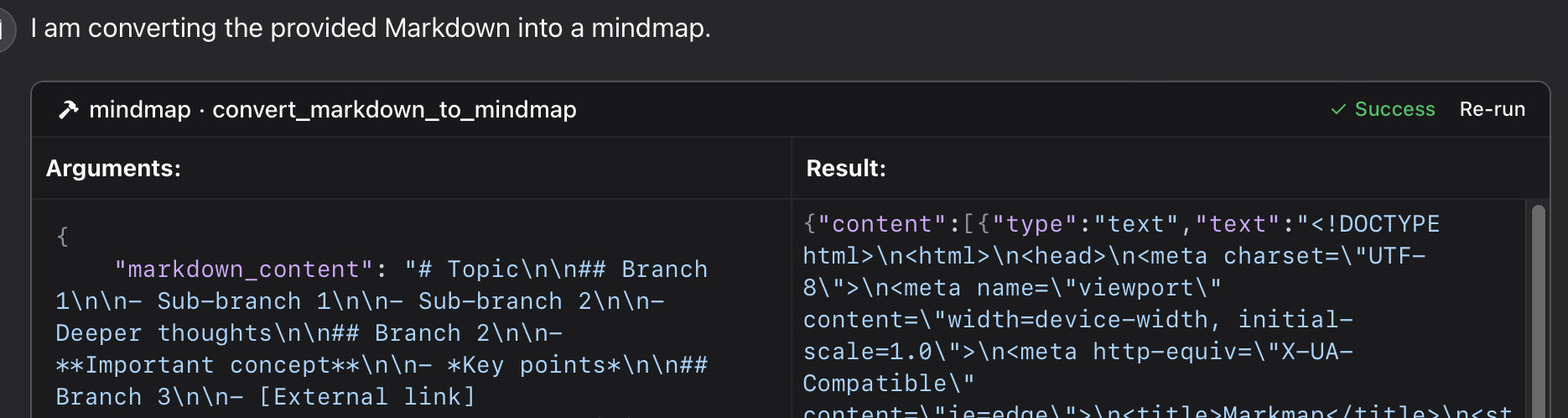
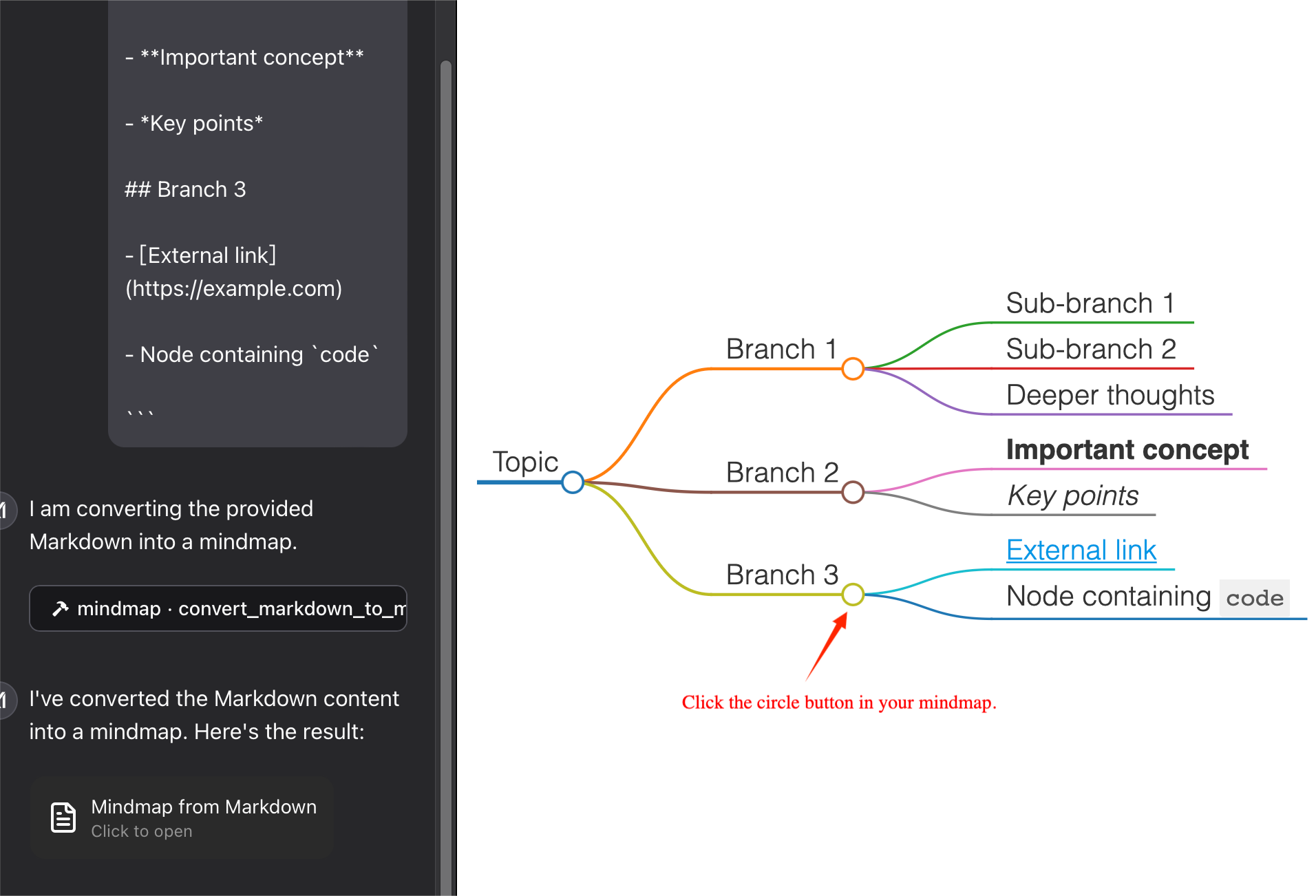
filePath会将思维导图保存到文件并返回文件路径,您可以在浏览器中打开该文件。它可以保存您的 token !
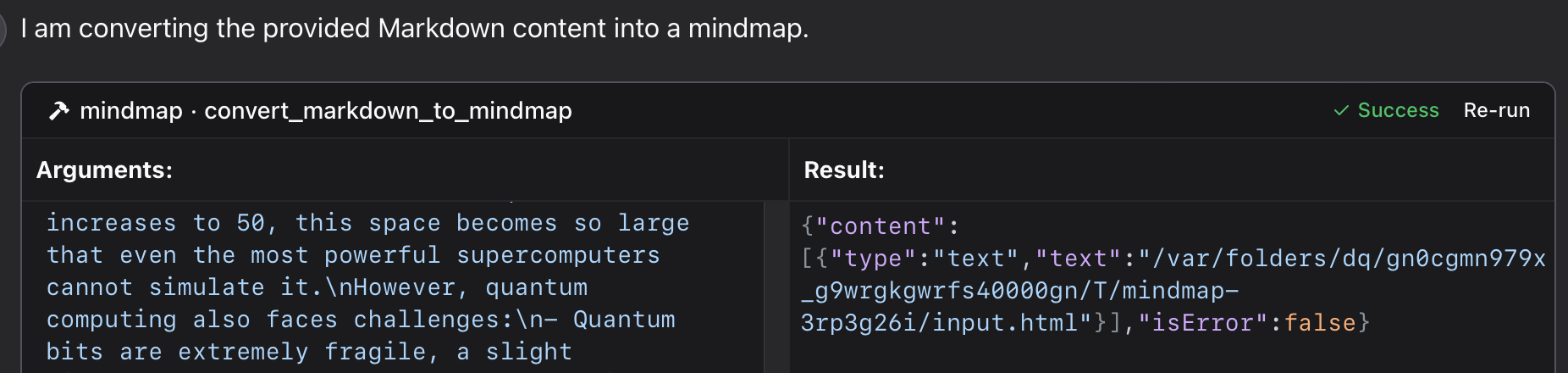
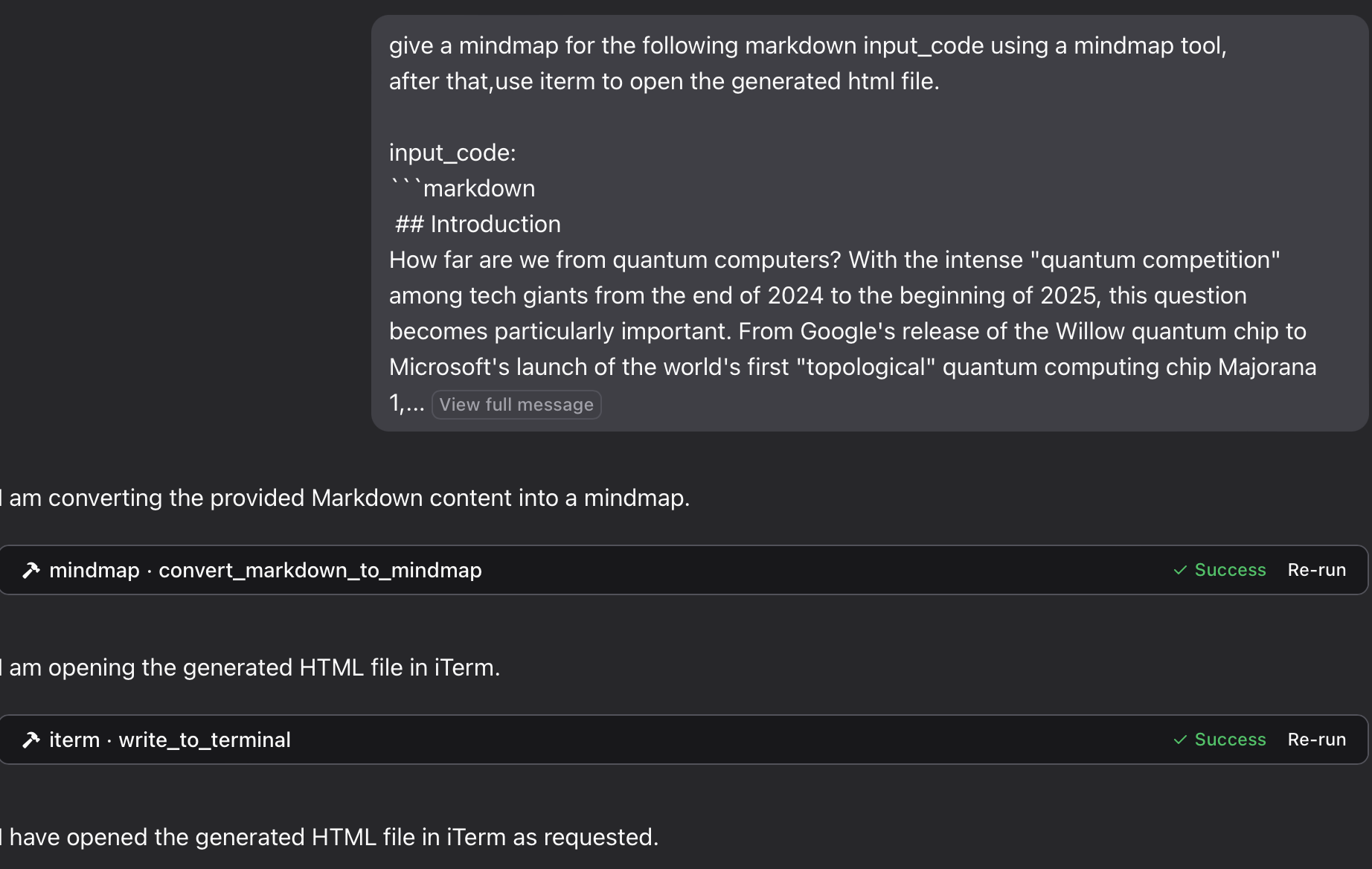
使用此存储库中的特定 Python 文件:
{
  "mcpServers": {
    "mindmap": {
      "command": "python",
      "args": ["/path/to/your/mindmap_mcp_server/server.py", "--return-type", "html"]
    }
  }
}
或者
{
  "mcpServers": {
    "mindmap": {
      "command": "python",
      "args": ["/path/to/your/mindmap_mcp_server/server.py", "--return-type", "filePath"]
    }
  }
}我们使用--return-type来指定思维导图内容的返回类型,您可以根据需要选择html或filePath 。有关更多详细信息,请参阅使用 `uvx`。
首先,拉取镜像:
docker pull ychen94/mindmap-converter-mcp二、设置服务器:
{
  "mcpServers": {
    "mindmap-converter": {
      "command": "docker",
      "args": ["run", "--rm", "-i", "-v", "/path/to/output/folder:/output", "ychen94/mindmap-converter-mcp:latest"]
    }
  }
}
⚠️ 将/path/to/output/folder替换为系统中要保存思维导图的实际路径,例如 macOS 上的/Users/username/Downloads或 Windows 上的C:\\Users\\username\\Downloads 。
Docker 容器中提供的工具服务器提供以下 MCP 工具:
Markdown 转思维导图内容
将 Markdown 转换为 HTML 思维导图并返回整个 HTML 内容。
您没有在命令docker中使用参数: -v和/path/to/output/folder:/output 。
参数:
• markdown(字符串,必需):要转换的 Markdown 内容
• 工具栏(布尔值,可选):是否显示工具栏(默认值:true)
最适合:简单的思维导图,无需担心 HTML 内容大小。您可以使用 AI 客户端中的Artifact预览思维导图。
Markdown 到思维导图文件
将 Markdown 转换为 HTML 思维导图并将其保存到挂载目录中的文件中。
参数:
• markdown(字符串,必需):要转换的 Markdown 内容
• 文件名(字符串,可选):自定义文件名(默认:自动生成的时间戳名称)
• 工具栏(布尔值,可选):是否显示工具栏(默认值:true)
最适合:复杂的思维导图或当您想保存令牌以供日后使用时。
您可以在浏览器中打开 html 文件来查看思维导图。您也可以使用iterm-mcp-server或其他终端的 mcp 服务器在浏览器中打开该文件,而无需中断您的工作流程。
未找到文件
如果您的思维导图文件无法访问:
1 检查是否已正确将卷安装到 Docker 容器
2 确保路径格式适合您的操作系统
3 确保Docker有权限访问该目录
未找到 Docker 命令
1 验证 Docker 是否已安装并位于您的 PATH 中
2 尝试使用 Docker 的绝对路径
Claude 中未出现服务器
1 配置更改后重新启动 Claude for Desktop
2 检查 Claude 日志是否存在连接错误
3 验证 Docker 是否正在运行
高级用法
与其他 MCP 客户端一起使用
此服务器可与任何兼容 MCP 的客户端兼容,而不仅仅是 Claude for Desktop。该服务器实现了模型上下文协议 (MCP) 1.0 版规范。
该服务器提供了一个使用markmap-cli库将 Markdown 内容转换为思维导图的工具:
将 Markdown 转换为交互式思维导图 HTML
创建离线思维导图的选项
隐藏工具栏的选项
返回 HTML 内容或文件路径
在 Claude 中,你可以问:
"使用思维导图工具,为以下 markdown 代码绘制思维导图:
# Project Planning
## Research
### Market Analysis
### Competitor Review
## Design
### Wireframes
### Mockups
## Development
### Frontend
### Backend
## Testing
### Unit Tests
### User Testing
“
如果您想将思维导图保存为文件,然后使用 iTerm MCP 服务器在浏览器中打开它:
"使用思维导图工具对以下markdown输入代码进行思维导图,然后使用iterm打开生成的html文件。输入代码:
markdown content“
“思考一下把大象放进冰箱的过程,并提供思维导图。用终端打开它。 ”
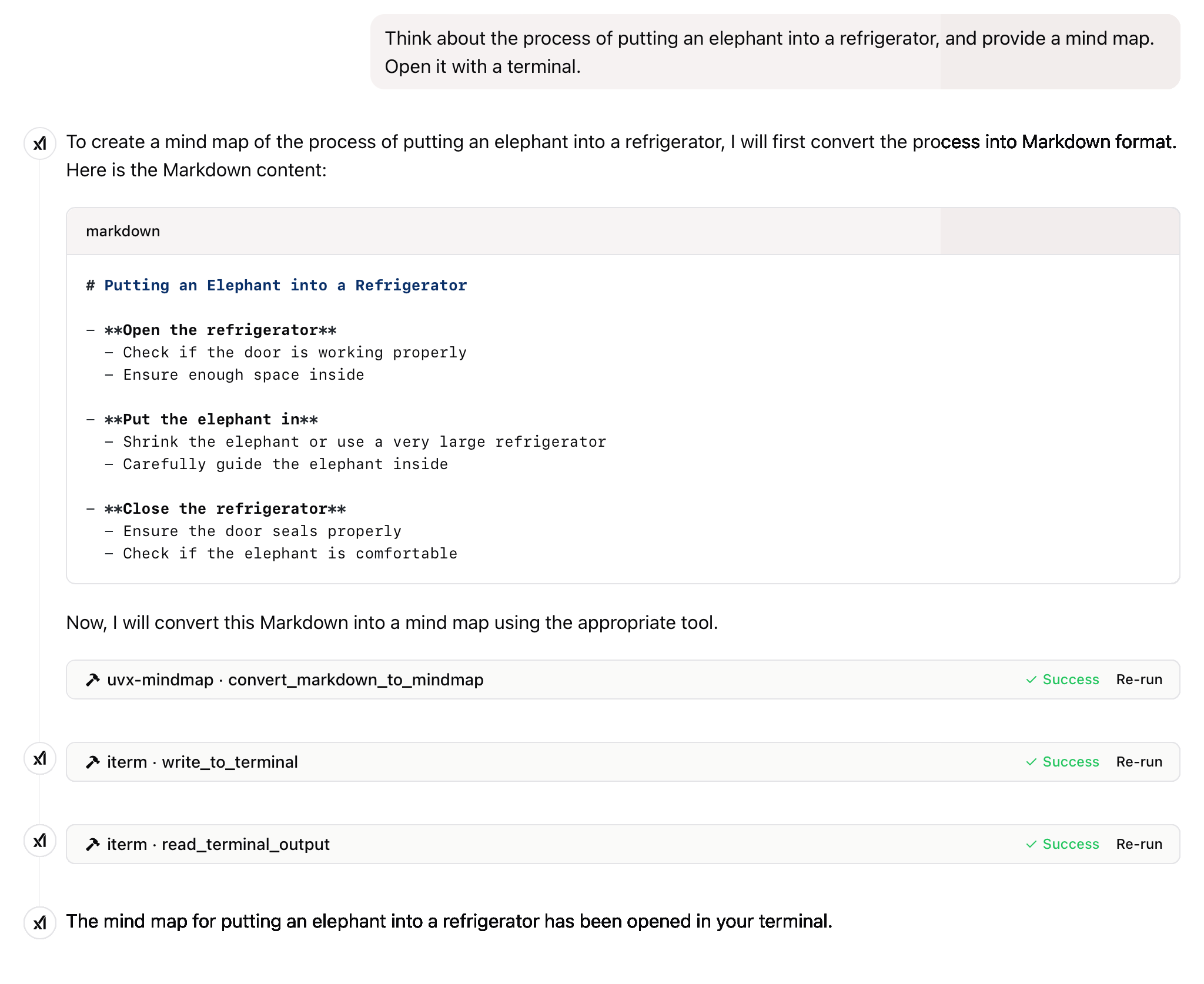
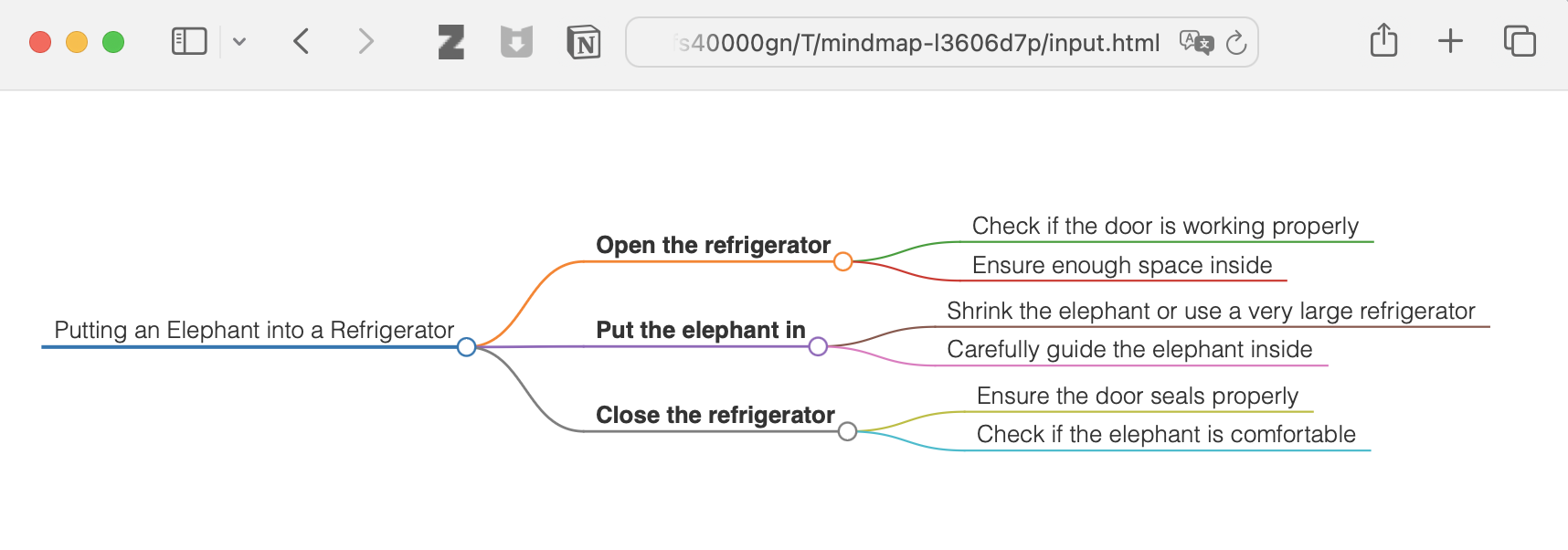
以及更多
本项目遵循 MIT 许可证。更多详情,请参阅本项目仓库中的 LICENSE 文件。
如果这个项目对你有帮助,请考虑给它一个 Star ⭐️
科技的进步应该造福所有人,而不是剥削普通民众。
Convert Markdown content to a mindmap mind map.
Args:
    markdown_content: The Markdown content to convert

Returns:
    Either the HTML content or the file path to the generated HTML,
    depending on the --return-type server argument
| Name | Required | Description | Default |
|---|---|---|---|
| markdown_content | Yes |
| Name | Required | Description |
|---|---|---|
| result | Yes |
Does the description disclose side effects, auth requirements, rate limits, or destructive behavior?
No annotations are provided, so the description carries the full burden of behavioral disclosure. It mentions the return behavior (HTML content or file path based on server argument), which adds some context, but lacks details on error handling, performance, or side effects. For a tool with no annotations, this is insufficient to fully inform the agent.
Agents need to know what a tool does to the world before calling it. Descriptions should go beyond structured annotations to explain consequences.
Is the description appropriately sized, front-loaded, and free of redundancy?
The description is well-structured and concise, with a clear purpose statement followed by brief sections for arguments and returns. Each sentence serves a functional role without unnecessary elaboration, though minor redundancy ('mindmap mind map') slightly detracts from perfection.
Shorter descriptions cost fewer tokens and are easier for agents to parse. Every sentence should earn its place.
Given the tool's complexity, does the description cover enough for an agent to succeed on first attempt?
Given the tool's moderate complexity (one parameter, no annotations, but with an output schema), the description is reasonably complete. It covers the purpose, parameter meaning, and return behavior, and the presence of an output schema reduces the need to detail return values. However, it could benefit from more behavioral context to achieve full completeness.
Complex tools with many parameters or behaviors need more documentation. Simple tools need less. This dimension scales expectations accordingly.
Does the description clarify parameter syntax, constraints, interactions, or defaults beyond what the schema provides?
The description adds meaningful semantics beyond the input schema, which has 0% coverage. It explains that 'markdown_content' is 'The Markdown content to convert', clarifying the parameter's purpose. Since there is only one parameter and the schema provides no description, this compensation is effective, though not exhaustive.
Input schemas describe structure but not intent. Descriptions should explain non-obvious parameter relationships and valid value ranges.
Does the description clearly state what the tool does and how it differs from similar tools?
The description clearly states the tool's purpose: converting Markdown content to a mindmap. It specifies the verb 'convert' and the resource 'Markdown content', making the function unambiguous. However, since there are no sibling tools mentioned, it cannot demonstrate differentiation from alternatives, which prevents a perfect score.
Agents choose between tools based on descriptions. A clear purpose with a specific verb and resource helps agents select the right tool.
Does the description explain when to use this tool, when not to, or what alternatives exist?
The description provides no guidance on when to use this tool versus alternatives, prerequisites, or exclusions. It only states what the tool does without context for its application, leaving the agent to infer usage scenarios independently.
Agents often have multiple tools that could apply. Explicit usage guidance like "use X instead of Y when Z" prevents misuse.
Recent tool additions, removals, and schema changes observed during successful MCP inspections.
convert_markdown_to_mindmapScored across 1 tool
With only one tool, there is no possibility of ambiguity or overlap between tools. The tool has a single, clearly defined purpose of converting Markdown to mindmaps, so an agent cannot misselect between multiple options.
The single tool name follows a clear verb_noun pattern (convert_markdown_to_mindmap), which is consistent within itself. There are no other tools to compare against, so naming consistency is inherently perfect.
A single tool is too few for a server named 'Mindmap MCP Server', which suggests a broader mindmap-related domain. This minimal toolset feels thin and incomplete for the apparent scope, limiting functionality to just one conversion operation.
The tool surface is severely incomplete for a mindmap domain. While it covers conversion from Markdown, there are obvious gaps such as creating mindmaps from scratch, editing existing mindmaps, exporting to other formats, or managing mindmap files, which will likely cause agent failures in broader workflows.
Turn outlines and hierarchical notes into interactive mind maps through a hosted remote MCP server.
A comprehensive Model Context Protocol (MCP) server that enables AI assistants to interact with yo…
A Model Context Protocol server for Wix AI tools
Turn AI conversations into visual knowledge maps. Create, connect, search, and organize thoughts.