
A
licenseA
qualityC
maintenanceA Model Context Protocol server that enables LLMs to interact with MindManager mind maps, allowing retrieval of mind map structures and export to formats like Mermaid, Markdown, and JSON.
11
20 PyPI
11
MIT

This server converts Markdown content into interactive mindmaps.
Convert Markdown to Mindmaps: Transform Markdown into interactive visualizations using the markmap-cli library
Return Options: Get either the full HTML content or just the file path to the generated mindmap
Customization: Hide the toolbar and configure output preferences
Offline Capability: Create mindmaps that work without internet connection
Integration: Seamlessly works with MCP clients like Claude Desktop
Cross-Platform: Tested on macOS, Linux, and Windows (via Docker)
Token Efficiency: Save tokens by generating mindmaps as files for later viewing
Offers containerized deployment of the mindmap conversion service with specific tools for generating either HTML content or files saved to mounted volumes
Converts Markdown documents into interactive, visual mindmaps with hierarchical structure while preserving the original content organization
Utilizes Node.js as a prerequisite runtime environment to enable the mindmap conversion functionality through the markmap-cli library
Supports running the mindmap conversion server through Python, with options for different return types and configuration parameters
Click on "Deploy Server".
Wait a few minutes for the server to deploy. Once ready, it will show a "Started" state.
In the chat, type @ followed by the MCP server name and your instructions, e.g., "@Mindmap MCP Server convert my project plan to a mindmap"
That's it! The server will respond to your query, and you can continue using it as needed.
Here is a step-by-step guide with screenshots.
A Model Context Protocol (MCP) server for converting Markdown content to interactive mindmaps.
pip install mindmap-mcp-serverOr using uvx:
uvx mindmap-mcp-serverOr using docker safer and easier.
Related MCP server: MarkItDown MCP Server
Three installation methods have been successfully tested on macOS and Linux.
For Windows users experiencing issues with npx for this MCP, consider using the Docker method. Alternatively, if you use Visual Studio Code, the "Markmap" extension offers a potentially simpler solution than navigating command-line tools.
If you're experiencing unresolved issues, you can use my recent system prompt as a Mindmap Assistant instead of using this MCP server.
You are a specialized assistant that generates HTML code for interactive markdown-based mind maps (markmaps). When a user sends you content, respond with a complete HTML document that displays their content as a markmap visualization.
If artifact tool is turned on, you can use the artifact.

Follow these requirements:
1. Use the markmap-autoloader library (version 0.18 or latest stable version)
2. Format the HTML exactly according to the template below
3. Replace the demo content in the template with the user's content, preserving their hierarchical structure
4. Maintain the markmap configuration options (maxWidth: 300, colorFreezeLevel: 2)
5. If the user doesn't provide markdown formatting (# for headings), format their content appropriately with main topics using # and subtopics using ##

Template to follow:

<!DOCTYPE html>
<html lang="en">
  <head>
    <meta charset="UTF-8" />
    <meta http-equiv="X-UA-Compatible" content="IE=edge" />
    <meta name="viewport" content="width=device-width, initial-scale=1.0" />
    <title>Markmap</title>
    <style>
      svg.markmap {
        width: 100%;
        height: 100vh;
      }
    </style>
    <script src="https://cdn.jsdelivr.net/npm/markmap-autoloader@0.18"></script>
  </head>
  <body>
    <div class="markmap">
      <script type="text/template">
        ---
        markmap:
          maxWidth: 300
          colorFreezeLevel: 2
        ---

        # markmap

        ## Links

        - <https://markmap.js.org/>
        - [GitHub](https://github.com/markmap/markmap)

        ## Related

        - [coc-markmap](https://github.com/markmap/coc-markmap)
        - [gatsby-remark-markmap](https://github.com/markmap/gatsby-remark-markmap)

        ## Features

        - links
        - **inline** ~~text~~ *styles*
        - multiline
          text
        - `inline code`
        - Katex - $x = {-b \pm \sqrt{b^2-4ac} \over 2a}$
        - This is a very very very very very very very very very very very very very very very long line.
      </script>
    </div>
  </body>
</html>
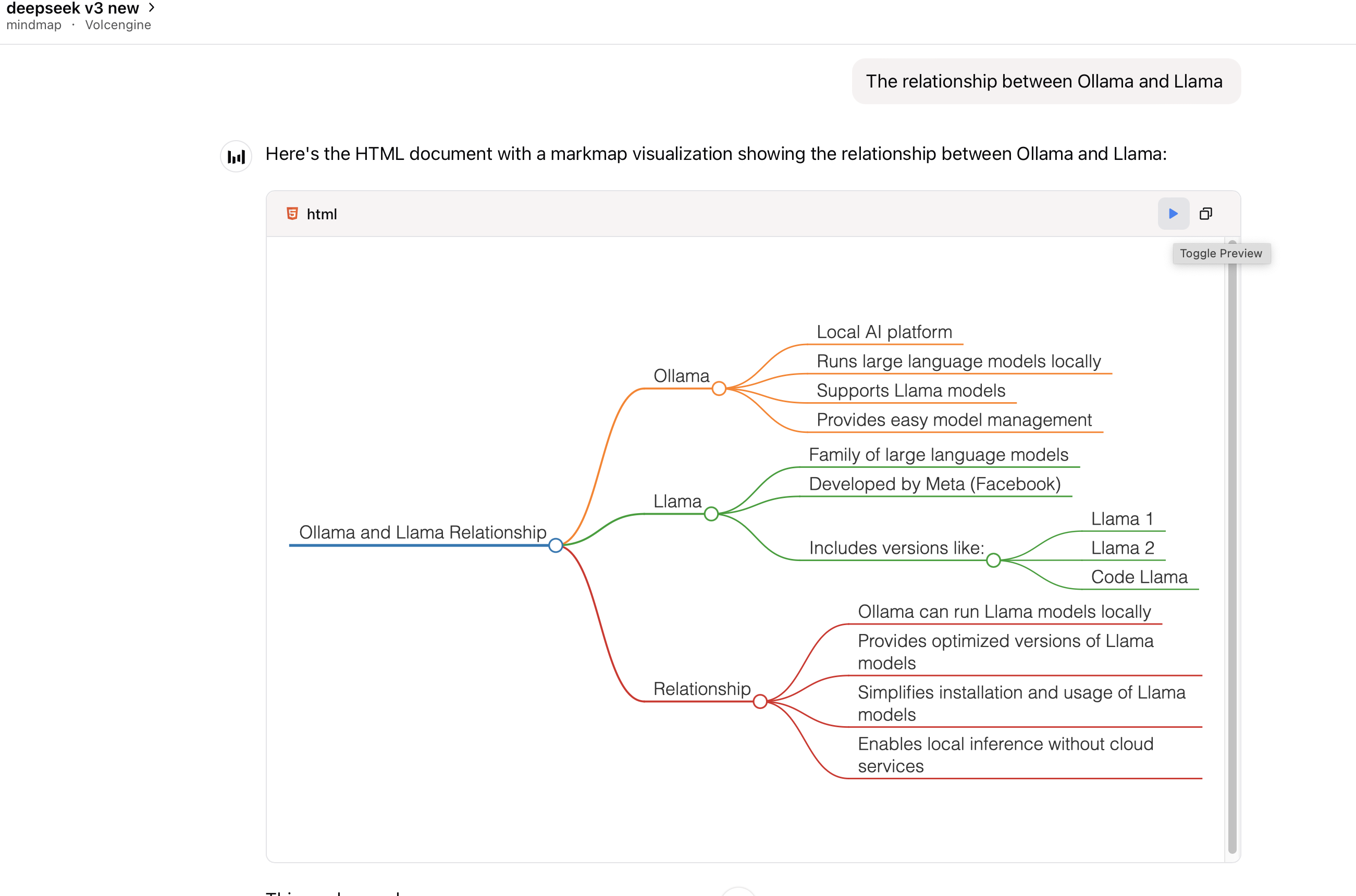
Visualization options: (If formulas or symbols don’t display correctly, download the HTML file and open it in a browser.)
View the mindmap in artifacts (if available):
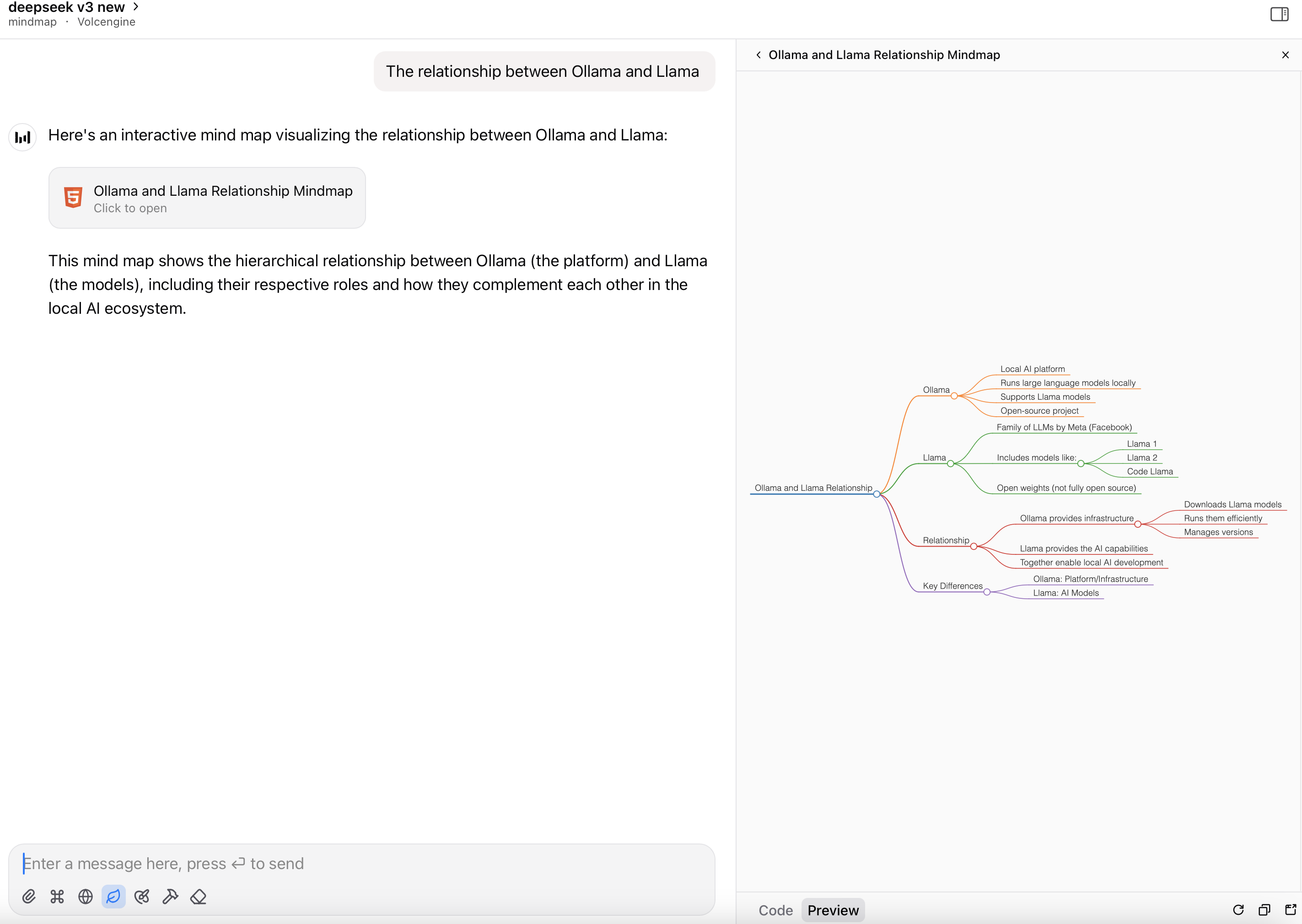
Render the HTML file as a mindmap:
This package requires Node.js to be installed when using command python or uvx to run the server.
Add this server to your claude_desktop_config.json:
{
  "mcpServers": {
    "mindmap": {
      "command": "uvx",
      "args": ["mindmap-mcp-server", "--return-type", "html"]
    }
  }
}
or
recommended:
{
  "mcpServers": {
    "mindmap": {
      "command": "uvx",
      "args": ["mindmap-mcp-server", "--return-type", "filePath"]
    }
  }
}
we use --return-type to specify the return type of the mindmap content, you can choose html or filePath according to your needs.html will return the entire HTML content of the mindmap, which you can preview in your AI client's artifact;
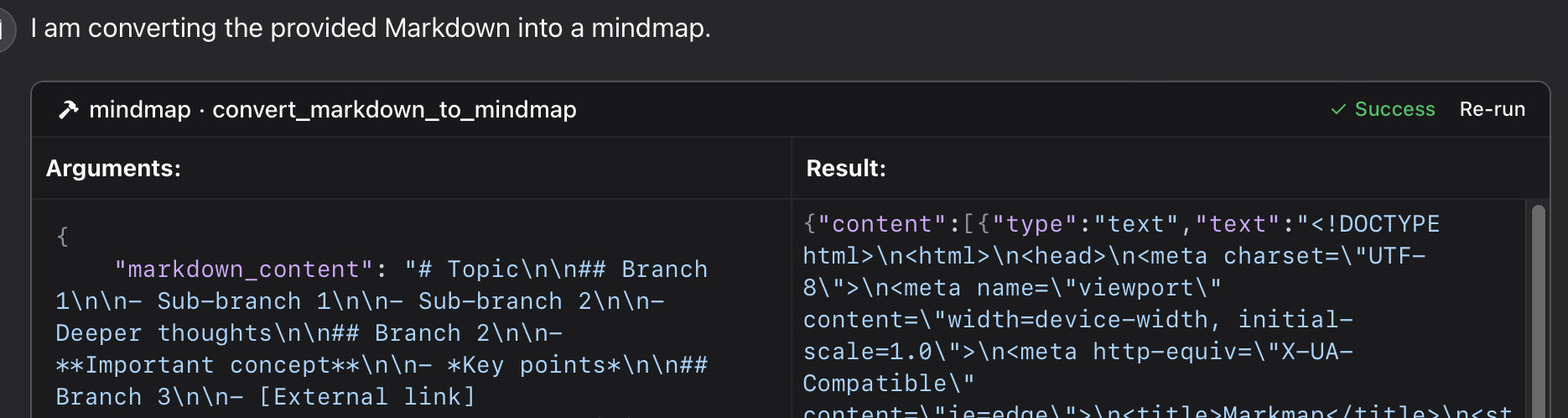
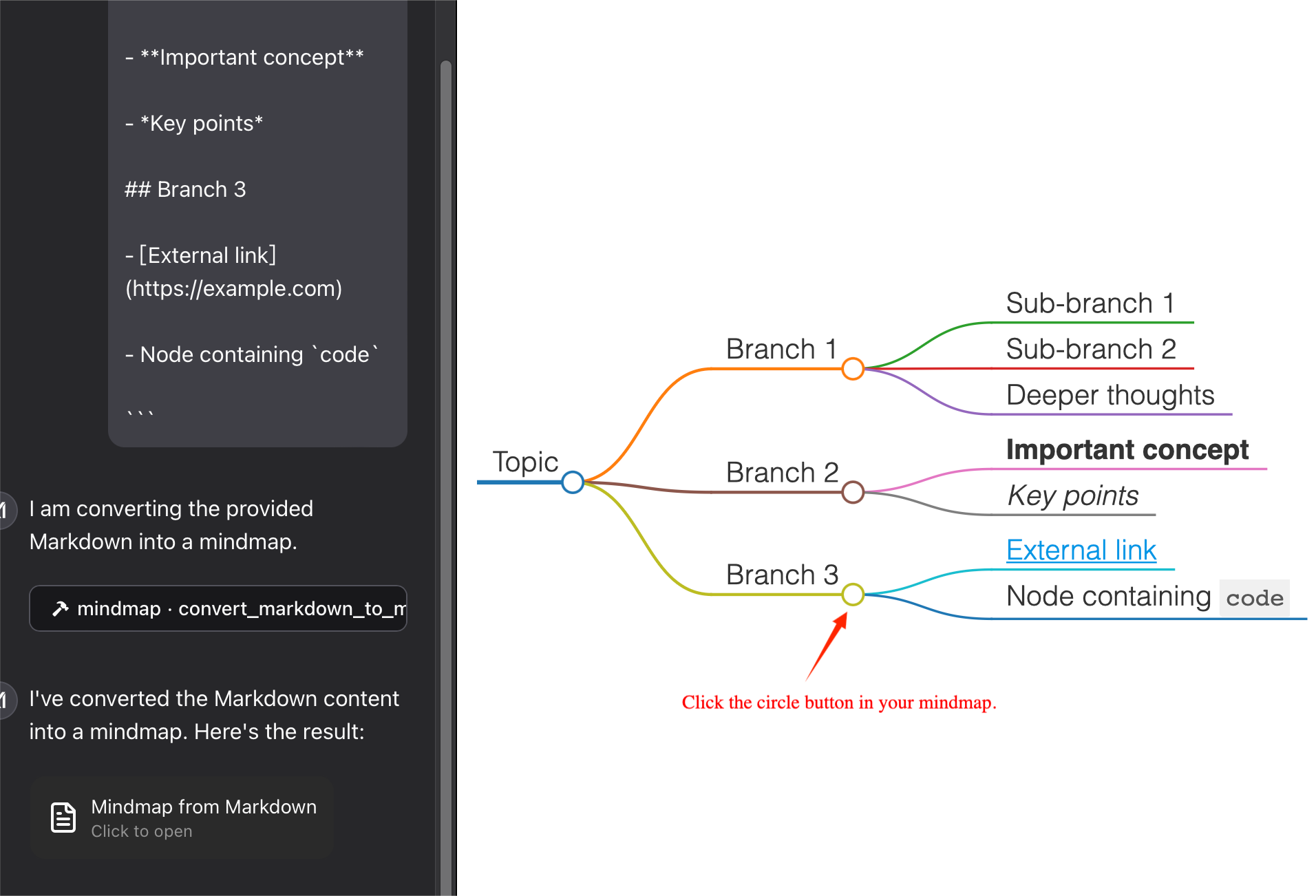
filePath will save the mindmap to a file and return the file path,which you can open in your browser. It can save your tokens !
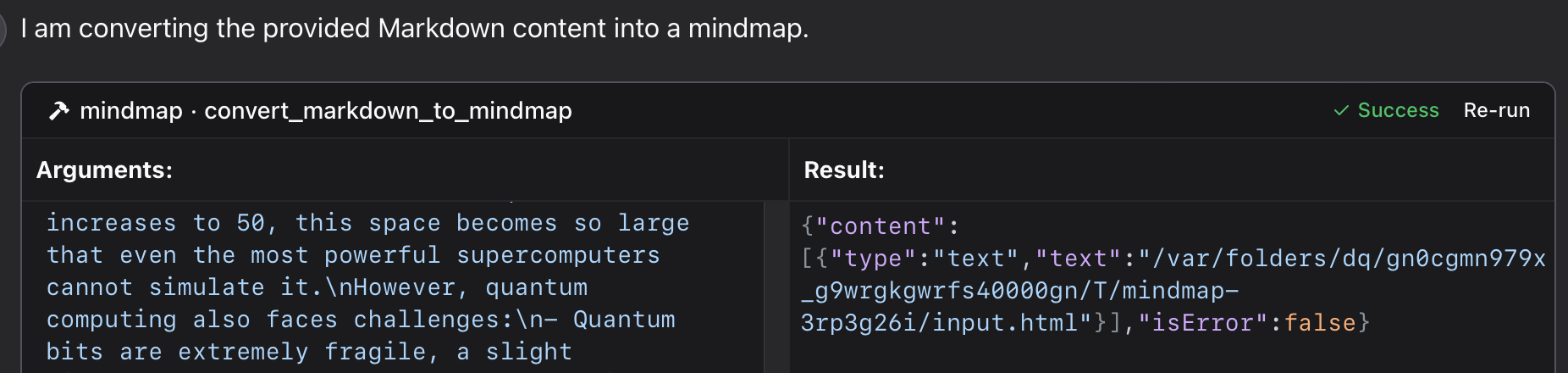
Using a specific Python file in this repository:
{
  "mcpServers": {
    "mindmap": {
      "command": "python",
      "args": ["/path/to/your/mindmap_mcp_server/server.py", "--return-type", "html"]
    }
  }
}
or
{
  "mcpServers": {
    "mindmap": {
      "command": "python",
      "args": ["/path/to/your/mindmap_mcp_server/server.py", "--return-type", "filePath"]
    }
  }
}
we use --return-type to specify the return type of the mindmap content, you can choose html or filePath according to your needs. see using `uvx` for more details.
First, you pull the image:
docker pull ychen94/mindmap-converter-mcpSecond, set the server:
{
  "mcpServers": {
    "mindmap-converter": {
      "command": "docker",
      "args": ["run", "--rm", "-i", "-v", "/path/to/output/folder:/output", "ychen94/mindmap-converter-mcp:latest"]
    }
  }
}
⚠️ Replace /path/to/output/folder with an actual path on your system where you want to save mind maps, such as /Users/username/Downloads on macOS or C:\\Users\\username\\Downloads on Windows.
Tools Provided in the docker container The server provides the following MCP tools:
markdown-to-mindmap-content
Converts Markdown to an HTML mind map and returns the entire HTML content.
You don't use the args: -v and /path/to/output/folder:/output in the command docker.
Parameters:
• markdown (string, required): The Markdown content to convert
• toolbar (boolean, optional): Whether to show the toolbar (default: true)
Best for: Simple mind maps where the HTML content size isn't a concern. And you can use artifact in your AI client to preview the mindmap.
markdown-to-mindmap-file
Converts Markdown to an HTML mind map and saves it to a file in the mounted directory.
Parameters:
• markdown (string, required): The Markdown content to convert
• filename (string, optional): Custom filename (default: auto-generated timestamp name)
• toolbar (boolean, optional): Whether to show the toolbar (default: true)
Best for: Complex mind maps or when you want to save the tokens for later use.
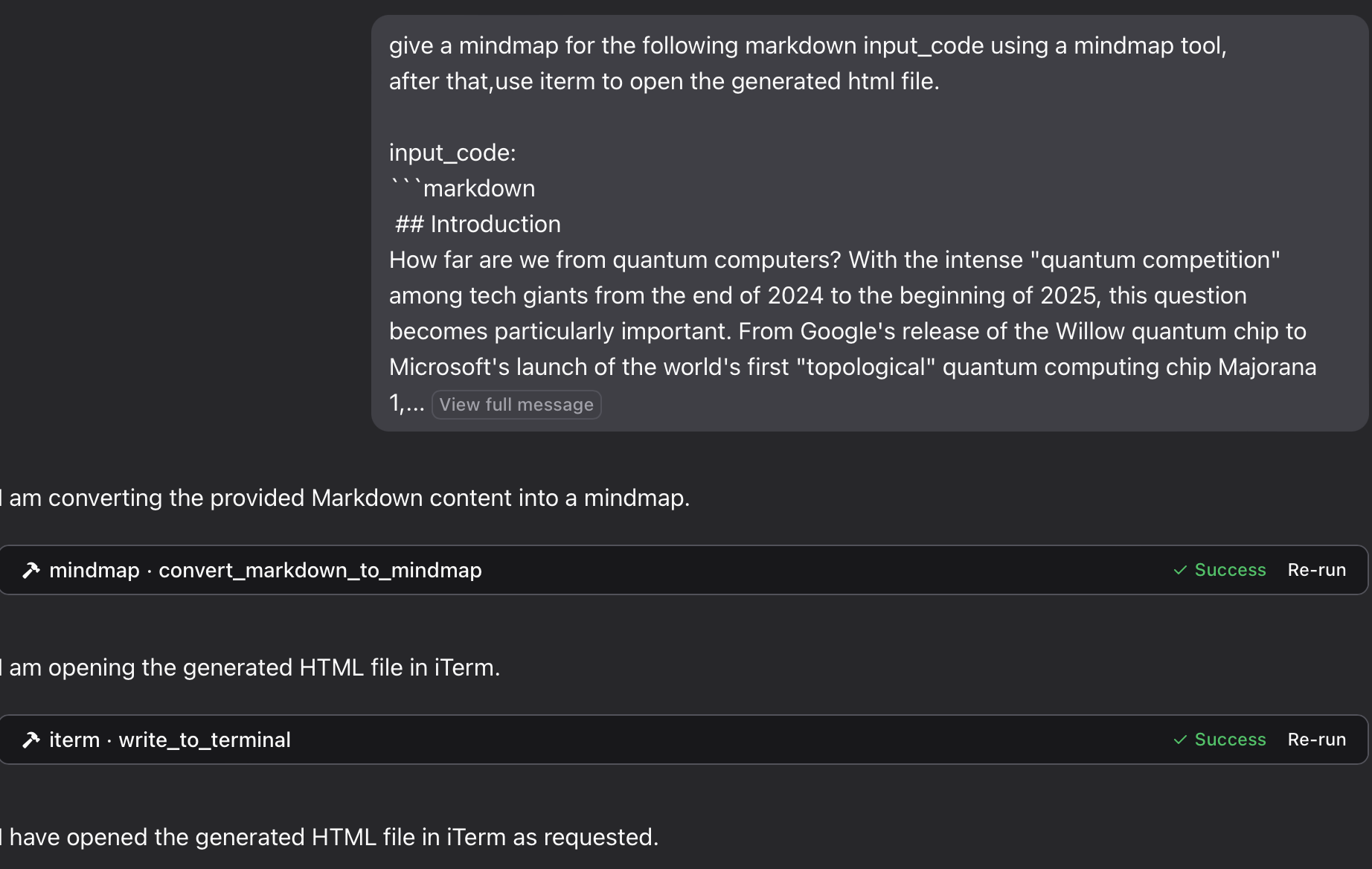
you can open the html file in your browser to view the mindmap. Also you can use the iterm-mcp-server or other terminals' mcp servers to open the file in your browser without interrupting your workflow.
File Not Found
If your mind map file isn't accessible:
1 Check that you've correctly mounted a volume to the Docker container
2 Ensure the path format is correct for your operating system
3 Make sure Docker has permission to access the directory
Docker Command Not Found
1 Verify Docker is installed and in your PATH
2 Try using the absolute path to Docker
Server Not Appearing in Claude
1 Restart Claude for Desktop after configuration changes
2 Check Claude logs for connection errors
3 Verify Docker is running
Advanced Usage
Using with Other MCP Clients
This server works with any MCP-compatible client, not just Claude for Desktop. The server implements the Model Context Protocol (MCP) version 1.0 specification.
This server provides a tool for converting Markdown content to mindmaps using the markmap-cli library:
Convert Markdown to interactive mindmap HTML
Option to create offline-capable mindmaps
Option to hide the toolbar
Return either HTML content or file path
In Claude, you can ask:
"give a mindmap for the following markdown code, using a mindmap tool:
# Project Planning
## Research
### Market Analysis
### Competitor Review
## Design
### Wireframes
### Mockups
## Development
### Frontend
### Backend
## Testing
### Unit Tests
### User Testing
"
if you want to save the mindmap to a file, and then open it in your browser using the iTerm MCP server:
"give a mindmap for the following markdown input_code using a mindmap tool, after that,use iterm to open the generated html file. input_code:
markdown content"
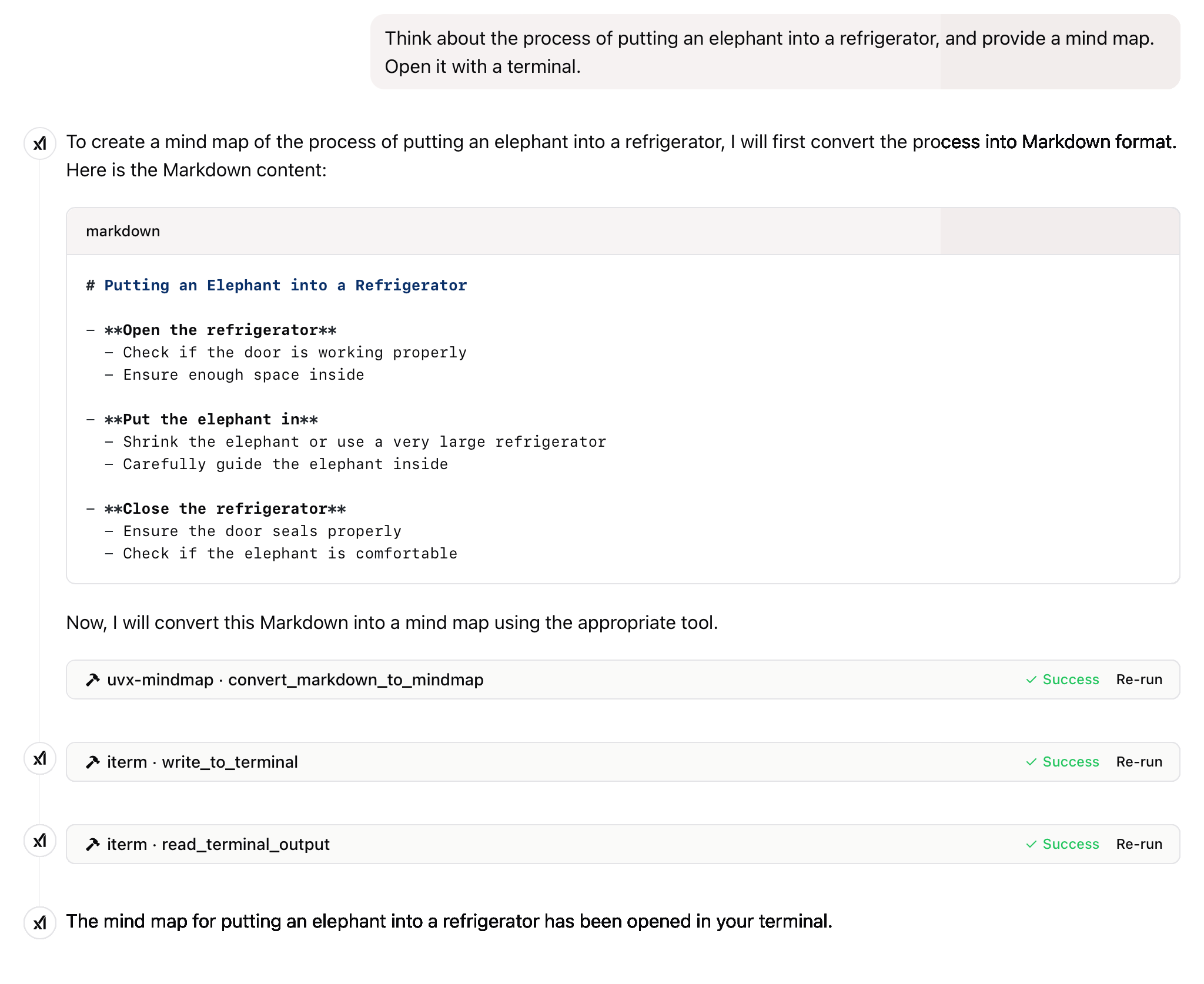
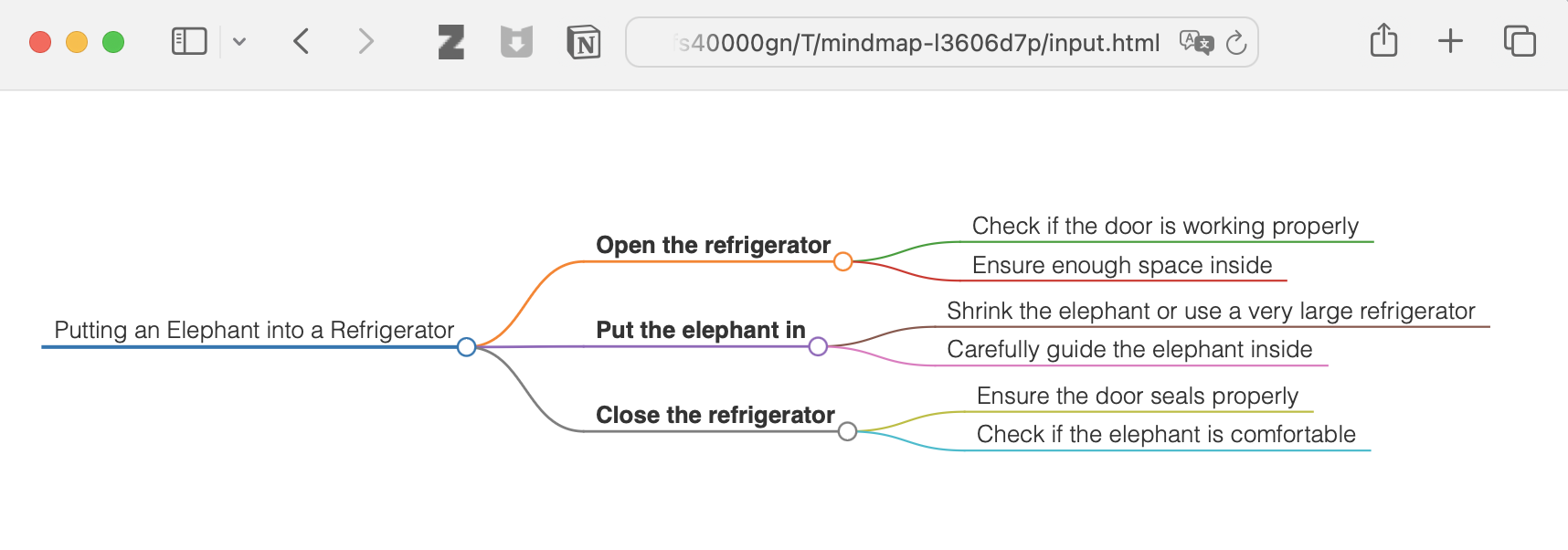
"Think about the process of putting an elephant into a refrigerator, and provide a mind map. Open it with a terminal."
and more
This project is licensed under the MIT License. For more details, please see the LICENSE file in this project repository
If this project is helpful to you, please consider giving it a Star ⭐️
The advancement of technology ought to benefit all individuals rather than exploit the general populace.
Convert Markdown content to a mindmap mind map.
Args:
    markdown_content: The Markdown content to convert

Returns:
    Either the HTML content or the file path to the generated HTML,
    depending on the --return-type server argument
| Name | Required | Description | Default |
|---|---|---|---|
| markdown_content | Yes |
| Name | Required | Description |
|---|---|---|
| result | Yes |
Does the description disclose side effects, auth requirements, rate limits, or destructive behavior?
No annotations are provided, so the description carries the full burden of behavioral disclosure. It mentions the return behavior (HTML content or file path based on server argument), which adds some context, but lacks details on error handling, performance, or side effects. For a tool with no annotations, this is insufficient to fully inform the agent.
Agents need to know what a tool does to the world before calling it. Descriptions should go beyond structured annotations to explain consequences.
Is the description appropriately sized, front-loaded, and free of redundancy?
The description is well-structured and concise, with a clear purpose statement followed by brief sections for arguments and returns. Each sentence serves a functional role without unnecessary elaboration, though minor redundancy ('mindmap mind map') slightly detracts from perfection.
Shorter descriptions cost fewer tokens and are easier for agents to parse. Every sentence should earn its place.
Given the tool's complexity, does the description cover enough for an agent to succeed on first attempt?
Given the tool's moderate complexity (one parameter, no annotations, but with an output schema), the description is reasonably complete. It covers the purpose, parameter meaning, and return behavior, and the presence of an output schema reduces the need to detail return values. However, it could benefit from more behavioral context to achieve full completeness.
Complex tools with many parameters or behaviors need more documentation. Simple tools need less. This dimension scales expectations accordingly.
Does the description clarify parameter syntax, constraints, interactions, or defaults beyond what the schema provides?
The description adds meaningful semantics beyond the input schema, which has 0% coverage. It explains that 'markdown_content' is 'The Markdown content to convert', clarifying the parameter's purpose. Since there is only one parameter and the schema provides no description, this compensation is effective, though not exhaustive.
Input schemas describe structure but not intent. Descriptions should explain non-obvious parameter relationships and valid value ranges.
Does the description clearly state what the tool does and how it differs from similar tools?
The description clearly states the tool's purpose: converting Markdown content to a mindmap. It specifies the verb 'convert' and the resource 'Markdown content', making the function unambiguous. However, since there are no sibling tools mentioned, it cannot demonstrate differentiation from alternatives, which prevents a perfect score.
Agents choose between tools based on descriptions. A clear purpose with a specific verb and resource helps agents select the right tool.
Does the description explain when to use this tool, when not to, or what alternatives exist?
The description provides no guidance on when to use this tool versus alternatives, prerequisites, or exclusions. It only states what the tool does without context for its application, leaving the agent to infer usage scenarios independently.
Agents often have multiple tools that could apply. Explicit usage guidance like "use X instead of Y when Z" prevents misuse.
Recent tool additions, removals, and schema changes observed during successful MCP inspections.
convert_markdown_to_mindmapScored across 1 tool
With only one tool, there is no possibility of ambiguity or overlap between tools. The tool has a single, clearly defined purpose of converting Markdown to mindmaps, so an agent cannot misselect between multiple options.
The single tool name follows a clear verb_noun pattern (convert_markdown_to_mindmap), which is consistent within itself. There are no other tools to compare against, so naming consistency is inherently perfect.
A single tool is too few for a server named 'Mindmap MCP Server', which suggests a broader mindmap-related domain. This minimal toolset feels thin and incomplete for the apparent scope, limiting functionality to just one conversion operation.
The tool surface is severely incomplete for a mindmap domain. While it covers conversion from Markdown, there are obvious gaps such as creating mindmaps from scratch, editing existing mindmaps, exporting to other formats, or managing mindmap files, which will likely cause agent failures in broader workflows.
Turn outlines and hierarchical notes into interactive mind maps through a hosted remote MCP server.
A comprehensive Model Context Protocol (MCP) server that enables AI assistants to interact with yo…
A Model Context Protocol server for Wix AI tools
Turn AI conversations into visual knowledge maps. Create, connect, search, and organize thoughts.