
A
licenseA
qualityC
maintenanceA Model Context Protocol server that enables LLMs to interact with MindManager mind maps, allowing retrieval of mind map structures and export to formats like Mermaid, Markdown, and JSON.
11
11
MIT

Un servidor de Protocolo de Contexto de Modelo (MCP) para convertir contenido Markdown en mapas mentales interactivos.
pip install mindmap-mcp-serverO usando uvx :
uvx mindmap-mcp-serverO usar docker de forma más segura y sencilla.
Related MCP server: MarkItDown MCP Server
Se han probado con éxito tres métodos de instalación en macOS y Linux.
Si tiene problemas con npx para este MCP, considere usar el método Docker. Si usa Visual Studio Code, la extensión "Markmap" ofrece una solución potencialmente más sencilla que usar herramientas de línea de comandos.
Este paquete requiere que Node.js esté instalado cuando se utiliza el comando python o uvx para ejecutar el servidor.
Agregue este servidor a su claude_desktop_config.json :
{
  "mcpServers": {
    "mindmap": {
      "command": "uvx",
      "args": ["mindmap-mcp-server", "--return-type", "html"]
    }
  }
}
o
recomendado:
{
  "mcpServers": {
    "mindmap": {
      "command": "uvx",
      "args": ["mindmap-mcp-server", "--return-type", "filePath"]
    }
  }
}
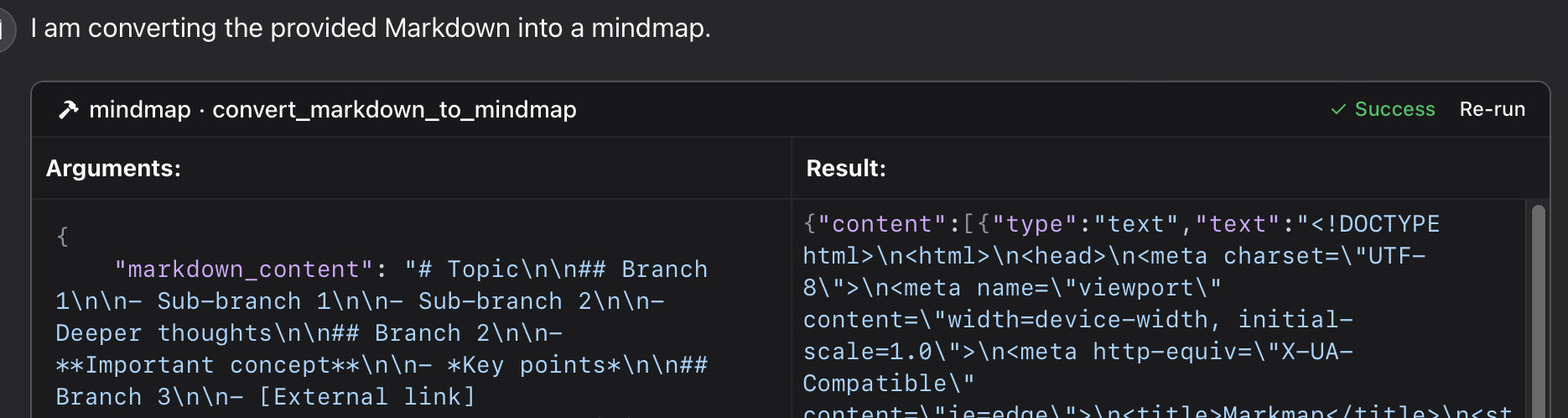
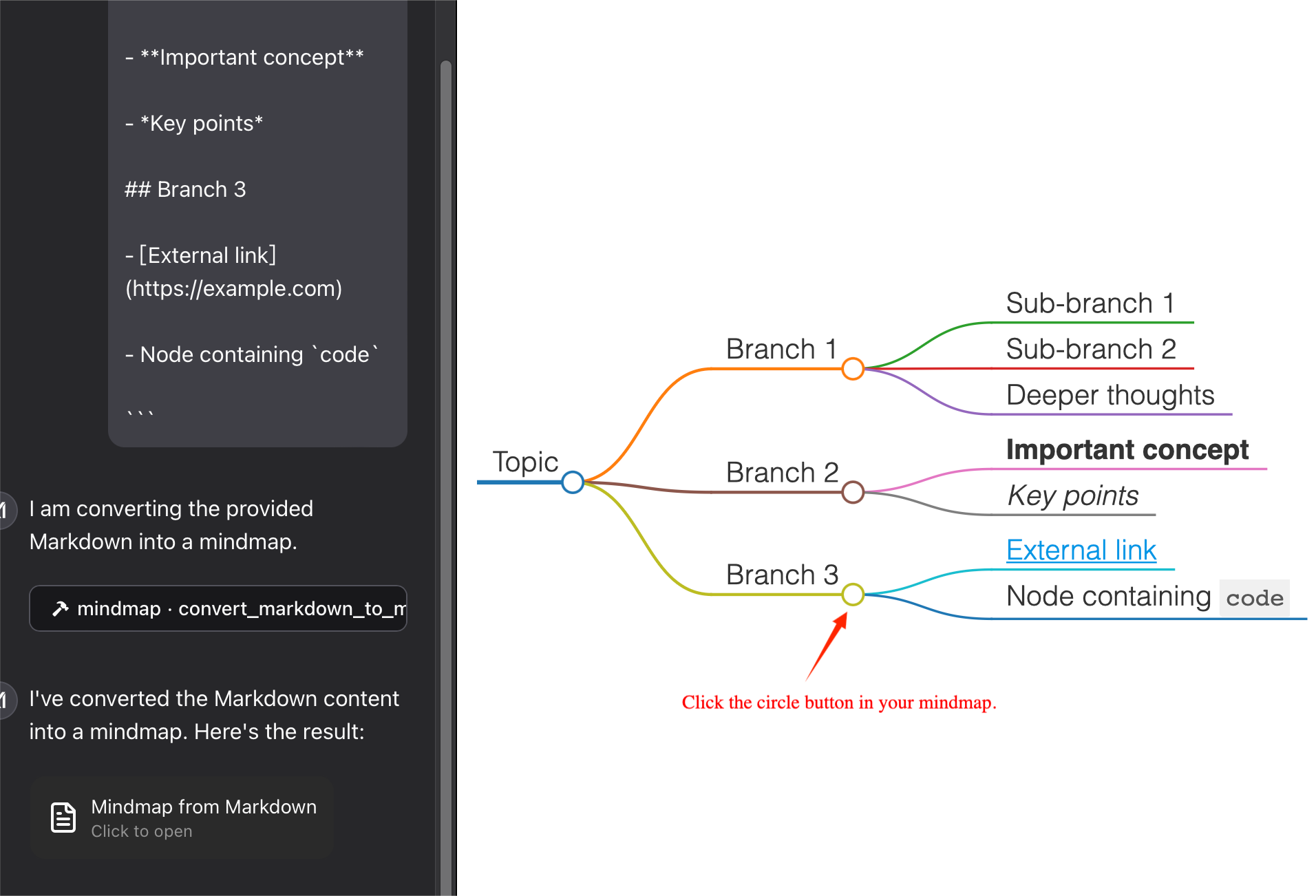
Usamos --return-type para especificar el tipo de retorno del contenido del mapa mental, puede elegir html o filePath según sus necesidades.html devolverá todo el contenido HTML del mapa mental, que puedes previsualizar en el artefacto de tu cliente de IA;
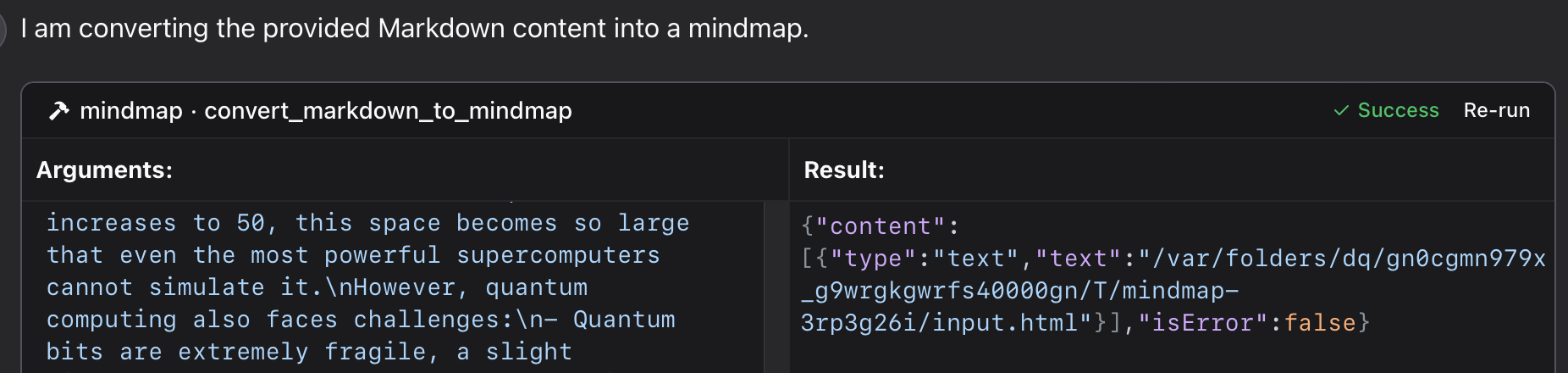
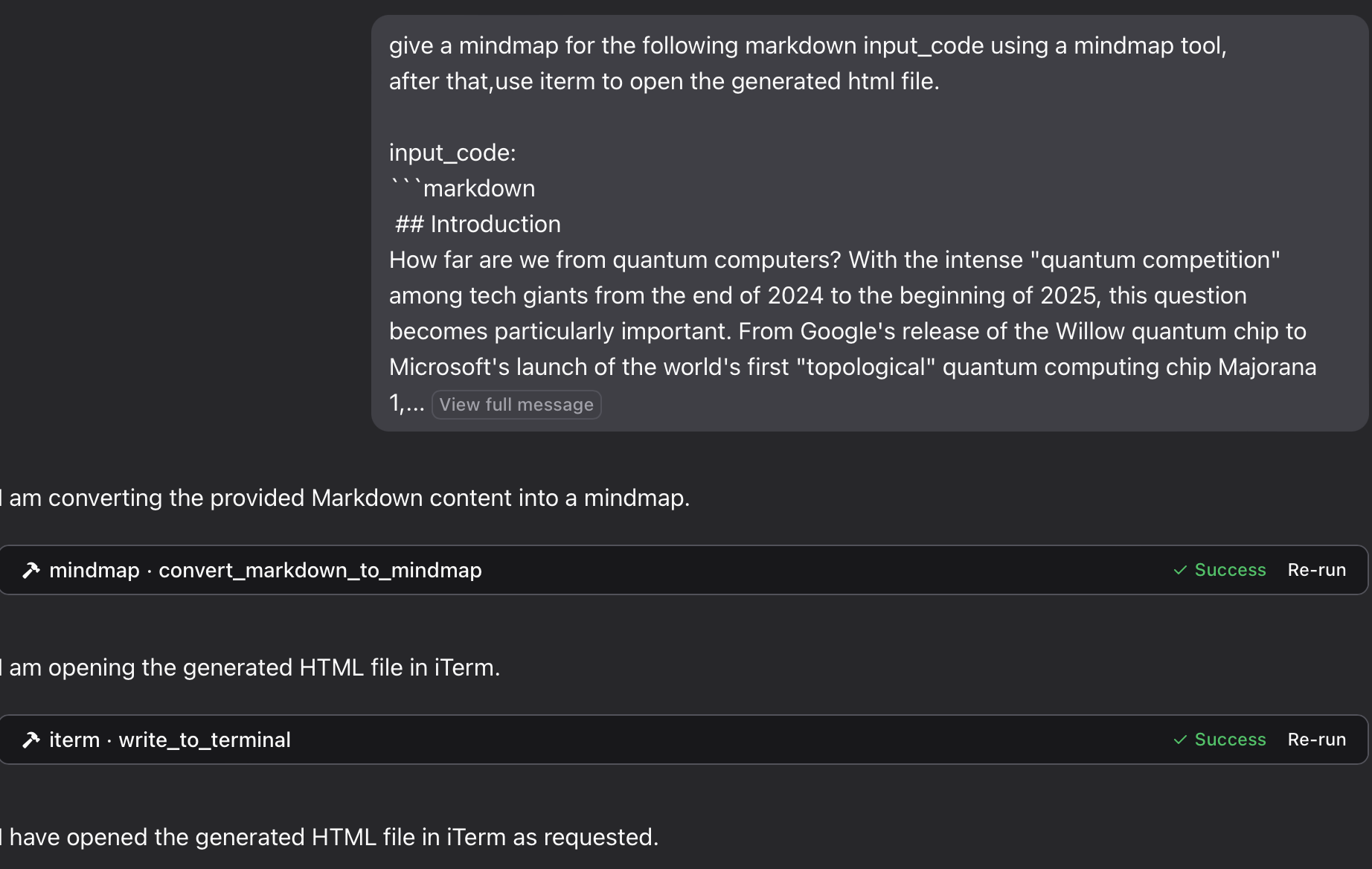
filePath guardará el mapa mental en un archivo y devolverá la ruta, que podrás abrir en tu navegador. ¡Puede guardar tus tokens !
Usando un archivo Python específico en este repositorio:
{
  "mcpServers": {
    "mindmap": {
      "command": "python",
      "args": ["/path/to/your/mindmap_mcp_server/server.py", "--return-type", "html"]
    }
  }
}
o
{
  "mcpServers": {
    "mindmap": {
      "command": "python",
      "args": ["/path/to/your/mindmap_mcp_server/server.py", "--return-type", "filePath"]
    }
  }
}
Usamos --return-type para especificar el tipo de retorno del contenido del mapa mental, puede elegir html o filePath según sus necesidades. Consulte el uso de `uvx` para obtener más detalles.
Primero, extraes la imagen:
docker pull ychen94/mindmap-converter-mcpEn segundo lugar, configure el servidor:
{
  "mcpServers": {
    "mindmap-converter": {
      "command": "docker",
      "args": ["run", "--rm", "-i", "-v", "/path/to/output/folder:/output", "ychen94/mindmap-converter-mcp:latest"]
    }
  }
}
⚠️ Reemplace /path/to/output/folder con una ruta real en su sistema donde desea guardar mapas mentales, como /Users/username/Downloads en macOS o C:\\Users\\username\\Downloads en Windows.
Herramientas proporcionadas en el contenedor Docker El servidor proporciona las siguientes herramientas MCP:
Markdown a contenido de mapa mental
Convierte Markdown en un mapa mental HTML y devuelve el contenido HTML completo.
No utilice los argumentos: -v y /path/to/output/folder:/output en el comando docker .
Parámetros :
• markdown (cadena, obligatoria): el contenido de Markdown que se convertirá
• barra de herramientas (booleano, opcional): si se debe mostrar la barra de herramientas (valor predeterminado: verdadero)
Ideal para : Mapas mentales sencillos donde el tamaño del contenido HTML no es un problema. Puedes usar Artifact en tu cliente de IA para previsualizar el mapa mental.
Markdown a archivo de mapa mental
Convierte Markdown en un mapa mental HTML y lo guarda en un archivo en el directorio montado.
Parámetros :
• markdown (cadena, obligatoria): el contenido de Markdown que se convertirá
• nombre de archivo (cadena, opcional): nombre de archivo personalizado (predeterminado: nombre de marca de tiempo generado automáticamente)
• barra de herramientas (booleano, opcional): si se debe mostrar la barra de herramientas (valor predeterminado: verdadero)
Ideal para : mapas mentales complejos o cuando desea guardar los tokens para usarlos más adelante.
Puede abrir el archivo HTML en su navegador para ver el mapa mental. También puede usar iterm-mcp-server u otros servidores mcp de terminales para abrir el archivo en su navegador sin interrumpir su flujo de trabajo.
Archivo no encontrado
Si su archivo de mapa mental no es accesible:
1 Comprueba que has montado correctamente un volumen en el contenedor Docker
2 Asegúrese de que el formato de la ruta sea correcto para su sistema operativo
3 Asegúrese de que Docker tenga permiso para acceder al directorio
Comando Docker no encontrado
1 Verifique que Docker esté instalado y en su PATH
2 Intente utilizar la ruta absoluta a Docker
El servidor no aparece en Claude
1 Reiniciar Claude for Desktop después de los cambios de configuración
2 Verifique los registros de Claude para detectar errores de conexión
3 Verifique que Docker se esté ejecutando
Uso avanzado
Uso con otros clientes MCP
Este servidor funciona con cualquier cliente compatible con MCP, no solo con Claude for Desktop. Implementa la especificación del Protocolo de Contexto de Modelo (MCP) versión 1.0.
Este servidor proporciona una herramienta para convertir contenido Markdown en mapas mentales utilizando la biblioteca markmap-cli :
Convertir Markdown en un mapa mental interactivo HTML
Opción para crear mapas mentales sin conexión
Opción para ocultar la barra de herramientas
Devuelve el contenido HTML o la ruta del archivo
En Claude puedes preguntar:
" proporcione un mapa mental para el siguiente código Markdown, utilizando una herramienta de mapas mentales:
# Project Planning
## Research
### Market Analysis
### Competitor Review
## Design
### Wireframes
### Mockups
## Development
### Frontend
### Backend
## Testing
### Unit Tests
### User Testing
"
Si desea guardar el mapa mental en un archivo y luego abrirlo en su navegador usando el servidor iTerm MCP:
" Proporcione un mapa mental para el siguiente input_code de Markdown usando una herramienta de mapas mentales, luego use iterm para abrir el archivo html generado. input_code:
markdown content"
" Piensa en el proceso de meter un elefante en un refrigerador y crea un mapa mental. Ábrelo con una terminal. "
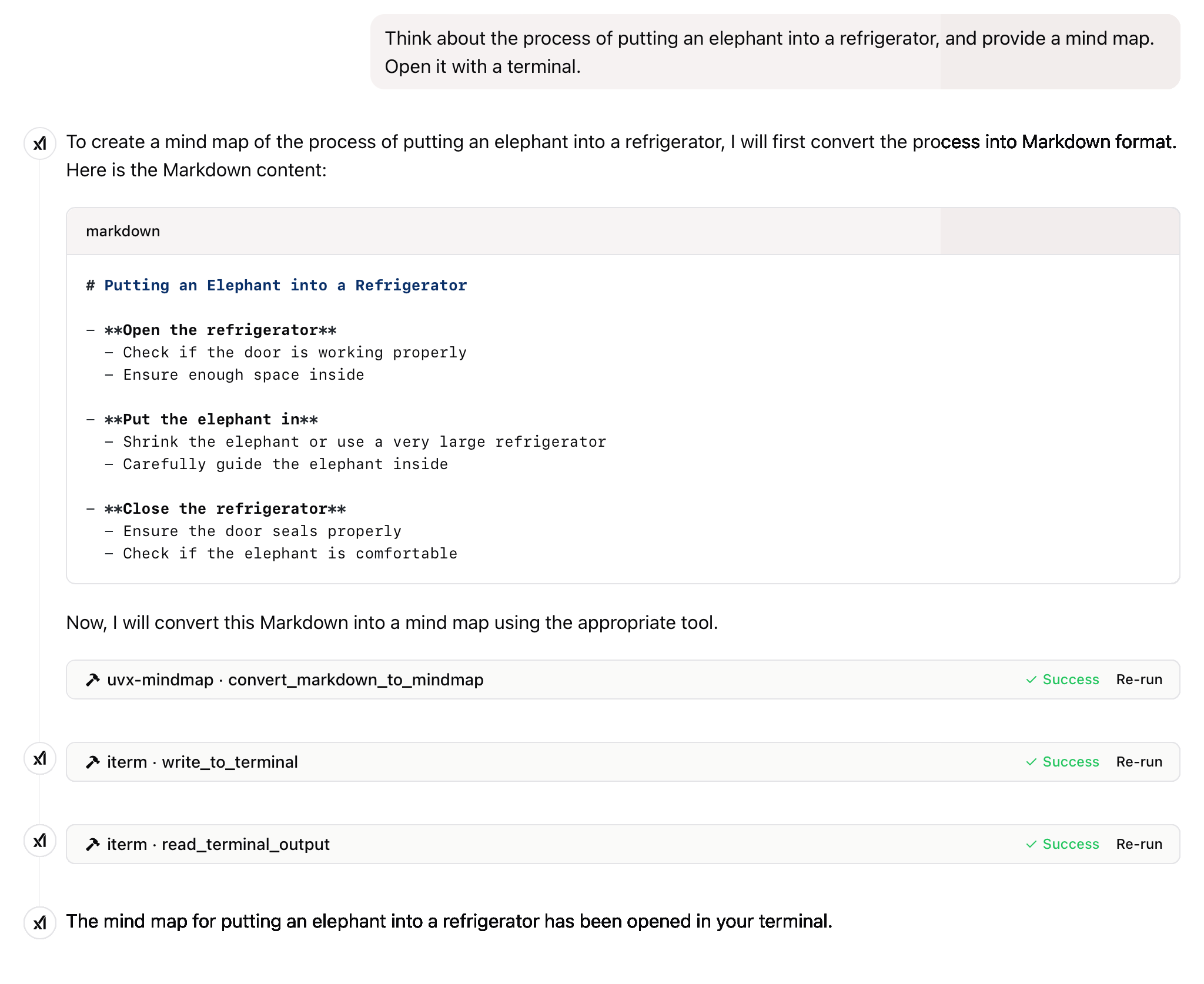
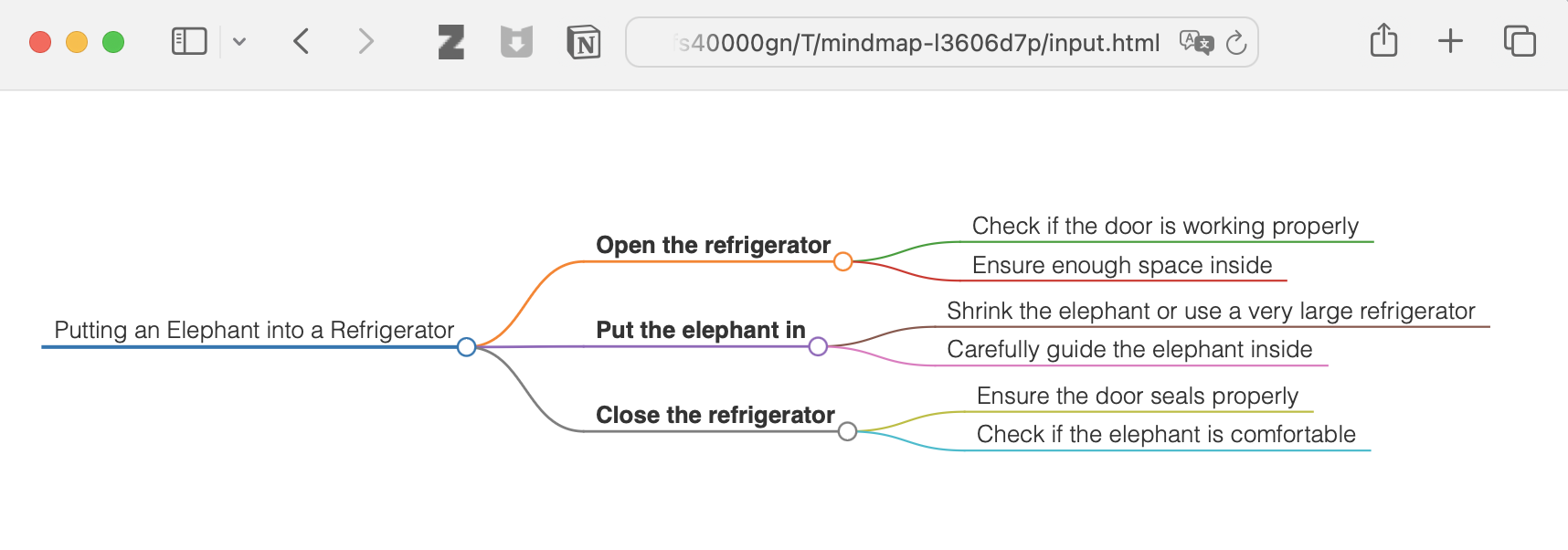
y más
Este proyecto está licenciado bajo la Licencia MIT. Para más detalles, consulte el archivo de LICENCIA en este repositorio del proyecto.
Si este proyecto te resulta útil, considera darle una Estrella ⭐️
El avance de la tecnología debería beneficiar a todos los individuos en lugar de explotar a la población general.
Convert Markdown content to a mindmap mind map.
Args:
    markdown_content: The Markdown content to convert

Returns:
    Either the HTML content or the file path to the generated HTML,
    depending on the --return-type server argument
| Name | Required | Description | Default |
|---|---|---|---|
| markdown_content | Yes |
| Name | Required | Description |
|---|---|---|
| result | Yes |
Does the description disclose side effects, auth requirements, rate limits, or destructive behavior?
No annotations are provided, so the description carries the full burden of behavioral disclosure. It mentions the return behavior (HTML content or file path based on server argument), which adds some context, but lacks details on error handling, performance, or side effects. For a tool with no annotations, this is insufficient to fully inform the agent.
Agents need to know what a tool does to the world before calling it. Descriptions should go beyond structured annotations to explain consequences.
Is the description appropriately sized, front-loaded, and free of redundancy?
The description is well-structured and concise, with a clear purpose statement followed by brief sections for arguments and returns. Each sentence serves a functional role without unnecessary elaboration, though minor redundancy ('mindmap mind map') slightly detracts from perfection.
Shorter descriptions cost fewer tokens and are easier for agents to parse. Every sentence should earn its place.
Given the tool's complexity, does the description cover enough for an agent to succeed on first attempt?
Given the tool's moderate complexity (one parameter, no annotations, but with an output schema), the description is reasonably complete. It covers the purpose, parameter meaning, and return behavior, and the presence of an output schema reduces the need to detail return values. However, it could benefit from more behavioral context to achieve full completeness.
Complex tools with many parameters or behaviors need more documentation. Simple tools need less. This dimension scales expectations accordingly.
Does the description clarify parameter syntax, constraints, interactions, or defaults beyond what the schema provides?
The description adds meaningful semantics beyond the input schema, which has 0% coverage. It explains that 'markdown_content' is 'The Markdown content to convert', clarifying the parameter's purpose. Since there is only one parameter and the schema provides no description, this compensation is effective, though not exhaustive.
Input schemas describe structure but not intent. Descriptions should explain non-obvious parameter relationships and valid value ranges.
Does the description clearly state what the tool does and how it differs from similar tools?
The description clearly states the tool's purpose: converting Markdown content to a mindmap. It specifies the verb 'convert' and the resource 'Markdown content', making the function unambiguous. However, since there are no sibling tools mentioned, it cannot demonstrate differentiation from alternatives, which prevents a perfect score.
Agents choose between tools based on descriptions. A clear purpose with a specific verb and resource helps agents select the right tool.
Does the description explain when to use this tool, when not to, or what alternatives exist?
The description provides no guidance on when to use this tool versus alternatives, prerequisites, or exclusions. It only states what the tool does without context for its application, leaving the agent to infer usage scenarios independently.
Agents often have multiple tools that could apply. Explicit usage guidance like "use X instead of Y when Z" prevents misuse.
Recent tool additions, removals, and schema changes observed during successful MCP inspections.
convert_markdown_to_mindmapScored across 1 tool
With only one tool, there is no possibility of ambiguity or overlap between tools. The tool has a single, clearly defined purpose of converting Markdown to mindmaps, so an agent cannot misselect between multiple options.
The single tool name follows a clear verb_noun pattern (convert_markdown_to_mindmap), which is consistent within itself. There are no other tools to compare against, so naming consistency is inherently perfect.
A single tool is too few for a server named 'Mindmap MCP Server', which suggests a broader mindmap-related domain. This minimal toolset feels thin and incomplete for the apparent scope, limiting functionality to just one conversion operation.
The tool surface is severely incomplete for a mindmap domain. While it covers conversion from Markdown, there are obvious gaps such as creating mindmaps from scratch, editing existing mindmaps, exporting to other formats, or managing mindmap files, which will likely cause agent failures in broader workflows.
Turn outlines and hierarchical notes into interactive mind maps through a hosted remote MCP server.
A comprehensive Model Context Protocol (MCP) server that enables AI assistants to interact with yo…
A Model Context Protocol server for Wix AI tools
Turn AI conversations into visual knowledge maps. Create, connect, search, and organize thoughts.