
A
licenseA
qualityC
maintenanceA Model Context Protocol server that enables LLMs to interact with MindManager mind maps, allowing retrieval of mind map structures and export to formats like Mermaid, Markdown, and JSON.
11
11
MIT

마크다운 콘텐츠를 대화형 마인드맵으로 변환하기 위한 MCP(Model Context Protocol) 서버입니다.
지엑스피1
또는 uvx 사용합니다.
uvx mindmap-mcp-server또는 docker 사용하는 것이 더 안전하고 쉽습니다.
Related MCP server: MarkItDown MCP Server
세 가지 설치 방법이 macOS와 Linux에서 성공적으로 테스트되었습니다.
이 MCP에서 npx 관련 문제가 발생하는 Windows 사용자의 경우 Docker 방식을 고려해 보세요. 또는 Visual Studio Code를 사용하는 경우 "Markmap" 확장 프로그램을 사용하면 명령줄 도구를 사용하는 것보다 더 간단한 해결책을 얻을 수 있습니다.
이 패키지를 사용하려면 python 또는 uvx 명령을 사용하여 서버를 실행할 때 Node.js를 설치해야 합니다.
claude_desktop_config.json 에 이 서버를 추가하세요:
{
  "mcpServers": {
    "mindmap": {
      "command": "uvx",
      "args": ["mindmap-mcp-server", "--return-type", "html"]
    }
  }
}
또는
추천:
{
  "mcpServers": {
    "mindmap": {
      "command": "uvx",
      "args": ["mindmap-mcp-server", "--return-type", "filePath"]
    }
  }
}
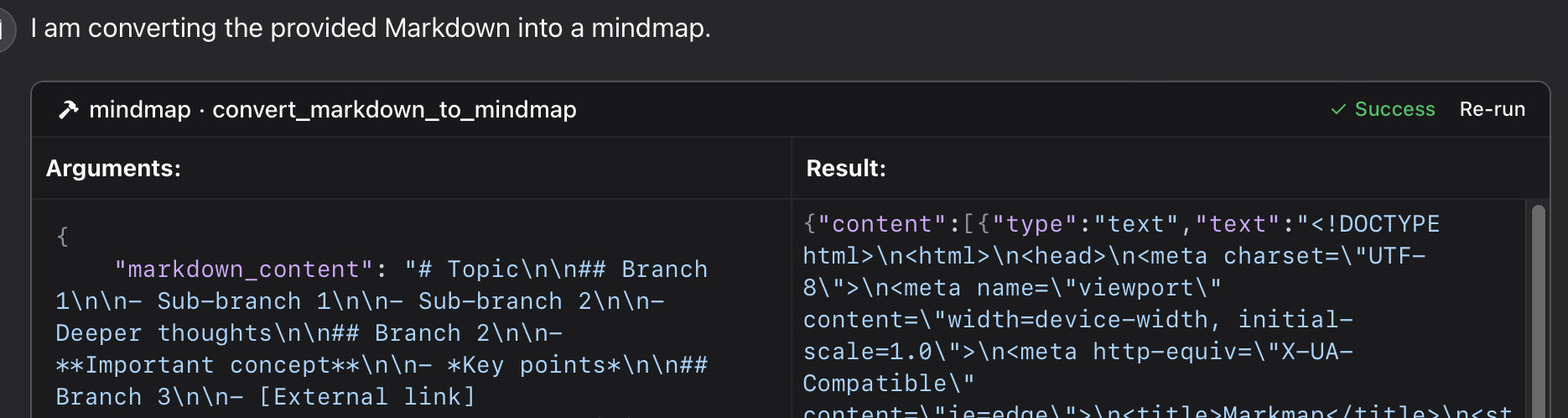
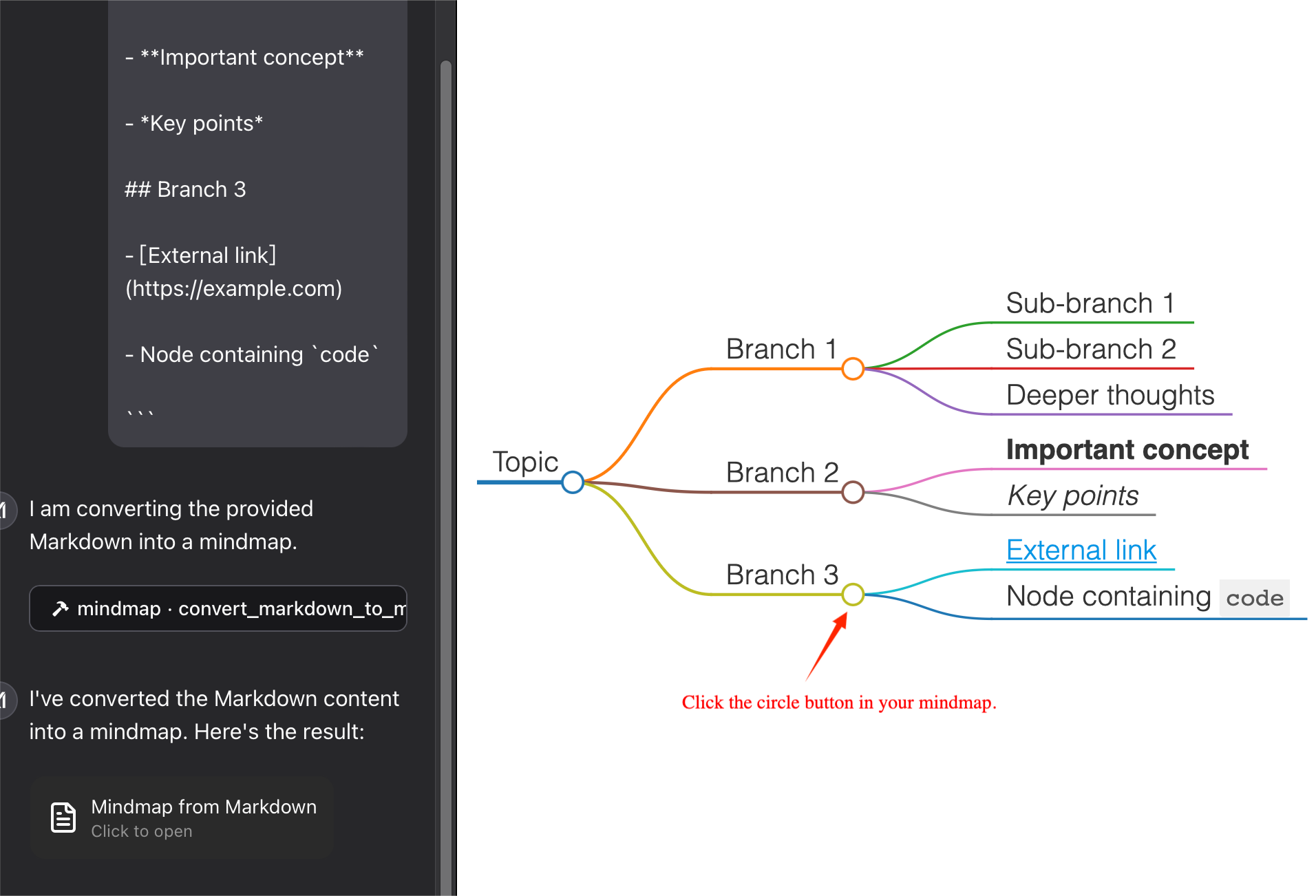
마인드맵 콘텐츠의 반환 유형을 지정하기 위해 --return-type 사용합니다. 필요에 따라 html 이나 filePath 선택할 수 있습니다.html 마인드맵의 전체 HTML 내용을 반환하며, AI 클라이언트의 아티팩트에서 미리 볼 수 있습니다.
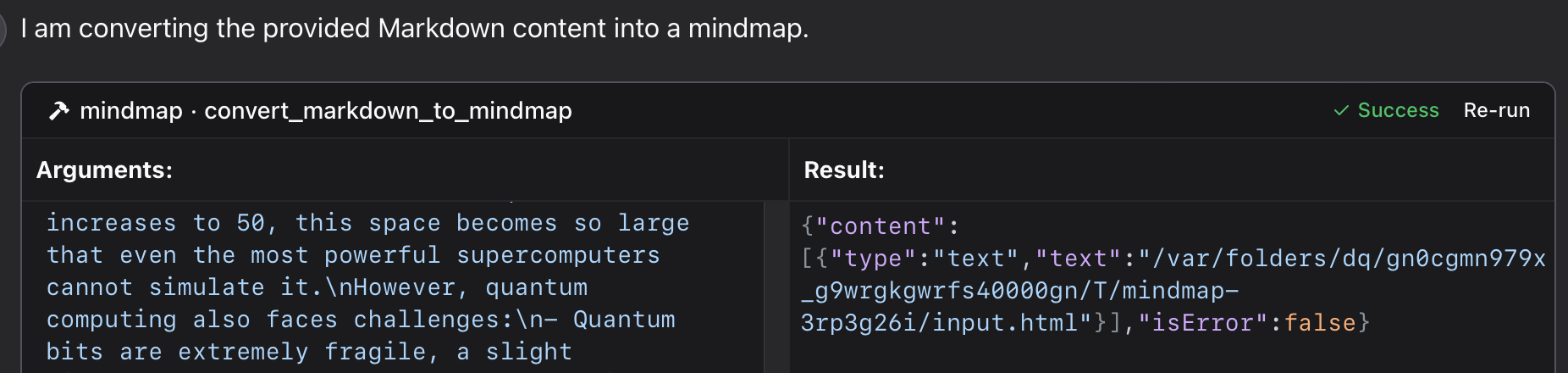
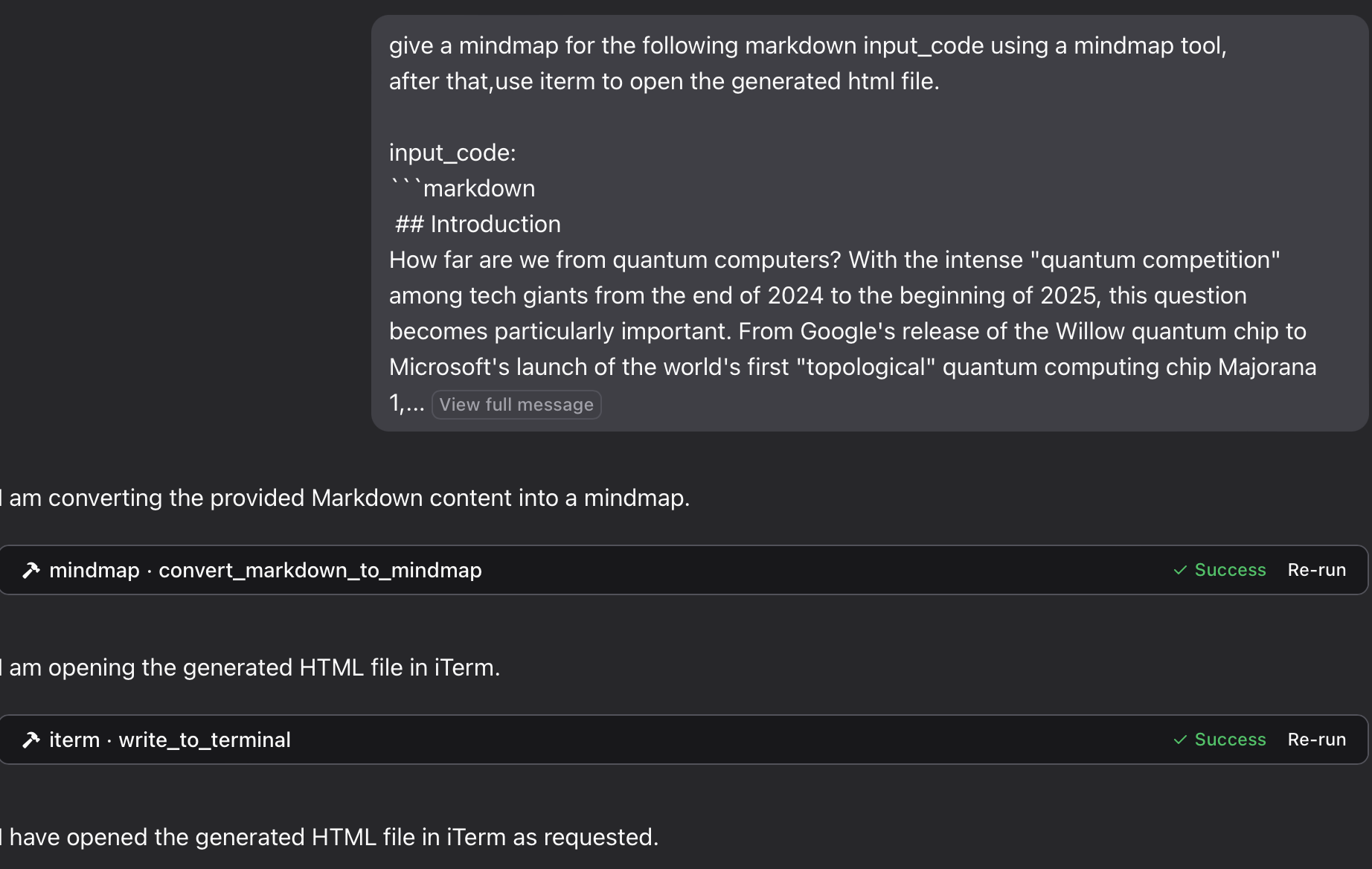
filePath 마인드맵을 파일에 저장하고 파일 경로를 반환합니다. 브라우저에서 열 수 있으며, 토큰도 저장할 수 있습니다!
이 저장소의 특정 Python 파일 사용:
{
  "mcpServers": {
    "mindmap": {
      "command": "python",
      "args": ["/path/to/your/mindmap_mcp_server/server.py", "--return-type", "html"]
    }
  }
}
또는
{
  "mcpServers": {
    "mindmap": {
      "command": "python",
      "args": ["/path/to/your/mindmap_mcp_server/server.py", "--return-type", "filePath"]
    }
  }
}
마인드맵 콘텐츠의 반환 유형을 지정하기 위해 --return-type 사용합니다. 필요에 따라 html 이나 filePath 선택할 수 있습니다. 자세한 내용은 `uvx` 사용을 참조하세요.
먼저 이미지를 끌어옵니다.
docker pull ychen94/mindmap-converter-mcp둘째, 서버를 설정합니다.
{
  "mcpServers": {
    "mindmap-converter": {
      "command": "docker",
      "args": ["run", "--rm", "-i", "-v", "/path/to/output/folder:/output", "ychen94/mindmap-converter-mcp:latest"]
    }
  }
}
⚠️ /path/to/output/folder 마인드 맵을 저장하려는 시스템의 실제 경로로 바꾸세요. 예를 들어 macOS에서는 /Users/username/Downloads Windows에서는 C:\\Users\\username\\Downloads .
Docker 컨테이너에서 제공되는 도구 서버는 다음과 같은 MCP 도구를 제공합니다.
마크다운-마인드맵-콘텐츠
마크다운을 HTML 마인드맵으로 변환하고 전체 HTML 콘텐츠를 반환합니다.docker 명령에서 인수 -v 와 /path/to/output/folder:/output 사용하지 않습니다.
매개변수 :
• markdown(문자열, 필수): 변환할 Markdown 콘텐츠
• 툴바(부울, 선택 사항): 툴바를 표시할지 여부(기본값: true)
가장 적합한 용도 : HTML 콘텐츠 크기에 구애받지 않는 간단한 마인드맵. AI 클라이언트에서 아티팩트를 사용하여 마인드맵을 미리 볼 수 있습니다.
마크다운을 마인드맵 파일로
Markdown을 HTML 마인드맵으로 변환하여 마운트된 디렉토리에 파일로 저장합니다.
매개변수 :
• markdown(문자열, 필수): 변환할 Markdown 콘텐츠
• 파일 이름(문자열, 선택 사항): 사용자 정의 파일 이름(기본값: 자동 생성된 타임스탬프 이름)
• 툴바(부울, 선택 사항): 툴바를 표시할지 여부(기본값: true)
가장 적합한 용도 : 복잡한 마인드 맵이나 나중에 사용하기 위해 토큰을 저장 하려는 경우.
브라우저에서 HTML 파일을 열어 마인드맵을 볼 수 있습니다. 또한 iterm-mcp-server 또는 다른 터미널의 mcp 서버를 사용하여 작업 흐름을 방해하지 않고 브라우저에서 파일을 열 수 있습니다.
파일을 찾을 수 없습니다
마인드맵 파일에 접근할 수 없는 경우:
1 Docker 컨테이너에 볼륨을 올바르게 마운트했는지 확인하세요.
2. 운영 체제에 맞는 경로 형식인지 확인하세요.
3 Docker가 디렉토리에 액세스할 수 있는 권한이 있는지 확인하세요.
Docker 명령을 찾을 수 없습니다
1 Docker가 설치되어 있고 PATH에 있는지 확인하세요.
2 Docker의 절대 경로를 사용해 보세요
Claude에 서버가 나타나지 않습니다
1. 구성 변경 후 데스크톱용 Claude를 다시 시작합니다.
2. 연결 오류에 대한 Claude 로그를 확인하세요.
3 Docker가 실행 중인지 확인하세요
고급 사용법
다른 MCP 클라이언트와 함께 사용
이 서버는 Claude for Desktop뿐만 아니라 모든 MCP 호환 클라이언트와 호환됩니다. 이 서버는 MCP(Model Context Protocol) 버전 1.0 사양을 구현합니다.
이 서버는 markmap-cli 라이브러리를 사용하여 Markdown 콘텐츠를 마인드맵으로 변환하는 도구를 제공합니다.
마크다운을 대화형 마인드맵 HTML로 변환
오프라인에서 사용 가능한 마인드맵을 만드는 옵션
도구 모음을 숨기는 옵션
HTML 콘텐츠 또는 파일 경로를 반환합니다.
클로드에서는 다음과 같이 질문할 수 있습니다.
마인드맵 도구를 사용하여 다음 마크다운 코드에 대한 마인드맵을 작성하세요.
# Project Planning
## Research
### Market Analysis
### Competitor Review
## Design
### Wireframes
### Mockups
## Development
### Frontend
### Backend
## Testing
### Unit Tests
### User Testing
"
마인드맵을 파일로 저장한 다음 iTerm MCP 서버를 사용하여 브라우저에서 열려면 다음을 수행하세요.
마인드맵 도구를 사용하여 다음 마크다운 입력 코드에 대한 마인드맵을 작성한 후, iterm을 사용하여 생성된 HTML 파일을 엽니다. 입력 코드:
markdown content"
" 코끼리를 냉장고에 넣는 과정을 생각해 보세요. 마인드맵을 그려보세요. 터미널로 열어보세요. "
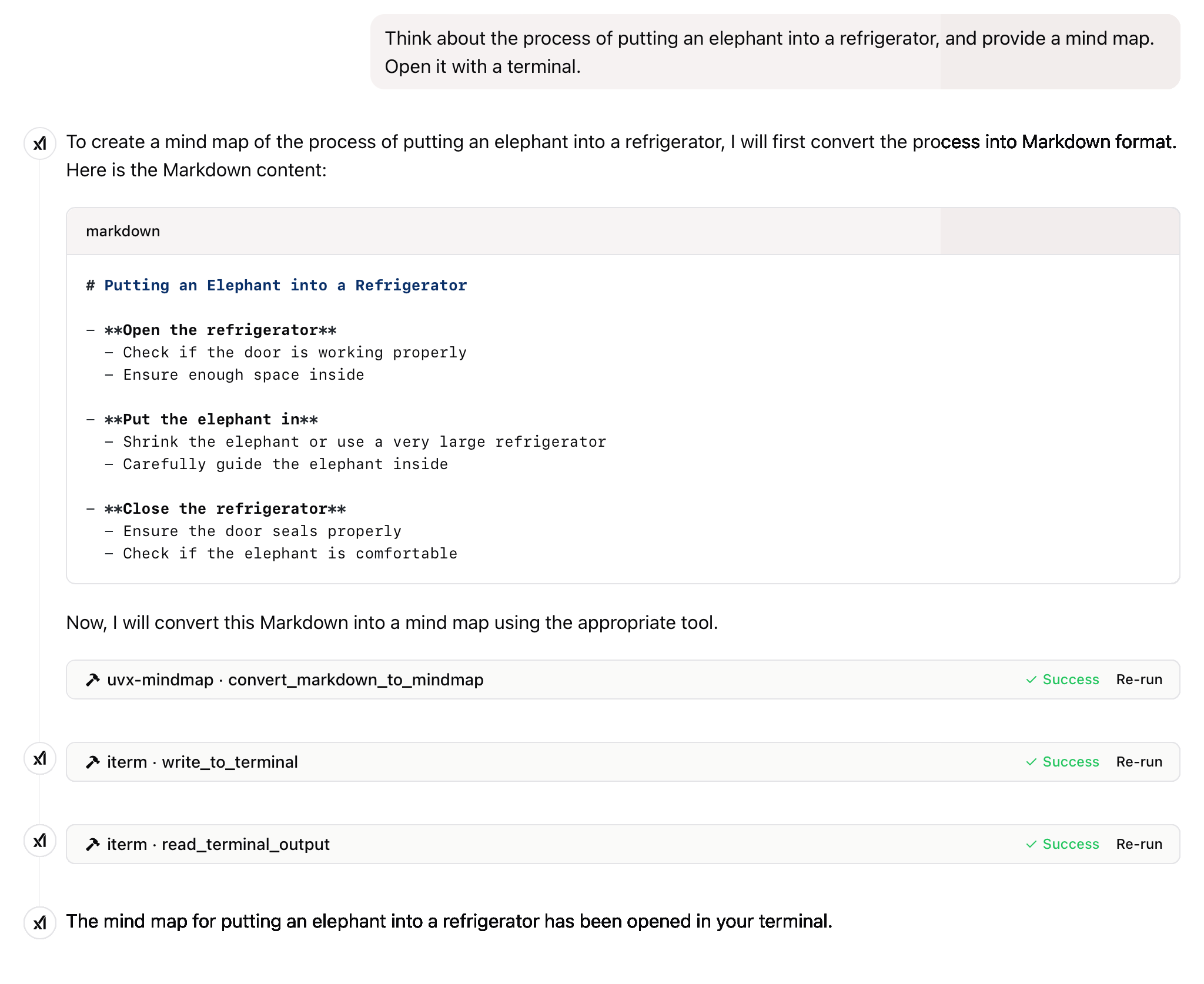
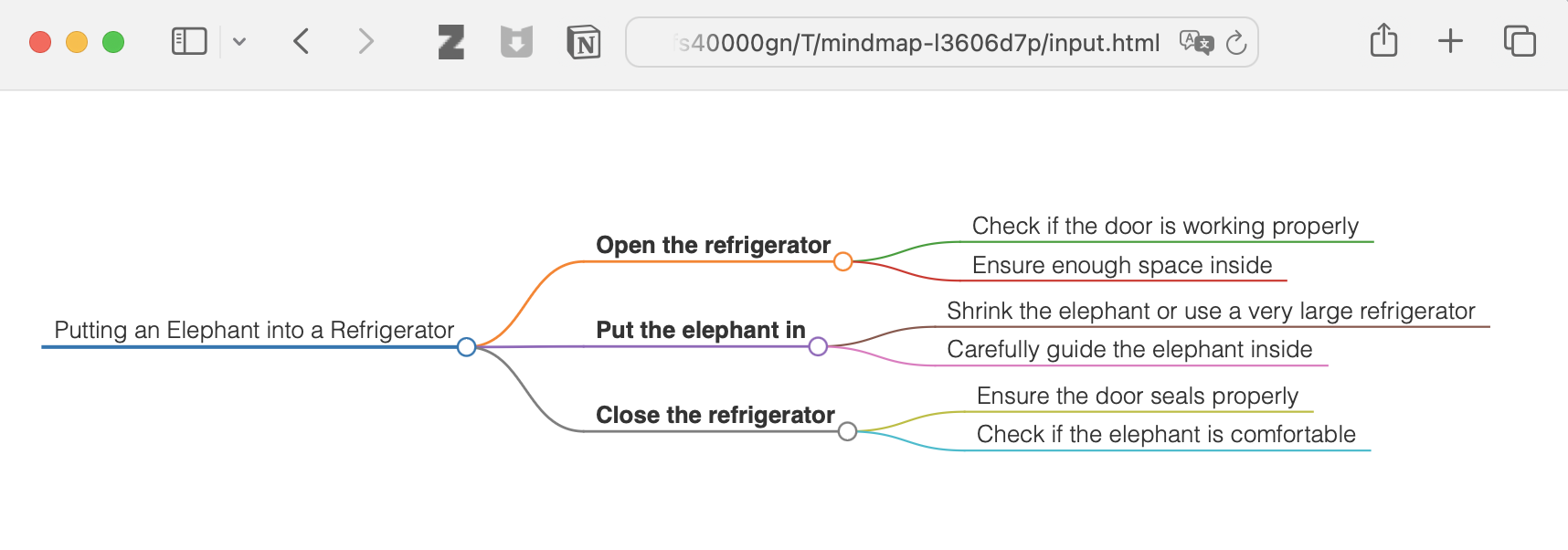
그리고 더 많은 것
이 프로젝트는 MIT 라이선스에 따라 라이선스가 부여됩니다. 자세한 내용은 이 프로젝트 저장소 의 LICENSE 파일을 참조하세요.
이 프로젝트가 도움이 된다면 별점 ⭐️을 주세요.
기술의 발전은 일반 대중을 착취하는 것이 아니라 모든 개인에게 이익이 되어야 합니다.
Convert Markdown content to a mindmap mind map.
Args:
    markdown_content: The Markdown content to convert

Returns:
    Either the HTML content or the file path to the generated HTML,
    depending on the --return-type server argument
| Name | Required | Description | Default |
|---|---|---|---|
| markdown_content | Yes |
| Name | Required | Description |
|---|---|---|
| result | Yes |
Does the description disclose side effects, auth requirements, rate limits, or destructive behavior?
No annotations are provided, so the description carries the full burden of behavioral disclosure. It mentions the return behavior (HTML content or file path based on server argument), which adds some context, but lacks details on error handling, performance, or side effects. For a tool with no annotations, this is insufficient to fully inform the agent.
Agents need to know what a tool does to the world before calling it. Descriptions should go beyond structured annotations to explain consequences.
Is the description appropriately sized, front-loaded, and free of redundancy?
The description is well-structured and concise, with a clear purpose statement followed by brief sections for arguments and returns. Each sentence serves a functional role without unnecessary elaboration, though minor redundancy ('mindmap mind map') slightly detracts from perfection.
Shorter descriptions cost fewer tokens and are easier for agents to parse. Every sentence should earn its place.
Given the tool's complexity, does the description cover enough for an agent to succeed on first attempt?
Given the tool's moderate complexity (one parameter, no annotations, but with an output schema), the description is reasonably complete. It covers the purpose, parameter meaning, and return behavior, and the presence of an output schema reduces the need to detail return values. However, it could benefit from more behavioral context to achieve full completeness.
Complex tools with many parameters or behaviors need more documentation. Simple tools need less. This dimension scales expectations accordingly.
Does the description clarify parameter syntax, constraints, interactions, or defaults beyond what the schema provides?
The description adds meaningful semantics beyond the input schema, which has 0% coverage. It explains that 'markdown_content' is 'The Markdown content to convert', clarifying the parameter's purpose. Since there is only one parameter and the schema provides no description, this compensation is effective, though not exhaustive.
Input schemas describe structure but not intent. Descriptions should explain non-obvious parameter relationships and valid value ranges.
Does the description clearly state what the tool does and how it differs from similar tools?
The description clearly states the tool's purpose: converting Markdown content to a mindmap. It specifies the verb 'convert' and the resource 'Markdown content', making the function unambiguous. However, since there are no sibling tools mentioned, it cannot demonstrate differentiation from alternatives, which prevents a perfect score.
Agents choose between tools based on descriptions. A clear purpose with a specific verb and resource helps agents select the right tool.
Does the description explain when to use this tool, when not to, or what alternatives exist?
The description provides no guidance on when to use this tool versus alternatives, prerequisites, or exclusions. It only states what the tool does without context for its application, leaving the agent to infer usage scenarios independently.
Agents often have multiple tools that could apply. Explicit usage guidance like "use X instead of Y when Z" prevents misuse.
Recent tool additions, removals, and schema changes observed during successful MCP inspections.
convert_markdown_to_mindmapScored across 1 tool
With only one tool, there is no possibility of ambiguity or overlap between tools. The tool has a single, clearly defined purpose of converting Markdown to mindmaps, so an agent cannot misselect between multiple options.
The single tool name follows a clear verb_noun pattern (convert_markdown_to_mindmap), which is consistent within itself. There are no other tools to compare against, so naming consistency is inherently perfect.
A single tool is too few for a server named 'Mindmap MCP Server', which suggests a broader mindmap-related domain. This minimal toolset feels thin and incomplete for the apparent scope, limiting functionality to just one conversion operation.
The tool surface is severely incomplete for a mindmap domain. While it covers conversion from Markdown, there are obvious gaps such as creating mindmaps from scratch, editing existing mindmaps, exporting to other formats, or managing mindmap files, which will likely cause agent failures in broader workflows.
Turn outlines and hierarchical notes into interactive mind maps through a hosted remote MCP server.
A comprehensive Model Context Protocol (MCP) server that enables AI assistants to interact with yo…
A Model Context Protocol server for Wix AI tools
Turn AI conversations into visual knowledge maps. Create, connect, search, and organize thoughts.