yade-mcp
English | 简体中文


O.engines += [LLM()] # yet another engine.
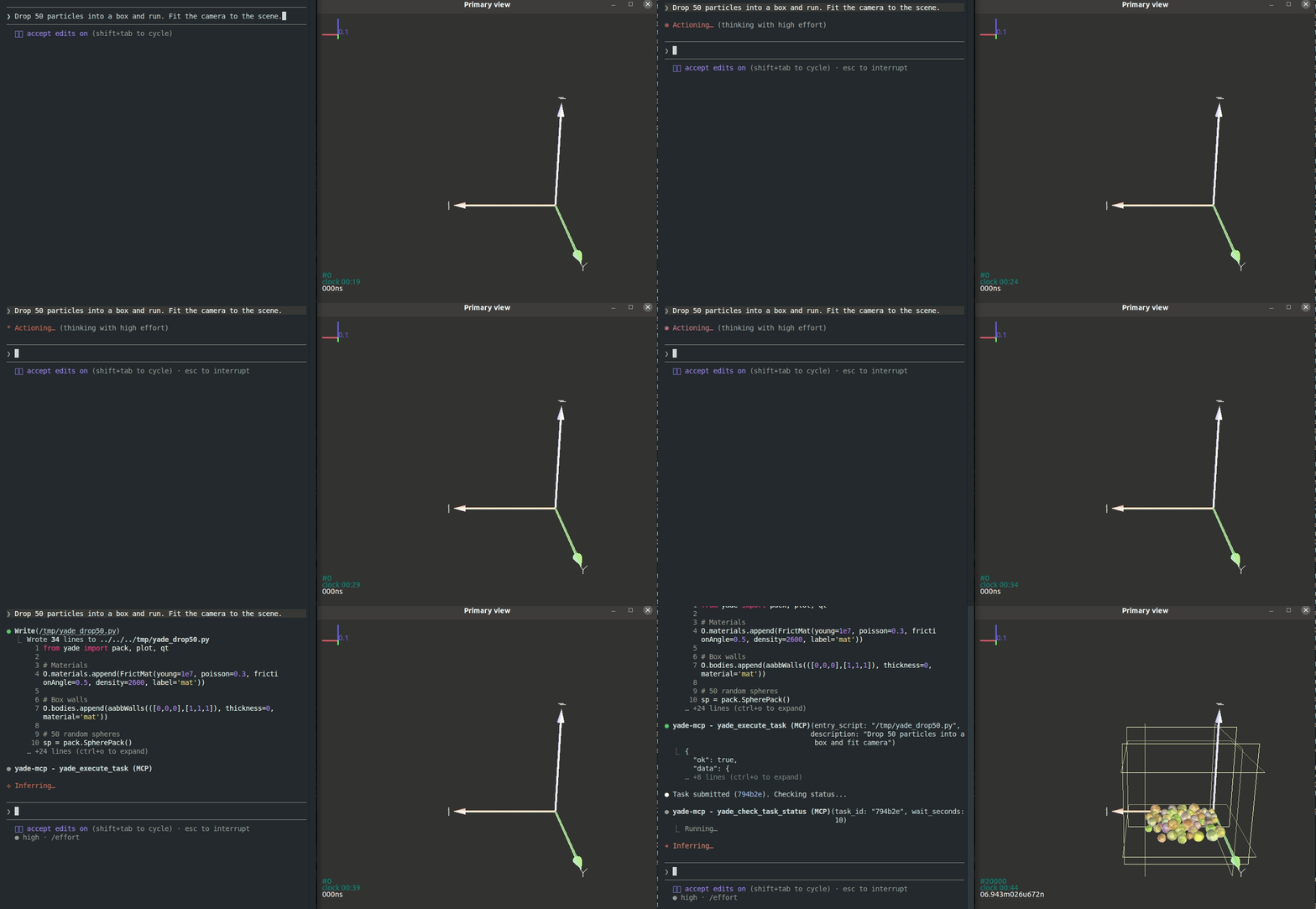
yade-mcp は、YADE(オープンソースの離散要素法エンジン)と AI エージェントを Model Context Protocol を介して接続します。自然な会話を通じて、API ドキュメントの閲覧、シミュレーションの実行、コードの実行が可能です。
エージェントは単にツールを呼び出すだけでなく、YADE コンソールに常駐し、独自の判断で長時間シミュレーションを実行し、ユーザーの作業と同期を保ちます。
特徴
エージェントが入力し、YADE が実行する
Powered by yade_execute_code
やりたいことを自然言語で記述します。エージェントは YADE コンソールにコマンドを入力し、粒子の検査、パラメータの調整、エンジンのステップ実行、結果の分析を行います。エージェントは各出力を読み取り、デバッグし、反復処理を行います。これはユーザー自身がコンソールで行う作業と同じです。
実行を開始して、あとはお任せ
Powered by yade_execute_task + yade_check_task_status + yade_interrupt_task
yade script.py を実行するのと同様に、完全な YADE スクリプトをバックグラウンドタスクとして実行します。ただし、付きっきりである必要はありません。エージェントが自律的に監視を行い、ライブ出力を追跡し、エラーが発生すれば捕捉し、異常があれば適切に実行を停止し、スクリプトを修正して再実行します。シミュレーションが完了するまでこれを行います。
新しいセッション、コールドスタートなし
Powered by yade_list_tasks + yade_check_task_status
送信したすべてのタスク(スクリプト、ライブ出力、最終状態)は記録として残ります。コンテキストウィンドウがいっぱいになったり、翌日作業を再開したりする場合でも、新しいエージェントがプロジェクトに加われば、以前の状態を記憶しています。何が実行されたかをリストアップし、各タスクの生成物を読み取り、説明を繰り返すことなく作業を再開できます。
実行中のシミュレーションへのライブシェル
Powered by yade_execute_code
タスクの実行中、エージェントはシミュレーションへのライブシェルを持ちます。スクリプトを編集したり実行を停止したりすることなく、変数の検査、オブジェクト状態のダンプ、新しいプロットの生成などを要求できます。
ユーザーの入力とエージェントの同期
送信されたタスクだけでなく、YADE コンソールに入力したすべての行(確認した変数、テストしたパラメータ、行き詰まった試行など)もエージェントのコンテキストに流し込まれます。チャットに切り替えたとき、エージェントはすでにユーザーが何を試みていたかの軌跡を把握しています。YADE を学習中で入力内容に対するフィードバックが欲しい場合や、予期せぬエラーで詰まった場合でも、エージェントはユーザーの入力と YADE の応答を把握しているため、すぐに質問できます。
Related MCP server: itasca-mcp
ツール (7)
2 つのドキュメントツール(ブリッジ不要)と 5 つの実行ツール(ブリッジが必要)があります:
ツール | 目的 | ブリッジ |
yade_browse_api
| YADE Python クラスツリーの探索 | 不要 |
yade_query_api
| API 全体の BM25 キーワード検索 | 不要 |
yade_execute_code
| 実行中の YADE プロセスで Python を実行(同期的に返却) | 必要 |
yade_execute_task
| スクリプトを長時間実行バックグラウンドタスクとして送信 | 必要 |
yade_check_task_status
| 実行中または完了したタスクの検査(出力、ステータス) | 必要 |
yade_interrupt_task
| 実行中のタスクを適切に停止 | 必要 |
yade_list_tasks
| 送信済みタスクのメタデータ付きリスト表示 | 必要 |
クイックスタート
前提条件
YADE がインストールされていること
uv がインストールされていること(uvx 用)
エージェントの設定(推奨)
これを AI エージェントにコピーして、自動設定させてください:
Fetch and follow this bootstrap guide end-to-end:
https://raw.githubusercontent.com/yusong652/yade-mcp/master/docs/agentic/yade-mcp-bootstrap.md
手動設定
1. クライアント設定で MCP サーバーを登録します:
{
  "mcpServers": {
    "yade-mcp": {
      "command": "uvx",
      "args": ["yade-mcp"]
    }
  }
}
2. YADE 内でブリッジを起動します:
pip install yade-mcp-bridge
次に、YADE Python コンソールで以下を実行します:
import yade_mcp_bridge
yade_mcp_bridge.start()
検証
AI エージェント(Claude Code、Codex CLI、Gemini CLI など)を再起動し、yade_execute_code を呼び出して接続を確認してください。
コントリビューション
開発環境のセットアップとガイドラインについては CONTRIBUTING.md を参照してください。
ライセンス
MIT — LICENSE を参照してください。


