
A
licenseB
qualityD
maintenanceA secure terminal execution server that enables controlled command execution with security features and resource limits via the Model Context Protocol (MCP).
1
30 npm
11
MIT


一个用 Node.js/TypeScript 实现的 MCP 服务器,用于促进 LLM 与用户之间的交互通信。**注意:**此服务器设计为与 MCP 客户端(例如 Claude Desktop、VS Code)一起在本地运行,因为它需要直接访问用户的操作系统来显示通知和命令行提示符。
(注:该项目尚处于早期阶段。)
**想要快速了解一下?**请查看介绍性博客文章: 让你的 AI 助手不再猜测——interactive-mcp 介绍
该服务器通过模型上下文协议(MCP)公开以下工具:
request_user_input :向用户提问并返回答案。可以显示预定义选项。
message_complete_notification :发送简单的操作系统通知。
start_intensive_chat :启动持久命令行聊天会话。
ask_intensive_chat :在活跃的密集聊天会话中提出问题。
stop_intensive_chat :关闭活动的密集聊天会话。
Related MCP server: Interactive Feedback MCP
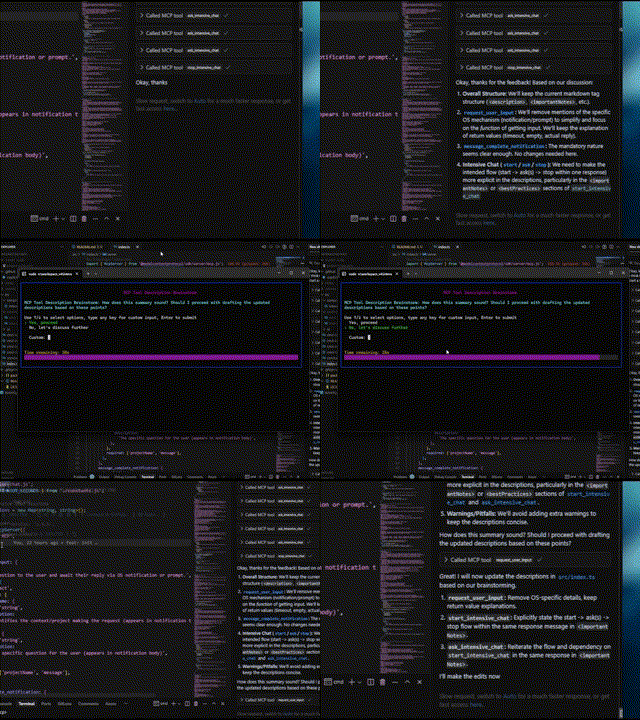
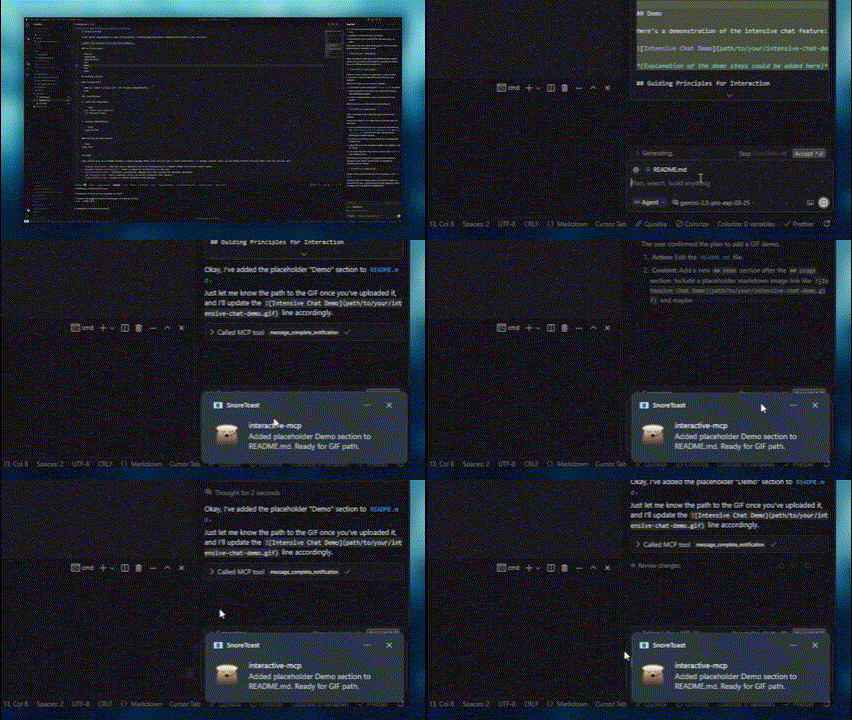
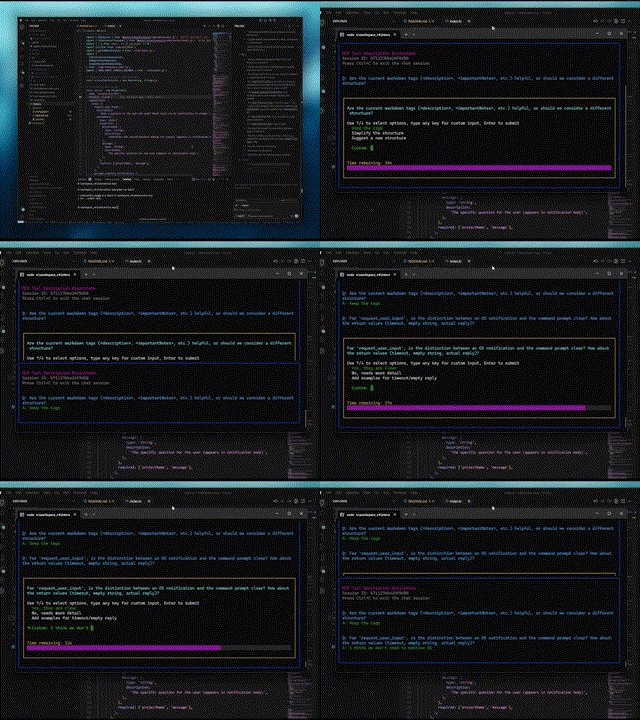
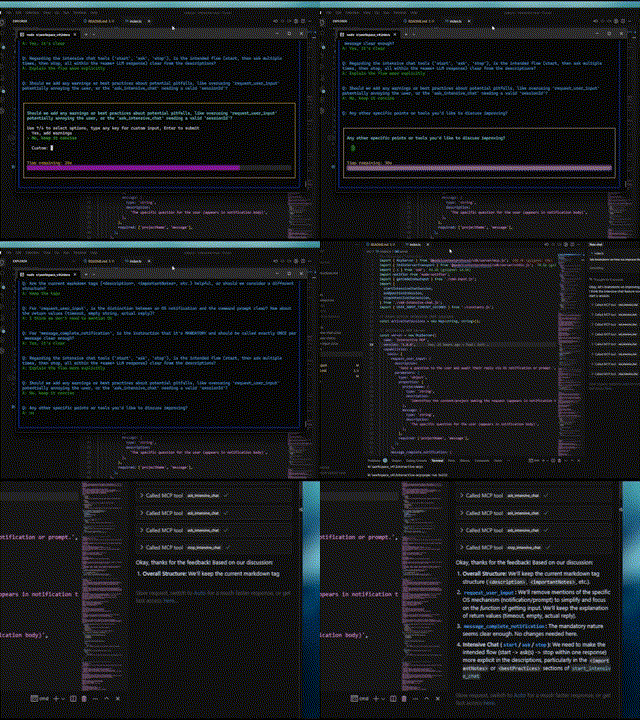
以下是交互功能的演示:
普通问题 | 完成通知 |
|
|
密集聊天开始 | 密集聊天结束 |
|
|
此服务器非常适合 LLM 需要与本地计算机上的用户直接交互的场景,例如:
交互式设置或配置过程。
在代码生成或修改期间收集反馈。
在结对编程中澄清指令或确认操作。
LLM 操作期间任何需要用户输入或确认的工作流程。
本节介绍如何配置 MCP 客户端以使用interactive-mcp服务器。
默认情况下,用户提示将在 30 秒后超时。您可以在配置客户端时直接向args数组添加命令行标志,以自定义服务器选项,例如超时或禁用工具。
请确保您有可用的npx命令。
将以下最小配置添加到您的claude_desktop_config.json (Claude Desktop)或mcp.json (Cursor):
{
  "mcpServers": {
    "interactive": {
      "command": "npx",
      "args": ["-y", "interactive-mcp"]
    }
  }
}
有特定版本
{
  "mcpServers": {
    "interactive": {
      "command": "npx",
      "args": ["-y", "interactive-mcp@1.9.0"]
    }
  }
}
自定义超时示例(30 秒):
{
  "mcpServers": {
    "interactive": {
      "command": "npx",
      "args": ["-y", "interactive-mcp", "-t", "30"]
    }
  }
}将以下最小配置添加到您的用户设置(JSON)文件或.vscode/mcp.json :
{
  "mcp": {
    "servers": {
      "interactive-mcp": {
        "command": "npx",
        "args": ["-y", "interactive-mcp"]
      }
    }
  }
}为了在 macOS 上使用默认Terminal.app获得更流畅的体验,请考虑以下配置文件设置:
(Shell 选项卡):在“当 Shell 退出时” (终端 > 设置 > 配置文件 > [您的配置文件] > Shell )下,选择**“如果 Shell 正常退出则关闭”或“关闭窗口”** 。这有助于在 MCP 服务器启动和停止时管理窗口。
本节主要面向希望修改或贡献服务器的开发者。如果您只想将服务器与 MCP 客户端一起使用,请参阅上面的“客户端配置”部分。
**Node.js:**检查package.json的版本兼容性。
**pnpm:**用于包管理。安装 Node.js 后,通过npm install -g pnpm安装。
克隆存储库:
git clone https://github.com/ttommyth/interactive-mcp.git
cd interactive-mcp
安装依赖项:
pnpm installpnpm startinteractive-mcp服务器接受以下命令行选项。这些选项通常应该在 MCP 客户端的 JSON 设置中配置,方法是直接将它们添加到args数组中(参见“客户端配置”示例)。
选项 | 别名 | 描述 |
|
| 设置用户输入提示的默认超时时间(以秒为单位)。默认为 30 秒。 |
|
| 禁用特定工具或群组(逗号分隔列表)。阻止服务器广告或注册它们。选项: |
**示例:**在客户端配置args数组中设置多个选项:
// Example combining options in client config's "args":
"args": [
  "-y", "interactive-mcp",
  "-t", "30", // Set timeout to 30 seconds
  "--disable-tools", "message_complete_notification,intensive_chat" // Disable notifications and intensive chat
]构建: pnpm build
Lint: pnpm lint
格式: pnpm format
与此 MCP 服务器交互时(例如,作为 LLM 客户端),请遵守以下原则以确保清晰度并减少意外更改:
**优先考虑互动:**频繁使用提供的 MCP 工具( request_user_input 、 start_intensive_chat等)与用户互动。
**寻求澄清:**如果要求、说明或上下文不清楚,请务必在继续操作之前提出澄清问题。不要妄下结论。
**确认操作:**在执行重大操作(如修改文件、运行复杂命令或做出架构决策)之前,请与用户确认计划。
**提供选项:**尽可能通过 MCP 工具向用户提供预定义的选项,以便快速做出决策。
您可以向 LLM 客户提供以下说明,如下所示:
# Interaction

- Please use the interactive MCP tools
- Please provide options to interactive MCP if possible

# Reduce Unexpected Changes

- Do not make assumption.
- Ask more questions before executing, until you think the requirement is clear enough.欢迎贡献!请遵循标准开发实践。(更多详细信息可稍后添加)。
MIT(有关详细信息,请参阅LICENSE文件 - 如果适用,或直接指定许可证)。
| Name | Required | Description | Default |
|---|---|---|---|
| question | Yes | Question to ask the user | |
| sessionId | Yes | ID of the intensive chat session | |
| predefinedOptions | No | Predefined options for the user to choose from (optional) |
Does the description disclose side effects, auth requirements, rate limits, or destructive behavior?
Despite missing annotations, the description discloses key behaviors: returns user's answer or indicates non-response, maintains chat history, and supports predefined options. However, it lacks details on error cases or rate limits.
Agents need to know what a tool does to the world before calling it. Descriptions should go beyond structured annotations to explain consequences.
Is the description appropriately sized, front-loaded, and free of redundancy?
The description is well-structured with labeled sections and front-loaded summary. However, some repetition exists (e.g., features overlap with usage notes). Could be slightly more concise.
Shorter descriptions cost fewer tokens and are easier for agents to parse. Every sentence should earn its place.
Given the tool's complexity, does the description cover enough for an agent to succeed on first attempt?
Given no output schema, the description explains return behavior. For a tool with 3 parameters and simple interaction, it covers essential aspects: session requirement, repeated use, and optional options. Missing potential edge cases.
Complex tools with many parameters or behaviors need more documentation. Simple tools need less. This dimension scales expectations accordingly.
Does the description clarify parameter syntax, constraints, interactions, or defaults beyond what the schema provides?
Input schema has 100% coverage, but the description adds value with examples and clarifies optional nature of 'predefinedOptions'. This exceeds the baseline 3 by providing practical usage context.
Input schemas describe structure but not intent. Descriptions should explain non-obvious parameter relationships and valid value ranges.
Does the description clearly state what the tool does and how it differs from similar tools?
The description clearly states it asks a new question in an active intensive chat session previously started, with specific verb and resource. It distinguishes from siblings like 'start_intensive_chat' and 'stop_intensive_chat' by focusing on continuation.
Agents choose between tools based on descriptions. A clear purpose with a specific verb and resource helps agents select the right tool.
Does the description explain when to use this tool, when not to, or what alternatives exist?
The 'whenToUseThisTool' section explicitly lists scenarios for use, and importantNotes highlight the prerequisite session ID and repeated usage within the same response. This provides clear guidance on when and how to use vs alternatives.
Agents often have multiple tools that could apply. Explicit usage guidance like "use X instead of Y when Z" prevents misuse.
| Name | Required | Description | Default |
|---|---|---|---|
| message | Yes | Notification body | |
| projectName | Yes | Notification title |
Does the description disclose side effects, auth requirements, rate limits, or destructive behavior?
No annotations provided, so description carries behavioral info. It specifies cross-platform OS notifications and best practices like consistent projectName usage. Lacks details on potential side effects, but for a simple notification tool this is sufficient.
Agents need to know what a tool does to the world before calling it. Descriptions should go beyond structured annotations to explain consequences.
Is the description appropriately sized, front-loaded, and free of redundancy?
The description is well-structured into sections (description, notes, when to use, features, best practices, parameters, examples). It is detailed but each section adds necessary value; no redundancy.
Shorter descriptions cost fewer tokens and are easier for agents to parse. Every sentence should earn its place.
Given the tool's complexity, does the description cover enough for an agent to succeed on first attempt?
For a simple tool with 2 string parameters and no output schema, the description is fully complete: it explains purpose, usage, parameters, examples, and best practices. No gaps remain.
Complex tools with many parameters or behaviors need more documentation. Simple tools need less. This dimension scales expectations accordingly.
Does the description clarify parameter syntax, constraints, interactions, or defaults beyond what the schema provides?
Schema has 100% coverage with concise descriptions. The description adds value by explaining parameter use (title vs body) and providing examples, exceeding the baseline of 3.
Input schemas describe structure but not intent. Descriptions should explain non-obvious parameter relationships and valid value ranges.
Does the description clearly state what the tool does and how it differs from similar tools?
The description clearly states the tool notifies when a response completes and must be used exactly once per message. It distinguishes itself from sibling chat tools by focusing on signaling completion.
Agents choose between tools based on descriptions. A clear purpose with a specific verb and resource helps agents select the right tool.
Does the description explain when to use this tool, when not to, or what alternatives exist?
Explicit 'whenToUseThisTool' and 'importantNotes' provide comprehensive guidance: use at end of query, after tool sequences, or multi-step processes. The mandatory once-per-message rule is emphasized.
Agents often have multiple tools that could apply. Explicit usage guidance like "use X instead of Y when Z" prevents misuse.
| Name | Required | Description | Default |
|---|---|---|---|
| message | Yes | The specific question for the user (appears in the prompt) | |
| projectName | Yes | Identifies the context/project making the request (used in prompt formatting) | |
| predefinedOptions | No | Predefined options for the user to choose from (optional) |
Does the description disclose side effects, auth requirements, rate limits, or destructive behavior?
Without annotations, the description fully discloses behavior: pop-up display, return of user response or timeout after 60 seconds, context maintenance, graceful handling of empty responses, and formatting with project context. No contradictions.
Agents need to know what a tool does to the world before calling it. Descriptions should go beyond structured annotations to explain consequences.
Is the description appropriately sized, front-loaded, and free of redundancy?
The description is well-structured with sections but is lengthy (many sentences). Some redundancy between importantNotes and bestPractices (e.g., both emphasize frequent use). Could be tightened without losing clarity.
Shorter descriptions cost fewer tokens and are easier for agents to parse. Every sentence should earn its place.
Given the tool's complexity, does the description cover enough for an agent to succeed on first attempt?
For a simple 3-parameter tool with no output schema, the description is exceptionally complete: covers purpose, usage guidance, features, best practices, and examples. Leaves no gaps in understanding.
Complex tools with many parameters or behaviors need more documentation. Simple tools need less. This dimension scales expectations accordingly.
Does the description clarify parameter syntax, constraints, interactions, or defaults beyond what the schema provides?
Schema coverage is 100%, so baseline 3. The description's parameters section adds context beyond schema: e.g., projectName is 'used in prompt formatting', predefinedOptions are optional. This adds meaningful value.
Input schemas describe structure but not intent. Descriptions should explain non-obvious parameter relationships and valid value ranges.
Does the description clearly state what the tool does and how it differs from similar tools?
The description clearly states the tool sends a question to the user via a pop-up command prompt, with explicit purpose of clarifying requirements, confirming plans, or resolving ambiguity. It distinguishes from sibling tools like ask_intensive_chat by specifying a pop-up prompt rather than a chat message.
Agents choose between tools based on descriptions. A clear purpose with a specific verb and resource helps agents select the right tool.
Does the description explain when to use this tool, when not to, or what alternatives exist?
A dedicated 'whenToUseThisTool' section provides exhaustive scenarios, and 'bestPractices' explicitly instructs not to use the tool when another tool can answer the question, offering clear alternatives. This provides excellent decision support.
Agents often have multiple tools that could apply. Explicit usage guidance like "use X instead of Y when Z" prevents misuse.
| Name | Required | Description | Default |
|---|---|---|---|
| sessionTitle | Yes | Title for the intensive chat session |
Does the description disclose side effects, auth requirements, rate limits, or destructive behavior?
With no annotations provided, the description fully discloses behaviors: opens persistent console window, returns session ID, must be closed, configurable timeout, maintains chat history, and warns against unnecessary questions. This is comprehensive.
Agents need to know what a tool does to the world before calling it. Descriptions should go beyond structured annotations to explain consequences.
Is the description appropriately sized, front-loaded, and free of redundancy?
The description is well-structured with separate sections but contains some redundancy (e.g., 'Highly recommended' and 'Very useful' are similar). It is thorough but could be slightly more concise.
Shorter descriptions cost fewer tokens and are easier for agents to parse. Every sentence should earn its place.
Given the tool's complexity, does the description cover enough for an agent to succeed on first attempt?
Given the simple parameter list, no output schema, and missing annotations, the description covers all necessary aspects: purpose, usage, important notes, parameters, examples, and best practices. It feels complete for the tool's role.
Complex tools with many parameters or behaviors need more documentation. Simple tools need less. This dimension scales expectations accordingly.
Does the description clarify parameter syntax, constraints, interactions, or defaults beyond what the schema provides?
Only one parameter (sessionTitle) with 100% schema coverage. The description adds context that the title appears at the top of the console, which goes beyond the schema's description. A score of 4 is appropriate for the added value.
Input schemas describe structure but not intent. Descriptions should explain non-obvious parameter relationships and valid value ranges.
Does the description clearly state what the tool does and how it differs from similar tools?
The description clearly states it starts an intensive chat session for gathering multiple answers quickly. It uses specific verbs like 'start', 'gather', 'opens', and distinguishes from sibling tools such as ask_intensive_chat and stop_intensive_chat.
Agents choose between tools based on descriptions. A clear purpose with a specific verb and resource helps agents select the right tool.
Does the description explain when to use this tool, when not to, or what alternatives exist?
The description includes explicit when-to-use scenarios (e.g., collecting series of quick answers, multi-step processes) and when-not-to-use (e.g., prefer other tools if they can answer). It also provides important instructions on using ask_intensive_chat and closing with stop_intensive_chat in the same response.
Agents often have multiple tools that could apply. Explicit usage guidance like "use X instead of Y when Z" prevents misuse.
| Name | Required | Description | Default |
|---|---|---|---|
| sessionId | Yes | ID of the intensive chat session to stop |
Does the description disclose side effects, auth requirements, rate limits, or destructive behavior?
Given no annotations, the description carries full burden and discloses key behaviors: closes console window, frees system resources, marks session complete. It omits potential side effects like idempotency or error handling, but the core behavioral traits are well covered for a termination action.
Agents need to know what a tool does to the world before calling it. Descriptions should go beyond structured annotations to explain consequences.
Is the description appropriately sized, front-loaded, and free of redundancy?
Highly structured with clear sections (description, importantNotes, whenToUseThisTool, etc.). Every sentence adds value, and the core purpose is front-loaded. No unnecessary verbosity.
Shorter descriptions cost fewer tokens and are easier for agents to parse. Every sentence should earn its place.
Given the tool's complexity, does the description cover enough for an agent to succeed on first attempt?
For a tool with one required parameter and no output schema, the description is fully complete. It covers what it does, when to use, how to use (with example), and what to expect. No gaps remain for an agent to select and invoke correctly.
Complex tools with many parameters or behaviors need more documentation. Simple tools need less. This dimension scales expectations accordingly.
Does the description clarify parameter syntax, constraints, interactions, or defaults beyond what the schema provides?
Schema coverage is 100% for the single parameter 'sessionId', with the schema providing a description. The description repeats the same parameter info without adding new semantic meaning, so baseline 3 is appropriate.
Input schemas describe structure but not intent. Descriptions should explain non-obvious parameter relationships and valid value ranges.
Does the description clearly state what the tool does and how it differs from similar tools?
The description explicitly states 'Stop and close an active intensive chat session' with a specific verb and resource. It clearly distinguishes from siblings like 'start_intensive_chat' and 'ask_intensive_chat' by noting it must be called after all questions have been asked.
Agents choose between tools based on descriptions. A clear purpose with a specific verb and resource helps agents select the right tool.
Does the description explain when to use this tool, when not to, or what alternatives exist?
Provides explicit when-to-use conditions: after completing 'ask_intensive_chat', when the multi-step process is complete, and as the final action. Also includes a strong directive that it 'must be called' and 'should always be called', leaving no ambiguity about its role in the workflow.
Agents often have multiple tools that could apply. Explicit usage guidance like "use X instead of Y when Z" prevents misuse.
Recent tool additions, removals, and schema changes observed during successful MCP inspections.
v1.6.0ask_intensive_chatmessage_complete_notificationrequest_user_inputstart_intensive_chatstop_intensive_chatv1.10.0ask_intensive_chatmessage_complete_notificationrequest_user_inputstart_intensive_chatstop_intensive_chatv1.10.1ask_intensive_chatmessage_complete_notificationrequest_user_inputstart_intensive_chatstop_intensive_chatask_intensive_chatmessage_complete_notificationrequest_user_inputstart_intensive_chatstop_intensive_chatScored across 5 tools
Each tool has a clear, distinct purpose: start, ask, and stop intensive chat sessions; request general user input; and notify completion. No overlap, as ask_intensive_chat is contextual within an active session, while request_user_input is standalone. The descriptions further clarify their distinct use cases.
All tool names follow a consistent verb_noun pattern in snake_case (e.g., start_intensive_chat, request_user_input). The naming is predictable and logically groups related actions (start/ask/stop for intensive chat). No mixing of conventions.
With 5 tools, the server is well-scoped for its purpose of managing interactive user input and notifications. Each tool is necessary and there is no bloat. This count is ideal for such a focused domain.
The tool set covers the full lifecycle of an intensive chat session (start, ask questions, stop), plus a general user input tool and a completion notification. There are no obvious gaps for the stated purpose of gathering user input and signaling completion.
A comprehensive Model Context Protocol (MCP) server that enables AI assistants to interact with yo…
MCP server for AI dialogue using various LLM models via AceDataCloud
Remote MCP server for supportsheep: run AI interviews and manage support content for your blog.
Talk to your public-facing AI from any MCP client — Claude, ChatGPT, Cursor, Cline, Windsurf.