
A
licenseB
qualityD
maintenanceA secure terminal execution server that enables controlled command execution with security features and resource limits via the Model Context Protocol (MCP).
1
30 npm
11
MIT


Ein in Node.js/TypeScript implementierter MCP-Server, der die interaktive Kommunikation zwischen LLMs und Benutzern ermöglicht. Hinweis: Dieser Server ist für den lokalen Betrieb neben dem MCP-Client (z. B. Claude Desktop, VS Code) konzipiert, da er direkten Zugriff auf das Betriebssystem des Benutzers benötigt, um Benachrichtigungen und Eingabeaufforderungen anzuzeigen.
(Hinweis: Dieses Projekt befindet sich noch in der Anfangsphase.)
Möchten Sie einen schnellen Überblick? Lesen Sie den einführenden Blogbeitrag: Stoppen Sie das Raten Ihres KI-Assistenten – Einführung in interactive-mcp
Dieser Server stellt die folgenden Tools über das Model Context Protocol (MCP) bereit:
request_user_input : Stellt dem Benutzer eine Frage und gibt dessen Antwort zurück. Kann vordefinierte Optionen anzeigen.
message_complete_notification : Sendet eine einfache Betriebssystembenachrichtigung.
start_intensive_chat : Startet eine dauerhafte Befehlszeilen-Chatsitzung.
ask_intensive_chat : Stellt eine Frage während einer aktiven intensiven Chat-Sitzung.
stop_intensive_chat : Schließt eine aktive intensive Chatsitzung.
Related MCP server: Interactive Feedback MCP
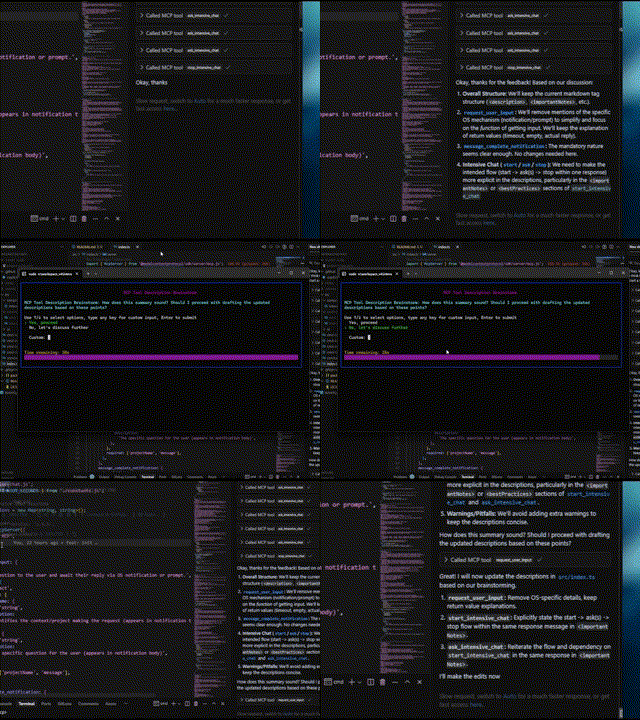
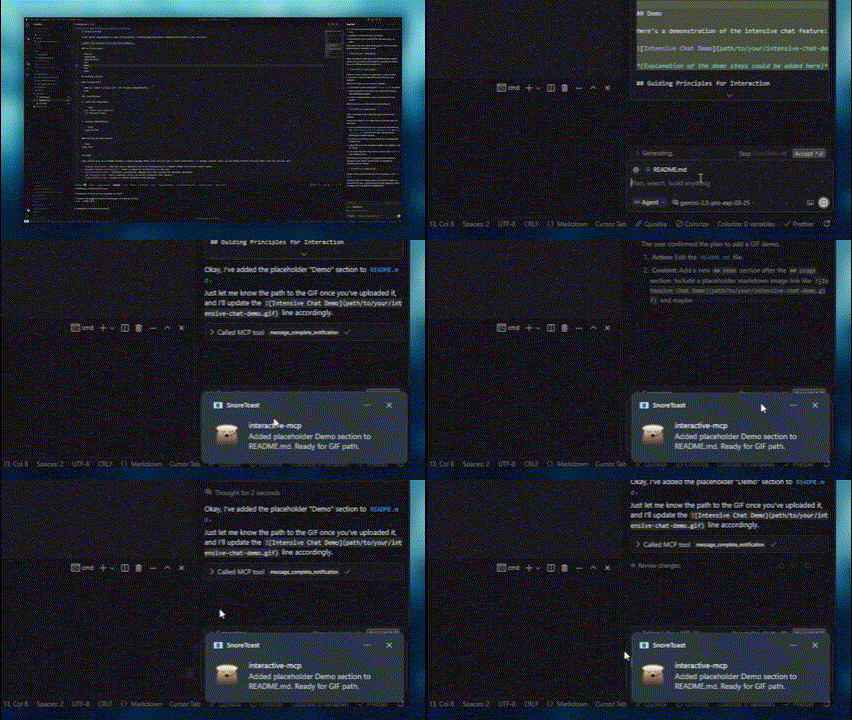
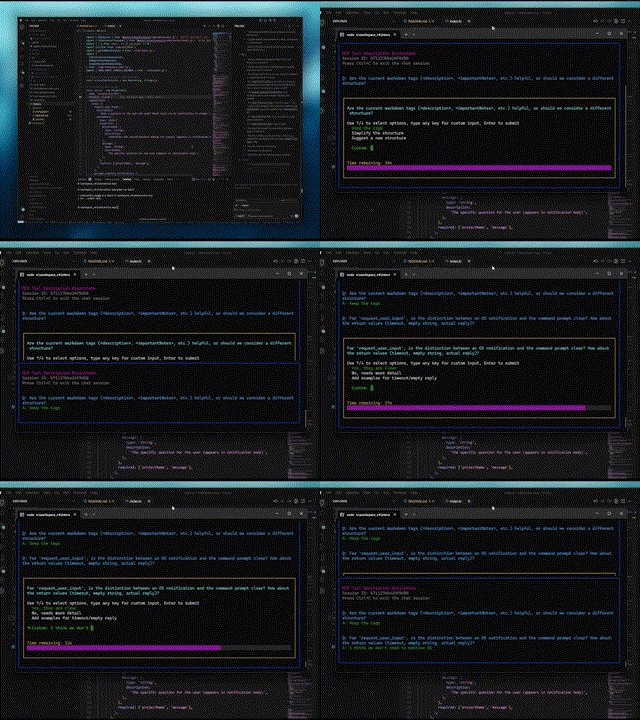
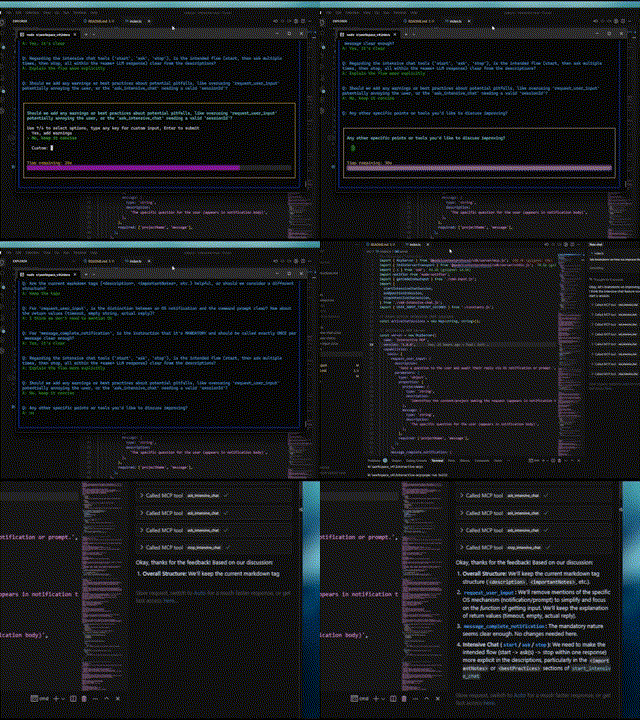
Hier sind Demonstrationen der interaktiven Funktionen:
Normale Frage | Abschlussbenachrichtigung |
|
|
Intensiver Chat-Start | Intensives Chat-Ende |
|
|
Dieser Server eignet sich ideal für Szenarien, in denen ein LLM direkt mit dem Benutzer auf dessen lokalem Computer interagieren muss, beispielsweise:
Interaktive Einrichtungs- oder Konfigurationsprozesse.
Sammeln von Feedback während der Codegenerierung oder -änderung.
Anweisungen klären oder Aktionen beim Paarprogrammieren bestätigen.
Jeder Workflow, der während des LLM-Vorgangs eine Benutzereingabe oder -bestätigung erfordert.
In diesem Abschnitt wird erläutert, wie MCP-Clients für die Verwendung des interactive-mcp -Servers konfiguriert werden.
Standardmäßig werden Benutzeraufforderungen nach 30 Sekunden abgebrochen. Sie können Serveroptionen wie Timeout oder deaktivierte Tools anpassen, indem Sie bei der Konfiguration Ihres Clients Kommandozeilen-Flags direkt zum Array args hinzufügen.
Bitte stellen Sie sicher, dass Ihnen der Befehl npx zur Verfügung steht.
Fügen Sie die folgende minimale Konfiguration zu Ihrer claude_desktop_config.json (Claude Desktop) oder mcp.json (Cursor) hinzu:
{
  "mcpServers": {
    "interactive": {
      "command": "npx",
      "args": ["-y", "interactive-mcp"]
    }
  }
}
Mit spezifischer Version
{
  "mcpServers": {
    "interactive": {
      "command": "npx",
      "args": ["-y", "interactive-mcp@1.9.0"]
    }
  }
}
Beispiel mit benutzerdefiniertem Timeout (30 s):
{
  "mcpServers": {
    "interactive": {
      "command": "npx",
      "args": ["-y", "interactive-mcp", "-t", "30"]
    }
  }
}Fügen Sie Ihrer Benutzereinstellungsdatei (JSON) oder .vscode/mcp.json die folgende minimale Konfiguration hinzu:
{
  "mcp": {
    "servers": {
      "interactive-mcp": {
        "command": "npx",
        "args": ["-y", "interactive-mcp"]
      }
    }
  }
}Für ein reibungsloseres Erlebnis unter macOS mit der Terminal.app sollten Sie diese Profileinstellung berücksichtigen:
(Registerkarte „Shell“): Wählen Sie unter „Beim Beenden der Shell“ ( Terminal > Einstellungen > Profile > [Ihr Profil] > Shell ) die Option „Schließen, wenn die Shell ordnungsgemäß beendet wurde“ oder „Fenster schließen“ . Dies erleichtert die Verwaltung von Fenstern beim Starten und Stoppen des MCP-Servers.
Dieser Abschnitt richtet sich in erster Linie an Entwickler, die den Server ändern oder ergänzen möchten. Wenn Sie den Server nur mit einem MCP-Client verwenden möchten, lesen Sie den Abschnitt „Client-Konfiguration“ weiter oben.
Node.js: Überprüfen Sie package.json auf Versionskompatibilität.
pnpm: Wird für die Paketverwaltung verwendet. Die Installation erfolgt über npm install -g pnpm nach der Installation von Node.js.
Klonen Sie das Repository:
git clone https://github.com/ttommyth/interactive-mcp.git
cd interactive-mcp
Installieren Sie Abhängigkeiten:
pnpm installpnpm startDer interactive-mcp -Server akzeptiert die folgenden Befehlszeilenoptionen. Diese sollten typischerweise in den JSON-Einstellungen Ihres MCP-Clients konfiguriert werden, indem sie direkt zum Array args hinzugefügt werden (siehe Beispiele „Client-Konfiguration“).
Option | Alias | Beschreibung |
|
| Legt das Standard-Timeout (in Sekunden) für Benutzereingabeaufforderungen fest. Der Standardwert beträgt 30 Sekunden. |
|
| Deaktiviert bestimmte Tools oder Gruppen (komma-getrennte Liste). Verhindert, dass der Server diese ankündigt oder registriert. Optionen: |
Beispiel: Festlegen mehrerer Optionen im Array „Client- args :
// Example combining options in client config's "args":
"args": [
  "-y", "interactive-mcp",
  "-t", "30", // Set timeout to 30 seconds
  "--disable-tools", "message_complete_notification,intensive_chat" // Disable notifications and intensive chat
]Build: pnpm build
Flusen: pnpm lint
Format: pnpm format
Beachten Sie bei der Interaktion mit diesem MCP-Server (z. B. als LLM-Client) die folgenden Grundsätze, um Übersichtlichkeit zu gewährleisten und unerwartete Änderungen zu vermeiden:
Priorisieren Sie die Interaktion: Nutzen Sie die bereitgestellten MCP-Tools ( request_user_input , start_intensive_chat usw.) häufig, um mit dem Benutzer zu interagieren.
Klärung einholen: Wenn Anforderungen, Anweisungen oder der Kontext unklar sind, stellen Sie immer klärende Fragen, bevor Sie fortfahren. Stellen Sie keine Annahmen an.
Aktionen bestätigen: Bevor Sie wichtige Aktionen ausführen (wie das Ändern von Dateien, das Ausführen komplexer Befehle oder das Treffen von Architekturentscheidungen), bestätigen Sie den Plan mit dem Benutzer.
Optionen bereitstellen: Stellen Sie dem Benutzer, wenn möglich, über die MCP-Tools vordefinierte Optionen zur Verfügung, um schnelle Entscheidungen zu ermöglichen.
Sie können einem LLM-Client diese Anweisungen wie folgt bereitstellen:
# Interaction

- Please use the interactive MCP tools
- Please provide options to interactive MCP if possible

# Reduce Unexpected Changes

- Do not make assumption.
- Ask more questions before executing, until you think the requirement is clear enough.Beiträge sind willkommen! Bitte befolgen Sie die üblichen Entwicklungspraktiken. (Weitere Details können später hinzugefügt werden.)
MIT (Einzelheiten finden Sie in der Datei LICENSE – falls zutreffend, oder geben Sie die Lizenz direkt an).
| Name | Required | Description | Default |
|---|---|---|---|
| question | Yes | Question to ask the user | |
| sessionId | Yes | ID of the intensive chat session | |
| predefinedOptions | No | Predefined options for the user to choose from (optional) |
Does the description disclose side effects, auth requirements, rate limits, or destructive behavior?
Despite missing annotations, the description discloses key behaviors: returns user's answer or indicates non-response, maintains chat history, and supports predefined options. However, it lacks details on error cases or rate limits.
Agents need to know what a tool does to the world before calling it. Descriptions should go beyond structured annotations to explain consequences.
Is the description appropriately sized, front-loaded, and free of redundancy?
The description is well-structured with labeled sections and front-loaded summary. However, some repetition exists (e.g., features overlap with usage notes). Could be slightly more concise.
Shorter descriptions cost fewer tokens and are easier for agents to parse. Every sentence should earn its place.
Given the tool's complexity, does the description cover enough for an agent to succeed on first attempt?
Given no output schema, the description explains return behavior. For a tool with 3 parameters and simple interaction, it covers essential aspects: session requirement, repeated use, and optional options. Missing potential edge cases.
Complex tools with many parameters or behaviors need more documentation. Simple tools need less. This dimension scales expectations accordingly.
Does the description clarify parameter syntax, constraints, interactions, or defaults beyond what the schema provides?
Input schema has 100% coverage, but the description adds value with examples and clarifies optional nature of 'predefinedOptions'. This exceeds the baseline 3 by providing practical usage context.
Input schemas describe structure but not intent. Descriptions should explain non-obvious parameter relationships and valid value ranges.
Does the description clearly state what the tool does and how it differs from similar tools?
The description clearly states it asks a new question in an active intensive chat session previously started, with specific verb and resource. It distinguishes from siblings like 'start_intensive_chat' and 'stop_intensive_chat' by focusing on continuation.
Agents choose between tools based on descriptions. A clear purpose with a specific verb and resource helps agents select the right tool.
Does the description explain when to use this tool, when not to, or what alternatives exist?
The 'whenToUseThisTool' section explicitly lists scenarios for use, and importantNotes highlight the prerequisite session ID and repeated usage within the same response. This provides clear guidance on when and how to use vs alternatives.
Agents often have multiple tools that could apply. Explicit usage guidance like "use X instead of Y when Z" prevents misuse.
| Name | Required | Description | Default |
|---|---|---|---|
| message | Yes | Notification body | |
| projectName | Yes | Notification title |
Does the description disclose side effects, auth requirements, rate limits, or destructive behavior?
No annotations provided, so description carries behavioral info. It specifies cross-platform OS notifications and best practices like consistent projectName usage. Lacks details on potential side effects, but for a simple notification tool this is sufficient.
Agents need to know what a tool does to the world before calling it. Descriptions should go beyond structured annotations to explain consequences.
Is the description appropriately sized, front-loaded, and free of redundancy?
The description is well-structured into sections (description, notes, when to use, features, best practices, parameters, examples). It is detailed but each section adds necessary value; no redundancy.
Shorter descriptions cost fewer tokens and are easier for agents to parse. Every sentence should earn its place.
Given the tool's complexity, does the description cover enough for an agent to succeed on first attempt?
For a simple tool with 2 string parameters and no output schema, the description is fully complete: it explains purpose, usage, parameters, examples, and best practices. No gaps remain.
Complex tools with many parameters or behaviors need more documentation. Simple tools need less. This dimension scales expectations accordingly.
Does the description clarify parameter syntax, constraints, interactions, or defaults beyond what the schema provides?
Schema has 100% coverage with concise descriptions. The description adds value by explaining parameter use (title vs body) and providing examples, exceeding the baseline of 3.
Input schemas describe structure but not intent. Descriptions should explain non-obvious parameter relationships and valid value ranges.
Does the description clearly state what the tool does and how it differs from similar tools?
The description clearly states the tool notifies when a response completes and must be used exactly once per message. It distinguishes itself from sibling chat tools by focusing on signaling completion.
Agents choose between tools based on descriptions. A clear purpose with a specific verb and resource helps agents select the right tool.
Does the description explain when to use this tool, when not to, or what alternatives exist?
Explicit 'whenToUseThisTool' and 'importantNotes' provide comprehensive guidance: use at end of query, after tool sequences, or multi-step processes. The mandatory once-per-message rule is emphasized.
Agents often have multiple tools that could apply. Explicit usage guidance like "use X instead of Y when Z" prevents misuse.
| Name | Required | Description | Default |
|---|---|---|---|
| message | Yes | The specific question for the user (appears in the prompt) | |
| projectName | Yes | Identifies the context/project making the request (used in prompt formatting) | |
| predefinedOptions | No | Predefined options for the user to choose from (optional) |
Does the description disclose side effects, auth requirements, rate limits, or destructive behavior?
Without annotations, the description fully discloses behavior: pop-up display, return of user response or timeout after 60 seconds, context maintenance, graceful handling of empty responses, and formatting with project context. No contradictions.
Agents need to know what a tool does to the world before calling it. Descriptions should go beyond structured annotations to explain consequences.
Is the description appropriately sized, front-loaded, and free of redundancy?
The description is well-structured with sections but is lengthy (many sentences). Some redundancy between importantNotes and bestPractices (e.g., both emphasize frequent use). Could be tightened without losing clarity.
Shorter descriptions cost fewer tokens and are easier for agents to parse. Every sentence should earn its place.
Given the tool's complexity, does the description cover enough for an agent to succeed on first attempt?
For a simple 3-parameter tool with no output schema, the description is exceptionally complete: covers purpose, usage guidance, features, best practices, and examples. Leaves no gaps in understanding.
Complex tools with many parameters or behaviors need more documentation. Simple tools need less. This dimension scales expectations accordingly.
Does the description clarify parameter syntax, constraints, interactions, or defaults beyond what the schema provides?
Schema coverage is 100%, so baseline 3. The description's parameters section adds context beyond schema: e.g., projectName is 'used in prompt formatting', predefinedOptions are optional. This adds meaningful value.
Input schemas describe structure but not intent. Descriptions should explain non-obvious parameter relationships and valid value ranges.
Does the description clearly state what the tool does and how it differs from similar tools?
The description clearly states the tool sends a question to the user via a pop-up command prompt, with explicit purpose of clarifying requirements, confirming plans, or resolving ambiguity. It distinguishes from sibling tools like ask_intensive_chat by specifying a pop-up prompt rather than a chat message.
Agents choose between tools based on descriptions. A clear purpose with a specific verb and resource helps agents select the right tool.
Does the description explain when to use this tool, when not to, or what alternatives exist?
A dedicated 'whenToUseThisTool' section provides exhaustive scenarios, and 'bestPractices' explicitly instructs not to use the tool when another tool can answer the question, offering clear alternatives. This provides excellent decision support.
Agents often have multiple tools that could apply. Explicit usage guidance like "use X instead of Y when Z" prevents misuse.
| Name | Required | Description | Default |
|---|---|---|---|
| sessionTitle | Yes | Title for the intensive chat session |
Does the description disclose side effects, auth requirements, rate limits, or destructive behavior?
With no annotations provided, the description fully discloses behaviors: opens persistent console window, returns session ID, must be closed, configurable timeout, maintains chat history, and warns against unnecessary questions. This is comprehensive.
Agents need to know what a tool does to the world before calling it. Descriptions should go beyond structured annotations to explain consequences.
Is the description appropriately sized, front-loaded, and free of redundancy?
The description is well-structured with separate sections but contains some redundancy (e.g., 'Highly recommended' and 'Very useful' are similar). It is thorough but could be slightly more concise.
Shorter descriptions cost fewer tokens and are easier for agents to parse. Every sentence should earn its place.
Given the tool's complexity, does the description cover enough for an agent to succeed on first attempt?
Given the simple parameter list, no output schema, and missing annotations, the description covers all necessary aspects: purpose, usage, important notes, parameters, examples, and best practices. It feels complete for the tool's role.
Complex tools with many parameters or behaviors need more documentation. Simple tools need less. This dimension scales expectations accordingly.
Does the description clarify parameter syntax, constraints, interactions, or defaults beyond what the schema provides?
Only one parameter (sessionTitle) with 100% schema coverage. The description adds context that the title appears at the top of the console, which goes beyond the schema's description. A score of 4 is appropriate for the added value.
Input schemas describe structure but not intent. Descriptions should explain non-obvious parameter relationships and valid value ranges.
Does the description clearly state what the tool does and how it differs from similar tools?
The description clearly states it starts an intensive chat session for gathering multiple answers quickly. It uses specific verbs like 'start', 'gather', 'opens', and distinguishes from sibling tools such as ask_intensive_chat and stop_intensive_chat.
Agents choose between tools based on descriptions. A clear purpose with a specific verb and resource helps agents select the right tool.
Does the description explain when to use this tool, when not to, or what alternatives exist?
The description includes explicit when-to-use scenarios (e.g., collecting series of quick answers, multi-step processes) and when-not-to-use (e.g., prefer other tools if they can answer). It also provides important instructions on using ask_intensive_chat and closing with stop_intensive_chat in the same response.
Agents often have multiple tools that could apply. Explicit usage guidance like "use X instead of Y when Z" prevents misuse.
| Name | Required | Description | Default |
|---|---|---|---|
| sessionId | Yes | ID of the intensive chat session to stop |
Does the description disclose side effects, auth requirements, rate limits, or destructive behavior?
Given no annotations, the description carries full burden and discloses key behaviors: closes console window, frees system resources, marks session complete. It omits potential side effects like idempotency or error handling, but the core behavioral traits are well covered for a termination action.
Agents need to know what a tool does to the world before calling it. Descriptions should go beyond structured annotations to explain consequences.
Is the description appropriately sized, front-loaded, and free of redundancy?
Highly structured with clear sections (description, importantNotes, whenToUseThisTool, etc.). Every sentence adds value, and the core purpose is front-loaded. No unnecessary verbosity.
Shorter descriptions cost fewer tokens and are easier for agents to parse. Every sentence should earn its place.
Given the tool's complexity, does the description cover enough for an agent to succeed on first attempt?
For a tool with one required parameter and no output schema, the description is fully complete. It covers what it does, when to use, how to use (with example), and what to expect. No gaps remain for an agent to select and invoke correctly.
Complex tools with many parameters or behaviors need more documentation. Simple tools need less. This dimension scales expectations accordingly.
Does the description clarify parameter syntax, constraints, interactions, or defaults beyond what the schema provides?
Schema coverage is 100% for the single parameter 'sessionId', with the schema providing a description. The description repeats the same parameter info without adding new semantic meaning, so baseline 3 is appropriate.
Input schemas describe structure but not intent. Descriptions should explain non-obvious parameter relationships and valid value ranges.
Does the description clearly state what the tool does and how it differs from similar tools?
The description explicitly states 'Stop and close an active intensive chat session' with a specific verb and resource. It clearly distinguishes from siblings like 'start_intensive_chat' and 'ask_intensive_chat' by noting it must be called after all questions have been asked.
Agents choose between tools based on descriptions. A clear purpose with a specific verb and resource helps agents select the right tool.
Does the description explain when to use this tool, when not to, or what alternatives exist?
Provides explicit when-to-use conditions: after completing 'ask_intensive_chat', when the multi-step process is complete, and as the final action. Also includes a strong directive that it 'must be called' and 'should always be called', leaving no ambiguity about its role in the workflow.
Agents often have multiple tools that could apply. Explicit usage guidance like "use X instead of Y when Z" prevents misuse.
Recent tool additions, removals, and schema changes observed during successful MCP inspections.
v1.6.0ask_intensive_chatmessage_complete_notificationrequest_user_inputstart_intensive_chatstop_intensive_chatv1.10.0ask_intensive_chatmessage_complete_notificationrequest_user_inputstart_intensive_chatstop_intensive_chatv1.10.1ask_intensive_chatmessage_complete_notificationrequest_user_inputstart_intensive_chatstop_intensive_chatask_intensive_chatmessage_complete_notificationrequest_user_inputstart_intensive_chatstop_intensive_chatScored across 5 tools
Each tool has a clear, distinct purpose: start, ask, and stop intensive chat sessions; request general user input; and notify completion. No overlap, as ask_intensive_chat is contextual within an active session, while request_user_input is standalone. The descriptions further clarify their distinct use cases.
All tool names follow a consistent verb_noun pattern in snake_case (e.g., start_intensive_chat, request_user_input). The naming is predictable and logically groups related actions (start/ask/stop for intensive chat). No mixing of conventions.
With 5 tools, the server is well-scoped for its purpose of managing interactive user input and notifications. Each tool is necessary and there is no bloat. This count is ideal for such a focused domain.
The tool set covers the full lifecycle of an intensive chat session (start, ask questions, stop), plus a general user input tool and a completion notification. There are no obvious gaps for the stated purpose of gathering user input and signaling completion.
A comprehensive Model Context Protocol (MCP) server that enables AI assistants to interact with yo…
MCP server for AI dialogue using various LLM models via AceDataCloud
Remote MCP server for supportsheep: run AI interviews and manage support content for your blog.
Talk to your public-facing AI from any MCP client — Claude, ChatGPT, Cursor, Cline, Windsurf.