MCP-Delete
@qpd-v/mcp-delete
ファイル削除機能を提供するモデルコンテキストプロトコル(MCP)サーバー。このサーバーにより、AIアシスタントは必要に応じて、相対パスと絶対パスの両方をサポートし、安全にファイルを削除できます。
特徴
相対パスまたは絶対パスを使用してファイルを削除する
複数の潜在的なパスを試すスマートなパス解決
詳細なパス解決情報を含む明確なエラーメッセージ
削除前に安全なファイルの存在をチェック
Claude やその他の MCP 対応 AI アシスタントと連携します
Related MCP server: File MCP Server
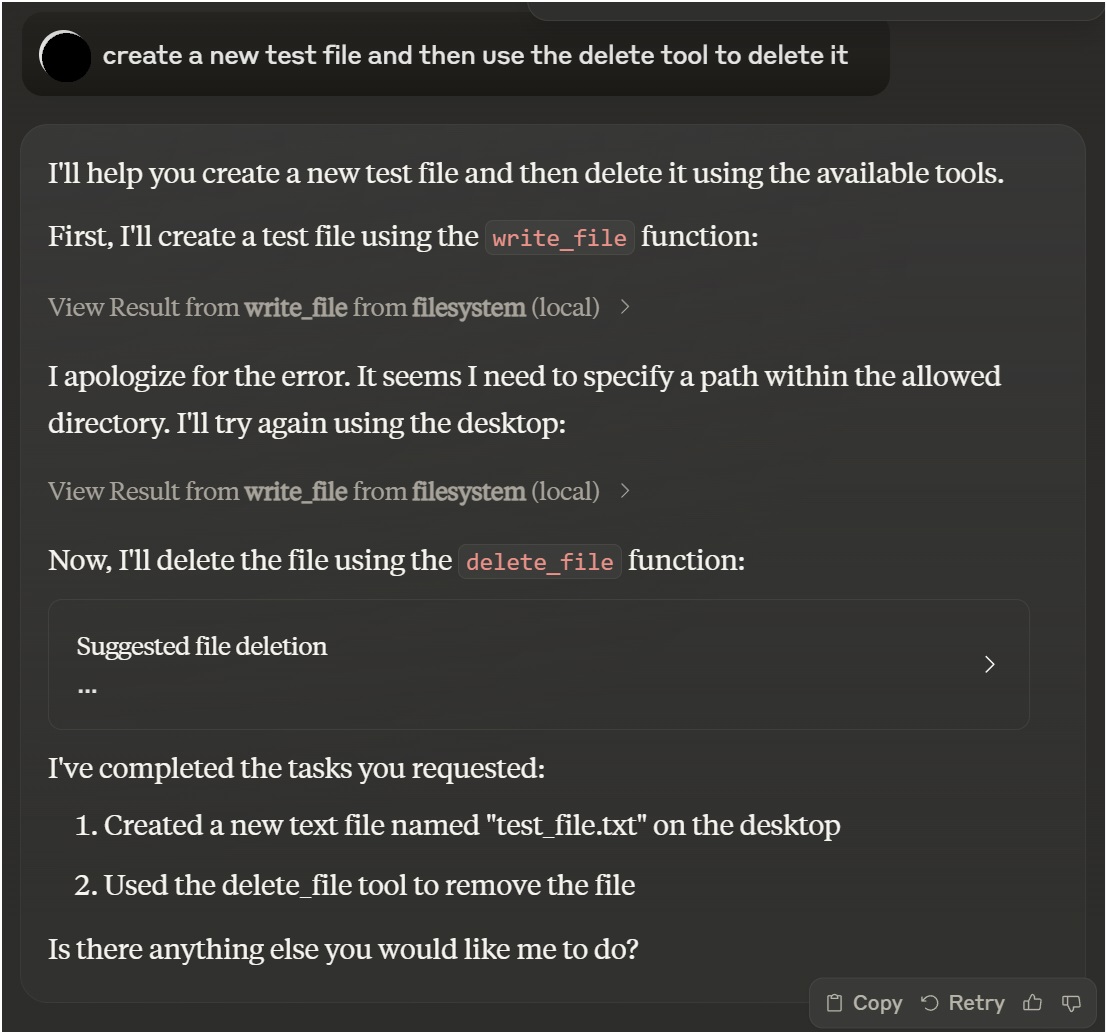
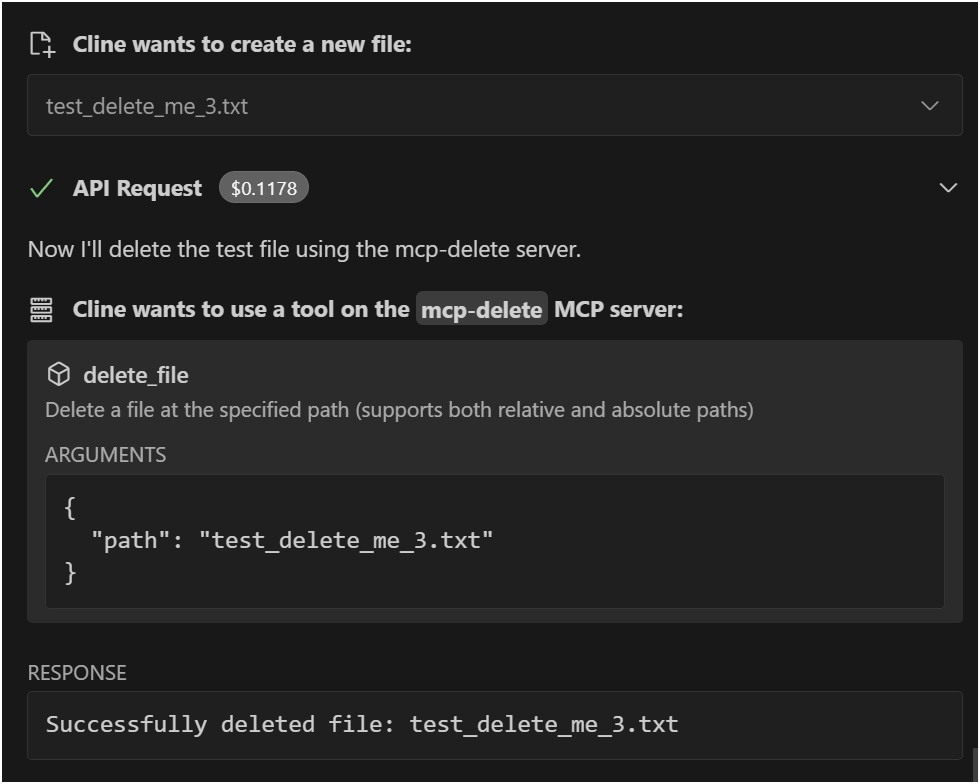
例
Claude Desktopでの使用

VSCode Roo Cline拡張機能を使用する

インストール
Smithery経由でインストール
Smithery経由で Claude Desktop の File Deletion を自動的にインストールするには:
npx -y @smithery/cli install @qpd-v/mcp-delete --client claude手動インストール
npx @qpd-v/mcp-deleteまたはグローバルにインストールします:
npm install -g @qpd-v/mcp-delete構成
クロードデスクトップ
Claude Desktop 構成ファイルにサーバー構成を追加します。
ウィンドウズ:
// %APPDATA%/Claude/claude_desktop_config.json
{
"mcpServers": {
"mcp-delete": {
"command": "npx",
"args": ["@qpd-v/mcp-delete"]
}
}
}MacOSの場合:
// ~/Library/Application Support/Claude/claude_desktop_config.json
{
"mcpServers": {
"mcp-delete": {
"command": "npx",
"args": ["@qpd-v/mcp-delete"]
}
}
}
}VSCode拡張機能
Cline 設定にサーバー構成を追加します。
ウィンドウズ:
// %APPDATA%/Code/User/globalStorage/rooveterinaryinc.roo-cline/settings/cline_mcp_settings.json
{
"mcpServers": {
"mcp-delete": {
"command": "npx",
"args": ["@qpd-v/mcp-delete"]
}
}
}MacOSの場合:
// ~/Library/Application Support/Code/User/globalStorage/rooveterinaryinc.roo-cline/settings/cline_mcp_settings.json
{
"mcpServers": {
"mcp-delete": {
"command": "npx",
"args": ["@qpd-v/mcp-delete"]
}
}
}
}利用可能なツール
ファイルを削除
指定されたパスにあるファイルを削除します。
パラメータ:
path(文字列、必須): 削除するファイルへのパス(作業ディレクトリからの相対パスまたは絶対パス)
Claude での使用例:
You can ask me to delete a file like this:
"Please delete the file example.txt"
I will use the delete_file tool to safely remove the file.パス解決
サーバーは、複数のアプローチを試して、パス解決をインテリジェントに処理します。
提供された正確なパス
現在の作業ディレクトリからの相対パス
指定されたベースディレクトリからの相対パス
これにより、ファイルを相対パスで参照できるようになり、サーバーがファイルを正しく見つけようとするため、ユーザーフレンドリーになります。
発達
リポジトリをクローンします。
git clone https://github.com/qpd-v/mcp-delete.git
cd mcp-delete依存関係をインストールします:
npm installサーバーを構築します。
npm run build自動リビルドを使用した開発の場合:
npm run watchデバッグ
MCPサーバーはstdio経由で通信するため、デバッグが困難になる場合があります。デバッグにはMCPインスペクターを使用してください。
npm run inspectorこれにより、ブラウザでデバッグ ツールにアクセスするための URL が提供されます。
ライセンス
マサチューセッツ工科大学
著者
qpd-v
Maintenance
Resources
Unclaimed servers have limited discoverability.
Looking for Admin?
If you are the server author, to access and configure the admin panel.
Tools
Related MCP Servers
- AlicenseNot gradedqualityDmaintenanceA Model Context Protocol (MCP) server that allows AI models to safely access and interact with local file systems, enabling reading file contents, listing directories, and retrieving file metadata.1010MIT
- FlicenseAqualityDmaintenanceA Model Context Protocol (MCP) server that enables AI assistants to perform comprehensive file operations including finding, reading, writing, editing, searching, moving, and copying files with security validations.71
- FlicenseNot gradedqualityDmaintenanceA model-agnostic Model Context Protocol server implementation that works with any compatible AI model or client, allowing tools like file operations to be accessed through the MCP standard.1
- AlicenseAqualityCmaintenanceMCP Server that enables LLMs to interact with the local filesystem.1814512MIT
Related MCP Connectors
A comprehensive Model Context Protocol (MCP) server that enables AI assistants to interact with yo…
MCP Server for Slima - AI Writing IDE for Novel Authors with AI Beta Reader.
A Model Context Protocol server for Wix AI tools
Latest Blog Posts
- Who's Calling? MCP Hosts Are an Identity Blind Spot (And the Spec Knows It)By Om-Shree-0709 on .mcpAgent IdentityOAuth 2.1
- Your AI Chatbot Just Exposed Your CEO's Salary to an InternBy Om-Shree-0709 on .Agent IdentityMCP SecurityOAuth Delegation
- Why MCP Servers Need Execution Sandboxing (And Why Your Current Stack Isn't Enough)By Om-Shree-0709 on .Agentic AiPrompt InjectionWebAssembly
MCP directory API
We provide all the information about MCP servers via our MCP API.
curl -X GET 'https://glama.ai/api/mcp/v1/servers/qpd-v/mcp-delete'
If you have feedback or need assistance with the MCP directory API, please join our Discord server