HUTB Simulator MCP Server
Recommends AMD Ryzen 9+ processors for hardware requirements, supporting the computational performance needed for the HUTB simulator environment.
References Gitee repositories for robot 3D models and open-source assets, providing resources for humanoid robot simulation and modeling within the HUTB simulator environment.
References GitHub repositories for related MCP implementations and AI assistants, providing examples and inspiration for the HUTB simulator's MCP server development.
Recommends Intel i7 9th-11th+ generation processors for hardware requirements, supporting the computational performance needed for the HUTB simulator environment.
Utilizes Mermaid.js for visualizing the project architecture diagram, illustrating the workflow between user interfaces, MCP tool layers, simulator APIs, and AI models.
Recommends NVIDIA RTX 3070+ GPUs for hardware requirements, supporting the computational needs of the HUTB simulator for embodied agents, autonomous vehicles, and drones.
References PaddleSpeech for speech recognition capabilities (including dialects and elderly speech) and PP-TTS for streaming speech synthesis, enhancing voice interaction workflows with the simulator.
References ROS (Robot Operating System) for robot simulation environments and control interfaces, providing frameworks for humanoid robot modeling and simulation integration.
Click on "Install Server".
Wait a few minutes for the server to deploy. Once ready, it will show a "Started" state.
In the chat, type
@followed by the MCP server name and your instructions, e.g., "@HUTB Simulator MCP Servergenerate a vehicle and enable autonomous driving"
That's it! The server will respond to your query, and you can continue using it as needed.
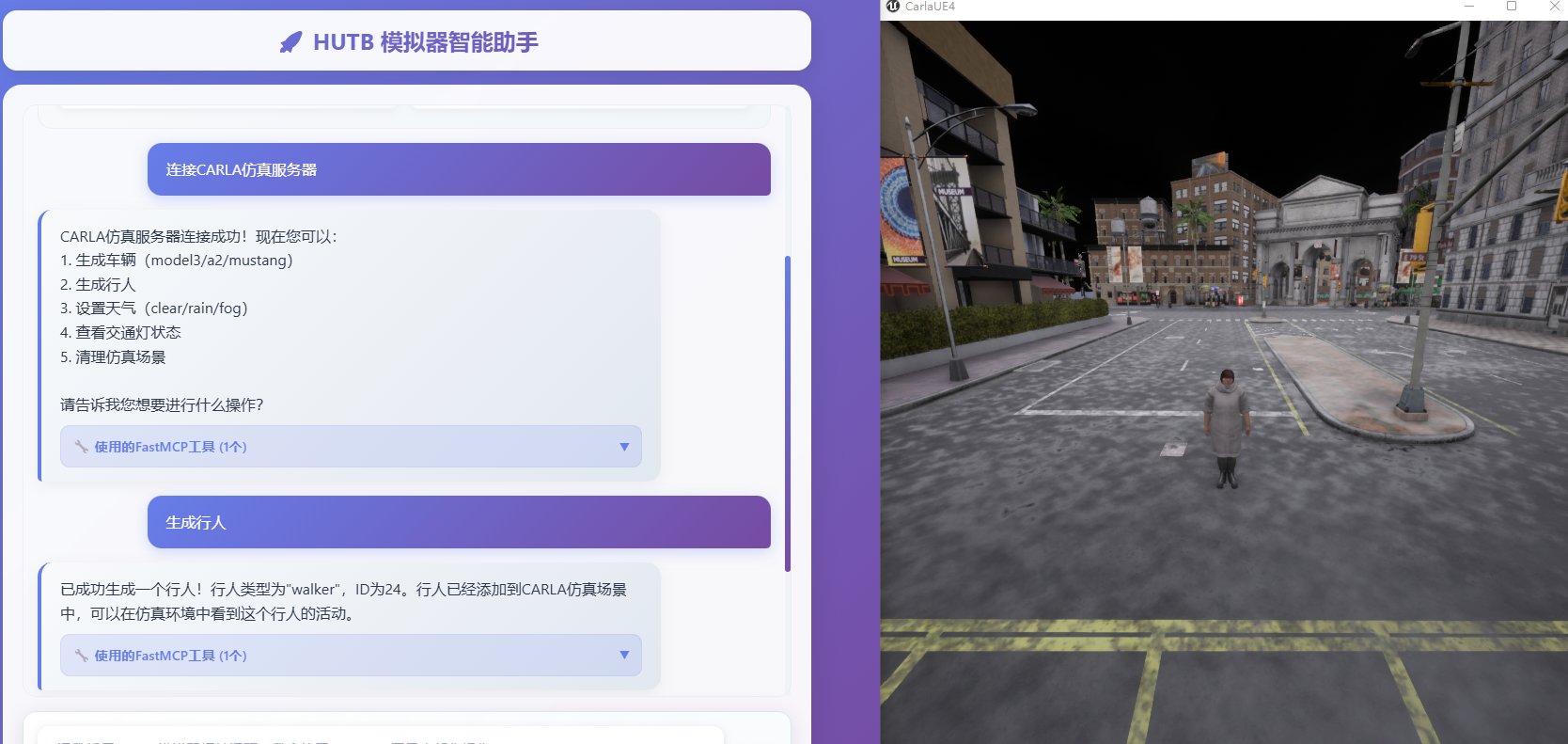
Here is a step-by-step guide with screenshots.
HUTB 模拟器的 MCP 实现
基于 MCP 实现和具身人、无人车、无人机的大模型交互。
🏗️ 项目架构
graph LR
A[用户] --> B[人机界面:语音对话/键盘交互]
B --> C[FastMCP 工具层]
C --> D[HUTB 模拟器 API 客户端]
C --> E[Deepseek AI]
style B fill:#e1f5fe
style C fill:#ccffcc
style D fill:#fff3e0
style E fill:#f3e5f51. 部署运行
运行推荐的软硬件
Intel i7 gen 9th - 11th+ / AMD ryzen 9+
+16 GB 内存
NVIDIA RTX 3070+
Windows 10/11
双击 mcp.bat 启动模拟器(第一次启动会下载相关依赖,需要等待一段时间)。
1.1 常用对话
连接服务器
设置雨天天气条件
生成车辆
开启自动驾驶
生成行人(默认开启自由移动)
切换视角
切换第三人称视角ID
切换第一人称视角ID
切换旁观者视角
开启录制
结束录制2. 实现
2.1 大模型

2.2 交互增强
(待实现)加上语音识别和合成的整个工作流依次包括:麦克风 /Web浏览器、 语音 识别(方言、老人言: PaddleSpeech )、QWen/DeepSeek 大模型、流式语音合成 PP-TTS (语音播报/控制模拟器的模型或实体机器人)。
2.3 其他:人形机器人模拟环境搭建
3. 参考
This server cannot be installed
Resources
Unclaimed servers have limited discoverability.
Looking for Admin?
If you are the server author, to access and configure the admin panel.
Latest Blog Posts
MCP directory API
We provide all the information about MCP servers via our MCP API.
curl -X GET 'https://glama.ai/api/mcp/v1/servers/changchujun/MCP-'
If you have feedback or need assistance with the MCP directory API, please join our Discord server