
A
licenseNot graded
qualityC
maintenanceEnables AI-powered creation, analysis, and visualization of Geometry Dash levels through natural language commands.
6
MIT

Click on "Deploy Server".
Wait a few minutes for the server to deploy. Once ready, it will show a "Started" state.
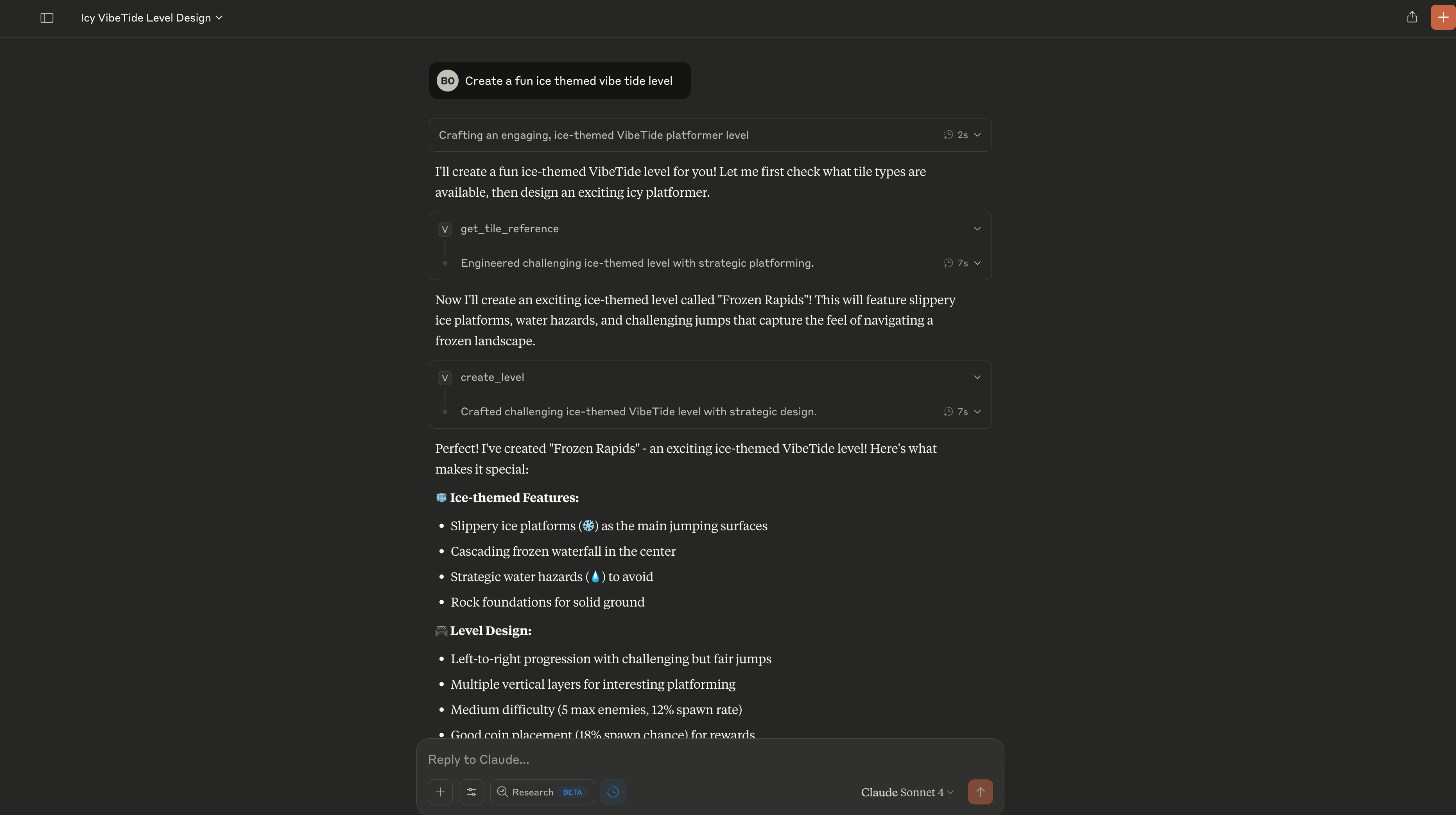
In the chat, type @ followed by the MCP server name and your instructions, e.g., "@VibeTide MCP Server create a beginner-friendly level with grass platforms and a few coins"
That's it! The server will respond to your query, and you can continue using it as needed.
Here is a step-by-step guide with screenshots.
A Model Context Protocol (MCP) server for creating, editing, and playing VibeTide 2D platformer levels. This server provides tools for level manipulation, visualization, and gameplay through the MCP protocol.


 Create beautiful 2D platformer levels with AI assistance
 Play your created levels in the web player
Related MCP server: agent-game-engine
Level Creation: Create new VibeTide levels with AI assistance
Level Editing: Edit entire levels, single rows, or individual tiles
Level Visualization: Generate ASCII and PNG visualizations of levels
Level Playing: Get URLs to play levels in the web player
Level Decoding: Decode levels from sharing URLs
Metadata Management: Edit level properties like spawn rates and difficulty
To install VibeTide Level Editor Server for Claude Desktop automatically via Smithery:
npx -y @smithery/cli install @banjtheman/vibe_tide_mcp --client claudeIf you have uvx installed, you can run the server directly without local installation:
uvx --from vibe-tide-mcp-server vibe-tide-mcp-serverClone the repository:
git clone https://github.com/banjtheman/vibe_tide_mcp.git
cd vibe_tide_mcp
Install dependencies:
pip install -r requirements.txtMake the server executable:
chmod +x vibe_tide_mcp_server.pyAdd the server to your MCP client configuration:
{
  "mcpServers": {
    "vibe-tide": {
      "command": "python",
      "args": ["/path/to/vibe_tide_mcp_server.py"],
      "env": {}
    }
  }
}{
"mcpServers": {
"vibe-tide": {
"command": "uvx",
"args": [
"--from", "vibe-tide-mcp-server", "vibe-tide-mcp-server"
],
"env": {}
}
}
}view_level: View level data with ASCII visualization
view_level_image: Generate beautiful PNG visualizations
decode_level_from_url: Decode levels from sharing URLs
get_tile_reference: Get reference guide for tile types
play_level: Get URL to play level in web player
edit_level_tile: Edit a single tile
edit_level_row: Edit an entire row
edit_entire_level: Replace all tiles in a level
edit_level_metadata: Edit level properties (name, spawn rates, etc.)
create_level: Create new levels with AI assistance
Type | Symbol | Name | Description |
0 | ⬜ | Empty | Walkable air space |
1 | 🌱 | Grass | Standard ground platform |
2 | 🗿 | Rock | Solid stone platform |
3 | ⭐ | Yellow | Special yellow platform |
4 | ❄️ | Ice | Slippery ice platform |
5 | 🔥 | Red | Dangerous red platform |
6 | ⚠️ | Spikes | Hazardous spikes |
7 | 💧 | Water | Water tiles |
# Create a simple level with platforms
level_tiles = [
    [0, 0, 0, 0, 0, 0, 0, 0, 0, 0],  # Empty top row
    [0, 0, 0, 0, 0, 0, 0, 0, 0, 0],  # Empty row
    [0, 0, 0, 1, 1, 1, 0, 0, 0, 0],  # Grass platform
    [1, 1, 0, 0, 0, 0, 0, 1, 1, 1],  # Ground platforms
    [2, 2, 2, 2, 2, 2, 2, 2, 2, 2],  # Rock foundation
]

result = create_level(
    level_name="My First Level",
    description="A simple starter level",
    tiles=level_tiles,
    width=10,
    height=5,
    maxEnemies=3,
    enemySpawnChance=10.0,
    coinSpawnChance=20.0
)# Edit a single tile
result = edit_level_tile(
encoded_level="your_encoded_level_here",
row=2,
col=5,
new_tile_type=6 # Add spikes
)
# Edit level metadata
result = edit_level_metadata(
encoded_level="your_encoded_level_here",
new_name="Updated Level",
max_enemies=5,
enemy_spawn_chance=15.0
)# View level visualization
result = view_level("your_encoded_level_here")
print(result["visualization"])
# Generate PNG image
image_path = view_level_image("your_encoded_level_here")
# Get play URL
result = play_level("your_encoded_level_here")
print(f"Play at: {result['play_url']}")python vibe_tide_mcp_server.pyThe server includes comprehensive error handling and validation for all level operations.
Fork the repository
Create a feature branch
Make your changes
Add tests if applicable
Submit a pull request
This project is licensed under the MIT License - see the LICENSE file for details.
Model Context Protocol - Learn more about MCP
You are an AI assistant tasked with creating fast, fun, and playable levels for the VibeTide 2D platformer game. Your role is to design levels that are engaging and balanced while adhering to specific rules and guidelines.
Here are the critical rules you must follow:
1. Create levels that are EXACTLY target_width tiles wide and target_height tiles tall (default 50×22).
2. The player must spawn at the LEFTMOST solid platform in the bottom half of the level.
3. Leave 3-4 empty rows above the starting platform for jumping.
4. Design the level as a LEFT-TO-RIGHT platformer, not a maze.

Use the following tile types in your level design:
0 = Empty
1 = Grass
2 = Rock
3 = Yellow
4 = Ice
5 = Red
6 = Spikes
7 = Water

Follow these level design guidelines:
- Bottom half: Focus on main platforms and gameplay elements
- Top half: Keep mostly empty for air and jumping
- Create jumpable gaps (maximum 3-4 tiles apart)
- Ensure a clear left-to-right progression

For difficulty parameters:
- Easy levels: maxEnemies=2-3, enemySpawnChance=5-10, coinSpawnChance=20-30
- Medium levels: maxEnemies=4-6, enemySpawnChance=10-15, coinSpawnChance=15-20
- Hard levels: maxEnemies=7-10, enemySpawnChance=15-25, coinSpawnChance=10-15


Ensure that your level is exactly the specified dimensions and follows all the design rules for playability.

Args:
    level_name: The name of the level
    description: A brief description of the level
    tiles: A 2D array of tile types
    width: The width of the level
    height: The height of the level
    maxEnemies: The maximum number of enemies in the level
    enemySpawnChance: The chance of an enemy spawning
    coinSpawnChance: The chance of a coin spawning
| Name | Required | Description | Default |
|---|---|---|---|
| level_name | Yes | ||
| description | Yes | ||
| tiles | Yes | ||
| width | No | ||
| height | No | ||
| maxEnemies | No | ||
| enemySpawnChance | No | ||
| coinSpawnChance | No |
| Name | Required | Description |
|---|---|---|
| result | Yes |
Does the description disclose side effects, auth requirements, rate limits, or destructive behavior?
With no annotations provided, the description carries the full burden of behavioral disclosure. It effectively describes behavioral traits such as the requirement to follow specific design rules (e.g., dimensions, player spawn, tile types), difficulty settings, and playability constraints. It doesn't mention performance, rate limits, or error handling, but covers core operational behavior adequately.
Agents need to know what a tool does to the world before calling it. Descriptions should go beyond structured annotations to explain consequences.
Is the description appropriately sized, front-loaded, and free of redundancy?
The description is appropriately sized but not optimally structured. It front-loads the purpose and rules, but includes extensive guidelines and parameter explanations that could be streamlined. Every sentence adds value, but the organization could be more efficient, with some redundancy in design rules.
Shorter descriptions cost fewer tokens and are easier for agents to parse. Every sentence should earn its place.
Given the tool's complexity, does the description cover enough for an agent to succeed on first attempt?
Given the complexity (8 parameters, no annotations, 0% schema coverage) and the presence of an output schema (which handles return values), the description is complete. It covers purpose, usage, behavioral traits, and parameter semantics thoroughly, providing all necessary context for an AI agent to select and invoke the tool correctly without relying on structured fields.
Complex tools with many parameters or behaviors need more documentation. Simple tools need less. This dimension scales expectations accordingly.
Does the description clarify parameter syntax, constraints, interactions, or defaults beyond what the schema provides?
Schema description coverage is 0%, so the description must compensate. It adds significant meaning beyond the input schema by explaining each parameter's role in level design: level_name and description for identification, tiles as a 2D array of tile types with mappings (0-7), width and height as dimensions with defaults, and maxEnemies, enemySpawnChance, coinSpawnChance for difficulty tuning with guidelines. This fully documents all 8 parameters.
Input schemas describe structure but not intent. Descriptions should explain non-obvious parameter relationships and valid value ranges.
Does the description clearly state what the tool does and how it differs from similar tools?
The description explicitly states the tool's purpose: 'creating fast, fun, and playable levels for the VibeTide 2D platformer game.' It specifies the verb ('create') and resource ('levels'), and distinguishes it from siblings like edit_entire_level or view_level by focusing on creation rather than modification or viewing.
Agents choose between tools based on descriptions. A clear purpose with a specific verb and resource helps agents select the right tool.
Does the description explain when to use this tool, when not to, or what alternatives exist?
The description provides explicit usage guidelines, including when to use it (e.g., for designing levels with specific dimensions and rules) and when not to use it (e.g., not for mazes). It distinguishes from siblings by emphasizing creation over editing or viewing, and includes detailed design rules and difficulty parameters to guide usage.
Agents often have multiple tools that could apply. Explicit usage guidance like "use X instead of Y when Z" prevents misuse.
Decode a VibeTide level from an encoded URL string.
Args:
    encoded_level: The encoded level string from a URL or sharing link

Returns the decoded level data with visualization.
| Name | Required | Description | Default |
|---|---|---|---|
| encoded_level | Yes |
| Name | Required | Description |
|---|---|---|
| result | Yes |
Does the description disclose side effects, auth requirements, rate limits, or destructive behavior?
No annotations are provided, so the description carries the full burden. It states the tool returns 'decoded level data with visualization,' which adds some behavioral context about the output. However, it lacks details on potential errors (e.g., invalid URLs), performance aspects, or side effects, which are important for a decoding operation with no annotation coverage.
Agents need to know what a tool does to the world before calling it. Descriptions should go beyond structured annotations to explain consequences.
Is the description appropriately sized, front-loaded, and free of redundancy?
The description is well-structured and concise: a clear purpose statement followed by brief Arg and Return sections. Every sentence adds value without redundancy. It could be slightly more front-loaded by integrating the return info into the main statement, but overall it's efficient.
Shorter descriptions cost fewer tokens and are easier for agents to parse. Every sentence should earn its place.
Given the tool's complexity, does the description cover enough for an agent to succeed on first attempt?
Given the tool's moderate complexity (decoding from URLs), the description covers the core purpose and parameter semantics adequately. The presence of an output schema means the description doesn't need to detail return values, and it appropriately focuses on the decoding process. It could improve by addressing error cases or sibling differentiation.
Complex tools with many parameters or behaviors need more documentation. Simple tools need less. This dimension scales expectations accordingly.
Does the description clarify parameter syntax, constraints, interactions, or defaults beyond what the schema provides?
The description adds meaningful context for the single parameter: 'encoded_level' is described as 'The encoded level string from a URL or sharing link.' This clarifies the parameter's purpose and format beyond the schema's minimal title ('Encoded Level') and 0% coverage. With only one parameter, this provides adequate semantic value.
Input schemas describe structure but not intent. Descriptions should explain non-obvious parameter relationships and valid value ranges.
Does the description clearly state what the tool does and how it differs from similar tools?
The description clearly states the tool's purpose: 'Decode a VibeTide level from an encoded URL string.' It specifies the verb ('decode'), resource ('VibeTide level'), and source ('encoded URL string'). However, it doesn't explicitly differentiate from siblings like 'view_level' or 'play_level' beyond the URL decoding aspect.
Agents choose between tools based on descriptions. A clear purpose with a specific verb and resource helps agents select the right tool.
Does the description explain when to use this tool, when not to, or what alternatives exist?
The description implies usage context by mentioning 'URL or sharing link,' suggesting this tool is for processing shared/encoded levels rather than direct access. However, it doesn't provide explicit guidance on when to use this versus alternatives like 'view_level' or 'play_level,' nor does it mention any exclusions or prerequisites.
Agents often have multiple tools that could apply. Explicit usage guidance like "use X instead of Y when Z" prevents misuse.
Edit an entire VibeTide level, replacing all tiles and optionally metadata.
Args:
    level_data: The original level data (for reference)
    new_tiles: 2D array of tile types (each 0-7)
    new_name: New name for the level (optional)
    new_description: New description for the level (optional)
    max_enemies: Maximum enemies parameter (1-10, optional)
    enemy_spawn_chance: Enemy spawn chance percentage (0-100, optional)
    coin_spawn_chance: Coin spawn chance percentage (0-100, optional)

Returns the completely modified level data.
| Name | Required | Description | Default |
|---|---|---|---|
| level_data | Yes | ||
| new_tiles | Yes | ||
| new_name | No | ||
| new_description | No | ||
| max_enemies | No | ||
| enemy_spawn_chance | No | ||
| coin_spawn_chance | No |
| Name | Required | Description |
|---|---|---|
| result | Yes |
Does the description disclose side effects, auth requirements, rate limits, or destructive behavior?
No annotations are provided, so the description carries full burden. It states the tool edits and replaces content, implying mutation, but lacks details on permissions, side effects (e.g., overwriting existing data), error handling, or rate limits. The mention of 'Returns the completely modified level data' adds some behavioral context, but it's minimal for a mutation tool.
Agents need to know what a tool does to the world before calling it. Descriptions should go beyond structured annotations to explain consequences.
Is the description appropriately sized, front-loaded, and free of redundancy?
The description is well-structured and appropriately sized, with a clear opening sentence stating the purpose, followed by a detailed parameter list. Every sentence adds value, though the parameter explanations could be slightly more concise (e.g., combining similar optional fields).
Shorter descriptions cost fewer tokens and are easier for agents to parse. Every sentence should earn its place.
Given the tool's complexity, does the description cover enough for an agent to succeed on first attempt?
Given the complexity (7 parameters, mutation tool, no annotations) and an output schema (which handles return values), the description is reasonably complete. It covers the purpose and parameters thoroughly, but lacks usage guidelines and behavioral details like error cases or prerequisites, leaving some gaps for the agent.
Complex tools with many parameters or behaviors need more documentation. Simple tools need less. This dimension scales expectations accordingly.
Does the description clarify parameter syntax, constraints, interactions, or defaults beyond what the schema provides?
The description adds significant meaning beyond the input schema, which has 0% description coverage. It explains each parameter's purpose, constraints (e.g., tile types 0-7, ranges for percentages), and optionality, effectively compensating for the schema's lack of documentation and providing essential context for correct usage.
Input schemas describe structure but not intent. Descriptions should explain non-obvious parameter relationships and valid value ranges.
Does the description clearly state what the tool does and how it differs from similar tools?
The description clearly states the tool's purpose: 'Edit an entire VibeTide level, replacing all tiles and optionally metadata.' It specifies the verb ('edit'), resource ('VibeTide level'), and scope ('entire'), but doesn't explicitly differentiate from siblings like edit_level_metadata or edit_level_tile, which likely handle partial edits.
Agents choose between tools based on descriptions. A clear purpose with a specific verb and resource helps agents select the right tool.
Does the description explain when to use this tool, when not to, or what alternatives exist?
No guidance is provided on when to use this tool versus alternatives. With siblings like edit_level_metadata and edit_level_tile that handle partial edits, the description doesn't indicate that this tool is for complete replacements or when that's preferable, leaving the agent to infer usage from the name and parameters alone.
Agents often have multiple tools that could apply. Explicit usage guidance like "use X instead of Y when Z" prevents misuse.
Edit only the metadata of a VibeTide level without changing the tile layout.
This is much more efficient than edit_entire_level when you only want to change
game parameters like enemy count, spawn rates, name, or description.

Args:
    encoded_level: The encoded level string to modify
    new_name: New name for the level (optional)
    new_description: New description for the level (optional)
    max_enemies: Maximum enemies parameter (0-10, optional)
    enemy_spawn_chance: Enemy spawn chance percentage (0-100, optional)
    coin_spawn_chance: Coin spawn chance percentage (0-100, optional)

Returns:
    The modified level data with new encoded string
| Name | Required | Description | Default |
|---|---|---|---|
| encoded_level | Yes | ||
| new_name | No | ||
| new_description | No | ||
| max_enemies | No | ||
| enemy_spawn_chance | No | ||
| coin_spawn_chance | No |
| Name | Required | Description |
|---|---|---|
| result | Yes |
Does the description disclose side effects, auth requirements, rate limits, or destructive behavior?
No annotations are provided, so the description carries the full burden. It discloses that the tool modifies level data (implied mutation) and returns modified data, but lacks details on permissions, error handling, or side effects. The description adds some behavioral context (efficiency comparison, optional parameters) but doesn't fully cover traits like safety or constraints beyond what's implied by the action.
Agents need to know what a tool does to the world before calling it. Descriptions should go beyond structured annotations to explain consequences.
Is the description appropriately sized, front-loaded, and free of redundancy?
The description is well-structured and front-loaded: the first sentence states the purpose, the second provides usage guidelines, followed by clear sections for arguments and returns. Every sentence adds value without redundancy, making it efficient and easy to parse.
Shorter descriptions cost fewer tokens and are easier for agents to parse. Every sentence should earn its place.
Given the tool's complexity, does the description cover enough for an agent to succeed on first attempt?
Given the tool's complexity (mutation with 6 parameters) and no annotations, the description does well by covering purpose, usage, parameters, and returns. However, it lacks details on behavioral traits like error conditions or side effects. The presence of an output schema (implied by 'Returns' section) helps, but some gaps remain for a mutation tool.
Complex tools with many parameters or behaviors need more documentation. Simple tools need less. This dimension scales expectations accordingly.
Does the description clarify parameter syntax, constraints, interactions, or defaults beyond what the schema provides?
Schema description coverage is 0%, so the description must compensate. It provides a detailed 'Args' section explaining each parameter's purpose, including optional status, data types (e.g., string, integer, number), and value ranges (e.g., '0-10', '0-100'). This adds significant meaning beyond the bare schema, fully documenting all 6 parameters.
Input schemas describe structure but not intent. Descriptions should explain non-obvious parameter relationships and valid value ranges.
Does the description clearly state what the tool does and how it differs from similar tools?
The description clearly states the tool's purpose: 'Edit only the metadata of a VibeTide level without changing the tile layout.' It specifies the verb ('edit'), resource ('metadata of a VibeTide level'), and scope ('without changing the tile layout'), and distinguishes it from sibling edit_entire_level by emphasizing efficiency for metadata-only changes.
Agents choose between tools based on descriptions. A clear purpose with a specific verb and resource helps agents select the right tool.
Does the description explain when to use this tool, when not to, or what alternatives exist?
The description provides explicit guidance on when to use this tool versus alternatives: 'This is much more efficient than edit_entire_level when you only want to change game parameters like enemy count, spawn rates, name, or description.' It names the alternative tool and specifies the use case (metadata-only changes), offering clear context for selection.
Agents often have multiple tools that could apply. Explicit usage guidance like "use X instead of Y when Z" prevents misuse.
Edit an entire row in a VibeTide level.
Args:
    encoded_level: An encoded level string from a URL or sharing link
    row: Row index to replace (0-based, from top)
    new_row_tiles: Array of tile types for the new row (each 0-7)

Returns the modified level data with the entire row replaced.
| Name | Required | Description | Default |
|---|---|---|---|
| encoded_level | Yes | ||
| row | Yes | ||
| new_row_tiles | Yes |
| Name | Required | Description |
|---|---|---|
| result | Yes |
Does the description disclose side effects, auth requirements, rate limits, or destructive behavior?
With no annotations provided, the description carries full burden for behavioral disclosure. It states the tool modifies level data by replacing an entire row, which implies mutation, but doesn't cover permissions, side effects, error handling, or rate limits. The return statement is helpful but minimal. For a mutation tool with zero annotation coverage, this leaves significant behavioral gaps.
Agents need to know what a tool does to the world before calling it. Descriptions should go beyond structured annotations to explain consequences.
Is the description appropriately sized, front-loaded, and free of redundancy?
The description is efficiently structured with a clear purpose statement, bullet-point parameter explanations, and a return value note. Every sentence adds value: the first defines the tool, the Args section clarifies parameters, and the Returns statement completes the picture. No wasted words, and information is front-loaded appropriately.
Shorter descriptions cost fewer tokens and are easier for agents to parse. Every sentence should earn its place.
Given the tool's complexity, does the description cover enough for an agent to succeed on first attempt?
Given 3 parameters with 0% schema coverage but good description compensation, and an output schema exists (so return values needn't be detailed), the description is moderately complete. However, as a mutation tool with no annotations, it lacks critical behavioral context like error conditions or side effects. The presence of an output schema raises the baseline, but gaps remain for safe agent invocation.
Complex tools with many parameters or behaviors need more documentation. Simple tools need less. This dimension scales expectations accordingly.
Does the description clarify parameter syntax, constraints, interactions, or defaults beyond what the schema provides?
The description adds meaningful context beyond the input schema, which has 0% description coverage. It explains 'encoded_level' comes from 'a URL or sharing link', clarifies 'row' is '0-based, from top', and specifies 'new_row_tiles' values are 'tile types' with range '0-7'. This compensates well for the schema's lack of descriptions, though it doesn't detail array length constraints or validation rules.
Input schemas describe structure but not intent. Descriptions should explain non-obvious parameter relationships and valid value ranges.
Does the description clearly state what the tool does and how it differs from similar tools?
The description clearly states the action ('Edit an entire row') and resource ('in a VibeTide level'), making the purpose immediately understandable. It distinguishes from siblings like 'edit_level_tile' (single tile) and 'edit_entire_level' (whole level), though it doesn't explicitly name these alternatives. The verb+resource combination is specific but could be more precise about the scope of editing.
Agents choose between tools based on descriptions. A clear purpose with a specific verb and resource helps agents select the right tool.
Does the description explain when to use this tool, when not to, or what alternatives exist?
The description provides no guidance on when to use this tool versus alternatives like 'edit_level_tile' or 'edit_entire_level'. It mentions the source of 'encoded_level' (URL or sharing link) but doesn't explain prerequisites, error conditions, or contextual constraints. Usage is implied through parameter descriptions but not explicitly stated.
Agents often have multiple tools that could apply. Explicit usage guidance like "use X instead of Y when Z" prevents misuse.
Edit a single tile in a VibeTide level.
Args:
    encoded_level: An encoded level string from a URL or sharing link
    row: Row index (0-based, from top)
    col: Column index (0-based, from left)
    new_tile_type: New tile type (0-7, see tile legend)

Returns the modified level data with the single tile changed.
| Name | Required | Description | Default |
|---|---|---|---|
| encoded_level | Yes | ||
| row | Yes | ||
| col | Yes | ||
| new_tile_type | Yes |
| Name | Required | Description |
|---|---|---|
| result | Yes |
Does the description disclose side effects, auth requirements, rate limits, or destructive behavior?
With no annotations provided, the description carries full burden. It discloses the tool modifies a level (implied mutation) and returns modified data, but lacks details on permissions, side effects, error conditions, or rate limits. The behavioral disclosure is basic but adequate for the core operation.
Agents need to know what a tool does to the world before calling it. Descriptions should go beyond structured annotations to explain consequences.
Is the description appropriately sized, front-loaded, and free of redundancy?
The description is efficiently structured with a clear purpose statement followed by parameter explanations and return value. Every sentence adds value, with no redundant or unnecessary information. The formatting with Args/Returns sections enhances readability without verbosity.
Shorter descriptions cost fewer tokens and are easier for agents to parse. Every sentence should earn its place.
Given the tool's complexity, does the description cover enough for an agent to succeed on first attempt?
Given 4 parameters with 0% schema coverage and an output schema present, the description provides good parameter context and states the return purpose. It covers the essential what/how for a tile-editing operation, though could benefit from more behavioral details given the mutation nature and lack of annotations.
Complex tools with many parameters or behaviors need more documentation. Simple tools need less. This dimension scales expectations accordingly.
Does the description clarify parameter syntax, constraints, interactions, or defaults beyond what the schema provides?
Schema description coverage is 0%, so the description must compensate. It provides meaningful context for all 4 parameters: encoded_level source, row/col indexing (0-based), and new_tile_type range/legend reference. This adds substantial value beyond the bare schema, though tile legend details aren't fully explained.
Input schemas describe structure but not intent. Descriptions should explain non-obvious parameter relationships and valid value ranges.
Does the description clearly state what the tool does and how it differs from similar tools?
The description clearly states the specific action ('Edit a single tile'), target resource ('in a VibeTide level'), and distinguishes from siblings like edit_entire_level, edit_level_row, and edit_level_metadata by specifying it's for a single tile. The verb+resource combination is precise and unambiguous.
Agents choose between tools based on descriptions. A clear purpose with a specific verb and resource helps agents select the right tool.
Does the description explain when to use this tool, when not to, or what alternatives exist?
The description implies usage when modifying individual tiles in a level, but doesn't explicitly state when to use this vs. alternatives like edit_entire_level or edit_level_row. No guidance on prerequisites or exclusions is provided, leaving usage context partially inferred rather than clearly defined.
Agents often have multiple tools that could apply. Explicit usage guidance like "use X instead of Y when Z" prevents misuse.
Get the reference guide for VibeTide tile types.
Returns information about all available tile types and their properties.
| Name | Required | Description | Default |
|---|---|---|---|
No parameters | |||
| Name | Required | Description |
|---|---|---|
| result | Yes |
Does the description disclose side effects, auth requirements, rate limits, or destructive behavior?
With no annotations provided, the description carries full burden. It discloses that the tool returns information (a read operation) and covers 'all available tile types,' indicating comprehensiveness. However, it lacks details on rate limits, authentication needs, or error behaviors. It adds some context but doesn't fully compensate for the absence of annotations.
Agents need to know what a tool does to the world before calling it. Descriptions should go beyond structured annotations to explain consequences.
Is the description appropriately sized, front-loaded, and free of redundancy?
The description is two concise sentences with zero waste: the first states the purpose, and the second clarifies the return value. It's front-loaded and appropriately sized, earning its place by efficiently conveying essential information without redundancy.
Shorter descriptions cost fewer tokens and are easier for agents to parse. Every sentence should earn its place.
Given the tool's complexity, does the description cover enough for an agent to succeed on first attempt?
Given the tool's low complexity (0 parameters, read-only operation) and the presence of an output schema (which handles return values), the description is reasonably complete. It covers what the tool does and what it returns, though it could benefit from more behavioral context (e.g., caching or performance notes) to reach a 5.
Complex tools with many parameters or behaviors need more documentation. Simple tools need less. This dimension scales expectations accordingly.
Does the description clarify parameter syntax, constraints, interactions, or defaults beyond what the schema provides?
The tool has 0 parameters, and schema description coverage is 100% (though empty). The description doesn't need to add parameter semantics, so it meets the baseline of 4 for zero-parameter tools. It appropriately focuses on the tool's purpose without unnecessary parameter details.
Input schemas describe structure but not intent. Descriptions should explain non-obvious parameter relationships and valid value ranges.
Does the description clearly state what the tool does and how it differs from similar tools?
The description clearly states the tool's purpose: 'Get the reference guide for VibeTide tile types' specifies the verb (get) and resource (reference guide for tile types). It distinguishes from siblings like 'edit_level_tile' or 'view_level' by focusing on reference information rather than level manipulation. However, it doesn't explicitly contrast with all siblings, so it's not a perfect 5.
Agents choose between tools based on descriptions. A clear purpose with a specific verb and resource helps agents select the right tool.
Does the description explain when to use this tool, when not to, or what alternatives exist?
The description implies usage context through 'reference guide' and 'information about all available tile types and their properties,' suggesting this is for lookup/learning rather than editing. However, it doesn't explicitly state when to use this vs. alternatives like 'view_level' (which might show tiles in context) or provide clear exclusions. The guidance is implied but not explicit.
Agents often have multiple tools that could apply. Explicit usage guidance like "use X instead of Y when Z" prevents misuse.
Get the URL to play a VibeTide level in the web player.
Args:
    encoded_level: An encoded level string for playing

Returns a URL to play the level.
| Name | Required | Description | Default |
|---|---|---|---|
| encoded_level | Yes |
| Name | Required | Description |
|---|---|---|
| result | Yes |
Does the description disclose side effects, auth requirements, rate limits, or destructive behavior?
No annotations are provided, so the description carries the full burden of behavioral disclosure. It states the tool returns a URL but doesn't cover aspects like whether it's a read-only operation, if it requires authentication, rate limits, or error handling. The description is minimal and misses key behavioral traits for a tool that likely interacts with a web service.
Agents need to know what a tool does to the world before calling it. Descriptions should go beyond structured annotations to explain consequences.
Is the description appropriately sized, front-loaded, and free of redundancy?
The description is highly concise and well-structured: it starts with the core purpose, lists the single argument with a brief explanation, and notes the return value. Every sentence adds value without redundancy, making it easy to scan and understand quickly.
Shorter descriptions cost fewer tokens and are easier for agents to parse. Every sentence should earn its place.
Given the tool's complexity, does the description cover enough for an agent to succeed on first attempt?
Given the tool's moderate complexity (single parameter, no annotations, but has an output schema), the description is adequate but incomplete. It covers the basic purpose and parameter intent but lacks behavioral context and usage guidelines. The output schema likely handles return values, so the description doesn't need to detail them, but overall it's minimal for a tool that might involve web interactions.
Complex tools with many parameters or behaviors need more documentation. Simple tools need less. This dimension scales expectations accordingly.
Does the description clarify parameter syntax, constraints, interactions, or defaults beyond what the schema provides?
The description adds minimal semantics beyond the input schema. It explains that 'encoded_level' is 'An encoded level string for playing', which clarifies its purpose but doesn't provide format details or examples. With 0% schema description coverage, this partially compensates but is insufficient for full understanding. The baseline is adjusted due to low coverage.
Input schemas describe structure but not intent. Descriptions should explain non-obvious parameter relationships and valid value ranges.
Does the description clearly state what the tool does and how it differs from similar tools?
The description clearly states the tool's purpose: 'Get the URL to play a VibeTide level in the web player.' It specifies the verb ('Get'), resource ('URL'), and context ('VibeTide level in the web player'). However, it doesn't explicitly distinguish it from sibling tools like 'view_level' or 'decode_level_from_url', which might have overlapping purposes.
Agents choose between tools based on descriptions. A clear purpose with a specific verb and resource helps agents select the right tool.
Does the description explain when to use this tool, when not to, or what alternatives exist?
The description provides no guidance on when to use this tool versus alternatives. It doesn't mention sibling tools like 'view_level' or 'decode_level_from_url', nor does it specify prerequisites or exclusions. Usage is implied by the purpose but lacks explicit context for selection.
Agents often have multiple tools that could apply. Explicit usage guidance like "use X instead of Y when Z" prevents misuse.
View a VibeTide level with visual representation.
Args:
    encoded_level: An encoded level string from a URL or sharing link

Returns a visual representation of the level.
| Name | Required | Description | Default |
|---|---|---|---|
| encoded_level | Yes |
| Name | Required | Description |
|---|---|---|
| result | Yes |
Does the description disclose side effects, auth requirements, rate limits, or destructive behavior?
No annotations are provided, so the description carries the full burden of behavioral disclosure. It states that the tool returns 'a visual representation of the level', which is helpful, but doesn't cover important aspects like whether this is a read-only operation, potential rate limits, authentication needs, or what format the visual representation takes. For a tool with no annotation coverage, this leaves significant gaps.
Agents need to know what a tool does to the world before calling it. Descriptions should go beyond structured annotations to explain consequences.
Is the description appropriately sized, front-loaded, and free of redundancy?
The description is appropriately concise with three sentences that each serve a purpose: stating the tool's function, describing the parameter, and explaining the return value. It's front-loaded with the main purpose. The structure is clear, though the 'Args:' and 'Returns:' formatting could be slightly more polished.
Shorter descriptions cost fewer tokens and are easier for agents to parse. Every sentence should earn its place.
Given the tool's complexity, does the description cover enough for an agent to succeed on first attempt?
Given that there's an output schema (which should document return values), the description doesn't need to fully explain returns. However, for a tool with no annotations and 0% schema description coverage, it should provide more behavioral context. The description covers the basics but lacks details on usage scenarios, error conditions, or visual representation specifics that would make it complete.
Complex tools with many parameters or behaviors need more documentation. Simple tools need less. This dimension scales expectations accordingly.
Does the description clarify parameter syntax, constraints, interactions, or defaults beyond what the schema provides?
The description adds meaningful context for the single parameter 'encoded_level', explaining it should be 'from a URL or sharing link'. With 0% schema description coverage, this compensates somewhat by clarifying the parameter's source and format. However, it doesn't provide examples or detailed syntax, leaving room for improvement in fully documenting the parameter.
Input schemas describe structure but not intent. Descriptions should explain non-obvious parameter relationships and valid value ranges.
Does the description clearly state what the tool does and how it differs from similar tools?
The description clearly states the tool's purpose: 'View a VibeTide level with visual representation.' It specifies the verb ('view') and resource ('VibeTide level'), distinguishing it from siblings like 'create_level' or 'edit_level_metadata'. However, it doesn't explicitly differentiate from 'view_level_image', which might serve a similar visual purpose.
Agents choose between tools based on descriptions. A clear purpose with a specific verb and resource helps agents select the right tool.
Does the description explain when to use this tool, when not to, or what alternatives exist?
The description provides minimal guidance on when to use this tool. It mentions that the input is 'an encoded level string from a URL or sharing link', but doesn't specify when to choose this over alternatives like 'view_level_image' or 'play_level'. No explicit when/when-not scenarios or prerequisites are included.
Agents often have multiple tools that could apply. Explicit usage guidance like "use X instead of Y when Z" prevents misuse.
View a VibeTide level as a beautiful PNG image with proper colors.
This generates a much better visual representation than the ASCII version,
using the same colors as the web builder. The image is saved to a temporary
file and the file path is returned for MCP clients to display.

Args:
    encoded_level: An encoded level string from a URL or sharing link
    tile_size: Size of each tile in pixels (default 16, will auto-adjust for wide levels)
    max_width: Maximum image width in pixels (default 1200)

Returns:
    The file path to the generated PNG image
| Name | Required | Description | Default |
|---|---|---|---|
| encoded_level | Yes | ||
| tile_size | No | ||
| max_width | No |
| Name | Required | Description |
|---|---|---|
| result | Yes |
Does the description disclose side effects, auth requirements, rate limits, or destructive behavior?
With no annotations provided, the description carries the full burden of behavioral disclosure. It effectively describes key behaviors: the tool generates a PNG image, saves it to a temporary file, returns the file path for display, and mentions auto-adjustment for wide levels. It doesn't cover potential errors, performance characteristics, or file cleanup, but provides substantial operational context.
Agents need to know what a tool does to the world before calling it. Descriptions should go beyond structured annotations to explain consequences.
Is the description appropriately sized, front-loaded, and free of redundancy?
The description is efficiently structured: a clear purpose statement upfront, followed by comparative context, then behavioral details, and finally organized parameter and return value sections. Every sentence adds value without redundancy, and the information is well-organized for quick comprehension.
Shorter descriptions cost fewer tokens and are easier for agents to parse. Every sentence should earn its place.
Given the tool's complexity, does the description cover enough for an agent to succeed on first attempt?
Given the tool's moderate complexity (3 parameters, no annotations, but with output schema), the description is complete enough. It explains the purpose, usage context, key behaviors, parameter meanings, and return value. The output schema handles the return structure, so the description doesn't need to elaborate further on that aspect.
Complex tools with many parameters or behaviors need more documentation. Simple tools need less. This dimension scales expectations accordingly.
Does the description clarify parameter syntax, constraints, interactions, or defaults beyond what the schema provides?
Schema description coverage is 0%, so the description must compensate. It adds meaningful semantics for all three parameters: 'encoded_level' is explained as 'an encoded level string from a URL or sharing link', 'tile_size' as 'size of each tile in pixels' with default and auto-adjustment note, and 'max_width' as 'maximum image width in pixels' with default. This goes well beyond the bare schema titles.
Input schemas describe structure but not intent. Descriptions should explain non-obvious parameter relationships and valid value ranges.
Does the description clearly state what the tool does and how it differs from similar tools?
The description clearly states the specific action ('view a VibeTide level as a beautiful PNG image'), identifies the resource ('VibeTide level'), and distinguishes it from siblings by explicitly contrasting with 'the ASCII version' (likely referring to the sibling 'view_level' tool). The purpose is precise and differentiated.
Agents choose between tools based on descriptions. A clear purpose with a specific verb and resource helps agents select the right tool.
Does the description explain when to use this tool, when not to, or what alternatives exist?
The description provides clear context for when to use this tool ('generates a much better visual representation than the ASCII version, using the same colors as the web builder'), which implicitly suggests it's preferable for visual display over text-based alternatives. However, it doesn't explicitly name when not to use it or mention specific alternative tools by name beyond the implied contrast.
Agents often have multiple tools that could apply. Explicit usage guidance like "use X instead of Y when Z" prevents misuse.
Recent tool additions, removals, and schema changes observed during successful MCP inspections.
create_leveldecode_level_from_urledit_entire_leveledit_level_metadataedit_level_rowedit_level_tileget_tile_referenceplay_levelview_levelview_level_imageScored across 10 tools
Each tool has a distinct purpose with clear boundaries: create_level for initial creation, decode_level_from_url for parsing, edit_entire_level for full replacement, edit_level_metadata for parameter updates, edit_level_row/ tile for granular edits, get_tile_reference for documentation, play_level for launching, and view_level/ view_level_image for visualization. No overlap or ambiguity exists between these functions.
All tools follow a consistent verb_noun pattern with snake_case, such as create_level, edit_level_metadata, and view_level_image. The naming is predictable and readable throughout, with no deviations in style or convention.
With 10 tools, the server is well-scoped for level creation and management in a 2D platformer game. Each tool earns its place by covering distinct aspects like creation, editing, visualization, and gameplay, without being overly sparse or bloated.
The toolset provides complete coverage for the VibeTide level domain, including CRUD operations (create, edit, view), metadata management, tile reference, and gameplay integration. There are no obvious gaps; agents can handle the full lifecycle from design to playtesting seamlessly.
Generate game assets with AI for 2D games, including sprites, tilesets, and animations.
AI game maker: build, run, screenshot and play-test Godot and retro console games in a live project
Build a game's 2D art layer with your agent: characters, animations, tilesets, levels, 5 engines.
AI game assets for agents: consistent sprites, 2D animations, tiles, maps, music and engine exports.