
vite-插件-vue-mcp

Vite 插件为您的 Vue 应用程序启用 MCP 服务器,以提供有关组件树、状态、路由以及 pinia 树和状态的信息。
安装📦
pnpm install vite-plugin-vue-mcp -DRelated MCP server: MCP Server
用法🔨
// vite.config.ts
import { VueMcp } from 'vite-plugin-vue-mcp'

export default defineConfig({
  plugins: [VueMcp()],
})
然后 MCP 服务器将可以通过http://localhost:[port]/__mcp/sse访问。
如果您正在使用 Cursor,请在项目根目录下创建一个.cursor/mcp.json文件,此插件将自动为您更新。有关 MCP 的更多详细信息,请参阅Cursor 官方文档。
选项
export interface VueMcpOptions {
  /**
   * The host to listen on, default is `localhost`
   */
  host?: string

  /**
   * Print the MCP server URL in the console
   *
   * @default true
   */
  printUrl?: boolean

  /**
   * The MCP server info. Ingored when `mcpServer` is provided
   */
  mcpServerInfo?: McpServerInfo

  /**
   * Custom MCP server, when this is provided, the built-in MCP tools will be ignored
   */
  mcpServer?: (viteServer: ViteDevServer) => Awaitable<McpServer>

  /**
   * Setup the MCP server, this is called when the MCP server is created
   * You may also return a new MCP server to replace the default one
   */
  mcpServerSetup?: (server: McpServer, viteServer: ViteDevServer) => Awaitable<void | McpServer>

  /**
   * The path to the MCP server, default is `/__mcp`
   */
  mcpPath?: string

  /**
   * Update the address of the MCP server in the cursor config file `.cursor/mcp.json`,
   * if `.cursor` folder exists.
   *
   * @default true
   */
  updateCursorMcpJson?: boolean | {
    enabled: boolean
    /**
     * The name of the MCP server, default is `vue-mcp`
     */
    serverName?: string
  }

  /**
   * append an import to the module id ending with `appendTo` instead of adding a script into body
   * useful for projects that do not use html file as an entry
   *
   * WARNING: only set this if you know exactly what it does.
   * @default ''
   */
  appendTo?: string | RegExp
}
功能/工具✨
获取组件树
get-component-tree :获取 Vue 组件树。

获取组件状态
get-component-state :获取组件的状态(输入: componentName )。
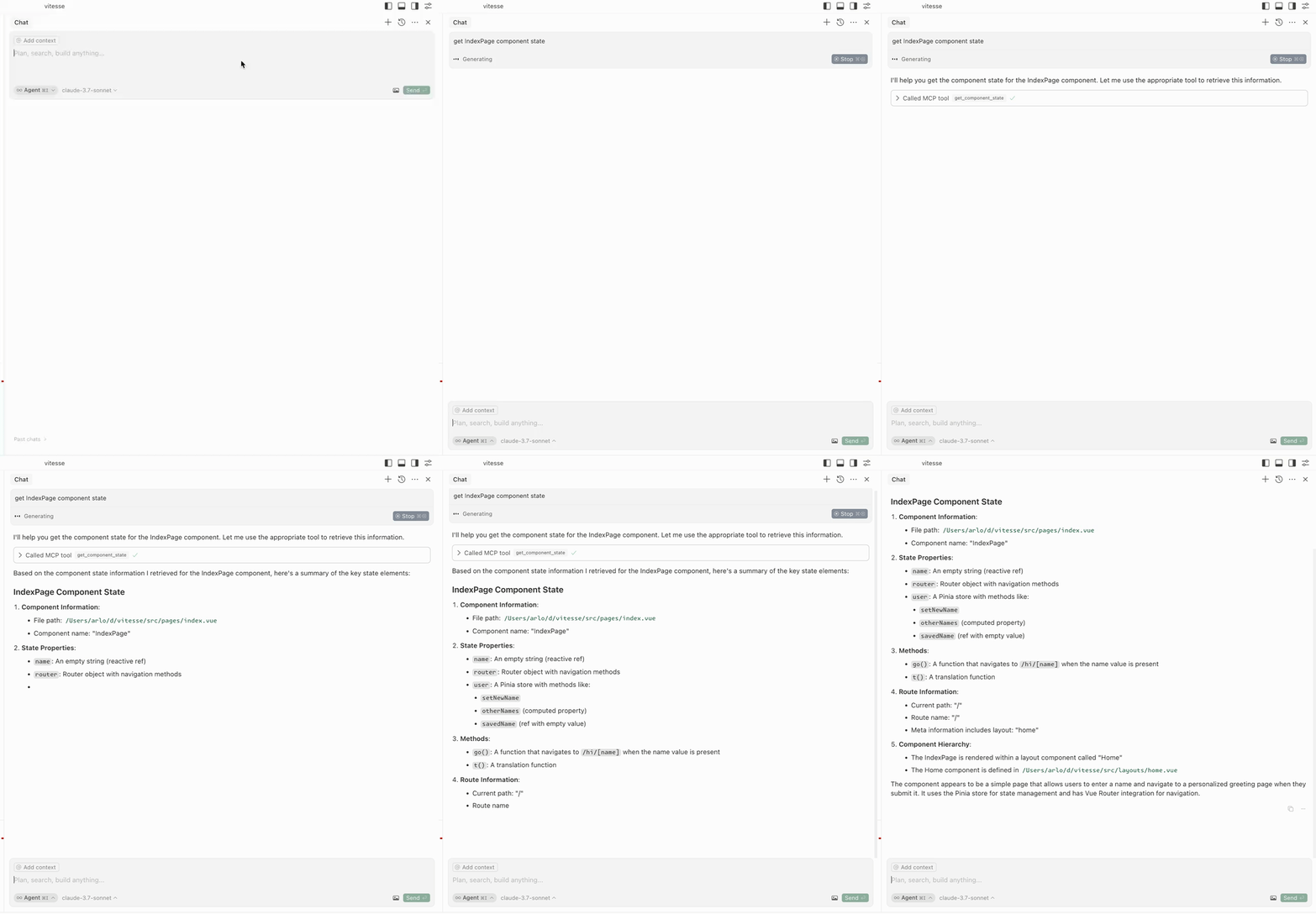
编辑组件状态
edit-component-state :编辑组件的状态(输入: componentName 、 path 、 value 、 valueType )。
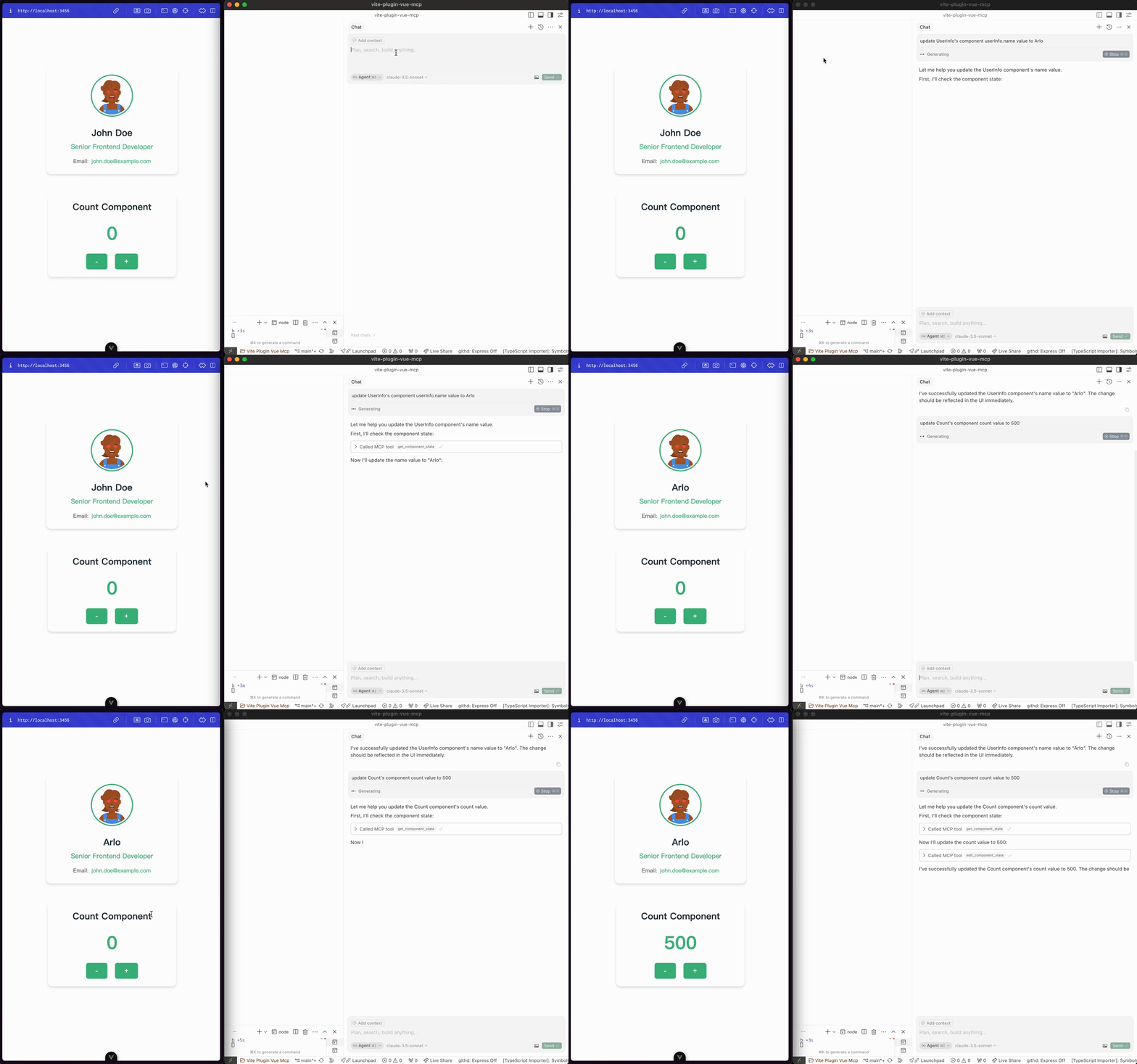
突出显示组件
highlight-component :突出显示组件(输入: componentName )。
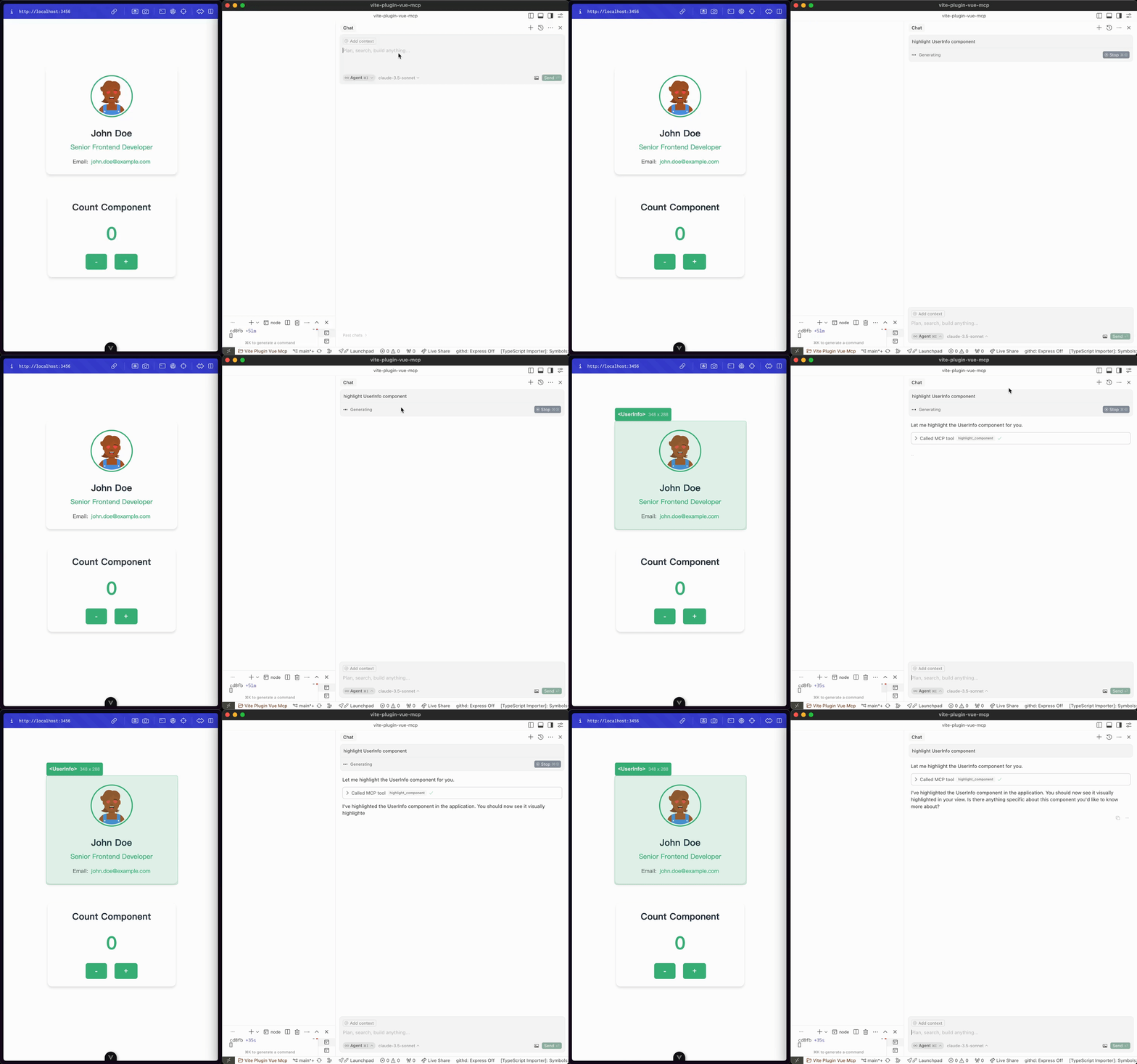
获取路线
get-router-info :获取应用程序的 Vue 路由器信息。
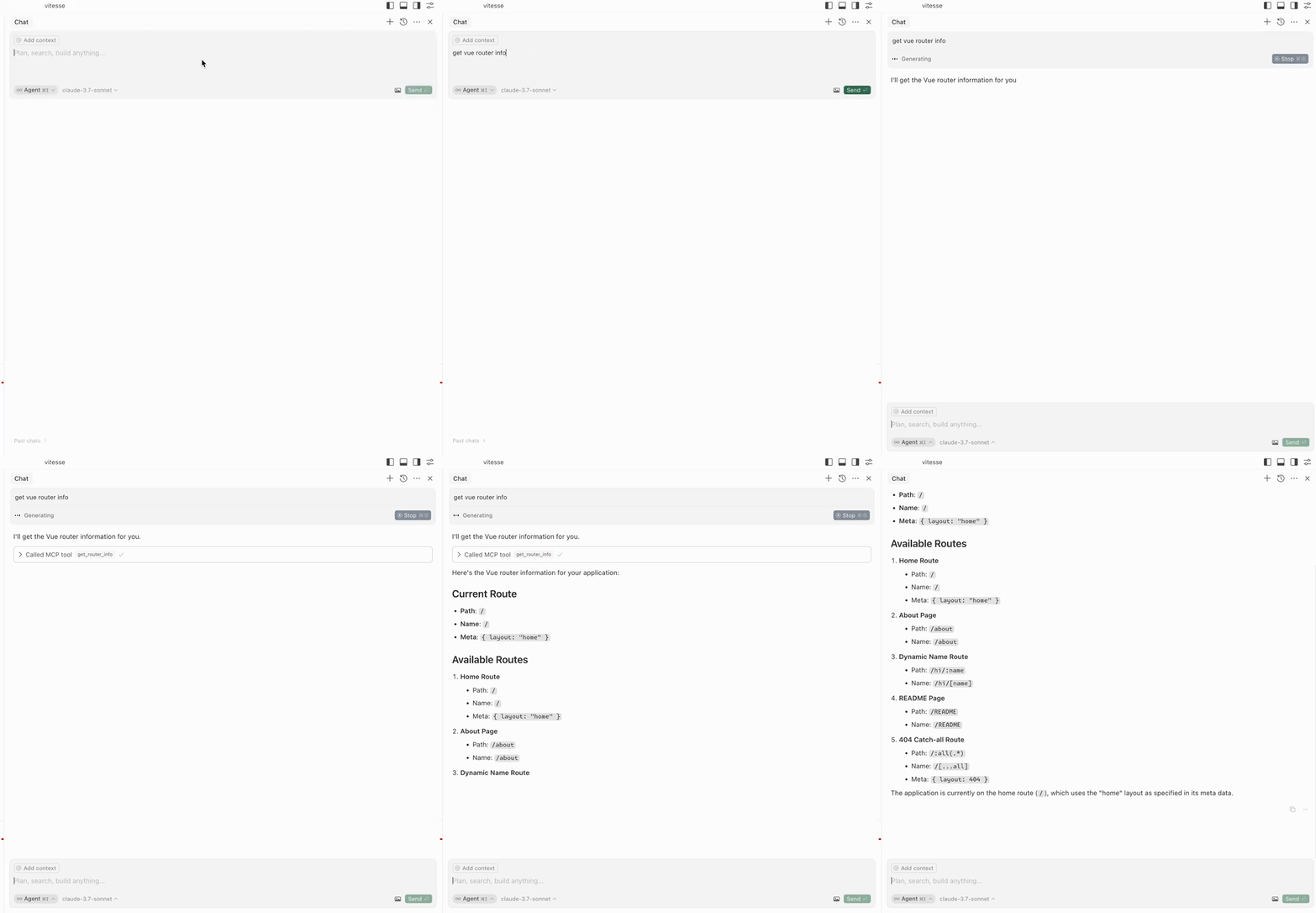
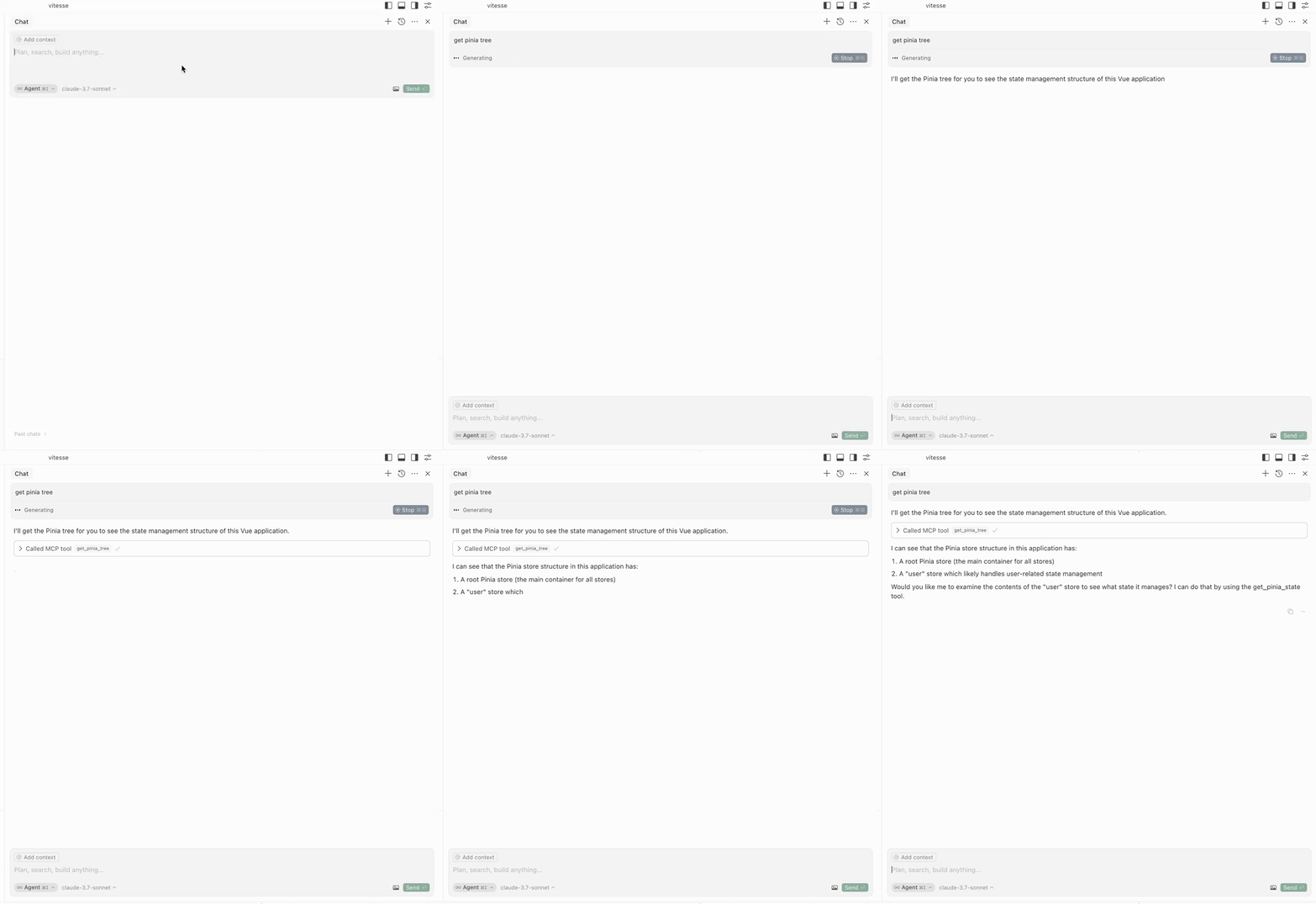
获取 Pinia 树
get-pinia-tree :获取应用程序的 Pinia 树。
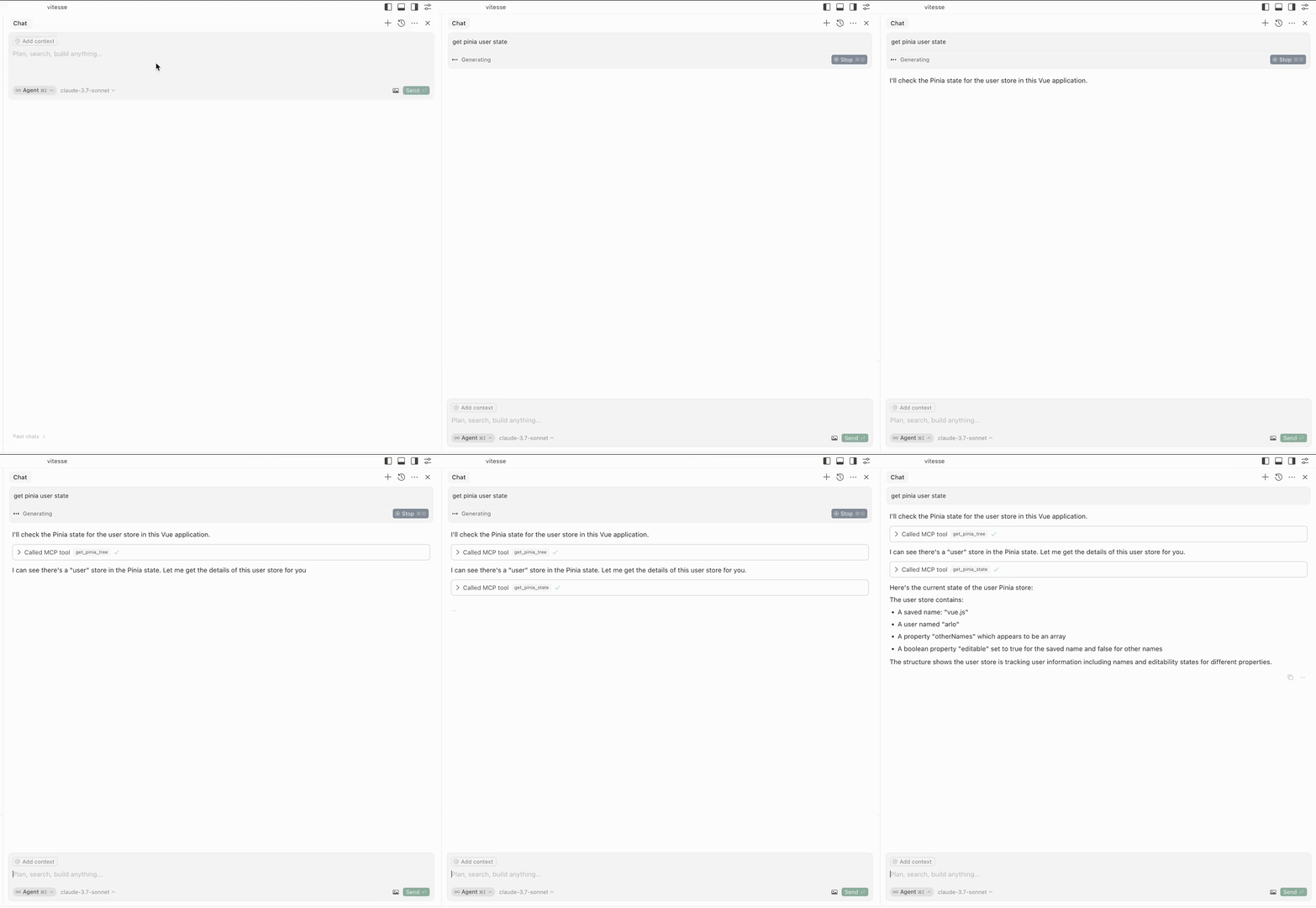
获取 Pinia 州
get-pinia-state :获取应用程序的 Pinia 状态(输入: storeName )。
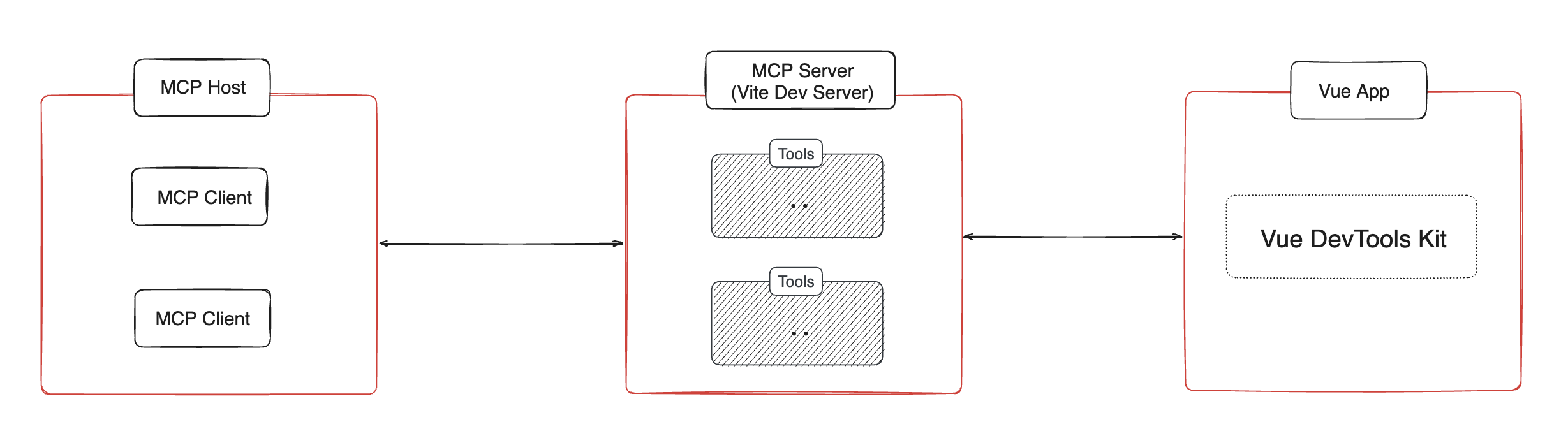
建筑⚡️
通知💡
在使用这些功能之前,请确保应用程序在您的浏览器中运行。
致谢💖
该项目灵感源自vite-plugin-mcp 。感谢@antfu的出色工作。
许可证📖
This server cannot be installed
Resources
Looking for Admin?
Admins can modify the Dockerfile, update the server description, and track usage metrics. If you are the server author, to access the admin panel.