---
title: FeatureSets — Permission Control
description: FeatureSets control which MCP tools, resources, and prompts each AI client can access in McpMux. Create role-based permissions, domain bundles, or read-only views.
---
FeatureSets are permission bundles that control what MCP capabilities (tools, resources, and prompts) each AI client can access. They let you grant fine-grained permissions per client, per Space.
## Why FeatureSets
Without permission control, every AI client connected through the gateway can access every tool from every server. This creates risks:
- A junior developer's client could access destructive database tools
- An experimental AI agent could call deployment tools
- A read-only analysis tool could accidentally modify production data
FeatureSets solve this by letting you define exactly what each client can do.
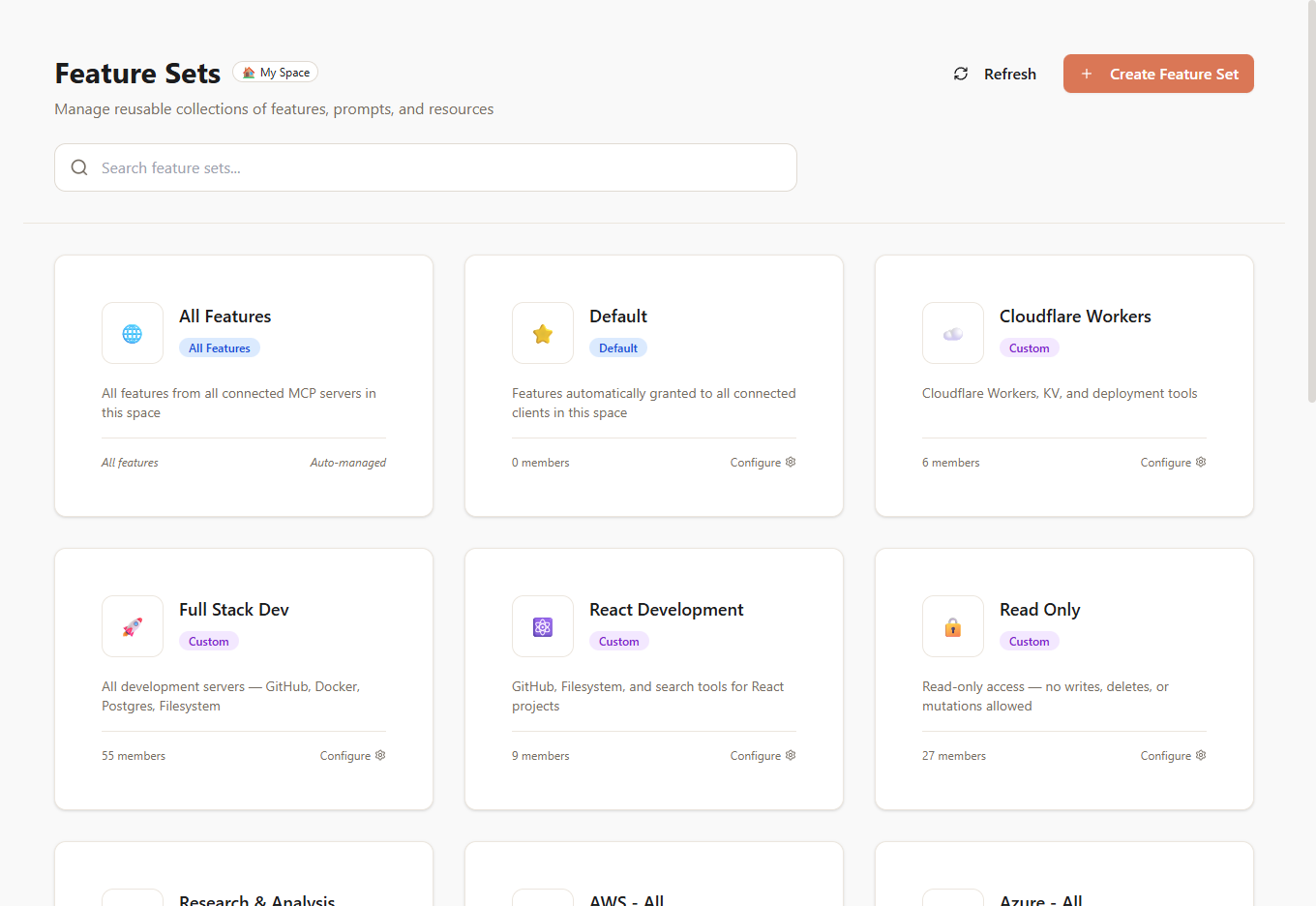
## FeatureSet Types
McpMux creates and manages four types of FeatureSets:
### All
Grants access to **every tool, resource, and prompt** from every connected server in the Space. Use this for fully trusted clients.
### Default
Automatically granted to **all clients** in the Space. Define a baseline set of capabilities that every client gets. You can still add more FeatureSets on top for specific clients.
### ServerAll
Automatically created when a server first connects. Grants access to **all features from that specific server**. For example, when you enable the GitHub server, McpMux creates a "GitHub — All" FeatureSet containing all of GitHub's tools and resources.
### Custom
User-defined FeatureSets with manually selected features. This is where you build your own permission bundles.
## Include and Exclude
Each FeatureSet member can be set to **include** or **exclude** mode:
- **Include** — add this tool/resource/prompt to the set
- **Exclude** — remove this tool/resource/prompt from the set
Exclude rules always win over include rules. This means you can create a permissive base and then remove specific dangerous tools:
**Example:** "All GitHub except delete operations"
1. Include the **GitHub — All** ServerAll FeatureSet
2. Exclude `delete_repository`, `delete_branch`, `delete_file`
## Composition
FeatureSets can **contain other FeatureSets**. This lets you build hierarchical permission structures:
- **"Read Only"** = Include tools that only read data from multiple servers
- **"Android Development"** = Include "GitHub — All" + "Firebase — All" + specific Gradle tools
- **"Senior Developer"** = Include "All" but exclude deployment and infrastructure tools
- **"Intern"** = Include "Read Only" + specific write tools for their assigned project
## Common Use Cases
### Role-Based Access
| FeatureSet | Contains |
|-----------|----------|
| Read Only | Search, list, and read tools only |
| Developer | Read Only + code editing + PR management |
| DevOps | Developer + deployment + infrastructure |
| Admin | All capabilities |
### Domain Bundles
| FeatureSet | Contains |
|-----------|----------|
| Frontend | Browser tools + CSS/JS linting + design system resources |
| Backend | Database queries + API testing + log analysis |
| Full Stack | Frontend + Backend |
### Safety Limits
| FeatureSet | Contains |
|-----------|----------|
| No Delete | All minus any delete/remove/drop operations |
| No Deploy | All minus CI/CD and deployment tools |
| Sandbox | Only filesystem (read) + search + documentation |
## Managing FeatureSets
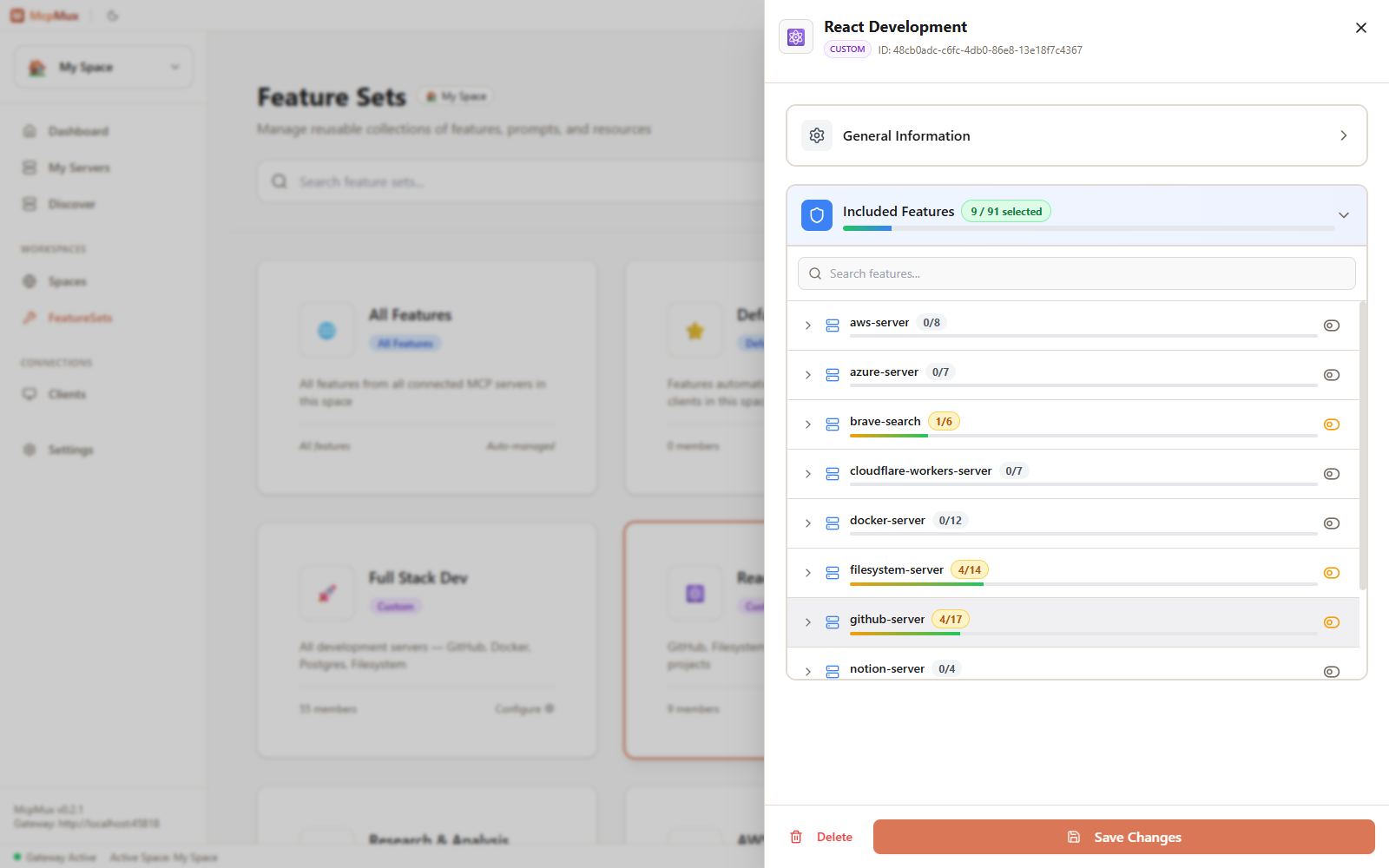
### Creating a Custom FeatureSet
1. Go to the **FeatureSets** page
2. Click **Create FeatureSet**
3. Give it a name and optional description
4. Add members — select features or other FeatureSets
5. Set each member to include or exclude mode
### Assigning to Clients
FeatureSets are assigned to clients per Space. Go to the **Clients** page, select a client, and manage its FeatureSet grants for each Space.
A client's effective permissions are the combination of all its granted FeatureSets, with exclude rules taking priority.
## Next Steps
- [Set up Clients](/docs/clients/) and assign FeatureSets per Space
- [Learn about Spaces](/docs/spaces/) for environment isolation
- [Understand the Gateway](/docs/gateway/) to see how permissions are enforced at request time
