


A
licenseA
qualityB
maintenanceMCP Server that enables LLMs to interact with the local filesystem.
13
796
14
MIT

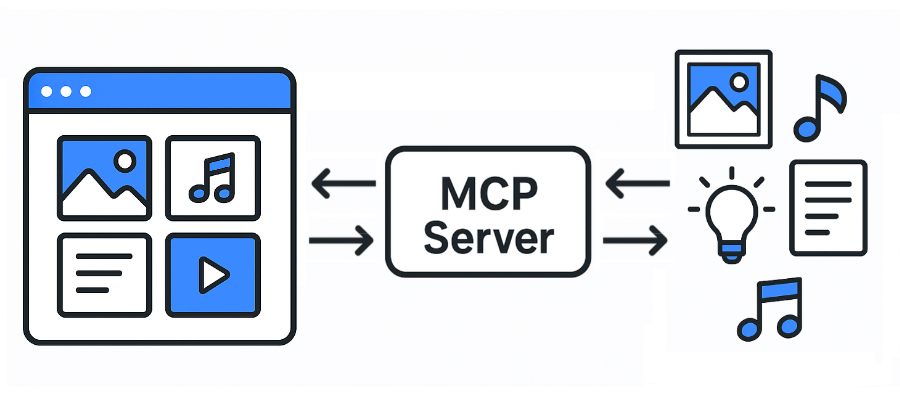
Eagle 的模型上下文协议 (MCP) 服务器。维基百科
JPG / JPEG
PNG
PDF
SVG
MP4
MP3
FBX
OBJ
EPS
TIF / TIFF
WebP
BMP
ICO
RAW
ETC
Eagle API 文档: https://api.eagle.cool/
Python 3.13
Related MCP server: files-mcp-ts
安装所需的依赖项:
uv sync启动Eagle应用程序。
通过运行以下命令启动此 MCP 服务器:
uv run main.py
# To use a different endpoint:
# EAGLE_API_BASE_URL=http://localhost:12345 uv run main.py所有最流行的 MCP 客户端(Claude Desktop、Cursor 和 Windsurf)都使用以下配置格式:
{
  "mcpServers": {
    "eagle-mcp-server": {
      "url": "http://localhost:8000/mcp"
    }
  }
}
VS 代码
"mcp": {
    "servers": {
        "eagle-mcp-server": {
            "type": "sse",
            "url": "http://localhost:8000/mcp"
        }
    }
}支持 | 操作 ID | API 端点 | 已启用(默认) | 类别 |
✅ |
| /api/连接 | 微胶囊钙 | |
✅ |
| /api/应用程序/信息 | ⚫︎ | 应用 |
✅ |
| /api/文件夹/创建 | ⚫︎ | 文件夹 |
✅ |
| /api/文件夹/重命名 | 文件夹 | |
✅ |
| /api/文件夹/更新 | ⚫︎ | 文件夹 |
✅ |
| /api/文件夹/列表 | ⚫︎ | 文件夹 |
✅ |
| /api/folder/listRecent | 文件夹 | |
✅ |
| /api/item/addFromURL | 物品 | |
✅ |
| /api/item/addFromURLs | 物品 | |
✅ |
| /api/item/addFromPath | ⚫︎ | 物品 |
✅ |
| /api/item/addFromPaths | 物品 | |
✅ |
| /api/item/addBookmark | 物品 | |
✅ |
| /api/item/info | ⚫︎ | 物品 |
✅ |
| /api/item/source | ⚫︎ | 物品 |
✅ |
| /api/item/缩略图 | 物品 | |
✅ |
| /api/item/list | ⚫︎ | 物品 |
✅ |
| /api/item/moveToTrash | ⚫︎ | 物品 |
✅ |
| /api/item/refreshPalette | 物品 | |
✅ |
| /api/item/refreshThumbnail | 物品 | |
✅ |
| /api/item/更新 | ⚫︎ | 物品 |
✅ |
| /api/library/info | ⚫︎ | 图书馆 |
✅ |
| /api/library/history | 图书馆 | |
✅ |
| /api/library/switch | 图书馆 | |
✅ |
| /api/库/图标 | 图书馆 | |
[ ] | ... | ... | ... |
MCP 服务器 API 文档:
flowchart LR

    subgraph 192.168.1.100
        direction LR

        subgraph FileSystem [File System]
        end
        subgraph EagleApp [Eagle App<br/>localhost:41595]
        end
        subgraph MCPServer [MCP Server<br/>localhost:8000]
        end
        subgraph MCPClient [MCP Client]
        end
    end

    EagleApp ==> MCPServer e1@==> MCPClient
    MCPClient e2@==> MCPServer ==> EagleApp
    EagleApp ==> FileSystem
    FileSystem ==> EagleApp

    e1@{ animate: true }
e2@{ animate: true }[!TIP] 您可以直接访问文件系统。
flowchart LR

    subgraph 192.168.1.100
        subgraph FileSystem [File System]
        end
        subgraph EagleApp [Eagle App<br/>localhost:41595]
        end
        subgraph MCPServer [MCP Server<br/>localhost:8000]
        end
    end

    subgraph 192.168.1.xxx
        subgraph MCPClient [MCP Client]
        end
    end

    EagleApp ==> MCPServer e1@==> MCPClient
    MCPClient e2@==> MCPServer ==> EagleApp
    EagleApp ==> FileSystem
    FileSystem ==> EagleApp

    e1@{ animate: true }
e2@{ animate: true }[!WARNING] 您无权访问文件系统。
flowchart LR

    subgraph 192.168.1.100
        subgraph FileSystem [File System]
        end
        subgraph EagleApp [Eagle App<br/>localhost:41595]
        end
    end

    subgraph 192.168.1.101
        subgraph MCPServer [MCP Server<br/>localhost:8000]
        end
    end

    subgraph 192.168.1.xxx
        subgraph MCPClient [MCP Client]
        end
    end

    EagleApp ==> MCPServer e1@==> MCPClient
    MCPClient e2@==> MCPServer ==> EagleApp
    EagleApp ==> FileSystem
    FileSystem ==> EagleApp

    e1@{ animate: true }
e2@{ animate: true }[!WARNING] 您无权访问文件系统。
This server cannot be installed
Unclaimed servers have limited discoverability.
If you are the server author, to access and configure the admin panel.
MCP server for Clipkit — gives AI agents a video toolbox via the Clipkit schema.
Agent-native MCP server over the public saagarpatel.dev corpus. Read-only, stateless.
A Model Context Protocol (MCP) server for Selise Blocks Cloud integration
We provide all the information about MCP servers via our MCP API.
curl -X GET 'https://glama.ai/api/mcp/v1/servers/tuki0918/eagle-mcp-server'
If you have feedback or need assistance with the MCP directory API, please join our Discord server