


A
licenseA
qualityB
maintenanceMCP Server that enables LLMs to interact with the local filesystem.
13
796
14
MIT

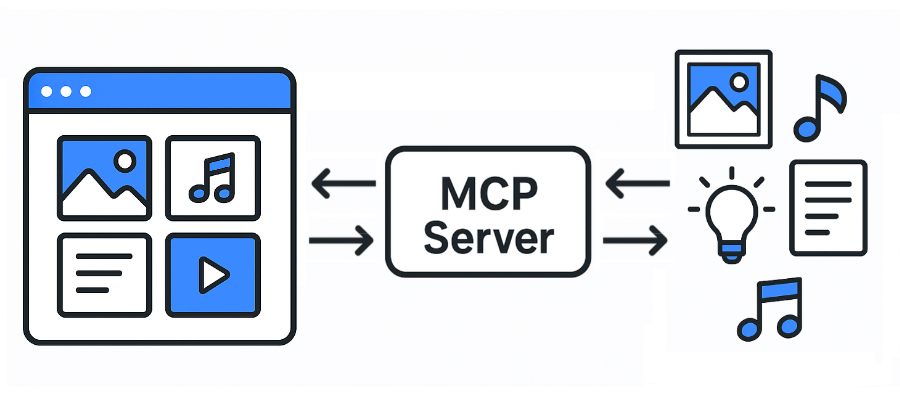
Eagle用のモデルコンテキストプロトコル(MCP)サーバー。Wiki
JPG / JPEG
PNG
PDF
SVG
MP4
MP3
FBX
OBJ
EPS
TIF``TIFF
WebP
BMP
ICO
RAW
等
イーグル: https://eagle.cool/
Eagle API ドキュメント: https://api.eagle.cool/
Python 3.13
Related MCP server: files-mcp-ts
必要な依存関係をインストールします。
uv syncEagleアプリを起動します。
次のコマンドを実行して、この MCP サーバーを起動します。
uv run main.py
# To use a different endpoint:
# EAGLE_API_BASE_URL=http://localhost:12345 uv run main.py最も人気のある MCP クライアント (Claude Desktop、Cursor、Windsurf) はすべて、次の構成形式を使用します。
{
  "mcpServers": {
    "eagle-mcp-server": {
      "url": "http://localhost:8000/mcp"
    }
  }
}
VSコード
"mcp": {
    "servers": {
        "eagle-mcp-server": {
            "type": "sse",
            "url": "http://localhost:8000/mcp"
        }
    }
}サポートされている | 操作ID | APIエンドポイント | 有効(デフォルト) | カテゴリ |
✅ |
| /api/接続 | MCP | |
✅ |
| /api/アプリケーション/情報 | ⚫︎ | 応用 |
✅ |
| /api/フォルダ/作成 | ⚫︎ | フォルダ |
✅ |
| /api/フォルダ/名前変更 | フォルダ | |
✅ |
| /api/フォルダ/更新 | ⚫︎ | フォルダ |
✅ |
| /api/フォルダ/リスト | ⚫︎ | フォルダ |
✅ |
| /api/folder/listRecent | フォルダ | |
✅ |
| /api/item/addFromURL | アイテム | |
✅ |
| /api/item/addFromURLs | アイテム | |
✅ |
| /api/item/addFromPath | ⚫︎ | アイテム |
✅ |
| /api/item/addFromPaths | アイテム | |
✅ |
| /api/item/ブックマークの追加 | アイテム | |
✅ |
| /api/アイテム/情報 | ⚫︎ | アイテム |
✅ |
| /api/item/ソース | ⚫︎ | アイテム |
✅ |
| /api/item/サムネイル | アイテム | |
✅ |
| /api/アイテム/リスト | ⚫︎ | アイテム |
✅ |
| /api/item/ゴミ箱へ移動 | ⚫︎ | アイテム |
✅ |
| /api/item/refreshPalette | アイテム | |
✅ |
| /api/item/refreshThumbnail | アイテム | |
✅ |
| /api/item/update | ⚫︎ | アイテム |
✅ |
| /api/ライブラリ/情報 | ⚫︎ | 図書館 |
✅ |
| /api/ライブラリ/履歴 | 図書館 | |
✅ |
| /api/ライブラリ/スイッチ | 図書館 | |
✅ |
| /api/ライブラリ/アイコン | 図書館 | |
[ ] | ... | ... | ... |
MCP サーバー API ドキュメント:
flowchart LR

    subgraph 192.168.1.100
        direction LR

        subgraph FileSystem [File System]
        end
        subgraph EagleApp [Eagle App<br/>localhost:41595]
        end
        subgraph MCPServer [MCP Server<br/>localhost:8000]
        end
        subgraph MCPClient [MCP Client]
        end
    end

    EagleApp ==> MCPServer e1@==> MCPClient
    MCPClient e2@==> MCPServer ==> EagleApp
    EagleApp ==> FileSystem
    FileSystem ==> EagleApp

    e1@{ animate: true }
e2@{ animate: true }[!TIP] ファイルシステムに直接アクセスできます。
flowchart LR

    subgraph 192.168.1.100
        subgraph FileSystem [File System]
        end
        subgraph EagleApp [Eagle App<br/>localhost:41595]
        end
        subgraph MCPServer [MCP Server<br/>localhost:8000]
        end
    end

    subgraph 192.168.1.xxx
        subgraph MCPClient [MCP Client]
        end
    end

    EagleApp ==> MCPServer e1@==> MCPClient
    MCPClient e2@==> MCPServer ==> EagleApp
    EagleApp ==> FileSystem
    FileSystem ==> EagleApp

    e1@{ animate: true }
e2@{ animate: true }[!警告] ファイルシステムにアクセスできません。
flowchart LR

    subgraph 192.168.1.100
        subgraph FileSystem [File System]
        end
        subgraph EagleApp [Eagle App<br/>localhost:41595]
        end
    end

    subgraph 192.168.1.101
        subgraph MCPServer [MCP Server<br/>localhost:8000]
        end
    end

    subgraph 192.168.1.xxx
        subgraph MCPClient [MCP Client]
        end
    end

    EagleApp ==> MCPServer e1@==> MCPClient
    MCPClient e2@==> MCPServer ==> EagleApp
    EagleApp ==> FileSystem
    FileSystem ==> EagleApp

    e1@{ animate: true }
e2@{ animate: true }[!警告] ファイルシステムにアクセスできません。
This server cannot be installed
Unclaimed servers have limited discoverability.
If you are the server author, to access and configure the admin panel.
MCP server for Clipkit — gives AI agents a video toolbox via the Clipkit schema.
Agent-native MCP server over the public saagarpatel.dev corpus. Read-only, stateless.
A Model Context Protocol (MCP) server for Selise Blocks Cloud integration
We provide all the information about MCP servers via our MCP API.
curl -X GET 'https://glama.ai/api/mcp/v1/servers/tuki0918/eagle-mcp-server'
If you have feedback or need assistance with the MCP directory API, please join our Discord server