

A
licenseA
qualityA
maintenanceFilesystem MCP server for AI assistants. Search, read, edit, and manage local files in directories you choose.
14
2,435 npm
26
MIT

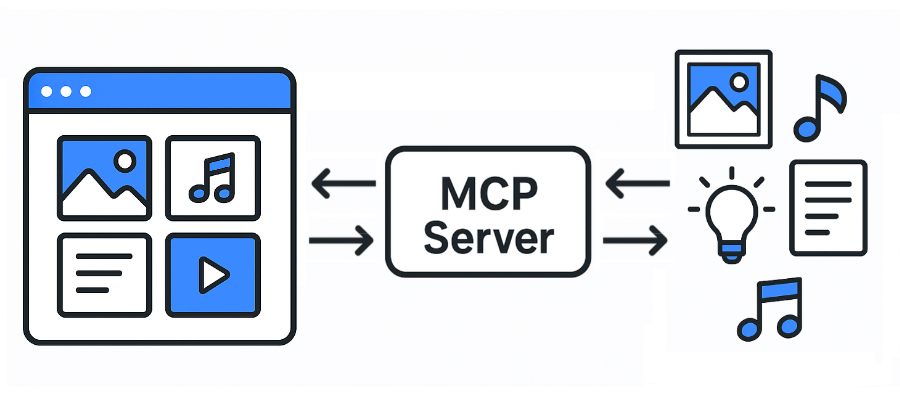
Un servidor de Protocolo de Contexto de Modelo (MCP) para Eagle. Wiki
JPG / JPEG
PNG
PDF
SVG
MP4
MP3
FBX
OBJ
EPS
TIF / TIFF
WebP
BMP
ICO
RAW
etc.
Águila: https://eagle.cool/
Documentación de la API de Eagle: https://api.eagle.cool/
Python 3.13
Related MCP server: files-mcp-ts
Instale las dependencias necesarias:
uv syncInicie la aplicación Eagle .
Inicie este servidor MCP ejecutando el siguiente comando:
uv run main.py
# To use a different endpoint:
# EAGLE_API_BASE_URL=http://localhost:12345 uv run main.pyTodos los clientes MCP más populares (Claude Desktop, Cursor y Windsurf) utilizan el siguiente formato de configuración:
{
  "mcpServers": {
    "eagle-mcp-server": {
      "url": "http://localhost:8000/mcp"
    }
  }
}
Código VS
"mcp": {
    "servers": {
        "eagle-mcp-server": {
            "type": "sse",
            "url": "http://localhost:8000/mcp"
        }
    }
}Apoyado | ID de operación | Punto final de API | Habilitado (predeterminado) | Categoría |
✅ |
| /api/conectar | MCP | |
✅ |
| /api/aplicación/información | ⚫︎ | Solicitud |
✅ |
| /api/carpeta/crear | ⚫︎ | Carpeta |
✅ |
| /api/carpeta/renombrar | Carpeta | |
✅ |
| /api/carpeta/actualización | ⚫︎ | Carpeta |
✅ |
| /api/carpeta/lista | ⚫︎ | Carpeta |
✅ |
| /api/carpeta/listaReciente | Carpeta | |
✅ |
| /api/item/addFromURL | Artículo | |
✅ |
| /api/item/addFromURLs | Artículo | |
✅ |
| /api/item/addFromPath | ⚫︎ | Artículo |
✅ |
| /api/item/addFromPaths | Artículo | |
✅ |
| /api/item/addBookmark | Artículo | |
✅ |
| /api/item/info | ⚫︎ | Artículo |
✅ |
| /api/item/fuente | ⚫︎ | Artículo |
✅ |
| /api/item/miniatura | Artículo | |
✅ |
| /api/item/lista | ⚫︎ | Artículo |
✅ |
| /api/item/moverALaPapelera | ⚫︎ | Artículo |
✅ |
| /api/item/refreshPalette | Artículo | |
✅ |
| /api/item/refreshMiniatura | Artículo | |
✅ |
| /api/item/actualización | ⚫︎ | Artículo |
✅ |
| /api/biblioteca/información | ⚫︎ | Biblioteca |
✅ |
| /api/biblioteca/historial | Biblioteca | |
✅ |
| /api/biblioteca/switch | Biblioteca | |
✅ |
| /api/biblioteca/icono | Biblioteca | |
[ ] | ... | ... | ... |
Documentación de la API del servidor MCP:
flowchart LR

    subgraph 192.168.1.100
        direction LR

        subgraph FileSystem [File System]
        end
        subgraph EagleApp [Eagle App<br/>localhost:41595]
        end
        subgraph MCPServer [MCP Server<br/>localhost:8000]
        end
        subgraph MCPClient [MCP Client]
        end
    end

    EagleApp ==> MCPServer e1@==> MCPClient
    MCPClient e2@==> MCPServer ==> EagleApp
    EagleApp ==> FileSystem
    FileSystem ==> EagleApp

    e1@{ animate: true }
e2@{ animate: true }[!TIP] Tienes acceso directo al sistema de archivos.
flowchart LR

    subgraph 192.168.1.100
        subgraph FileSystem [File System]
        end
        subgraph EagleApp [Eagle App<br/>localhost:41595]
        end
        subgraph MCPServer [MCP Server<br/>localhost:8000]
        end
    end

    subgraph 192.168.1.xxx
        subgraph MCPClient [MCP Client]
        end
    end

    EagleApp ==> MCPServer e1@==> MCPClient
    MCPClient e2@==> MCPServer ==> EagleApp
    EagleApp ==> FileSystem
    FileSystem ==> EagleApp

    e1@{ animate: true }
e2@{ animate: true }[!ADVERTENCIA] No tienes acceso al sistema de archivos.
flowchart LR

    subgraph 192.168.1.100
        subgraph FileSystem [File System]
        end
        subgraph EagleApp [Eagle App<br/>localhost:41595]
        end
    end

    subgraph 192.168.1.101
        subgraph MCPServer [MCP Server<br/>localhost:8000]
        end
    end

    subgraph 192.168.1.xxx
        subgraph MCPClient [MCP Client]
        end
    end

    EagleApp ==> MCPServer e1@==> MCPClient
    MCPClient e2@==> MCPServer ==> EagleApp
    EagleApp ==> FileSystem
    FileSystem ==> EagleApp

    e1@{ animate: true }
e2@{ animate: true }[!ADVERTENCIA] No tienes acceso al sistema de archivos.
This server cannot be deployed
MCP server exposing the YourImageShare upload API (upload/list/delete) as tools for AI agents.
MCP server for Clipkit — gives AI agents a video toolbox via the Clipkit schema.
DocBase MCP server for AI agents
Agent-native MCP server over the public saagarpatel.dev corpus. Read-only, stateless.