

F
licenseA
qualityD
maintenanceA MCP server that enables AI assistants to control Android devices via ADB, supporting device info, screen control, input simulation, app management, shell execution, file transfer, and UI parsing.
20
-

The replicant-mcp server enables AI assistants to comprehensively manage Android development environments through natural language commands, automating build, test, deployment, and UI testing workflows.
Capabilities include:
Build & Test: Build debug/release APKs/bundles, run unit and instrumented tests, introspect project structure (modules, variants, tasks), and retrieve detailed logs/errors from previous operations
Emulator Management: List, create, start, stop, and wipe Android Virtual Devices; manage snapshots (save, load, list, delete) for quick state restoration
Device Control: List connected devices, select active device, query device properties, and wait for device availability
App Management: Install, uninstall, launch, stop apps; clear app data and list installed packages
Log Analysis: Read and filter logcat output by package, tag, level, time range, or custom filters with progressive disclosure (summaries first, full details on demand)
UI Automation: Dump accessibility tree, find elements by text/properties, tap by coordinates/index, input text, capture screenshots, and perform accessibility checks
Shell Commands: Execute ADB shell commands with safety guards to prevent dangerous operations
Server Utilities: Manage internal cache (stats, clear, configure) and access built-in documentation via rtfm for any tool or category
Token-Efficient Design: Progressive disclosure minimizes token usage while maintaining full access to detailed output when needed
Provides tools for interacting with the Android development environment, including emulator management, application installation, ADB shell command execution, Logcat log analysis, and UI automation via the accessibility tree.
Enables automated interaction with the Gradle build system to assemble APKs and bundles, run unit or instrumented tests, and retrieve detailed build results and logs.
Click on "Deploy Server".
Wait a few minutes for the server to deploy. Once ready, it will show a "Started" state.
In the chat, type @ followed by the MCP server name and your instructions, e.g., "@replicant-mcp Build the debug APK and run it on the emulator"
That's it! The server will respond to your query, and you can continue using it as needed.
Here is a step-by-step guide with screenshots.
Let AI build, test, and debug your Android apps.


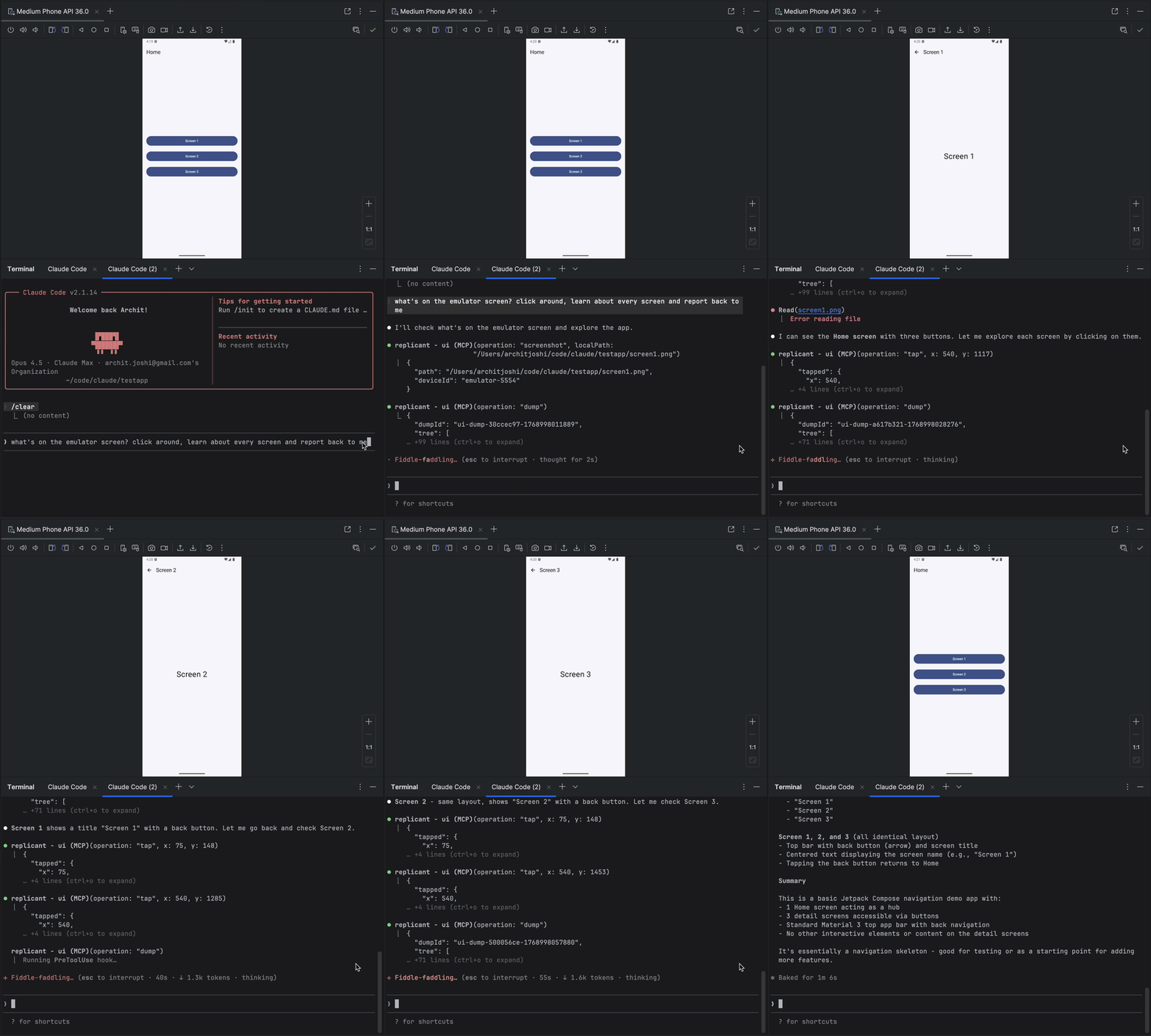
replicant-mcp is a Model Context Protocol server that gives AI assistants like Claude the ability to interact with your Android development environment. Build APKs, launch emulators, install apps, navigate UIs, and debug crashes—all through natural conversation.
Related MCP server: android-mcp-server
Without replicant-mcp | With replicant-mcp |
"Run | "Build and run the app" |
Copy-paste logcat output, lose context | AI reads filtered logs directly |
Screenshot → describe UI → guess coordinates | AI sees accessibility tree, taps elements by text |
5,000 tokens of raw Gradle output | 50-token summary + details on demand |
Category | Capabilities |
Build & Test | Build APKs/bundles, run unit and instrumented tests, list modules/variants/tasks, test regression detection with baseline comparison |
Emulator | Create, start, stop, wipe emulators; save/load/delete snapshots |
Device Control | List connected devices, select active device, query device properties |
App Management | Install, uninstall, launch, stop apps; clear app data |
Log Analysis | Filter logcat by package, tag, level, time |
UI Automation | Accessibility-first element finding, spatial proximity search, tap, text input, screenshots |
Diagnostics | Environment health checks via |
Custom build commands (project-specific overrides, auto-detect gradlew)
Video capture (start/stop recording, duration-based capture)
Node.js 18+
Android SDK with adb and emulator in your PATH
An Android project with gradlew (for build tools)
node --version      # Should be 18+
adb --version       # Should show Android Debug Bridge version
emulator -version   # Should show Android emulator version
If you don't already have these tools, install them with Homebrew:
Node.js 18+
brew install nodePhysical-device only — just adb, sufficient if you never run an emulator:
brew install --cask android-platform-toolsadb lands directly on your PATH; no further config needed.
Full Android SDK — needed for emulator workflows or building APKs via the gradle-* tools. Run the steps in order:
# 1. JDK — required by sdkmanager itself, and by the gradle-* tools
brew install --cask temurin@17

# 2. cmdline-tools (provides sdkmanager)
brew install --cask android-commandlinetools

# 3. Set ANDROID_HOME and create the directory BEFORE running sdkmanager,
#    otherwise sdkmanager has no install target.
export ANDROID_HOME="$HOME/Library/Android/sdk"
mkdir -p "$ANDROID_HOME"

# 4. Accept all SDK licenses first, then install packages.
#    `sdkmanager --install` aborts on unaccepted per-package licenses
#    (e.g. the Google APIs system image) if licenses aren't accepted first.
#    The system-image arch must match your host: `arm64-v8a` for Apple
#    Silicon (M1/M2/M3), `x86_64` for Intel Macs. Check with `uname -m`.
yes | sdkmanager --licenses
sdkmanager --install "platform-tools" "emulator" "system-images;android-34;google_apis;arm64-v8a"
Persist ANDROID_HOME and put the SDK binaries on your PATH by appending to ~/.zshrc (or ~/.bashrc):
export ANDROID_HOME="$HOME/Library/Android/sdk"
export PATH="$ANDROID_HOME/platform-tools:$ANDROID_HOME/emulator:$PATH"npm install -g replicant-mcpAfter installation, run the built-in diagnostics to verify your environment:
replicant doctornpm update -g replicant-mcpAdd to ~/Library/Application Support/Claude/claude_desktop_config.json (macOS) or %APPDATA%\Claude\claude_desktop_config.json (Windows):
{
  "mcpServers": {
    "replicant": {
      "command": "npx",
      "args": ["-y", "replicant-mcp"]
    }
  }
}claude mcp add replicant -- npx -y replicant-mcpAdd to ~/.cursor/mcp.json (global) or .cursor/mcp.json (project):
{
  "mcpServers": {
    "replicant": {
      "command": "npx",
      "args": ["-y", "replicant-mcp"]
    }
  }
}Add to ~/.codeium/windsurf/mcp_config.json:
{
  "mcpServers": {
    "replicant": {
      "command": "npx",
      "args": ["-y", "replicant-mcp"]
    }
  }
}Add to ~/.codex/config.toml:
[mcp_servers.replicant]
command = "npx"
args = ["-y", "replicant-mcp"]
Or via CLI:
codex mcp add replicant -- npx -y replicant-mcpNote: Ensure
adbandemulatorare in your PATH, or setANDROID_HOMEenvironment variable. On macOS:~/Library/Android/sdk, on Linux:~/Android/Sdk.
You: "I just changed the checkout flow. Build the app, go through checkout
      with a test product, and make sure the confirmation screen shows up."

Claude: [Builds debug APK, installs on emulator, launches app]
        [Taps "Electronics" category → "Wireless Headphones" → "Add to Cart"]
        [Navigates to cart, taps "Checkout"]
        [Fills shipping form, taps "Place Order"]

        Confirmation screen is showing:
        - Order #38291
        - "Wireless Headphones" × 1
        - Total: $79.99
        - Estimated delivery: Jan 30

        The flow works. Want me to test the edge cases—empty cart,
invalid address, payment failure?replicant-mcp uses progressive disclosure (summaries first, details on demand) to minimize token usage, and accessibility-first UI automation for faster, cheaper, more reliable interactions than screenshot-based approaches. See docs/architecture.md for details.
Configuration: Set REPLICANT_CONFIG for advanced options. See docs/configuration.md.
Logging: Set REPLICANT_LOG_LEVEL (error, warn, info, debug) and REPLICANT_LOG_FORMAT (json for structured output) to control server logging. Logs are written to stderr.
Troubleshooting: Common issues and solutions in docs/troubleshooting.md.
Tool documentation: Ask Claude to call rtfm with a category like "build", "adb", "emulator", or "ui".
Document | Description |
Design overview and progressive disclosure pattern | |
Config file reference, environment variables, Gradle setup | |
Tool API versioning policy and deprecation process | |
adb-shell safety model, command denylist, threat boundaries | |
Tested OS, Node.js, Android SDK, and emulator versions | |
Accessibility gaps, timeouts, single-device focus, and more | |
| |
Common issues and solutions | |
Version history | |
Vulnerability reporting process | |
How to report bugs and ask questions | |
Development setup and guidelines |
See CONTRIBUTING.md for development setup and guidelines.
Inspired by xc-mcp for iOS
Built on the Model Context Protocol
Questions? Open an issue
Manage applications.
| Name | Required | Description | Default |
|---|---|---|---|
| operation | Yes | ||
| apkPath | No | APK path | |
| packageName | No | ||
| limit | No | Default: 20, max: 100 | |
| filter | No | Filter by name (case-insensitive) | |
| offset | No | Pagination offset |
Does the description disclose side effects, auth requirements, rate limits, or destructive behavior?
Annotations indicate destructiveHint=true (mutates state) and readOnlyHint=false, but the description adds no behavioral context beyond what annotations already convey. It does not explain side effects, permissions needed, or that operations like 'clear-data' are destructive.
Agents need to know what a tool does to the world before calling it. Descriptions should go beyond structured annotations to explain consequences.
Is the description appropriately sized, front-loaded, and free of redundancy?
At three words, the description is under-specified, not concise. For a tool with 6 parameters and multiple operations, it should provide structured detail without wasting words. Current form fails to inform.
Shorter descriptions cost fewer tokens and are easier for agents to parse. Every sentence should earn its place.
Given the tool's complexity, does the description cover enough for an agent to succeed on first attempt?
Given the tool's complexity (6 parameters, no output schema, multiple operations), the description is inadequate. It does not explain return values, pagination behavior, or how operations like 'list' work. The agent has to infer everything from parameter names and enum values.
Complex tools with many parameters or behaviors need more documentation. Simple tools need less. This dimension scales expectations accordingly.
Does the description clarify parameter syntax, constraints, interactions, or defaults beyond what the schema provides?
Schema description coverage is 67%, with some parameters (apkPath, limit, filter) having descriptions. The description 'Manage applications' does not add meaning beyond the schema. However, the moderate coverage means the schema partially compensates, so a baseline of 3 is appropriate.
Input schemas describe structure but not intent. Descriptions should explain non-obvious parameter relationships and valid value ranges.
Does the description clearly state what the tool does and how it differs from similar tools?
The description 'Manage applications' is vague and does not specify the supported operations (install, uninstall, launch, etc.). The input schema lists operations but the description fails to enumerate them, making it unclear what this tool specifically does compared to siblings.
Agents choose between tools based on descriptions. A clear purpose with a specific verb and resource helps agents select the right tool.
Does the description explain when to use this tool, when not to, or what alternatives exist?
No guidance is provided on when to use this tool versus siblings like adb-device or adb-logcat. The description offers no context for selecting this tool for app management tasks.
Agents often have multiple tools that could apply. Explicit usage guidance like "use X instead of Y when Z" prevents misuse.
Manage device connections.
| Name | Required | Description | Default |
|---|---|---|---|
| operation | Yes | ||
| deviceId | No |
Does the description disclose side effects, auth requirements, rate limits, or destructive behavior?
Annotations are all false, but the description adds no behavioral context. There is no mention of side effects, read-only nature, or any other behavioral traits beyond the tool name.
Agents need to know what a tool does to the world before calling it. Descriptions should go beyond structured annotations to explain consequences.
Is the description appropriately sized, front-loaded, and free of redundancy?
The description is extremely short but achieves conciseness at the cost of clarity. While there is no wasted text, it is under-specified.
Shorter descriptions cost fewer tokens and are easier for agents to parse. Every sentence should earn its place.
Given the tool's complexity, does the description cover enough for an agent to succeed on first attempt?
Given the tool has 2 parameters, no output schema, and minimal annotations, the description is insufficient. It does not explain the operations or how to use the deviceId parameter.
Complex tools with many parameters or behaviors need more documentation. Simple tools need less. This dimension scales expectations accordingly.
Does the description clarify parameter syntax, constraints, interactions, or defaults beyond what the schema provides?
Schema description coverage is 0%. The description does not explain the 'operation' or 'deviceId' parameters. The enum for operation is implicit but not described, and deviceId is completely undefined.
Input schemas describe structure but not intent. Descriptions should explain non-obvious parameter relationships and valid value ranges.
Does the description clearly state what the tool does and how it differs from similar tools?
The description 'Manage device connections' is vague and does not differentiate from siblings like adb-app or adb-shell. The operation enum in the schema provides some clarity, but the description itself lacks specificity.
Agents choose between tools based on descriptions. A clear purpose with a specific verb and resource helps agents select the right tool.
Does the description explain when to use this tool, when not to, or what alternatives exist?
No guidance on when to use this tool versus alternatives such as adb-app or adb-logcat. The description does not indicate prerequisites or context for usage.
Agents often have multiple tools that could apply. Explicit usage guidance like "use X instead of Y when Z" prevents misuse.
Read device logs. Returns summary with logId.
| Name | Required | Description | Default |
|---|---|---|---|
| lines | Yes | Default: 100 | |
| package | No | ||
| tags | No | ||
| level | No | ||
| rawFilter | No | ||
| since | No | e.g., '01-20 15:30:00.000' |
Does the description disclose side effects, auth requirements, rate limits, or destructive behavior?
Annotations already indicate readOnly and idempotent, so the description adds minimal value. It does not explain what 'summary' means or any behavioral traits beyond reading logs.
Agents need to know what a tool does to the world before calling it. Descriptions should go beyond structured annotations to explain consequences.
Is the description appropriately sized, front-loaded, and free of redundancy?
The description is very short and efficient, but it sacrifices necessary detail. It is front-loaded but incomplete.
Shorter descriptions cost fewer tokens and are easier for agents to parse. Every sentence should earn its place.
Given the tool's complexity, does the description cover enough for an agent to succeed on first attempt?
Given the 6 parameters and no output schema, the description is severely lacking. It does not explain how to filter logs, what the logId represents, or the return format.
Complex tools with many parameters or behaviors need more documentation. Simple tools need less. This dimension scales expectations accordingly.
Does the description clarify parameter syntax, constraints, interactions, or defaults beyond what the schema provides?
The description adds no meaning to the 6 parameters, especially the 4 undocumented ones (package, tags, level, rawFilter). Schema coverage is only 33%, and the description fails to compensate.
Input schemas describe structure but not intent. Descriptions should explain non-obvious parameter relationships and valid value ranges.
Does the description clearly state what the tool does and how it differs from similar tools?
The description clearly states the tool reads device logs, which is a specific verb+resource. However, it does not differentiate from siblings like adb-device or adb-shell, leaving ambiguity about the log source.
Agents choose between tools based on descriptions. A clear purpose with a specific verb and resource helps agents select the right tool.
Does the description explain when to use this tool, when not to, or what alternatives exist?
No guidance is provided on when to use this tool versus alternatives. It lacks information about prerequisites, context, or when not to use it.
Agents often have multiple tools that could apply. Explicit usage guidance like "use X instead of Y when Z" prevents misuse.
Execute shell commands with safety guards.
| Name | Required | Description | Default |
|---|---|---|---|
| command | Yes | ||
| timeout | No | ms, default: 30000, max: 120000 | |
| maxChars | No | Truncate output to N chars | |
| summaryOnly | No | Compact preview only | |
| previewChars | No | Preview length (default: 200) |
Does the description disclose side effects, auth requirements, rate limits, or destructive behavior?
Annotations already indicate destructiveHint=true and readOnlyHint=false. The description adds 'with safety guards', hinting at restrictions, but does not specify what those guards are (e.g., command whitelisting, output limits). Adds marginal context beyond annotations.
Agents need to know what a tool does to the world before calling it. Descriptions should go beyond structured annotations to explain consequences.
Is the description appropriately sized, front-loaded, and free of redundancy?
The description is concise (single phrase) and front-loaded with the verb. However, it might be too terse for a tool that requires careful usage.
Shorter descriptions cost fewer tokens and are easier for agents to parse. Every sentence should earn its place.
Given the tool's complexity, does the description cover enough for an agent to succeed on first attempt?
Given 5 parameters, no output schema, and destructive behavior, the description is insufficient. It lacks examples, return format, and details on safety guards. More information is needed for appropriate agent usage.
Complex tools with many parameters or behaviors need more documentation. Simple tools need less. This dimension scales expectations accordingly.
Does the description clarify parameter syntax, constraints, interactions, or defaults beyond what the schema provides?
Schema coverage is 80% with descriptions for most parameters except 'command'. The description does not add meaning for the undocumented 'command' parameter, which is required. It simply restates the tool's purpose without clarifying acceptable values or formats.
Input schemas describe structure but not intent. Descriptions should explain non-obvious parameter relationships and valid value ranges.
Does the description clearly state what the tool does and how it differs from similar tools?
The description clearly states the action (execute) and resource (shell commands), and adds a hint about safety guards. It is distinct from sibling tools like adb-logcat or adb-app, though it could be more specific about the context (Android ADB).
Agents choose between tools based on descriptions. A clear purpose with a specific verb and resource helps agents select the right tool.
Does the description explain when to use this tool, when not to, or what alternatives exist?
No guidance on when to use this tool vs alternatives. With siblings like adb-logcat and adb-app, there is no indication of selection criteria or when not to use the tool.
Agents often have multiple tools that could apply. Explicit usage guidance like "use X instead of Y when Z" prevents misuse.
Manage the cache. See rtfm for details.
| Name | Required | Description | Default |
|---|---|---|---|
| operation | Yes | ||
| key | No | Key to clear (optional) | |
| config | No |
Does the description disclose side effects, auth requirements, rate limits, or destructive behavior?
Annotations indicate destructiveHint=true and readOnlyHint=false, consistent with cache management. However, the description adds no behavioral context beyond annotations, such as what data is affected, auth requirements, or side effects.
Agents need to know what a tool does to the world before calling it. Descriptions should go beyond structured annotations to explain consequences.
Is the description appropriately sized, front-loaded, and free of redundancy?
The description is very short (two sentences) but overly terse. It sacrifices completeness for brevity, and the reference to external docs reduces self-contained value. Not front-loaded with critical info.
Shorter descriptions cost fewer tokens and are easier for agents to parse. Every sentence should earn its place.
Given the tool's complexity, does the description cover enough for an agent to succeed on first attempt?
Given the tool has multiple operations, a nested config object, and no output schema, the description is severely incomplete. It fails to explain what each operation does, how parameters behave, or what results are returned.
Complex tools with many parameters or behaviors need more documentation. Simple tools need less. This dimension scales expectations accordingly.
Does the description clarify parameter syntax, constraints, interactions, or defaults beyond what the schema provides?
Schema description coverage is only 33% (only 'key' has a description). The description provides no parameter details, failing to compensate for the low coverage. The enum for 'operation' is documented only in the schema.
Input schemas describe structure but not intent. Descriptions should explain non-obvious parameter relationships and valid value ranges.
Does the description clearly state what the tool does and how it differs from similar tools?
The description says 'Manage the cache' which is a tautology of the tool name and lacks specificity. It does not list the available operations or differentiate from sibling tools, though no sibling directly manages cache. The reference to 'rtfm' suggests external documentation is needed.
Agents choose between tools based on descriptions. A clear purpose with a specific verb and resource helps agents select the right tool.
Does the description explain when to use this tool, when not to, or what alternatives exist?
No guidance on when to use this tool. The description instructs to 'See rtfm for details' but provides no context on appropriate usage vs alternatives. No exclusions or prerequisites are mentioned.
Agents often have multiple tools that could apply. Explicit usage guidance like "use X instead of Y when Z" prevents misuse.
Manage Android emulators.
| Name | Required | Description | Default |
|---|---|---|---|
| operation | Yes | ||
| avdName | No | ||
| device | No | e.g., 'pixel_7' | |
| systemImage | No | ||
| snapshotName | No | ||
| emulatorId | No |
Does the description disclose side effects, auth requirements, rate limits, or destructive behavior?
Annotations indicate destructiveHint: true and readOnlyHint: false, which is helpful, but the description adds no context about side effects, required permissions, or which operations are destructive. The description does not elaborate beyond what annotations already provide.
Agents need to know what a tool does to the world before calling it. Descriptions should go beyond structured annotations to explain consequences.
Is the description appropriately sized, front-loaded, and free of redundancy?
The description is extremely concise but at the cost of under-specification. Every sentence should earn its place; here, the single sentence is too vague to be useful.
Shorter descriptions cost fewer tokens and are easier for agents to parse. Every sentence should earn its place.
Given the tool's complexity, does the description cover enough for an agent to succeed on first attempt?
With no output schema and sparse annotations, the description fails to cover essential context such as return values, error conditions, or prerequisites for the various operations. It is inadequate for a multi-operation tool.
Complex tools with many parameters or behaviors need more documentation. Simple tools need less. This dimension scales expectations accordingly.
Does the description clarify parameter syntax, constraints, interactions, or defaults beyond what the schema provides?
Schema description coverage is only 17%, with only one parameter ('device') having a brief example. The description does not explain the meaning or format of any other parameters (avdName, systemImage, snapshotName, emulatorId), leaving the agent to guess.
Input schemas describe structure but not intent. Descriptions should explain non-obvious parameter relationships and valid value ranges.
Does the description clearly state what the tool does and how it differs from similar tools?
The description states 'Manage Android emulators,' which identifies the resource but uses a vague verb. It is not specific to any single operation, and does not distinguish from sibling tools like adb-device.
Agents choose between tools based on descriptions. A clear purpose with a specific verb and resource helps agents select the right tool.
Does the description explain when to use this tool, when not to, or what alternatives exist?
No guidance is provided on when to use this tool versus alternatives, nor any exclusions or prerequisites for specific operations. The agent receives no help in deciding context.
Agents often have multiple tools that could apply. Explicit usage guidance like "use X instead of Y when Z" prevents misuse.
Build. Returns summary with buildId.
| Name | Required | Description | Default |
|---|---|---|---|
| operation | Yes | ||
| module | No | e.g., ':app' | |
| flavor | No |
Does the description disclose side effects, auth requirements, rate limits, or destructive behavior?
Annotations indicate readOnlyHint=false and destructiveHint=false, but the description adds no behavioral context beyond 'Build'. No mention of side effects, required project state, or failure behavior.
Agents need to know what a tool does to the world before calling it. Descriptions should go beyond structured annotations to explain consequences.
Is the description appropriately sized, front-loaded, and free of redundancy?
The description is very short (one sentence) but under-specified. It is not appropriately sized for a tool with three parameters and no output schema.
Shorter descriptions cost fewer tokens and are easier for agents to parse. Every sentence should earn its place.
Given the tool's complexity, does the description cover enough for an agent to succeed on first attempt?
Description is severely incomplete. It does not explain the build process, return value (beyond having a buildId), or relationship to sibling tools. No output schema exists to compensate.
Complex tools with many parameters or behaviors need more documentation. Simple tools need less. This dimension scales expectations accordingly.
Does the description clarify parameter syntax, constraints, interactions, or defaults beyond what the schema provides?
Schema description coverage is 33% (only module described). The description does not explain any parameters, including the required 'operation' enum or the optional 'flavor'. Agent gets no help understanding parameter meaning.
Input schemas describe structure but not intent. Descriptions should explain non-obvious parameter relationships and valid value ranges.
Does the description clearly state what the tool does and how it differs from similar tools?
Description says 'Build' which is almost a tautology with the tool name 'gradle-build'. It does not specify what kind of build (e.g., Android app) or distinguish from sibling tools like gradle-test.
Agents choose between tools based on descriptions. A clear purpose with a specific verb and resource helps agents select the right tool.
Does the description explain when to use this tool, when not to, or what alternatives exist?
No guidance on when to use this tool vs siblings like gradle-get-details, gradle-list, or gradle-test. No context about prerequisites or scenarios.
Agents often have multiple tools that could apply. Explicit usage guidance like "use X instead of Y when Z" prevents misuse.
Fetch full output for a previous build/test by ID.
| Name | Required | Description | Default |
|---|---|---|---|
| id | Yes | ||
| detailType | Yes | all | |
| maxChars | No | Truncate to N chars | |
| summaryOnly | No | Return compact summary payload for logs/tasks/all detail types (ignored for errors) | |
| previewChars | No | For summaryOnly with detailType logs/all: preview length in characters (default: 400) |
Does the description disclose side effects, auth requirements, rate limits, or destructive behavior?
Annotations already declare readOnlyHint=true, destructiveHint=false, idempotentHint=true, covering key behavioral traits. The description adds 'full output' but doesn't elaborate on truncation via maxChars or summaryOnly options, or on rate limits.
Agents need to know what a tool does to the world before calling it. Descriptions should go beyond structured annotations to explain consequences.
Is the description appropriately sized, front-loaded, and free of redundancy?
Single 8-word sentence is very concise and front-loaded. However, it omits useful details that could be included without exceeding reasonable length.
Shorter descriptions cost fewer tokens and are easier for agents to parse. Every sentence should earn its place.
Given the tool's complexity, does the description cover enough for an agent to succeed on first attempt?
Given the complexity (5 parameters, no output schema), the description does not explain return values or how to interpret output. It lacks details on how summaryOnly, maxChars, and previewChars affect behavior, making it incomplete for effective use.
Complex tools with many parameters or behaviors need more documentation. Simple tools need less. This dimension scales expectations accordingly.
Does the description clarify parameter syntax, constraints, interactions, or defaults beyond what the schema provides?
With 60% schema coverage, 2 parameters (id, detailType) lack schema descriptions. The description does not mention any parameters or their meaning, failing to compensate for missing schema explanations.
Input schemas describe structure but not intent. Descriptions should explain non-obvious parameter relationships and valid value ranges.
Does the description clearly state what the tool does and how it differs from similar tools?
Description clearly states the tool fetches full output for a previous build/test by ID, using 'Fetch' as the verb and 'full output' as the resource. It distinguishes from sibling tools like gradle-build (creates builds) and gradle-list (lists builds), but does not explicitly differentiate.
Agents choose between tools based on descriptions. A clear purpose with a specific verb and resource helps agents select the right tool.
Does the description explain when to use this tool, when not to, or what alternatives exist?
No guidance on when to use this tool versus alternatives (e.g., gradle-list, gradle-test). The description implies you need an ID but doesn't specify prerequisites or scenarios where other tools are more appropriate.
Agents often have multiple tools that could apply. Explicit usage guidance like "use X instead of Y when Z" prevents misuse.
Introspect project structure.
| Name | Required | Description | Default |
|---|---|---|---|
| operation | Yes | ||
| module | No | e.g., ':app' |
Does the description disclose side effects, auth requirements, rate limits, or destructive behavior?
Annotations already declare readOnlyHint=true, destructiveHint=false, and idempotentHint=true, so the description does not need to repeat these. The description adds no further behavioral context, such as side effects or authentication needs, but given the annotations, a score of 3 is appropriate.
Agents need to know what a tool does to the world before calling it. Descriptions should go beyond structured annotations to explain consequences.
Is the description appropriately sized, front-loaded, and free of redundancy?
The description is a single sentence, extremely concise. It front-loads the purpose but lacks any detail about parameters or usage. For a tool with a simple enum-based parameter set, this brevity is acceptable but could benefit from a bit more information.
Shorter descriptions cost fewer tokens and are easier for agents to parse. Every sentence should earn its place.
Given the tool's complexity, does the description cover enough for an agent to succeed on first attempt?
Given the tool's simplicity and the presence of annotations, the description is mostly complete. However, without an output schema, the agent might need to know what the tool returns. The description does not hint at the output format, leaving a slight gap in completeness.
Complex tools with many parameters or behaviors need more documentation. Simple tools need less. This dimension scales expectations accordingly.
Does the description clarify parameter syntax, constraints, interactions, or defaults beyond what the schema provides?
The input schema has 2 parameters with 50% description coverage: 'module' has a description 'e.g., ':app'', but 'operation' only has an enum. The tool description does not add any parameter meaning beyond the schema. Since the schema provides sufficient detail for the enum, a baseline of 3 is adequate.
Input schemas describe structure but not intent. Descriptions should explain non-obvious parameter relationships and valid value ranges.
Does the description clearly state what the tool does and how it differs from similar tools?
The description 'Introspect project structure' combined with the tool name 'gradle-list' clearly indicates that this tool lists elements of the project structure. However, it does not specify that it can list variants, modules, or tasks, which is covered by the input schema enum. The verb 'introspect' is less common but still conveys inspection.
Agents choose between tools based on descriptions. A clear purpose with a specific verb and resource helps agents select the right tool.
Does the description explain when to use this tool, when not to, or what alternatives exist?
The description provides no guidance on when to use this tool versus siblings like gradle-build or gradle-get-details. It does not mention exclusions or context of use, leaving the agent to infer from the name and schema alone.
Agents often have multiple tools that could apply. Explicit usage guidance like "use X instead of Y when Z" prevents misuse.
Run tests. Returns summary with testId. With baseline, auto-detects regressions.
| Name | Required | Description | Default |
|---|---|---|---|
| operation | Yes | ||
| module | No | ||
| filter | No | e.g., '*LoginTest*' | |
| taskName | No | Task name for baseline operations. Defaults to operation name. |
Does the description disclose side effects, auth requirements, rate limits, or destructive behavior?
Annotations already indicate destructiveHint=true and readOnlyHint=false. The description adds the context of auto-detecting regressions with baseline, which provides additional behavioral insight beyond the annotations. However, it does not elaborate on side effects or destruction scope. No contradiction with annotations is present.
Agents need to know what a tool does to the world before calling it. Descriptions should go beyond structured annotations to explain consequences.
Is the description appropriately sized, front-loaded, and free of redundancy?
The description is two sentences and front-loaded with the core action. It is efficient, though the phrase 'With baseline, auto-detects regressions' could potentially be integrated more succinctly. Still, it is notably concise and to the point.
Shorter descriptions cost fewer tokens and are easier for agents to parse. Every sentence should earn its place.
Given the tool's complexity, does the description cover enough for an agent to succeed on first attempt?
There is no output schema, so the description should explain the return value in more detail. It only states 'Returns summary with testId,' leaving ambiguity about the summary content. Additionally, the description does not elaborate on when baseline is used or how regressions are detected, leaving gaps given the tool's complexity (4 parameters, destructive nature).
Complex tools with many parameters or behaviors need more documentation. Simple tools need less. This dimension scales expectations accordingly.
Does the description clarify parameter syntax, constraints, interactions, or defaults beyond what the schema provides?
The input schema has 50% description coverage, with descriptions for 'filter' and 'taskName'. The description adds no parameter-specific details beyond the schema. Baseline score is 3 given the moderate schema coverage, and the description does not compensate further.
Input schemas describe structure but not intent. Descriptions should explain non-obvious parameter relationships and valid value ranges.
Does the description clearly state what the tool does and how it differs from similar tools?
The description clearly states 'Run tests' as the primary action, explicitly mentions returning a summary with testId, and introduces baseline regression detection. This distinguishes it from sibling tools like gradle-build, gradle-get-details, or gradle-list, all of which have different purposes.
Agents choose between tools based on descriptions. A clear purpose with a specific verb and resource helps agents select the right tool.
Does the description explain when to use this tool, when not to, or what alternatives exist?
The description implies usage for running tests and mentions baseline regression detection, but it does not explicitly state when to use this tool versus alternatives, nor does it provide when-not-to-use guidance. Some context is given, but it lacks explicit exclusions or alternatives.
Agents often have multiple tools that could apply. Explicit usage guidance like "use X instead of Y when Z" prevents misuse.
Get documentation. Pass category ('build'|'adb'|'emulator'|'ui'|'cache'|'index') or tool (tool name like 'ui-query').
| Name | Required | Description | Default |
|---|---|---|---|
| category | No | Category: build, adb, emulator, ui, cache, index | |
| tool | No | Tool name (e.g., 'ui-query') for tool-specific docs |
Does the description disclose side effects, auth requirements, rate limits, or destructive behavior?
Annotations already declare readOnlyHint=true and idempotentHint=true, making safety clear. Description adds minimal behavioral info beyond the query options, so score is average.
Agents need to know what a tool does to the world before calling it. Descriptions should go beyond structured annotations to explain consequences.
Is the description appropriately sized, front-loaded, and free of redundancy?
Two concise sentences with no wasted words, easy to parse.
Shorter descriptions cost fewer tokens and are easier for agents to parse. Every sentence should earn its place.
Given the tool's complexity, does the description cover enough for an agent to succeed on first attempt?
Explains input options well but lacks detail on output format; however, for a documentation tool this is acceptable given complexity is low.
Complex tools with many parameters or behaviors need more documentation. Simple tools need less. This dimension scales expectations accordingly.
Does the description clarify parameter syntax, constraints, interactions, or defaults beyond what the schema provides?
Schema has 100% description coverage; description adds example values but does not significantly expand meaning beyond schema defaults.
Input schemas describe structure but not intent. Descriptions should explain non-obvious parameter relationships and valid value ranges.
Does the description clearly state what the tool does and how it differs from similar tools?
The description clearly states it retrieves documentation, listing specific categories and tool names, differentiating it from sibling tools that are actual operations.
Agents choose between tools based on descriptions. A clear purpose with a specific verb and resource helps agents select the right tool.
Does the description explain when to use this tool, when not to, or what alternatives exist?
Provides explicit instructions on passing either category or tool, but does not explicitly state when not to use this tool versus alternatives; context is clear enough though.
Agents often have multiple tools that could apply. Explicit usage guidance like "use X instead of Y when Z" prevents misuse.
Interact with app UI: tap, input, scroll. Use selector or coords.
| Name | Required | Description | Default |
|---|---|---|---|
| operation | Yes | ||
| x | No | ||
| y | No | ||
| elementIndex | No | ||
| selector | No | ||
| text | No | ||
| direction | No | ||
| amount | No | Scroll fraction (0-1, default: 0.5) | |
| deviceSpace | No | x/y in device-space (default true). Set false only for image-space coords. |
Does the description disclose side effects, auth requirements, rate limits, or destructive behavior?
Annotations already indicate destructiveHint=true and readOnlyHint=false. The description adds the 'tap, input, scroll' actions, which align with mutability. However, it does not disclose other behavioral traits like side effects, auth needs, or error conditions beyond what annotations provide.
Agents need to know what a tool does to the world before calling it. Descriptions should go beyond structured annotations to explain consequences.
Is the description appropriately sized, front-loaded, and free of redundancy?
The description is extremely concise: a single sentence with no redundancy. It front-loads the core functionality ('Interact with app UI: tap, input, scroll') and adds a key usage hint ('Use selector or coords').
Shorter descriptions cost fewer tokens and are easier for agents to parse. Every sentence should earn its place.
Given the tool's complexity, does the description cover enough for an agent to succeed on first attempt?
Despite 9 parameters, nested objects, and no output schema, the description is very brief. It lacks details on parameter combinations, defaults, error handling, return values, and behavioral context. The tool is complex, and the description is not sufficiently complete.
Complex tools with many parameters or behaviors need more documentation. Simple tools need less. This dimension scales expectations accordingly.
Does the description clarify parameter syntax, constraints, interactions, or defaults beyond what the schema provides?
With only 22% schema description coverage, the description should compensate but does not. It lists operations but provides no additional meaning for most parameters (e.g., selector, elementIndex, x/y) beyond the schema. Two parameters (amount, deviceSpace) have descriptions, but that is minimal compensation.
Input schemas describe structure but not intent. Descriptions should explain non-obvious parameter relationships and valid value ranges.
Does the description clearly state what the tool does and how it differs from similar tools?
The description clearly states the tool's purpose: interacting with app UI via tap, input, and scroll actions. It uses specific verbs and resource reference, and the list of operations distinguishes it from sibling tools like ui-capture and ui-query.
Agents choose between tools based on descriptions. A clear purpose with a specific verb and resource helps agents select the right tool.
Does the description explain when to use this tool, when not to, or what alternatives exist?
The description implies usage for UI interactions but provides no explicit when-to-use or when-not-to-use guidelines, nor does it mention alternatives or prerequisites. The context is implied but not detailed.
Agents often have multiple tools that could apply. Explicit usage guidance like "use X instead of Y when Z" prevents misuse.
Capture screenshots or visual snapshots.
| Name | Required | Description | Default |
|---|---|---|---|
| operation | Yes | ||
| localPath | No | ||
| inline | No | ||
| maxDimension | No | Max image dimension in pixels (default: 800). Higher = better quality, more tokens. | |
| raw | No | Skip scaling, full device resolution. |
Does the description disclose side effects, auth requirements, rate limits, or destructive behavior?
Annotations indicate readOnlyHint=false, suggesting side effects, but the description simply says 'capture', implying a read operation without disclosing any behavioral traits such as file creation, state changes, or output format. The description contradicts annotations, failing to clarify side effects.
Agents need to know what a tool does to the world before calling it. Descriptions should go beyond structured annotations to explain consequences.
Is the description appropriately sized, front-loaded, and free of redundancy?
The description is extremely concise (one sentence), but it omits critical details. While brevity is valued, it sacrifices necessary information, resulting in under-specification rather than optimal conciseness.
Shorter descriptions cost fewer tokens and are easier for agents to parse. Every sentence should earn its place.
Given the tool's complexity, does the description cover enough for an agent to succeed on first attempt?
Given the tool has 5 parameters (1 required), no output schema, and no behavioral transparency, the description is insufficient. It fails to explain the tool's purpose in context of its complexity and does not cover return values or usage nuances.
Complex tools with many parameters or behaviors need more documentation. Simple tools need less. This dimension scales expectations accordingly.
Does the description clarify parameter syntax, constraints, interactions, or defaults beyond what the schema provides?
With only 40% schema description coverage, the description adds no clarification for parameters like 'operation', 'localPath', or 'inline'. It does not explain the difference between the two operation enum values, leaving the agent without essential semantic context.
Input schemas describe structure but not intent. Descriptions should explain non-obvious parameter relationships and valid value ranges.
Does the description clearly state what the tool does and how it differs from similar tools?
The description clearly states the verb 'capture' and resource 'screenshots or visual snapshots', distinguishing it from sibling tools like 'ui-action' and 'ui-query' which focus on interaction and querying. However, it lacks precision on what 'visual snapshots' entails beyond screenshots.
Agents choose between tools based on descriptions. A clear purpose with a specific verb and resource helps agents select the right tool.
Does the description explain when to use this tool, when not to, or what alternatives exist?
No guidance is provided on when to use this tool versus alternatives. The description does not mention prerequisites, scenarios, or contrasts with siblings, leaving the agent to infer usage from the tool name alone.
Agents often have multiple tools that could apply. Explicit usage guidance like "use X instead of Y when Z" prevents misuse.
Query app UI. Accessibility-first.
| Name | Required | Description | Default |
|---|---|---|---|
| operation | Yes | ||
| selector | No | ||
| debug | No | ||
| maxTier | No | Max fallback tier (1-5). Use 3 to stop before visual/grid payloads. | |
| gridCell | No | ||
| gridPosition | No | ||
| compact | No | Paginated flat list (default: true). false for full tree. | |
| limit | No | Default: 20 | |
| offset | No |
Does the description disclose side effects, auth requirements, rate limits, or destructive behavior?
Annotations already declare read-only, non-destructive, and idempotent behavior. The description adds 'accessibility-first' hinting at a focus on accessibility properties, which is modest additional context beyond annotations.
Agents need to know what a tool does to the world before calling it. Descriptions should go beyond structured annotations to explain consequences.
Is the description appropriately sized, front-loaded, and free of redundancy?
At only 4 words, it is too brief for a complex tool with multiple operations and parameters. Front-loading purpose is good, but the lack of structure and detail harms usability.
Shorter descriptions cost fewer tokens and are easier for agents to parse. Every sentence should earn its place.
Given the tool's complexity, does the description cover enough for an agent to succeed on first attempt?
Given 9 parameters, 3 operations, nested objects, and no output schema, the description is severely incomplete. It omits critical information about selector syntax, tier meaning, grid parameters, return format, and operation semantics.
Complex tools with many parameters or behaviors need more documentation. Simple tools need less. This dimension scales expectations accordingly.
Does the description clarify parameter syntax, constraints, interactions, or defaults beyond what the schema provides?
The input schema has 9 parameters but only 33% coverage with descriptions. The tool description does not explain any parameters or operations (e.g., what 'dump', 'find', 'accessibility-check' do), failing to compensate for low schema coverage.
Input schemas describe structure but not intent. Descriptions should explain non-obvious parameter relationships and valid value ranges.
Does the description clearly state what the tool does and how it differs from similar tools?
The description 'Query app UI.' states the general purpose but lacks specificity about the available operations (dump, find, accessibility-check) and does not distinguish from sibling tools like ui-action or ui-capture.
Agents choose between tools based on descriptions. A clear purpose with a specific verb and resource helps agents select the right tool.
Does the description explain when to use this tool, when not to, or what alternatives exist?
No guidance on when to use this tool versus alternatives. Sibling tools (e.g., ui-action, ui-capture) exist but the description provides no criteria for selection or exclusion.
Agents often have multiple tools that could apply. Explicit usage guidance like "use X instead of Y when Z" prevents misuse.
Recent tool additions, removals, and schema changes observed during successful MCP inspections.
v1.6.7adb-app3 fields changedInput schema / properties / limit / maximumAdded value: +100Input schema / properties / limit / minimumAdded value: +1Input schema / properties / offset / minimumAdded value: +0adb-logcat2 fields changedInput schema / properties / lines / defaultAdded value: +100Input schema / requiredAdded value: +[
+ "lines"
+]adb-shell2 fields changedInput schema / properties / maxChars / minimumAdded value: +1Input schema / properties / previewChars / minimumAdded value: +1gradle-get-details4 fields changedInput schema / properties / detailType / defaultAdded value: +"all"Input schema / properties / maxChars / minimumAdded value: +1Input schema / properties / previewChars / minimumAdded value: +1Input schema / requiredPrevious value: -[
- "id"
-]New value: +[
+ "id",
+ "detailType"
+]rtfm2 fields changedInput schema / properties / category / descriptionPrevious value: -"Category: build, adb, emulator, ui, cache"New value: +"Category: build, adb, emulator, ui, cache, index"Input schema / properties / tool / descriptionPrevious value: -"Tool name for specific docs"New value: +"Tool name (e.g., 'ui-query') for tool-specific docs"ui-action2 fields changedInput schema / properties / deviceSpace / descriptionPrevious value: -"Treat x/y as device coordinates (skip scaling)"New value: +"x/y in device-space (default true). Set false only for image-space coords."Input schema / properties / selectorAdded value: +{
+ "properties": {
+ "className": {
+ "type": "string"
+ },
+ "nearestTo": {
+ "type": "string"
+ },
+ "resourceId": {
+ "type": "string"
+ },
+ "text": {
+ "type": "string"
+ },
+ "textContains": {
+ "type": "string"
+ }
+ },
+ "type": "object"
+}v1.0.1adb-app5 fields changedInput schema / properties / apkPath / descriptionPrevious value: -"Path to APK file (for install)"New value: +"APK path"Input schema / properties / filterAdded value: +{
+ "description": "Filter by name (case-insensitive)",
+ "type": "string"
+}Input schema / properties / limitAdded value: +{
+ "description": "Default: 20, max: 100",
+ "type": "number"
+}Input schema / properties / offsetAdded value: +{
+ "description": "Pagination offset",
+ "type": "number"
+}Input schema / properties / packageName / descriptionRemoved value: -"Package name (for other operations)"adb-device2 fields changedInput schema / properties / deviceId / descriptionRemoved value: -"Device ID for select/wait/properties"Input schema / properties / operation / enumPrevious value: -[
- "list",
- "select",
- "wait",
- "properties"
-]New value: +[
+ "list",
+ "select",
+ "wait",
+ "properties",
+ "health-check"
+]adb-logcat5 fields changedInput schema / properties / lines / descriptionPrevious value: -"Number of lines (default: 100)"New value: +"Default: 100"Input schema / properties / package / descriptionRemoved value: -"Filter by package name"Input schema / properties / rawFilter / descriptionRemoved value: -"Raw logcat filter string"Input schema / properties / since / descriptionPrevious value: -"Time filter (e.g., '5m' or ISO timestamp)"New value: +"e.g., '01-20 15:30:00.000'"Input schema / properties / tags / descriptionRemoved value: -"Filter by log tags"adb-shell5 fields changedInput schema / properties / command / descriptionRemoved value: -"Shell command to execute"Input schema / properties / maxCharsAdded value: +{
+ "description": "Truncate output to N chars",
+ "type": "number"
+}Input schema / properties / previewCharsAdded value: +{
+ "description": "Preview length (default: 200)",
+ "type": "number"
+}Input schema / properties / summaryOnlyAdded value: +{
+ "description": "Compact preview only",
+ "type": "boolean"
+}Input schema / properties / timeout / descriptionPrevious value: -"Timeout in ms (default: 30s, max: 120s)"New value: +"ms, default: 30000, max: 120000"cache1 field changedInput schema / properties / key / descriptionPrevious value: -"Specific cache key to clear"New value: +"Key to clear (optional)"emulator-device5 fields changedInput schema / properties / avdName / descriptionRemoved value: -"AVD name"Input schema / properties / device / descriptionPrevious value: -"Device profile (e.g., 'pixel_7')"New value: +"e.g., 'pixel_7'"Input schema / properties / emulatorId / descriptionRemoved value: -"Running emulator ID"Input schema / properties / snapshotName / descriptionRemoved value: -"Snapshot name"Input schema / properties / systemImage / descriptionRemoved value: -"System image"gradle-build2 fields changedInput schema / properties / flavor / descriptionRemoved value: -"Product flavor"Input schema / properties / module / descriptionPrevious value: -"Module path (e.g., ':app')"New value: +"e.g., ':app'"gradle-get-details5 fields changedInput schema / properties / detailType / descriptionRemoved value: -"Type of details to retrieve"Input schema / properties / id / descriptionRemoved value: -"Build or test ID from previous operation"Input schema / properties / maxCharsAdded value: +{
+ "description": "Truncate to N chars",
+ "type": "number"
+}Input schema / properties / previewCharsAdded value: +{
+ "description": "For summaryOnly with detailType logs/all: preview length in characters (default: 400)",
+ "type": "number"
+}Input schema / properties / summaryOnlyAdded value: +{
+ "description": "Return compact summary payload for logs/tasks/all detail types (ignored for errors)",
+ "type": "boolean"
+}gradle-list1 field changedInput schema / properties / module / descriptionPrevious value: -"Module path (for variants/tasks)"New value: +"e.g., ':app'"gradle-test4 fields changedInput schema / properties / filter / descriptionPrevious value: -"Test filter (e.g., '*LoginTest*')"New value: +"e.g., '*LoginTest*'"Input schema / properties / module / descriptionRemoved value: -"Module path"Input schema / properties / operation / enumPrevious value: -[
- "unitTest",
- "connectedTest"
-]New value: +[
+ "unitTest",
+ "connectedTest",
+ "saveBaseline",
+ "clearBaseline"
+]Input schema / properties / taskNameAdded value: +{
+ "description": "Task name for baseline operations. Defaults to operation name.",
+ "type": "string"
+}rtfm1 field changedInput schema / properties / category / descriptionPrevious value: -"Category: build, adb, emulator, ui"New value: +"Category: build, adb, emulator, ui, cache"uiui-actionui-captureui-queryv1.0.0adb-appadb-deviceadb-logcatadb-shellcacheemulator-devicegradle-buildgradle-get-detailsgradle-listgradle-testrtfmuiScored across 14 tools
Each tool has a clearly distinct purpose: adb-* for device management, gradle-* for build/test, ui-* for UI interaction, and separate tools for cache, docs, and emulators. No functional overlap.
Names consistently use domain prefixes (adb-, gradle-, ui-), but gradle-get-details introduces a hyphenated verb-noun while others use single verbs or nouns, a minor inconsistency.
14 tools is well-scoped for an Android development/testing MCP, covering ADB, Gradle, emulators, UI, cache, and documentation without being overwhelming.
Covers essential Android development operations (device management, build/test, UI interaction). Missing some niche ADB commands (e.g., port forwarding) but core workflows are present.
Nifty's MCP server — exposes tasks, projects, messages, and files as tools for AI agents.
MCP server for building and testing AI agents with multi-model experimentation and insights.
Official MCP server for Agentwork — delegate tasks to AI agents with human-in-the-loop
Official Duck Framework MCP server for AI-assisted development and project scaffolding.