극작가 MCP 서버 🎭

Playwright를 사용하여 브라우저 자동화 기능을 제공하는 모델 컨텍스트 프로토콜 서버입니다. 이 서버를 통해 LLM은 웹 페이지와 상호 작용하고, 스크린샷을 찍고, 테스트 코드를 생성하고, 페이지를 웹 스크랩하고, 실제 브라우저 환경에서 JavaScript를 실행할 수 있습니다.
스크린샷
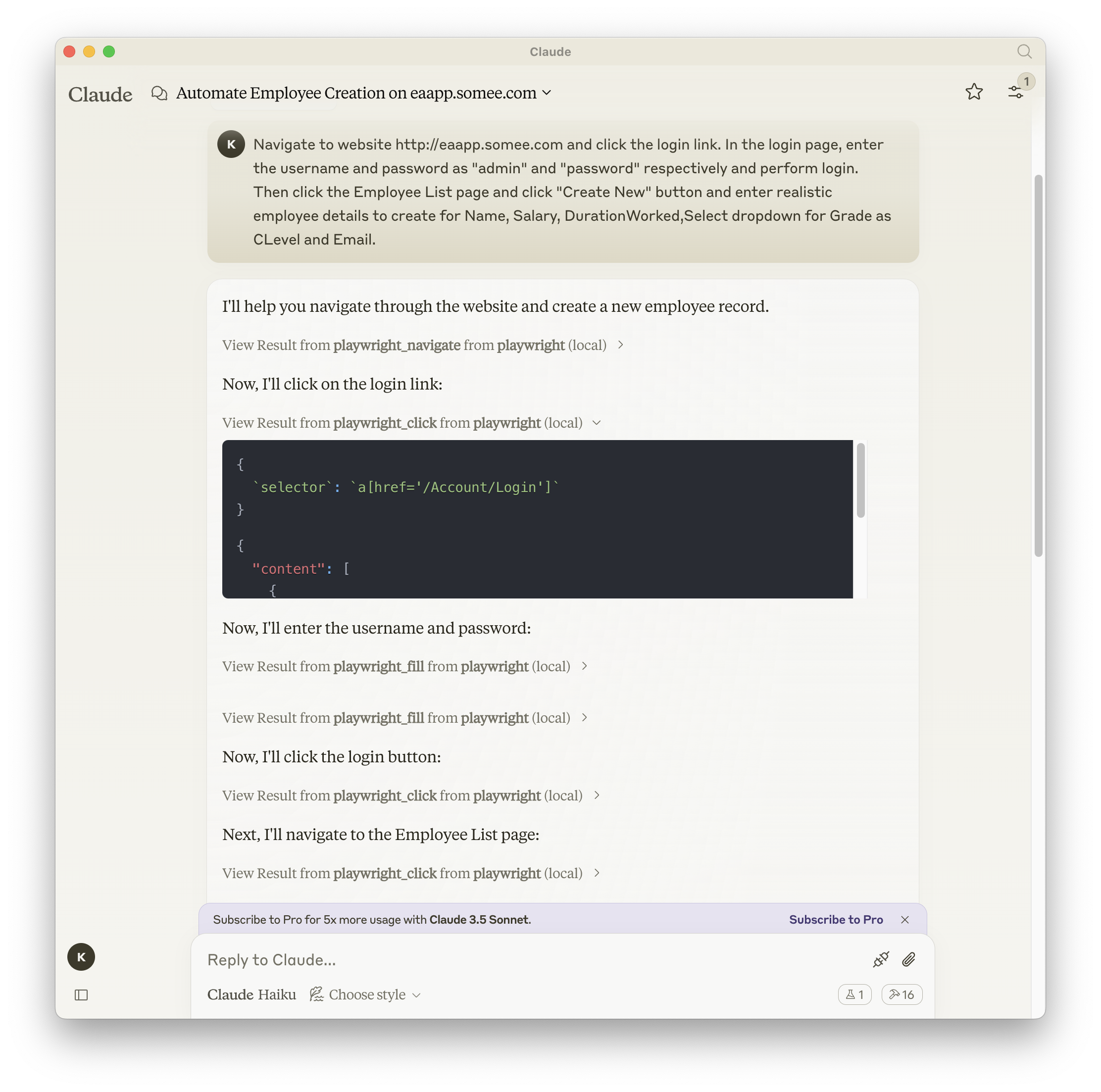
Related MCP server: Puppeteer MCP Server
설치
npm, mcp-get 또는 Smithery를 사용하여 패키지를 설치할 수 있습니다.
npm 사용하기:
지엑스피1
mcp-get을 사용합니다.
npx @michaellatman/mcp-get@latest install @executeautomation/playwright-mcp-server
대장간 사용
Smithery를 통해 Claude Desktop용 Playwright MCP를 자동으로 설치하려면:
npx -y @smithery/cli install @executeautomation/playwright-mcp-server --client claude
VS Code에 설치
다음 버튼 중 하나를 사용하여 VS Code에 Playwright MCP 서버를 설치하세요.
또는 VS Code CLI를 사용하여 Playwright MCP 서버를 설치할 수 있습니다.
# For VS Code
code --add-mcp '{"name":"playwright","command":"npx","args":["@executeautomation/playwright-mcp-server"]}'
# For VS Code Insiders
code-insiders --add-mcp '{"name":"playwright","command":"npx","args":["@executeautomation/playwright-mcp-server"]}'
설치 후 ExecuteAutomation Playwright MCP 서버를 VS Code의 GitHub Copilot 에이전트와 함께 사용할 수 있습니다.
Playwright Server를 사용하기 위한 구성
Playwright 서버를 사용하기 위한 Claude Desktop 구성은 다음과 같습니다.
{
  "mcpServers": {
    "playwright": {
      "command": "npx",
      "args": ["-y", "@executeautomation/playwright-mcp-server"]
    }
  }
}
테스트
이 프로젝트에서는 Jest를 사용하여 테스트합니다. 테스트는 src/__tests__ 디렉터리에 있습니다.
테스트 실행
다음 명령 중 하나를 사용하여 테스트를 실행할 수 있습니다.
# Run tests using the custom script (with coverage)
node run-tests.cjs

# Run tests using npm scripts
npm test           # Run tests without coverage
npm run test:coverage  # Run tests with coverage
npm run test:custom    # Run tests with custom script (same as node run-tests.cjs)
테스트 커버리지 보고서는 coverage 디렉토리에 생성됩니다.
스타 역사


