Playwright MCP サーバー 🎭

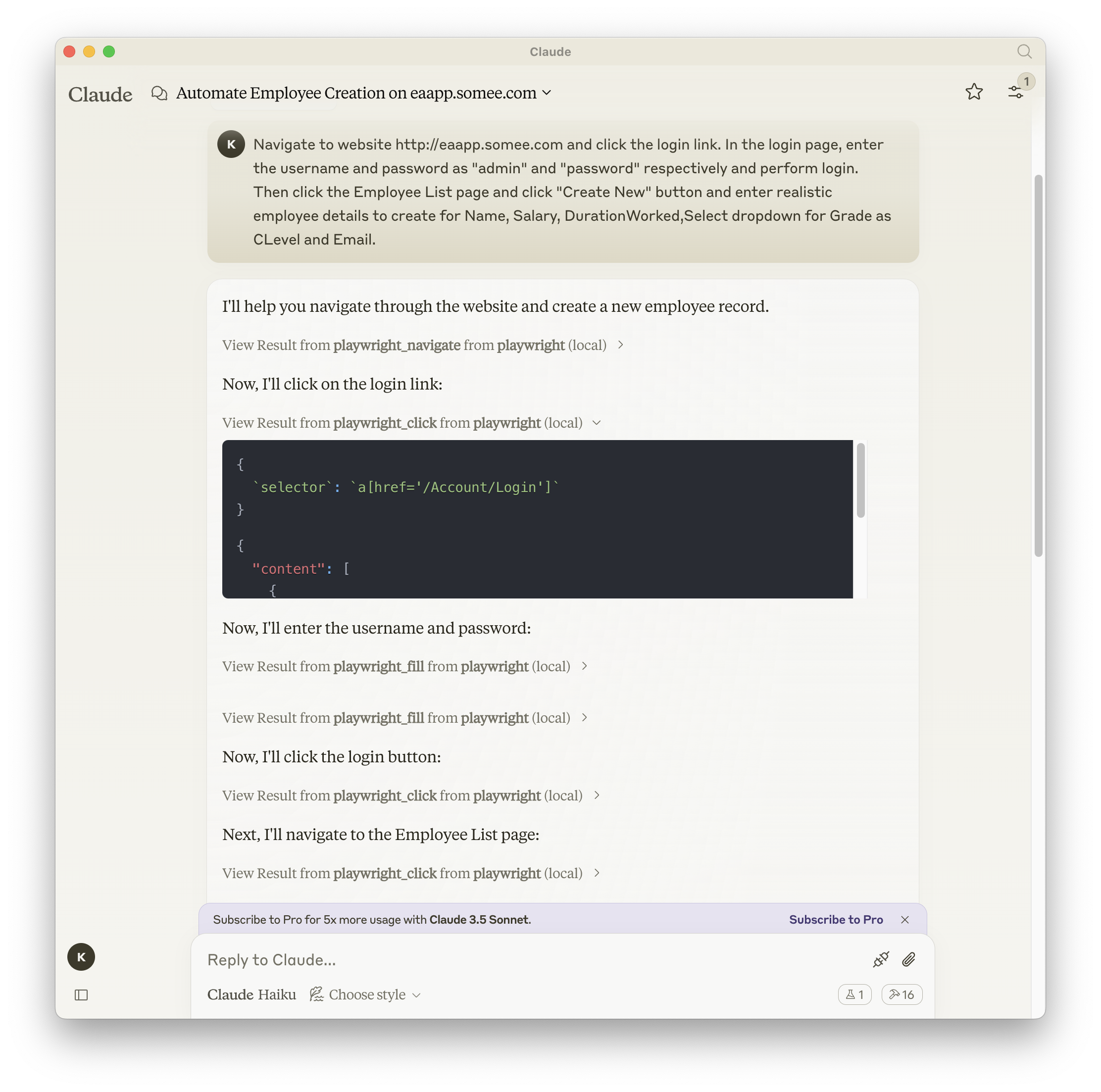
Playwrightを用いたブラウザ自動化機能を提供するモデルコンテキストプロトコルサーバー。このサーバーにより、LLMはWebページとのインタラクション、スクリーンショットの取得、テストコードの生成、ページのWebスクレイピング、そして実際のブラウザ環境でのJavaScript実行が可能になります。
スクリーンショット
Related MCP server: Puppeteer MCP Server
インストール
npm、mcp-get、Smithery のいずれかを使用してパッケージをインストールできます。
npm を使用する場合:
npm install -g @executeautomation/playwright-mcp-server
mcp-get の使用:
npx @michaellatman/mcp-get@latest install @executeautomation/playwright-mcp-server
鍛冶屋を使う
Smithery経由で Claude Desktop 用の Playwright MCP を自動的にインストールするには:
npx -y @smithery/cli install @executeautomation/playwright-mcp-server --client claude
VS Codeでのインストール
次のいずれかのボタンを使用して、VS Code に Playwright MCP サーバーをインストールします。
あるいは、VS Code CLI を使用して Playwright MCP サーバーをインストールすることもできます。
# For VS Code
code --add-mcp '{"name":"playwright","command":"npx","args":["@executeautomation/playwright-mcp-server"]}'
# For VS Code Insiders
code-insiders --add-mcp '{"name":"playwright","command":"npx","args":["@executeautomation/playwright-mcp-server"]}'
インストール後、ExecuteAutomation Playwright MCP サーバーを VS Code の GitHub Copilot エージェントで使用できるようになります。
Playwright Serverを使用するための設定
Playwright サーバーを使用するための Claude Desktop の構成は次のとおりです。
{
  "mcpServers": {
    "playwright": {
      "command": "npx",
      "args": ["-y", "@executeautomation/playwright-mcp-server"]
    }
  }
}
テスト
このプロジェクトではテストにJestを使用しています。テストはsrc/__tests__ディレクトリにあります。
テストの実行
次のいずれかのコマンドを使用してテストを実行できます。
# Run tests using the custom script (with coverage)
node run-tests.cjs

# Run tests using npm scripts
npm test           # Run tests without coverage
npm run test:coverage  # Run tests with coverage
npm run test:custom    # Run tests with custom script (same as node run-tests.cjs)
テスト カバレッジ レポートは、 coverageディレクトリに生成されます。
スターの歴史


