Playwright MCP Server
Servidor MCP de dramaturgo 🎭
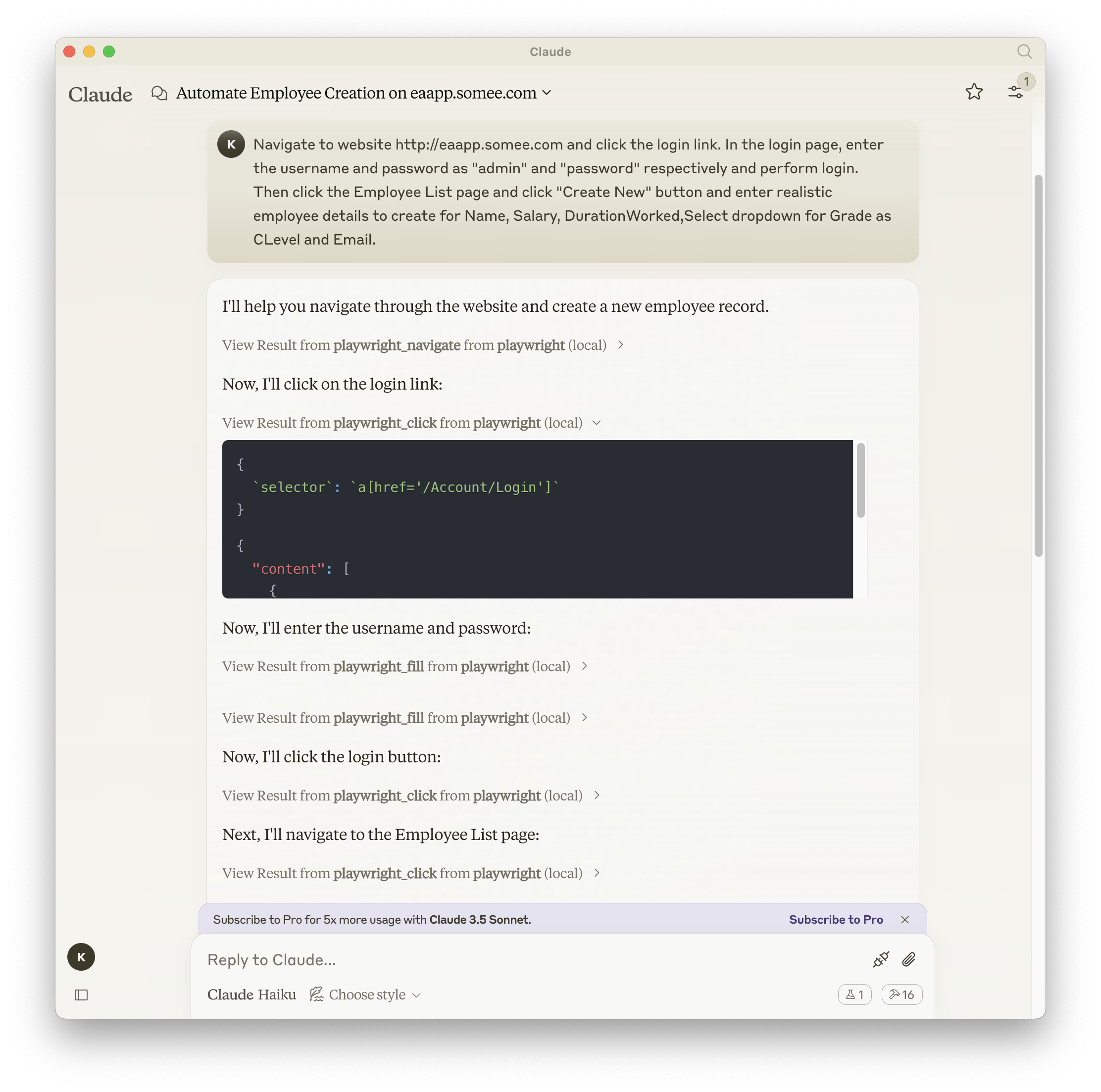
Un servidor de Protocolo de Contexto de Modelo que proporciona funciones de automatización del navegador mediante Playwright. Este servidor permite a los LLM interactuar con páginas web, tomar capturas de pantalla, generar código de prueba, extraer fragmentos web de la página y ejecutar JavaScript en un entorno de navegador real.
Captura de pantalla
Related MCP server: Puppeteer MCP Server
Documentación | Referencia de API
Instalación
Puede instalar el paquete utilizando npm, mcp-get o Smithery:
Usando npm:
npm install -g @executeautomation/playwright-mcp-serverUsando mcp-get:
npx @michaellatman/mcp-get@latest install @executeautomation/playwright-mcp-serverUso de herrería
Para instalar Playwright MCP para Claude Desktop automáticamente a través de Smithery :
npx -y @smithery/cli install @executeautomation/playwright-mcp-server --client claudeInstalación en VS Code
Instale el servidor Playwright MCP en VS Code usando uno de estos botones:
Alternativamente, puede instalar el servidor Playwright MCP usando la CLI de VS Code:
# For VS Code
code --add-mcp '{"name":"playwright","command":"npx","args":["@executeautomation/playwright-mcp-server"]}'# For VS Code Insiders
code-insiders --add-mcp '{"name":"playwright","command":"npx","args":["@executeautomation/playwright-mcp-server"]}'Después de la instalación, el servidor ExecuteAutomation Playwright MCP estará disponible para su uso con su agente GitHub Copilot en VS Code.
Configuración para utilizar Playwright Server
Aquí está la configuración de Claude Desktop para utilizar el servidor Playwright:
{
"mcpServers": {
"playwright": {
"command": "npx",
"args": ["-y", "@executeautomation/playwright-mcp-server"]
}
}
}Pruebas
Este proyecto utiliza Jest para las pruebas. Las pruebas se encuentran en el directorio src/__tests__ .
Ejecución de pruebas
Puede ejecutar las pruebas utilizando uno de los siguientes comandos:
# Run tests using the custom script (with coverage)
node run-tests.cjs
# Run tests using npm scripts
npm test # Run tests without coverage
npm run test:coverage # Run tests with coverage
npm run test:custom # Run tests with custom script (same as node run-tests.cjs)El informe de cobertura de la prueba se generará en el directorio coverage .
Historia de las estrellas
Available Tools
29 toolsclear_codegen_sessionC
Clear a code generation session without generating a test
Inputs: sessionId (required).
end_codegen_sessionC
End a code generation session and generate the test file
Inputs: sessionId (required).
get_codegen_sessionC
Get information about a code generation session
Inputs: sessionId (required).
playwright_assert_responseB
Wait for and validate a previously initiated HTTP response wait operation.
Inputs: id (required), value.
playwright_clickC
Click an element on the page
Inputs: selector (required).
playwright_closeB
Close the browser and release all resources
Inputs: no named parameters.
playwright_console_logsC
Retrieve console logs from the browser with filtering options
Inputs: clear, limit, search, type.
playwright_custom_user_agentC
Set a custom User Agent for the browser
Inputs: userAgent (required).
playwright_deleteC
Perform an HTTP DELETE request
Inputs: url (required).
playwright_dragC
Drag an element to a target location
Inputs: sourceSelector (required), targetSelector (required).
playwright_evaluateC
Execute JavaScript in the browser console
Inputs: script (required).
playwright_expect_responseB
Ask Playwright to start waiting for a HTTP response. This tool initiates the wait operation but does not wait for its completion.
Inputs: id (required), url (required).
playwright_fillC
fill out an input field
Inputs: selector (required), value (required).
playwright_getC
Perform an HTTP GET request
Inputs: url (required).
playwright_get_visible_htmlB
Get the HTML content of the current page
Inputs: no named parameters.
playwright_get_visible_textB
Get the visible text content of the current page
Inputs: no named parameters.
playwright_go_backB
Navigate back in browser history
Inputs: no named parameters.
playwright_go_forwardA
Navigate forward in browser history
Inputs: no named parameters.
playwright_hoverC
Hover an element on the page
Inputs: selector (required).
playwright_iframe_clickC
Click an element in an iframe on the page
Inputs: iframeSelector (required), selector (required).
playwright_patchC
Perform an HTTP PATCH request
Inputs: url (required), value (required).
playwright_postC
Perform an HTTP POST request
Inputs: url (required), value (required), headers, token.
playwright_press_keyC
Press a keyboard key
Inputs: key (required), selector.
playwright_putC
Perform an HTTP PUT request
Inputs: url (required), value (required).
playwright_save_as_pdfC
Save the current page as a PDF file
Inputs: outputPath (required), filename, format, margin, +1 more.
playwright_screenshotC
Take a screenshot of the current page or a specific element
Inputs: name (required), downloadsDir, fullPage, height, +4 more.
playwright_selectC
Select an element on the page with Select tag
Inputs: selector (required), value (required).
start_codegen_sessionC
Start a new code generation session to record Playwright actions
Inputs: options (required).
Tool Schema Changelog
Recent tool additions, removals, and schema changes observed during successful MCP inspections.
Loading tool schema changelog…
TDQS
Scored across 29 tools
Most tools have distinct purposes, with clear separation between browser actions (click, fill, navigate), HTTP methods (get, post, put), and code generation sessions. However, some overlap exists between playwright_click and playwright_iframe_click, and between playwright_get_visible_html and playwright_get_visible_text, which could cause minor confusion.
Tool names follow a highly consistent snake_case pattern with clear verb_noun structure. All browser interaction tools use 'playwright_' prefix followed by action verbs (click, fill, navigate), HTTP tools use 'playwright_' plus HTTP method (get, post, put), and codegen tools use descriptive action_session patterns (start_codegen_session, end_codegen_session).
With 29 tools, this is borderline heavy for a Playwright automation server. While Playwright has many capabilities, the count feels excessive compared to typical well-scoped servers (3-15 tools). Some tools could potentially be consolidated or parameterized to reduce the surface area.
The tool surface provides comprehensive coverage for browser automation and testing. It includes navigation, interaction (click, fill, hover, drag), HTTP operations (all major methods), debugging (logs, screenshots, PDF), assertions, iframe handling, and code generation workflows. No obvious gaps exist for typical Playwright use cases.
Maintenance
Related MCP Connectors
Official Browserless MCP server: browser automation, scraping, screenshots and PDFs for AI agents.
A comprehensive Model Context Protocol (MCP) server that enables AI assistants to interact with yo…
Web scraping, browser automation, screenshots and AI data extraction for AI agents via MCP.
Cloud browser, web extraction, screenshots, and remote CDP tools for AI agents.
Related MCP Servers
- AlicenseBqualityDmaintenanceA Model Context Protocol server that provides browser automation capabilities using Playwright. This server enables LLMs to interact with web pages, take screenshots, and execute JavaScript in a real browser environment.3215,926 npm5,681MIT
- AlicenseNot gradedqualityDmaintenanceA Model Context Protocol server that provides browser automation capabilities using Playwright, enabling LLMs to interact with web pages, take screenshots, and execute JavaScript in a real browser environment.19Apache 2.0
- AlicenseNot gradedqualityDmaintenanceA Model Context Protocol server that enables LLMs to automate web browsers using Puppeteer, allowing navigation, screenshots, form filling, and JavaScript execution in a real browser environment.2MIT
- AlicenseBqualityDmaintenanceA Model Context Protocol server that provides browser automation capabilities using Puppeteer, enabling LLMs to interact with web pages, take screenshots, and execute JavaScript in a real browser environment.71MIT
Appeared in Searches
- Tools for enabling LLMs to interact with web pages and perform end-to-end testing
- How to connect to the internet, browse a webpage, and take screenshots
- Plotly Dash - A Python Framework for Building Interactive Web Dashboards
- Information related to the web or internet
- How to execute tests on a frontend page and debug browser console issues