
F
licenseA
qualityB
maintenanceNode.js server implementing Model Context Protocol (MCP) for filesystem operations.
70
14
1,222,611 npm
92,139
-

Servidor de protocolo de contexto de modelo experimental creado con Node.js, que proporciona acceso a la API de Autodesk Platform Services , con control de acceso detallado mediante la nueva función de cuentas de servicio seguras .
Credenciales de la aplicación APS (deben ser de tipo aplicación de servidor a servidor )
Clonar este repositorio
Instalar dependencias: yarn install
Construya el código TypeScript: yarn run build
Cree un archivo .env en la carpeta raíz de este proyecto y agregue sus credenciales de APS:
APS_CLIENT_ID : su ID de cliente de la aplicación APS
APS_CLIENT_SECRET : el secreto del cliente de su aplicación APS
Crear una nueva cuenta de servicio: npx create-service-account ssa-test-user John Doe
Este script generará un correo electrónico de la cuenta de servicio recién creada y un conjunto de variables de entorno.
Agregue o sobrescriba las nuevas variables de entorno en su archivo .env
APS_SA_ID - su ID de cuenta de servicio
APS_SA_EMAIL - el correo electrónico de su cuenta de servicio
APS_SA_KEY_ID : el ID de clave de su cuenta de servicio
APS_SA_PRIVATE_KEY : la clave privada de su cuenta de servicio
Invita al correo electrónico de la cuenta de servicio como nuevo miembro a tus proyectos ACC
Ejecutar el inspector de protocolo de contexto del modelo : yarn run inspect
Pulse Connect para iniciar este servidor MCP y conectarse a él
Asegúrate de tener instalado Claude Desktop
Crea un archivo de configuración de Claude Desktop si aún no tienes uno:
En macOS: ~/Library/Application Support/Claude/claude_desktop_config.json
En Windows: %APPDATA%\Claude\claude_desktop_config.json
Agregue este servidor MCP a la configuración, utilizando la ruta absoluta del archivo build/server.js en su sistema, por ejemplo:
{
    "mcpServers": {
        "autodesk-platform-services": {
            "command": "node",
            "args": [
                "/absolute/path/to/aps-mcp-server/build/server.js"
            ]
        }
    }
}
Abra Claude Desktop y pruebe alguna de las siguientes indicaciones de prueba:
¿A qué proyectos del ACC tengo acceso?
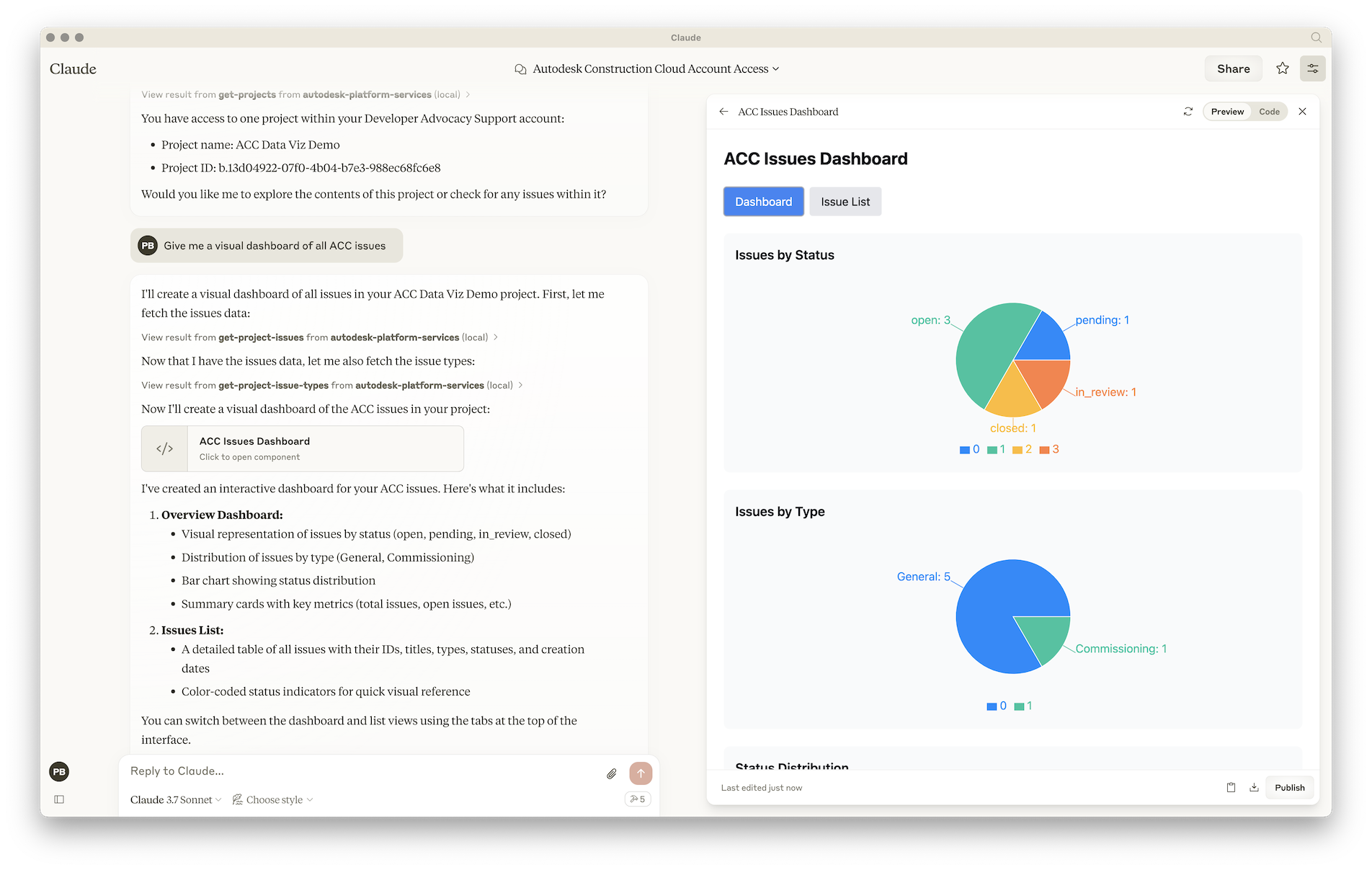
Dame un panel visual de todos los problemas en el proyecto XYZ
Para obtener más detalles sobre cómo agregar servidores MCP a Claude Desktop, consulte la documentación oficial .
List all available Autodesk Construction Cloud accounts
Inputs: no named parameters.
List contents of a project or a specific subfolder in Autodesk Construction Cloud
Inputs: accountId (required), projectId (required), folderId.
Retrieves a list of comments associated with an issue in Autodesk Construction Cloud.
Inputs: projectId (required), issueId (required).
Retrieves a list of supported root cause categories and root causes that you can allocate to an issue in Autodesk Construction Cloud.
Inputs: projectId (required).
List all available projects in an Autodesk Construction Cloud account
Inputs: projectId (required).
List all issue types in an Autodesk Construction Cloud project
Inputs: projectId (required).
List all versions of a document in Autodesk Construction Cloud
Inputs: projectId (required), itemId (required).
List all available projects in an Autodesk Construction Cloud account
Inputs: accountId (required).
Recent tool additions, removals, and schema changes observed during successful MCP inspections.
Loading tool schema changelog…
Scored across 8 tools
Multiple tools have unclear boundaries and overlapping purposes. 'get-issues' and 'get-projects' appear to have conflicting descriptions (both mention listing projects), and several tools like 'get-accounts', 'get-projects', and 'get-issues' seem to retrieve similar high-level resource lists. The descriptions don't clearly differentiate when to use each tool, leading to potential misselection.
All tools follow a consistent 'get-noun' pattern with hyphen-separated words, making them predictable and readable. The naming convention is uniform across all eight tools, with no deviations in style or structure.
Eight tools is a reasonable count for an Autodesk Construction Cloud server, slightly on the lower side but well-scoped for basic operations. It covers accounts, projects, issues, folders, and documents, though it might benefit from a few more tools for a more comprehensive surface.
The tool set is severely incomplete for the domain, focusing only on read operations ('get-') with no create, update, or delete capabilities. This creates significant gaps for managing resources like issues, projects, or documents, limiting agents to listing and retrieving without supporting full lifecycle workflows.
Model Context Protocol server for Studex tools, notifications, and profile integrations
Model Context Protocol server for the Apideck Unified API. Connect any MCP-compatible agent framework to 100+ accounting systems, HRIS platforms, file storage providers, and more through one integration. More information https://www.apideck.com/mcp-server
A Model Context Protocol server for Wix AI tools
MCP server for mandates, delegation, policy-gated execution, credential grants, and audit.