


A
licenseB
qualityA
maintenanceAn AI-powered tool that generates modern UI components from natural language descriptions, integrating with popular IDEs to streamline UI development workflow.
4
12,175 npm
5,996
ISC

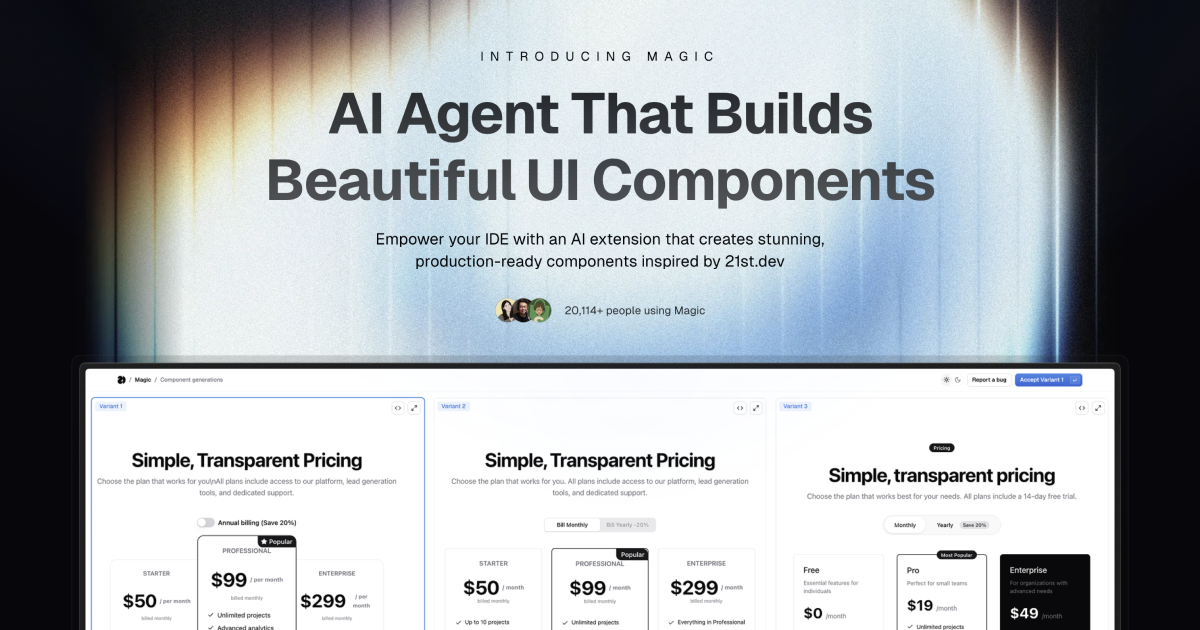
Magic Component Platform (MCP) 是一款强大的 AI 驱动工具,可帮助开发者通过自然语言描述即时创建美观、现代的 UI 组件。它与主流 IDE 无缝集成,并提供精简的 UI 开发工作流程。
人工智能驱动的 UI 生成:通过自然语言描述来创建 UI 组件
多 IDE 支持:
Cursor IDE 集成
风帆冲浪支持
VSCode + Cline集成(测试版)
现代组件库:访问受21st.dev启发的大量预构建、可定制组件
实时预览:创建组件时立即查看
TypeScript 支持:全面支持 TypeScript,实现类型安全开发
SVGL 集成:访问大量专业品牌资产和徽标
组件增强:使用高级功能和动画改进现有组件(即将推出)
Related MCP server: 21st.dev Magic AI Agent
告诉代理您需要什么
在你的 AI Agent 聊天中,只需输入/ui并描述你正在寻找的组件
示例: /ui create a modern navigation bar with responsive design
让魔法创造它
你的 IDE 提示你使用 Magic
Magic 立即构建一个精致的 UI 组件
组件灵感来自 21st.dev 的库
无缝集成
组件会自动添加到您的项目中
立即开始使用新的 UI 组件
所有组件均可完全定制
Node.js(推荐使用最新 LTS 版本)
受支持的 IDE 之一:
光标
风帆冲浪
VSCode(带有 Cline 扩展)
生成 API 密钥
访问您的 Magic 仪表板
导航至 API 部分
生成新的 API 密钥
IDE 设置
npx -y @smithery/cli@latest run @21st-dev/magic-mcp --config "{\"TWENTY_FIRST_API_KEY\":\"your-api-key\"}"添加到~/.codeium/windsurf/mcp_config.json :
{
  "mcpServers": {
    "magic": {
      "command": "npx",
      "args": [
        "-y",
        "@smithery/cli@latest",
        "install",
        "@21st-dev/magic-mcp",
        "--client",
        "windsurf"
      ],
      "env": {
        "TWENTY_FIRST_API_KEY": "your-api-key"
      }
    }
  }
}添加到 Cline 的 MCP 配置:
{
  "mcpServers": {
    "magic": {
      "command": "npx",
      "args": [
        "-y",
        "@smithery/cli@latest",
        "install",
        "@21st-dev/magic-mcp",
        "--client",
        "cline"
      ],
      "env": {
        "TWENTY_FIRST_API_KEY": "your-api-key"
      }
    }
  }
}Magic AI Agent 仅编写或修改与其生成的组件相关的文件。它遵循您项目的代码风格和结构,并与您现有的代码库无缝集成,而不会影响应用程序的其他部分。
是的!所有生成的组件都完全可编辑,并附带结构良好的代码。您可以像代码库中的任何其他 React 组件一样修改其样式、功能和行为。
如果您超出了每月生成限制,系统将提示您升级方案。您可以随时升级以继续生成组件。您现有的组件将保持完全正常运行。
作者可以随时将组件发布到 21st.dev,Magic Agent 可以立即访问它们。这意味着您将始终能够访问社区中最新的组件和设计模式。
Magic AI Agent 可以处理各种复杂程度的组件,从简单的按钮到复杂的交互式表单。但是,为了获得最佳效果,我们建议将非常复杂的 UI 分解为更小、更易于管理的组件。
mcp/
├── app/
│   └── components/     # Core UI components
├── types/             # TypeScript type definitions
├── lib/              # Utility functions
└── public/ # Static assetsIdeInstructions :不同 IDE 的设置说明
ApiKeySection :API密钥管理接口
WelcomeOnboarding :新用户的入职流程
欢迎大家贡献代码!欢迎加入我们的Discord 社区,提供反馈,帮助我们改进 Magic Agent。源代码可在GitHub上获取。
Discord 社区- 加入我们活跃的社区
Twitter - 关注我们获取最新资讯
Magic Agent 目前处于测试阶段。在此期间,所有功能均免费。感谢您的反馈和耐心,我们将持续改进平台。
MIT 许可证
欲了解更多信息,请加入我们的Discord 社区或访问21st.dev/magic 。
"Use this tool when the user requests a new UI component—e.g., mentions /ui, /21 /21st, or asks for a button, input, dialog, table, form, banner, card, or other React component. This tool ONLY returns the text snippet for that UI component. After calling this tool, you must edit or add files to integrate the snippet into the codebase."
| Name | Required | Description | Default |
|---|---|---|---|
| message | Yes | Full users message | |
| searchQuery | Yes | Generate a search query for 21st.dev (library for searching UI components) to find a UI component that matches the user's message. Must be a two-four words max or phrase |
Does the description disclose side effects, auth requirements, rate limits, or destructive behavior?
With no annotations provided, the description carries the full burden of behavioral disclosure. It explains that the tool returns text snippets and requires manual integration afterward, which is useful context. However, it doesn't disclose important behavioral traits like whether this is a read-only operation, if it makes external API calls, potential rate limits, or error handling for invalid requests.
Agents need to know what a tool does to the world before calling it. Descriptions should go beyond structured annotations to explain consequences.
Is the description appropriately sized, front-loaded, and free of redundancy?
The description is extremely concise and well-structured with only three sentences, each serving a distinct purpose: trigger conditions, tool limitation, and required follow-up actions. There's zero wasted text, and the most important information (when to use the tool) is front-loaded.
Shorter descriptions cost fewer tokens and are easier for agents to parse. Every sentence should earn its place.
Given the tool's complexity, does the description cover enough for an agent to succeed on first attempt?
Given no annotations and no output schema, the description provides adequate context for a simple tool but has gaps. It explains the tool's purpose and usage well but doesn't describe what the output looks like (format, structure, or content of returned snippets) or address potential limitations or error conditions that would help an agent use it correctly.
Complex tools with many parameters or behaviors need more documentation. Simple tools need less. This dimension scales expectations accordingly.
Does the description clarify parameter syntax, constraints, interactions, or defaults beyond what the schema provides?
With 100% schema description coverage, the baseline is 3. The description doesn't add any parameter-specific information beyond what's already in the schema (message and searchQuery parameters are fully documented in the schema). No additional syntax, format, or usage details for parameters are provided in the description.
Input schemas describe structure but not intent. Descriptions should explain non-obvious parameter relationships and valid value ranges.
Does the description clearly state what the tool does and how it differs from similar tools?
The description clearly states the tool's purpose: 'returns the text snippet for that UI component' when users request new UI components. It specifies the exact trigger conditions (mentions of /ui, /21, /21st, or specific component types) and distinguishes it from sibling tools by focusing on returning component snippets rather than inspiration or logo searches.
Agents choose between tools based on descriptions. A clear purpose with a specific verb and resource helps agents select the right tool.
Does the description explain when to use this tool, when not to, or what alternatives exist?
The description provides explicit usage guidelines: 'Use this tool when the user requests a new UI component' with specific trigger examples, and distinguishes it from alternatives by stating 'This tool ONLY returns the text snippet' and requiring follow-up actions. It clearly defines when to use this tool versus other approaches.
Agents often have multiple tools that could apply. Explicit usage guidance like "use X instead of Y when Z" prevents misuse.
"Use this tool when the user wants to see component, get inspiration, or /21st fetch data and previews from 21st.dev. This tool returns the JSON data of matching components without generating new code. This tool ONLY returns the text snippet for that UI component. After calling this tool, you must edit or add files to integrate the snippet into the codebase."
| Name | Required | Description | Default |
|---|---|---|---|
| message | Yes | Full users message | |
| searchQuery | Yes | Search query for 21st.dev (library for searching UI components) to find a UI component that matches the user's message. Must be a two-four words max or phrase |
Does the description disclose side effects, auth requirements, rate limits, or destructive behavior?
With no annotations, the description carries the behavioral disclosure burden. It states that no code is generated, that only the text snippet is returned, and that the agent must edit or add files afterward. It does not cover authentication, limits, or exact return shape, but the key behavioral constraints are disclosed.
Agents need to know what a tool does to the world before calling it. Descriptions should go beyond structured annotations to explain consequences.
Is the description appropriately sized, front-loaded, and free of redundancy?
The description is short and front-loaded with the trigger conditions. There is some redundancy between 'returns the JSON data' and 'ONLY returns the text snippet', but the overall structure is efficient and the post-call instruction earns its place.
Shorter descriptions cost fewer tokens and are easier for agents to parse. Every sentence should earn its place.
Given the tool's complexity, does the description cover enough for an agent to succeed on first attempt?
For a two-parameter fetch-like tool with a rich schema and no output schema, this description provides sufficient context: when to use it, what it returns, what it does not do, and what the agent must do afterward. It could be slightly richer on output formatting, but it is largely complete.
Complex tools with many parameters or behaviors need more documentation. Simple tools need less. This dimension scales expectations accordingly.
Does the description clarify parameter syntax, constraints, interactions, or defaults beyond what the schema provides?
The input schema already documents both required parameters with 100% coverage, so the description adds limited semantic value beyond the schema. The description clarifies that searchQuery is for finding a matching UI component, but this is also reflected in the schema's parameter description.
Input schemas describe structure but not intent. Descriptions should explain non-obvious parameter relationships and valid value ranges.
Does the description clearly state what the tool does and how it differs from similar tools?
The description clearly identifies the action as fetching component data and previews from 21st.dev, and it contrasts itself with code generation by stating it does not generate new code. It does not explicitly distinguish itself from the refiner sibling, so it stops short of full differentiation.
Agents choose between tools based on descriptions. A clear purpose with a specific verb and resource helps agents select the right tool.
Does the description explain when to use this tool, when not to, or what alternatives exist?
The description opens with explicit trigger conditions: 'when the user wants to see component, get inspiration, or /21st'. It does not provide when-not guidance or name alternative tools, but the usage context is clear enough for an agent to select this tool appropriately.
Agents often have multiple tools that could apply. Explicit usage guidance like "use X instead of Y when Z" prevents misuse.
Search and return logos in specified format (JSX, TSX, SVG). Supports single and multiple logo searches with category filtering. Can return logos in different themes (light/dark) if available.
When to use this tool:
When user types "/logo" command (e.g., "/logo GitHub")
When user asks to add a company logo that's not in the local project
Example queries:
Single company: ["discord"]
Multiple companies: ["discord", "github", "slack"]
Specific brand: ["microsoft office"]
Command style: "/logo GitHub" -> ["github"]
Request style: "Add Discord logo to the project" -> ["discord"]
Format options:
TSX: Returns TypeScript React component
JSX: Returns JavaScript React component
SVG: Returns raw SVG markup
Each result includes:
Component name (e.g., DiscordIcon)
Component code
Import instructions
| Name | Required | Description | Default |
|---|---|---|---|
| format | Yes | Output format | |
| queries | Yes | List of company names to search for logos |
Does the description disclose side effects, auth requirements, rate limits, or destructive behavior?
With no annotations to lean on, the description carries the behavioral burden and does well by detailing supported formats, theme variations ('if available'), and the exact structure of results (component name, code, import instructions). It does not cover failure modes or no-result behavior, but the disclosed behavior is sufficient for the agent to anticipate what will happen.
Agents need to know what a tool does to the world before calling it. Descriptions should go beyond structured annotations to explain consequences.
Is the description appropriately sized, front-loaded, and free of redundancy?
The description is well-organized with clear sections for purpose, usage, examples, formats, and output structure. It is slightly longer than strictly necessary because example queries partially repeat the usage triggers, but each section earns its place and the key info is front-loaded in the first sentence.
Shorter descriptions cost fewer tokens and are easier for agents to parse. Every sentence should earn its place.
Given the tool's complexity, does the description cover enough for an agent to succeed on first attempt?
Given there is no output schema and no annotations, the description does a good job of explaining what the tool returns, including output format options and result fields. However, it mentions 'category filtering' even though the input schema has no category parameter, and it does not explain what happens when a logo is not found, leaving minor but real gaps.
Complex tools with many parameters or behaviors need more documentation. Simple tools need less. This dimension scales expectations accordingly.
Does the description clarify parameter syntax, constraints, interactions, or defaults beyond what the schema provides?
The schema already describes both parameters (format and queries), so the baseline is 3; the description adds significant value by defining what each format returns (TSX/JSX/SVG), providing concrete example query arrays, and showing how command-style inputs map to the queries parameter. This goes beyond the schema's minimal descriptions.
Input schemas describe structure but not intent. Descriptions should explain non-obvious parameter relationships and valid value ranges.
Does the description clearly state what the tool does and how it differs from similar tools?
The description opens with a precise verb and resource: 'Search and return logos in specified format (JSX, TSX, SVG).' It clearly distinguishes itself from sibling tools (which concern component inspiration, refining, and building) by focusing on logo lookup and output formats. The example queries and command styles reinforce exactly what the tool does.
Agents choose between tools based on descriptions. A clear purpose with a specific verb and resource helps agents select the right tool.
Does the description explain when to use this tool, when not to, or what alternatives exist?
The 'When to use this tool' section explicitly lists two concrete trigger conditions: user types '/logo' command or asks to add a company logo not in the local project. The phrase 'that's not in the local project' provides a clear when-not-to-use condition, effectively excluding cases where the logo is already available locally.
Agents often have multiple tools that could apply. Explicit usage guidance like "use X instead of Y when Z" prevents misuse.
Recent tool additions, removals, and schema changes observed during successful MCP inspections.
v1.0.021st_magic_component_builder21st_magic_component_inspirationlogo_searchScored across 3 tools
The first two tools have significant overlap in purpose and confusing descriptions. Both '21st_magic_component_builder' and '21st_magic_component_inspiration' claim to return UI component snippets and require integration into the codebase, making it unclear when to use one versus the other. The third tool 'logo_search' is clearly distinct for logo handling, but the ambiguity between the first two tools is problematic.
The naming is inconsistent with mixed conventions. The first two tools use a verbose '21st_magic_component_' prefix with different suffixes ('builder' vs 'inspiration'), while the third tool uses a simple 'logo_search' with underscore. There's no consistent verb_noun pattern, and the styles vary significantly across the set.
With only 3 tools, the count feels thin for a 'Magic Component Platform' that seems to handle UI components and logos. While 3 tools isn't inherently wrong, it suggests limited scope or incomplete coverage for what the server name implies. It's borderline but leans toward under-scoped.
For a component platform, there are significant gaps. The tools cover component building/inspiration and logo search, but lack essential operations like updating existing components, deleting components, managing component libraries, or handling component state/props systematically. The surface feels incomplete for proper component lifecycle management.
Build and manage your design system with AI: tokens, themes, components, icons, Figma and code.
UI design from prompts, screenshots, and URLs for AI coding agents and theme tokens.
The bug mediator for AI-built apps: plain-English diagnosis + a ready fix, in your editor.
AI-powered design and management for Webflow Sites