


A
licenseB
qualityA
maintenanceAn AI-powered tool that generates modern UI components from natural language descriptions, integrating with popular IDEs to streamline UI development workflow.
4
12,175 npm
5,996
ISC

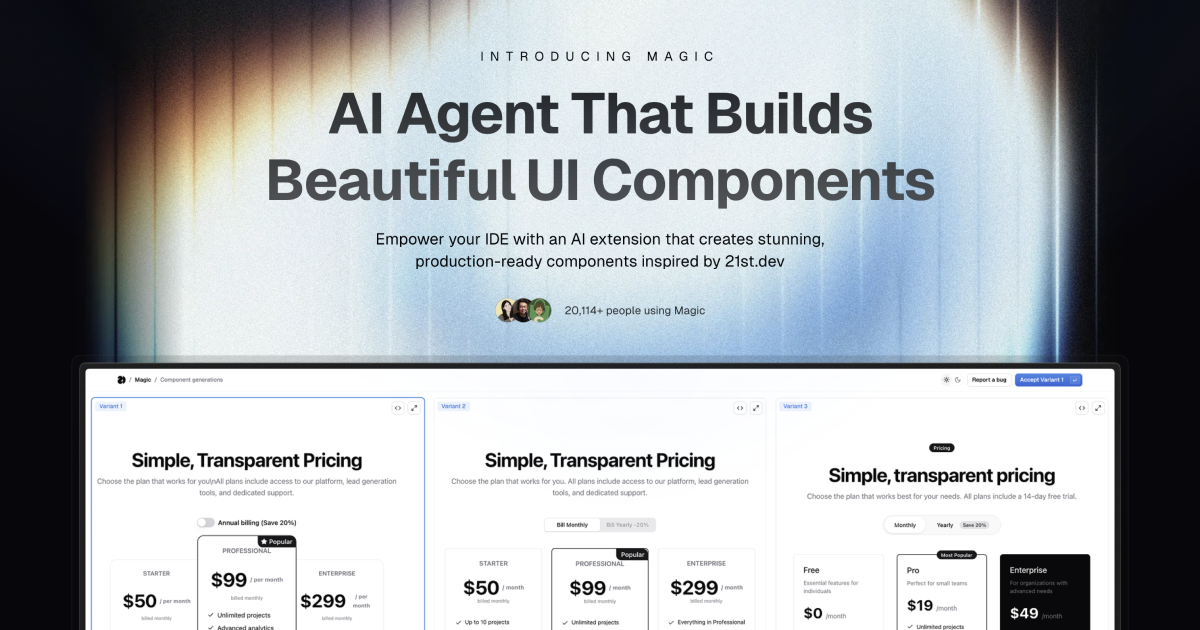
Magic Component Platform (MCP) es una potente herramienta basada en IA que ayuda a los desarrolladores a crear componentes de interfaz de usuario atractivos y modernos al instante mediante descripciones en lenguaje natural. Se integra a la perfección con los IDE más populares y proporciona un flujo de trabajo optimizado para el desarrollo de la interfaz de usuario.
Generación de interfaz de usuario impulsada por IA : cree componentes de interfaz de usuario describiéndolos en lenguaje natural
Compatibilidad con múltiples IDE :
Integración de Cursor IDE
Soporte para windsurf
Integración de VSCode + Cline (Beta)
Biblioteca de componentes moderna : acceso a una amplia colección de componentes prediseñados y personalizables inspirados en 21st.dev
Vista previa en tiempo real : vea instantáneamente sus componentes a medida que los crea
Compatibilidad con TypeScript : compatibilidad total con TypeScript para un desarrollo seguro de tipos
Integración SVGL : acceso a una amplia colección de activos y logotipos de marca profesionales
Mejora de componentes : mejore los componentes existentes con funciones y animaciones avanzadas (próximamente)
Related MCP server: 21st.dev Magic AI Agent
Dígale al agente lo que necesita
En el chat de tu agente de IA, simplemente escribe /ui y describe el componente que estás buscando
Ejemplo: /ui create a modern navigation bar with responsive design
Deja que la magia lo cree
Su IDE le solicita que utilice Magic
Magic crea instantáneamente un componente de interfaz de usuario pulido
Los componentes están inspirados en la biblioteca de 21st.dev
Integración perfecta
Los componentes se agregan automáticamente a su proyecto
Comience a utilizar sus nuevos componentes de UI de inmediato
Todos los componentes son totalmente personalizables.
Node.js (se recomienda la última versión LTS)
Uno de los IDE compatibles:
Cursor
Windsurf
VSCode (con extensión Cline)
Generar clave API
Visita tu panel de control de Magic
Navegar a la sección API
Generar una nueva clave API
Configuración de IDE
npx -y @smithery/cli@latest run @21st-dev/magic-mcp --config "{\"TWENTY_FIRST_API_KEY\":\"your-api-key\"}"Agregar a ~/.codeium/windsurf/mcp_config.json :
{
  "mcpServers": {
    "magic": {
      "command": "npx",
      "args": [
        "-y",
        "@smithery/cli@latest",
        "install",
        "@21st-dev/magic-mcp",
        "--client",
        "windsurf"
      ],
      "env": {
        "TWENTY_FIRST_API_KEY": "your-api-key"
      }
    }
  }
}Agregar a la configuración MCP de Cline:
{
  "mcpServers": {
    "magic": {
      "command": "npx",
      "args": [
        "-y",
        "@smithery/cli@latest",
        "install",
        "@21st-dev/magic-mcp",
        "--client",
        "cline"
      ],
      "env": {
        "TWENTY_FIRST_API_KEY": "your-api-key"
      }
    }
  }
}Magic AI Agent solo escribe o modifica archivos relacionados con los componentes que genera. Sigue el estilo y la estructura del código de tu proyecto y se integra a la perfección con tu código base existente sin afectar a otras partes de tu aplicación.
¡Sí! Todos los componentes generados son totalmente editables y vienen con código bien estructurado. Puedes modificar el estilo, la funcionalidad y el comportamiento como cualquier otro componente de React en tu código.
Si supera su límite de generación mensual, se le solicitará que actualice su plan. Puede actualizarlo en cualquier momento para seguir generando componentes. Sus componentes actuales seguirán funcionando correctamente.
Los autores pueden publicar componentes en 21st.dev en cualquier momento, y Magic Agent tendrá acceso inmediato a ellos. Esto significa que siempre tendrás acceso a los componentes y patrones de diseño más recientes de la comunidad.
Magic AI Agent puede gestionar componentes de diversa complejidad, desde botones sencillos hasta formularios interactivos complejos. Sin embargo, para obtener mejores resultados, recomendamos dividir las interfaces de usuario muy complejas en componentes más pequeños y manejables.
mcp/
├── app/
│   └── components/     # Core UI components
├── types/             # TypeScript type definitions
├── lib/              # Utility functions
└── public/ # Static assetsIdeInstructions : Instrucciones de configuración para diferentes IDE
ApiKeySection : Interfaz de gestión de claves API
WelcomeOnboarding : Flujo de incorporación para nuevos usuarios
¡Agradecemos las contribuciones! Únete a nuestra comunidad de Discord y comparte tus comentarios para ayudarnos a mejorar Magic Agent. El código fuente está disponible en GitHub .
Comunidad de Discord : Únete a nuestra comunidad activa
Twitter - Síguenos para recibir actualizaciones
Magic Agent se encuentra actualmente en fase beta. Todas las funciones son gratuitas durante este periodo. Agradecemos sus comentarios y paciencia mientras seguimos mejorando la plataforma.
Licencia MIT
Gracias a nuestros probadores beta y miembros de la comunidad.
Un agradecimiento especial a los equipos Cursor, Windsurf y Cline por su colaboración.
Integración con 21st.dev para inspirar componentes
SVGL para la integración de logotipos y activos de marca
Para obtener más información, únete a nuestra comunidad de Discord o visita 21st.dev/magic .
"Use this tool when the user requests a new UI component—e.g., mentions /ui, /21 /21st, or asks for a button, input, dialog, table, form, banner, card, or other React component. This tool ONLY returns the text snippet for that UI component. After calling this tool, you must edit or add files to integrate the snippet into the codebase."
| Name | Required | Description | Default |
|---|---|---|---|
| message | Yes | Full users message | |
| searchQuery | Yes | Generate a search query for 21st.dev (library for searching UI components) to find a UI component that matches the user's message. Must be a two-four words max or phrase |
Does the description disclose side effects, auth requirements, rate limits, or destructive behavior?
With no annotations provided, the description carries the full burden of behavioral disclosure. It explains that the tool returns text snippets and requires manual integration afterward, which is useful context. However, it doesn't disclose important behavioral traits like whether this is a read-only operation, if it makes external API calls, potential rate limits, or error handling for invalid requests.
Agents need to know what a tool does to the world before calling it. Descriptions should go beyond structured annotations to explain consequences.
Is the description appropriately sized, front-loaded, and free of redundancy?
The description is extremely concise and well-structured with only three sentences, each serving a distinct purpose: trigger conditions, tool limitation, and required follow-up actions. There's zero wasted text, and the most important information (when to use the tool) is front-loaded.
Shorter descriptions cost fewer tokens and are easier for agents to parse. Every sentence should earn its place.
Given the tool's complexity, does the description cover enough for an agent to succeed on first attempt?
Given no annotations and no output schema, the description provides adequate context for a simple tool but has gaps. It explains the tool's purpose and usage well but doesn't describe what the output looks like (format, structure, or content of returned snippets) or address potential limitations or error conditions that would help an agent use it correctly.
Complex tools with many parameters or behaviors need more documentation. Simple tools need less. This dimension scales expectations accordingly.
Does the description clarify parameter syntax, constraints, interactions, or defaults beyond what the schema provides?
With 100% schema description coverage, the baseline is 3. The description doesn't add any parameter-specific information beyond what's already in the schema (message and searchQuery parameters are fully documented in the schema). No additional syntax, format, or usage details for parameters are provided in the description.
Input schemas describe structure but not intent. Descriptions should explain non-obvious parameter relationships and valid value ranges.
Does the description clearly state what the tool does and how it differs from similar tools?
The description clearly states the tool's purpose: 'returns the text snippet for that UI component' when users request new UI components. It specifies the exact trigger conditions (mentions of /ui, /21, /21st, or specific component types) and distinguishes it from sibling tools by focusing on returning component snippets rather than inspiration or logo searches.
Agents choose between tools based on descriptions. A clear purpose with a specific verb and resource helps agents select the right tool.
Does the description explain when to use this tool, when not to, or what alternatives exist?
The description provides explicit usage guidelines: 'Use this tool when the user requests a new UI component' with specific trigger examples, and distinguishes it from alternatives by stating 'This tool ONLY returns the text snippet' and requiring follow-up actions. It clearly defines when to use this tool versus other approaches.
Agents often have multiple tools that could apply. Explicit usage guidance like "use X instead of Y when Z" prevents misuse.
"Use this tool when the user wants to see component, get inspiration, or /21st fetch data and previews from 21st.dev. This tool returns the JSON data of matching components without generating new code. This tool ONLY returns the text snippet for that UI component. After calling this tool, you must edit or add files to integrate the snippet into the codebase."
| Name | Required | Description | Default |
|---|---|---|---|
| message | Yes | Full users message | |
| searchQuery | Yes | Search query for 21st.dev (library for searching UI components) to find a UI component that matches the user's message. Must be a two-four words max or phrase |
Does the description disclose side effects, auth requirements, rate limits, or destructive behavior?
With no annotations, the description carries the behavioral disclosure burden. It states that no code is generated, that only the text snippet is returned, and that the agent must edit or add files afterward. It does not cover authentication, limits, or exact return shape, but the key behavioral constraints are disclosed.
Agents need to know what a tool does to the world before calling it. Descriptions should go beyond structured annotations to explain consequences.
Is the description appropriately sized, front-loaded, and free of redundancy?
The description is short and front-loaded with the trigger conditions. There is some redundancy between 'returns the JSON data' and 'ONLY returns the text snippet', but the overall structure is efficient and the post-call instruction earns its place.
Shorter descriptions cost fewer tokens and are easier for agents to parse. Every sentence should earn its place.
Given the tool's complexity, does the description cover enough for an agent to succeed on first attempt?
For a two-parameter fetch-like tool with a rich schema and no output schema, this description provides sufficient context: when to use it, what it returns, what it does not do, and what the agent must do afterward. It could be slightly richer on output formatting, but it is largely complete.
Complex tools with many parameters or behaviors need more documentation. Simple tools need less. This dimension scales expectations accordingly.
Does the description clarify parameter syntax, constraints, interactions, or defaults beyond what the schema provides?
The input schema already documents both required parameters with 100% coverage, so the description adds limited semantic value beyond the schema. The description clarifies that searchQuery is for finding a matching UI component, but this is also reflected in the schema's parameter description.
Input schemas describe structure but not intent. Descriptions should explain non-obvious parameter relationships and valid value ranges.
Does the description clearly state what the tool does and how it differs from similar tools?
The description clearly identifies the action as fetching component data and previews from 21st.dev, and it contrasts itself with code generation by stating it does not generate new code. It does not explicitly distinguish itself from the refiner sibling, so it stops short of full differentiation.
Agents choose between tools based on descriptions. A clear purpose with a specific verb and resource helps agents select the right tool.
Does the description explain when to use this tool, when not to, or what alternatives exist?
The description opens with explicit trigger conditions: 'when the user wants to see component, get inspiration, or /21st'. It does not provide when-not guidance or name alternative tools, but the usage context is clear enough for an agent to select this tool appropriately.
Agents often have multiple tools that could apply. Explicit usage guidance like "use X instead of Y when Z" prevents misuse.
Search and return logos in specified format (JSX, TSX, SVG). Supports single and multiple logo searches with category filtering. Can return logos in different themes (light/dark) if available.
When to use this tool:
When user types "/logo" command (e.g., "/logo GitHub")
When user asks to add a company logo that's not in the local project
Example queries:
Single company: ["discord"]
Multiple companies: ["discord", "github", "slack"]
Specific brand: ["microsoft office"]
Command style: "/logo GitHub" -> ["github"]
Request style: "Add Discord logo to the project" -> ["discord"]
Format options:
TSX: Returns TypeScript React component
JSX: Returns JavaScript React component
SVG: Returns raw SVG markup
Each result includes:
Component name (e.g., DiscordIcon)
Component code
Import instructions
| Name | Required | Description | Default |
|---|---|---|---|
| format | Yes | Output format | |
| queries | Yes | List of company names to search for logos |
Does the description disclose side effects, auth requirements, rate limits, or destructive behavior?
With no annotations to lean on, the description carries the behavioral burden and does well by detailing supported formats, theme variations ('if available'), and the exact structure of results (component name, code, import instructions). It does not cover failure modes or no-result behavior, but the disclosed behavior is sufficient for the agent to anticipate what will happen.
Agents need to know what a tool does to the world before calling it. Descriptions should go beyond structured annotations to explain consequences.
Is the description appropriately sized, front-loaded, and free of redundancy?
The description is well-organized with clear sections for purpose, usage, examples, formats, and output structure. It is slightly longer than strictly necessary because example queries partially repeat the usage triggers, but each section earns its place and the key info is front-loaded in the first sentence.
Shorter descriptions cost fewer tokens and are easier for agents to parse. Every sentence should earn its place.
Given the tool's complexity, does the description cover enough for an agent to succeed on first attempt?
Given there is no output schema and no annotations, the description does a good job of explaining what the tool returns, including output format options and result fields. However, it mentions 'category filtering' even though the input schema has no category parameter, and it does not explain what happens when a logo is not found, leaving minor but real gaps.
Complex tools with many parameters or behaviors need more documentation. Simple tools need less. This dimension scales expectations accordingly.
Does the description clarify parameter syntax, constraints, interactions, or defaults beyond what the schema provides?
The schema already describes both parameters (format and queries), so the baseline is 3; the description adds significant value by defining what each format returns (TSX/JSX/SVG), providing concrete example query arrays, and showing how command-style inputs map to the queries parameter. This goes beyond the schema's minimal descriptions.
Input schemas describe structure but not intent. Descriptions should explain non-obvious parameter relationships and valid value ranges.
Does the description clearly state what the tool does and how it differs from similar tools?
The description opens with a precise verb and resource: 'Search and return logos in specified format (JSX, TSX, SVG).' It clearly distinguishes itself from sibling tools (which concern component inspiration, refining, and building) by focusing on logo lookup and output formats. The example queries and command styles reinforce exactly what the tool does.
Agents choose between tools based on descriptions. A clear purpose with a specific verb and resource helps agents select the right tool.
Does the description explain when to use this tool, when not to, or what alternatives exist?
The 'When to use this tool' section explicitly lists two concrete trigger conditions: user types '/logo' command or asks to add a company logo not in the local project. The phrase 'that's not in the local project' provides a clear when-not-to-use condition, effectively excluding cases where the logo is already available locally.
Agents often have multiple tools that could apply. Explicit usage guidance like "use X instead of Y when Z" prevents misuse.
Recent tool additions, removals, and schema changes observed during successful MCP inspections.
v1.0.021st_magic_component_builder21st_magic_component_inspirationlogo_searchScored across 3 tools
The first two tools have significant overlap in purpose and confusing descriptions. Both '21st_magic_component_builder' and '21st_magic_component_inspiration' claim to return UI component snippets and require integration into the codebase, making it unclear when to use one versus the other. The third tool 'logo_search' is clearly distinct for logo handling, but the ambiguity between the first two tools is problematic.
The naming is inconsistent with mixed conventions. The first two tools use a verbose '21st_magic_component_' prefix with different suffixes ('builder' vs 'inspiration'), while the third tool uses a simple 'logo_search' with underscore. There's no consistent verb_noun pattern, and the styles vary significantly across the set.
With only 3 tools, the count feels thin for a 'Magic Component Platform' that seems to handle UI components and logos. While 3 tools isn't inherently wrong, it suggests limited scope or incomplete coverage for what the server name implies. It's borderline but leans toward under-scoped.
For a component platform, there are significant gaps. The tools cover component building/inspiration and logo search, but lack essential operations like updating existing components, deleting components, managing component libraries, or handling component state/props systematically. The surface feels incomplete for proper component lifecycle management.
Build and manage your design system with AI: tokens, themes, components, icons, Figma and code.
UI design from prompts, screenshots, and URLs for AI coding agents and theme tokens.
The bug mediator for AI-built apps: plain-English diagnosis + a ready fix, in your editor.
AI-powered design and management for Webflow Sites