

A
licenseB
qualityA
maintenanceAn AI-powered tool that generates modern UI components from natural language descriptions, integrating with popular IDEs to streamline UI development workflow.
4
10,259 npm
6,256
ISC

Provides community and support channels for users through their Discord community
Source code is available on GitHub for community contributions
Required as a prerequisite for the platform, with latest LTS version recommended
Enables installation via npx commands and package management
Generates React components that can be customized and integrated into projects
Integrates with SVGL to provide access to professional brand assets and logos
Provides full TypeScript support for type-safe component development
Click on "Deploy Server".
Wait a few minutes for the server to deploy. Once ready, it will show a "Started" state.
In the chat, type @ followed by the MCP server name and your instructions, e.g., "@21st.dev Magic AI Agent create a responsive login form with dark mode toggle"
That's it! The server will respond to your query, and you can continue using it as needed.
Here is a step-by-step guide with screenshots.
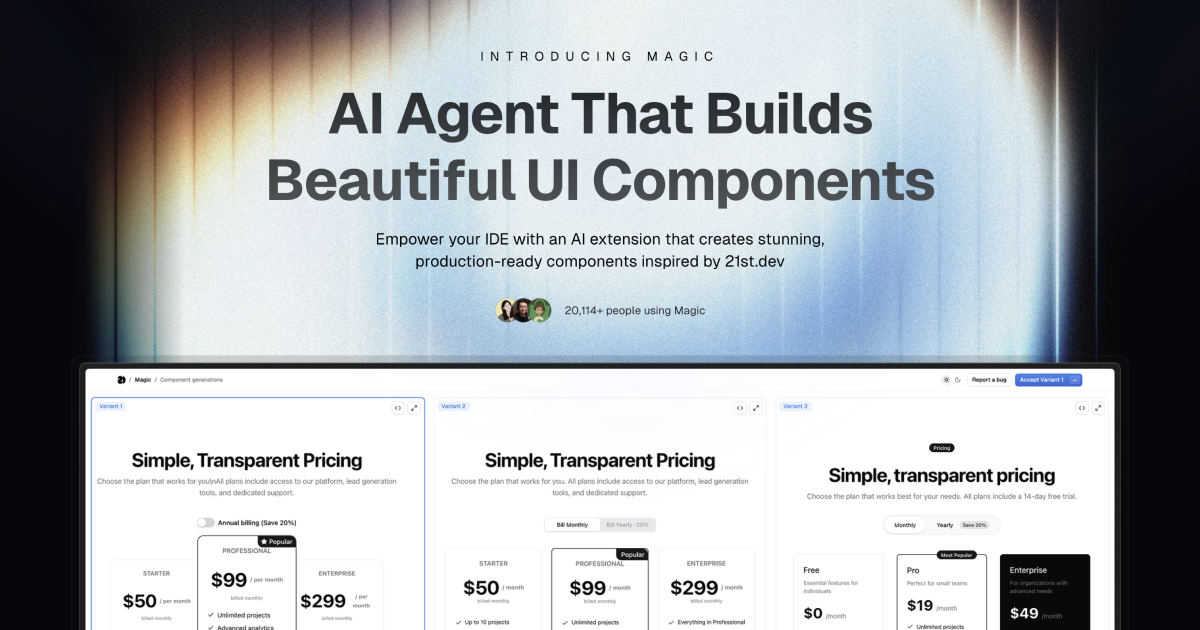
Magic Component Platform (MCP) is a powerful AI-driven tool that helps developers create beautiful, modern UI components instantly through natural language descriptions. It integrates seamlessly with popular IDEs and provides a streamlined workflow for UI development.
AI-Powered UI Generation: Create UI components by describing them in natural language
Multi-IDE Support:
Cursor IDE integration
Windsurf support
VSCode support
VSCode + Cline integration (Beta)
Modern Component Library: Access to a vast collection of pre-built, customizable components inspired by 21st.dev
Real-time Preview: Instantly see your components as you create them
TypeScript Support: Full TypeScript support for type-safe development
SVGL Integration: Access to a vast collection of professional brand assets and logos
Component Enhancement: Improve existing components with advanced features and animations (Coming Soon)
Related MCP server: ToolBox MCP Server
Tell Agent What You Need
In your AI Agent's chat, just type /ui and describe the component you're looking for
Example: /ui create a modern navigation bar with responsive design
Let Magic Create It
Your IDE prompts you to use Magic
Magic instantly builds a polished UI component
Components are inspired by 21st.dev's library
Seamless Integration
Components are automatically added to your project
Start using your new UI components right away
All components are fully customizable
Node.js (Latest LTS version recommended)
One of the supported IDEs:
Cursor
Windsurf
VSCode (with Cline extension)
Generate API Key
Visit 21st.dev Magic Console
Generate a new API key
Choose Installation Method
One command to install and configure MCP for your IDE:
npx @21st-dev/cli@latest install <client> --api-key <key>Supported clients: cursor, windsurf, cline, claude
If you prefer manual setup, add this to your IDE's MCP config file:
{
  "mcpServers": {
    "@21st-dev/magic": {
      "command": "npx",
      "args": ["-y", "@21st-dev/magic@latest", "API_KEY=\"your-api-key\""]
    }
  }
}
Config file locations:
Cursor: ~/.cursor/mcp.json
Windsurf: ~/.codeium/windsurf/mcp_config.json
Cline: ~/.cline/mcp_config.json
Claude: ~/.claude/mcp_config.json
For one-click installation, click one of the install buttons below:
First, check the install buttons above for one-click installation. For manual setup:
Add the following JSON block to your User Settings (JSON) file in VS Code. You can do this by pressing Ctrl + Shift + P and typing Preferences: Open User Settings (JSON):
{
  "mcp": {
    "inputs": [
      {
        "type": "promptString",
        "id": "apiKey",
        "description": "21st.dev Magic API Key",
        "password": true
      }
    ],
    "servers": {
      "@21st-dev/magic": {
        "command": "npx",
        "args": ["-y", "@21st-dev/magic@latest"],
        "env": {
          "API_KEY": "${input:apiKey}"
        }
      }
    }
  }
}
Optionally, you can add it to a file called .vscode/mcp.json in your workspace:
{
  "inputs": [
    {
      "type": "promptString",
      "id": "apiKey",
      "description": "21st.dev Magic API Key",
      "password": true
    }
  ],
  "servers": {
    "@21st-dev/magic": {
      "command": "npx",
      "args": ["-y", "@21st-dev/magic@latest"],
      "env": {
        "API_KEY": "${input:apiKey}"
      }
    }
  }
}Magic AI Agent only writes or modifies files related to the components it generates. It follows your project's code style and structure, and integrates seamlessly with your existing codebase without affecting other parts of your application.
Yes! All generated components are fully editable and come with well-structured code. You can modify the styling, functionality, and behavior just like any other React component in your codebase.
If you exceed your monthly generation limit, you'll be prompted to upgrade your plan. You can upgrade at any time to continue generating components. Your existing components will remain fully functional.
Authors can publish components to 21st.dev at any time, and Magic Agent will have immediate access to them. This means you'll always have access to the latest components and design patterns from the community.
Magic AI Agent can handle components of varying complexity, from simple buttons to complex interactive forms. However, for best results, we recommend breaking down very complex UIs into smaller, manageable components.
mcp/
├── app/
│   └── components/     # Core UI components
├── types/             # TypeScript type definitions
├── lib/              # Utility functions
└── public/ # Static assetsIdeInstructions: Setup instructions for different IDEs
ApiKeySection: API key management interface
WelcomeOnboarding: Onboarding flow for new users
We welcome contributions! Please join our Discord community and provide feedback to help improve Magic Agent. The source code is available on GitHub.
Discord Community - Join our active community
Twitter - Follow us for updates
Magic Agent is currently in beta. All features are free during this period. We appreciate your feedback and patience as we continue to improve the platform.
MIT License
Thanks to our beta testers and community members
Special thanks to the Cursor, Windsurf, and Cline teams for their collaboration
Integration with 21st.dev for component inspiration
SVGL for logo and brand asset integration
For more information, join our Discord community or visit 21st.dev/magic.
"Use this tool when the user requests a new UI component—e.g., mentions /ui, /21 /21st, or asks for a button, input, dialog, table, form, banner, card, or other React component. This tool ONLY returns the text snippet for that UI component. After calling this tool, you must edit or add files to integrate the snippet into the codebase."
| Name | Required | Description | Default |
|---|---|---|---|
| absolutePathToCurrentFile | Yes | Absolute path to the current file to which we want to apply changes | |
| absolutePathToProjectDirectory | Yes | Absolute path to the project root directory | |
| context | Yes | Extract additional context about what should be done to create a ui component/page based on the user's message, search query, and conversation history, files. Don't halucinate and be on point. | |
| message | Yes | Full users message | |
| searchQuery | Yes | Generate a search query for 21st.dev (library for searching UI components) to find a UI component that matches the user's message. Must be a two-four words max or phrase |
Does the description disclose side effects, auth requirements, rate limits, or destructive behavior?
No annotations are provided, so the description carries the full burden. It discloses that the tool 'ONLY returns the text snippet' and requires manual integration afterward, which is useful behavioral context. However, it doesn't mention potential limitations like rate limits, authentication needs, error handling, or what format the snippet returns (e.g., React code, plain text). For a tool with no annotations, this leaves gaps in understanding its full behavior.
Agents need to know what a tool does to the world before calling it. Descriptions should go beyond structured annotations to explain consequences.
Is the description appropriately sized, front-loaded, and free of redundancy?
The description is appropriately sized and front-loaded: it starts with when to use the tool, states its core function, and ends with post-call instructions. Every sentence earns its place—no wasted words. The structure is logical and efficient for an AI agent to parse quickly.
Shorter descriptions cost fewer tokens and are easier for agents to parse. Every sentence should earn its place.
Given the tool's complexity, does the description cover enough for an agent to succeed on first attempt?
Given no annotations, no output schema, and 5 parameters (though well-documented in schema), the description is moderately complete. It covers the tool's purpose, usage triggers, and post-call actions, but lacks details on output format, error cases, or integration specifics. For a tool that returns UI snippets, more context on what the snippet contains (e.g., React code, dependencies) would be helpful, but it's adequate as a minimum viable description.
Complex tools with many parameters or behaviors need more documentation. Simple tools need less. This dimension scales expectations accordingly.
Does the description clarify parameter syntax, constraints, interactions, or defaults beyond what the schema provides?
Schema description coverage is 100%, so the schema already documents all 5 parameters thoroughly. The description doesn't add any parameter-specific information beyond what's in the schema (e.g., it doesn't explain how 'context' or 'searchQuery' relate to generating the UI snippet). With high schema coverage, the baseline is 3, and the description doesn't compensate with additional param semantics.
Input schemas describe structure but not intent. Descriptions should explain non-obvious parameter relationships and valid value ranges.
Does the description clearly state what the tool does and how it differs from similar tools?
The description clearly states the tool's purpose: 'returns the text snippet for that UI component' when users request new UI components. It provides specific examples of triggers (mentions of /ui, /21, /21st, or component names like button, input, etc.). However, it doesn't explicitly differentiate from sibling tools like '21st_magic_component_refiner' or '21st_magic_component_inspiration' beyond stating this tool 'ONLY returns the text snippet.'
Agents choose between tools based on descriptions. A clear purpose with a specific verb and resource helps agents select the right tool.
Does the description explain when to use this tool, when not to, or what alternatives exist?
The description provides explicit usage guidelines: 'Use this tool when the user requests a new UI component' with trigger examples, and states 'This tool ONLY returns the text snippet for that UI component.' It also specifies what to do after calling: 'you must edit or add files to integrate the snippet into the codebase.' This gives clear when-to-use instructions and post-call actions, though it doesn't explicitly mention when NOT to use it or name alternatives.
Agents often have multiple tools that could apply. Explicit usage guidance like "use X instead of Y when Z" prevents misuse.
"Use this tool when the user wants to see component, get inspiration, or /21st fetch data and previews from 21st.dev. This tool returns the JSON data of matching components without generating new code. This tool ONLY returns the text snippet for that UI component. After calling this tool, you must edit or add files to integrate the snippet into the codebase."
| Name | Required | Description | Default |
|---|---|---|---|
| message | Yes | Full users message | |
| searchQuery | Yes | Search query for 21st.dev (library for searching UI components) to find a UI component that matches the user's message. Must be a two-four words max or phrase |
Does the description disclose side effects, auth requirements, rate limits, or destructive behavior?
With no annotations, the description carries the behavioral disclosure burden. It states that no code is generated, that only the text snippet is returned, and that the agent must edit or add files afterward. It does not cover authentication, limits, or exact return shape, but the key behavioral constraints are disclosed.
Agents need to know what a tool does to the world before calling it. Descriptions should go beyond structured annotations to explain consequences.
Is the description appropriately sized, front-loaded, and free of redundancy?
The description is short and front-loaded with the trigger conditions. There is some redundancy between 'returns the JSON data' and 'ONLY returns the text snippet', but the overall structure is efficient and the post-call instruction earns its place.
Shorter descriptions cost fewer tokens and are easier for agents to parse. Every sentence should earn its place.
Given the tool's complexity, does the description cover enough for an agent to succeed on first attempt?
For a two-parameter fetch-like tool with a rich schema and no output schema, this description provides sufficient context: when to use it, what it returns, what it does not do, and what the agent must do afterward. It could be slightly richer on output formatting, but it is largely complete.
Complex tools with many parameters or behaviors need more documentation. Simple tools need less. This dimension scales expectations accordingly.
Does the description clarify parameter syntax, constraints, interactions, or defaults beyond what the schema provides?
The input schema already documents both required parameters with 100% coverage, so the description adds limited semantic value beyond the schema. The description clarifies that searchQuery is for finding a matching UI component, but this is also reflected in the schema's parameter description.
Input schemas describe structure but not intent. Descriptions should explain non-obvious parameter relationships and valid value ranges.
Does the description clearly state what the tool does and how it differs from similar tools?
The description clearly identifies the action as fetching component data and previews from 21st.dev, and it contrasts itself with code generation by stating it does not generate new code. It does not explicitly distinguish itself from the refiner sibling, so it stops short of full differentiation.
Agents choose between tools based on descriptions. A clear purpose with a specific verb and resource helps agents select the right tool.
Does the description explain when to use this tool, when not to, or what alternatives exist?
The description opens with explicit trigger conditions: 'when the user wants to see component, get inspiration, or /21st'. It does not provide when-not guidance or name alternative tools, but the usage context is clear enough for an agent to select this tool appropriately.
Agents often have multiple tools that could apply. Explicit usage guidance like "use X instead of Y when Z" prevents misuse.
"Use this tool when the user requests to re-design/refine/improve current UI component with /ui or /21 commands, or when context is about improving, or refining UI for a React component or molecule (NOT for big pages). This tool improves UI of components and returns redesigned version of the component and instructions on how to implement it."
| Name | Required | Description | Default |
|---|---|---|---|
| absolutePathToRefiningFile | Yes | Absolute path to the file that needs to be refined | |
| context | Yes | Extract the specific UI elements and aspects that need improvement based on user messages, code, and conversation history. Identify exactly which components (buttons, forms, modals, etc.) the user is referring to and what aspects (styling, layout, responsiveness, etc.) they want to enhance. Do not include generic improvements - focus only on what the user explicitly mentions or what can be reasonably inferred from the available context. If nothing specific is mentioned or you cannot determine what needs improvement, return an empty string. | |
| userMessage | Yes | Full user's message about UI refinement |
Does the description disclose side effects, auth requirements, rate limits, or destructive behavior?
With no annotations, the description carries the full disclosure burden. It does state the core outcome—'returns redesigned version of the component and instructions on how to implement it'—which implies a read/return behavior rather than a direct write. However, it never says whether the file at absolutePathToRefiningFile is modified, what happens on failure, or any prerequisites, leaving the side-effect profile unclear for a mutating-looking tool.
Agents need to know what a tool does to the world before calling it. Descriptions should go beyond structured annotations to explain consequences.
Is the description appropriately sized, front-loaded, and free of redundancy?
Two compact sentences with the trigger condition front-loaded in the opening clause ('Use this tool when...'). There is minor redundancy—'improves UI' appears in both sentences—but no filler or irrelevant content.
Shorter descriptions cost fewer tokens and are easier for agents to parse. Every sentence should earn its place.
Given the tool's complexity, does the description cover enough for an agent to succeed on first attempt?
The definition covers what the tool does, when to use it, and the outcome, and the schema fully documents parameters. But with no output schema and no annotations, the concrete return format of the 'redesigned version and instructions' is unspecified, and side effects on the target file are unstated, leaving the full invocation contract incomplete.
Complex tools with many parameters or behaviors need more documentation. Simple tools need less. This dimension scales expectations accordingly.
Does the description clarify parameter syntax, constraints, interactions, or defaults beyond what the schema provides?
Schema description coverage is 100%, and the schema already documents all three parameters in detail—'context' even includes extraction rules and the 'return an empty string' fallback. The description text adds no parameter-level meaning beyond the schema, so the baseline 3 applies.
Input schemas describe structure but not intent. Descriptions should explain non-obvious parameter relationships and valid value ranges.
Does the description clearly state what the tool does and how it differs from similar tools?
The description states specific verbs ('re-design/refine/improve') and a clear resource ('current UI component', 'React component or molecule'), and scopes the tool by excluding big pages. The outcome is also specified: it 'returns redesigned version of the component and instructions on how to implement it.' It does not explicitly distinguish itself from sibling tools (inspiration, builder), so differentiation is inferable rather than stated.
Agents choose between tools based on descriptions. A clear purpose with a specific verb and resource helps agents select the right tool.
Does the description explain when to use this tool, when not to, or what alternatives exist?
Explicit trigger conditions are given ('when the user requests to re-design/refine/improve current UI component with /ui or /21 commands, or when context is about improving, or refining UI for a React component or molecule') plus a clear exclusion ('NOT for big pages'). It stops short of naming alternatives—an agent is not told to use builder for new components or inspiration for ideas—so the when-not guidance is partial.
Agents often have multiple tools that could apply. Explicit usage guidance like "use X instead of Y when Z" prevents misuse.
Search and return logos in specified format (JSX, TSX, SVG). Supports single and multiple logo searches with category filtering. Can return logos in different themes (light/dark) if available.
When to use this tool:
When user types "/logo" command (e.g., "/logo GitHub")
When user asks to add a company logo that's not in the local project
Example queries:
Single company: ["discord"]
Multiple companies: ["discord", "github", "slack"]
Specific brand: ["microsoft office"]
Command style: "/logo GitHub" -> ["github"]
Request style: "Add Discord logo to the project" -> ["discord"]
Format options:
TSX: Returns TypeScript React component
JSX: Returns JavaScript React component
SVG: Returns raw SVG markup
Each result includes:
Component name (e.g., DiscordIcon)
Component code
Import instructions
| Name | Required | Description | Default |
|---|---|---|---|
| format | Yes | Output format | |
| queries | Yes | List of company names to search for logos |
Does the description disclose side effects, auth requirements, rate limits, or destructive behavior?
With no annotations to lean on, the description carries the behavioral burden and does well by detailing supported formats, theme variations ('if available'), and the exact structure of results (component name, code, import instructions). It does not cover failure modes or no-result behavior, but the disclosed behavior is sufficient for the agent to anticipate what will happen.
Agents need to know what a tool does to the world before calling it. Descriptions should go beyond structured annotations to explain consequences.
Is the description appropriately sized, front-loaded, and free of redundancy?
The description is well-organized with clear sections for purpose, usage, examples, formats, and output structure. It is slightly longer than strictly necessary because example queries partially repeat the usage triggers, but each section earns its place and the key info is front-loaded in the first sentence.
Shorter descriptions cost fewer tokens and are easier for agents to parse. Every sentence should earn its place.
Given the tool's complexity, does the description cover enough for an agent to succeed on first attempt?
Given there is no output schema and no annotations, the description does a good job of explaining what the tool returns, including output format options and result fields. However, it mentions 'category filtering' even though the input schema has no category parameter, and it does not explain what happens when a logo is not found, leaving minor but real gaps.
Complex tools with many parameters or behaviors need more documentation. Simple tools need less. This dimension scales expectations accordingly.
Does the description clarify parameter syntax, constraints, interactions, or defaults beyond what the schema provides?
The schema already describes both parameters (format and queries), so the baseline is 3; the description adds significant value by defining what each format returns (TSX/JSX/SVG), providing concrete example query arrays, and showing how command-style inputs map to the queries parameter. This goes beyond the schema's minimal descriptions.
Input schemas describe structure but not intent. Descriptions should explain non-obvious parameter relationships and valid value ranges.
Does the description clearly state what the tool does and how it differs from similar tools?
The description opens with a precise verb and resource: 'Search and return logos in specified format (JSX, TSX, SVG).' It clearly distinguishes itself from sibling tools (which concern component inspiration, refining, and building) by focusing on logo lookup and output formats. The example queries and command styles reinforce exactly what the tool does.
Agents choose between tools based on descriptions. A clear purpose with a specific verb and resource helps agents select the right tool.
Does the description explain when to use this tool, when not to, or what alternatives exist?
The 'When to use this tool' section explicitly lists two concrete trigger conditions: user types '/logo' command or asks to add a company logo not in the local project. The phrase 'that's not in the local project' provides a clear when-not-to-use condition, effectively excluding cases where the logo is already available locally.
Agents often have multiple tools that could apply. Explicit usage guidance like "use X instead of Y when Z" prevents misuse.
Recent tool additions, removals, and schema changes observed during successful MCP inspections.
v1.0.021st_magic_component_builder21st_magic_component_inspiration21st_magic_component_refinerlogo_searchScored across 4 tools
Multiple tools have unclear boundaries and overlapping purposes. The first three tools (component_builder, component_inspiration, component_refiner) all involve UI components with similar triggers like '/ui' or '/21' commands, making them easily confused. The logo_search tool is more distinct but still shares the UI component domain, creating potential misselection between generating new components and searching for logos.
The naming is mostly consistent with a clear prefix pattern ('21st_magic_component_' for three tools) and descriptive suffixes. However, the 'logo_search' tool breaks this pattern by using a different prefix style and simpler naming, which is a minor deviation from the otherwise predictable convention.
The tool count of 4 is well-scoped and appropriate for the server's purpose of UI component and logo management. Each tool appears to earn its place by covering distinct aspects like building, inspiration, refining, and logo search, without being overly sparse or bloated.
There are notable gaps in the tool surface for the UI component domain. While tools exist for building, refining, and getting inspiration for components, there is no tool for deleting, updating, or managing existing components (e.g., a 'component_deleter' or 'component_lister'). The logo_search tool provides good coverage for logos, but the component tools lack full lifecycle operations.
Build and manage your design system with AI: tokens, themes, components, icons, Figma and code.
React + Tailwind UI components and recipes your AI coding tool can search and install.
Your AI agent designs editable, clickable UI prototypes on a live canvas.
Find UI components and themes, retrieve code, and generate with hosted 21st AI when enabled.