Glama

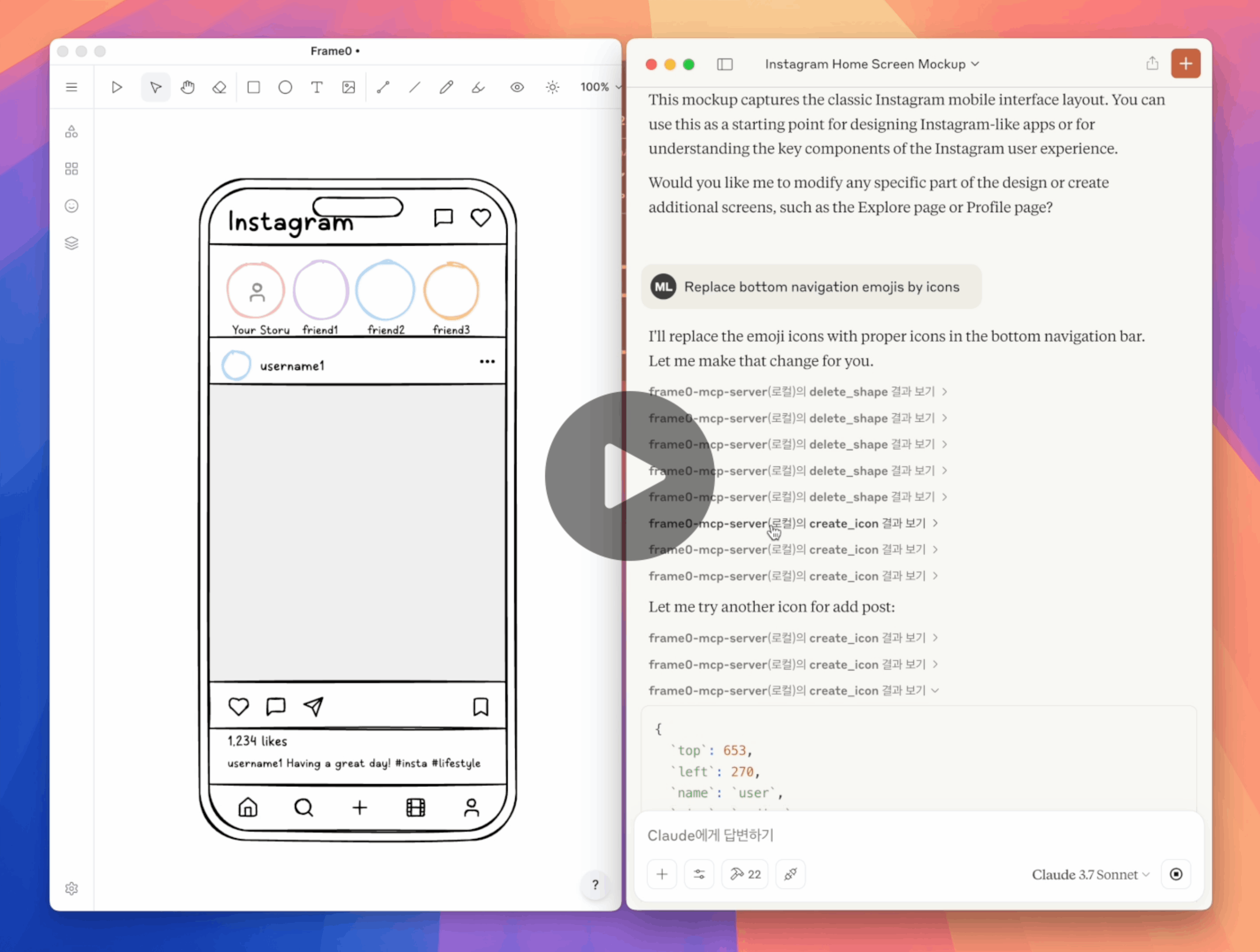
Frame0 MCP Video Example

Frame0 MCP Server

Frame0 is a Balsamiq-alternative wireframe tool for modern apps. Frame0 MCP Server allows you for creating and modifying wireframes in Frame0 by prompting.

Setup

Prerequisite:

  • Frame0 v1.7.0 or higher. (Ensure that Run on start option is enabled in Settings > API Server).

  • Node.js v22 or higher.

Setup for Claude Desktop in claude_desktop_config.json as below:

{
  "mcpServers": {
    "frame0-mcp-server": {
      "command": "npx",
      "args": ["-y", "frame0-mcp-server"]
    }
  }
}

You can use --api-port=<port> optional parameter to use another port number for Frame0's API server.

Related MCP server: figmad-mcp

Example Prompts

  • “Create a login screen for Phone in Frame0”

  • “Create a Instagram home screen for Phone in Frame0”

  • “Create a Netflix home screen for TV in Frame0”

  • “Change the color of the Login button”

  • “Remove the Twitter social login”

  • “Replace the emojis by icons”

  • “Set a link from the google login button to the Google website”

Tools

  • create_frame

  • create_rectangle

  • create_ellipse

  • create_text

  • create_line

  • create_polygon

  • create_connector

  • create_icon

  • create_image

  • update_shape

  • duplicate_shape

  • delete_shape

  • search_icons

  • move_shape

  • align_shapes

  • group

  • ungroup

  • set_link

  • export_shape_as_image

  • add_page

  • update_page

  • duplicate_page

  • delete_page

  • get_current_page_id

  • set_current_page_by_id

  • get_page

  • get_all_pages

  • export_page_as_image

Dev

  1. Clone this repository.

  2. Build with npm run build.

  3. Update claude_desktop_config.json in Claude Desktop as below.

  4. Restart Claude Desktop.

{
  "mcpServers": {
    "frame0-mcp-server": {
      "command": "node",
      "args": ["<full-path-to>/frame0-mcp-server/build/index.js"]
    }
  }
}
A
license - permissive license
-
quality - not tested
B
maintenance

Maintenance

Maintainers
Response time
0dRelease cycle
2Releases (12mo)
Commit activity
Issues opened vs closed

Resources

Unclaimed servers have limited discoverability.

Looking for Admin?

If you are the server author, to access and configure the admin panel.

Related MCP Servers

  • A
    license
    -
    quality
    D
    maintenance
    Enables AI assistants to read and modify Figma designs programmatically, supporting design analysis, element creation, text replacement, annotations, auto-layout configuration, and prototype visualization through natural language commands.
    574
    MIT
  • F
    license
    A
    quality
    D
    maintenance
    Enables AI agents to interact with Figma to create, read, and manage designs using the Figma REST API and a dedicated plugin. It supports advanced features like UI generation from text, webpage reconstruction in Figma, and design token synchronization with codebases.
    20
  • A
    license
    -
    quality
    D
    maintenance
    Enables AI agents to create, modify, and manage Figma designs through natural language commands via a specialized MCP server and plugin bridge. It supports a wide range of operations including element creation, property modification, component management, and accessibility checks.
    7
    103
    MIT
  • A
    license
    B
    quality
    C
    maintenance
    Enables AI agents to directly control Figma Desktop via MCP, supporting UI creation, editing, prototyping, and variable management with over 60 tools.
    65
    882
    1
    MIT

View all related MCP servers

Related MCP Connectors

  • UI design from prompts, screenshots, and URLs for AI coding agents and theme tokens.

  • AI-powered design and management for Webflow Sites

  • Turns any agent into a full agentic application — branded, interactive screens generated at runtime.

View all MCP Connectors

Latest Blog Posts

MCP directory API

We provide all the information about MCP servers via our MCP API.

curl -X GET 'https://glama.ai/api/mcp/v1/servers/niklauslee/frame0-mcp-server'

If you have feedback or need assistance with the MCP directory API, please join our Discord server