F
licenseNot graded
qualityC
maintenanceEnables AI assistants to autonomously create, layout, and export interactive UI mockups as native .bmpr files or Wireframe JSON, integrating with Balsamiq Wireframes 4.x.
1
-

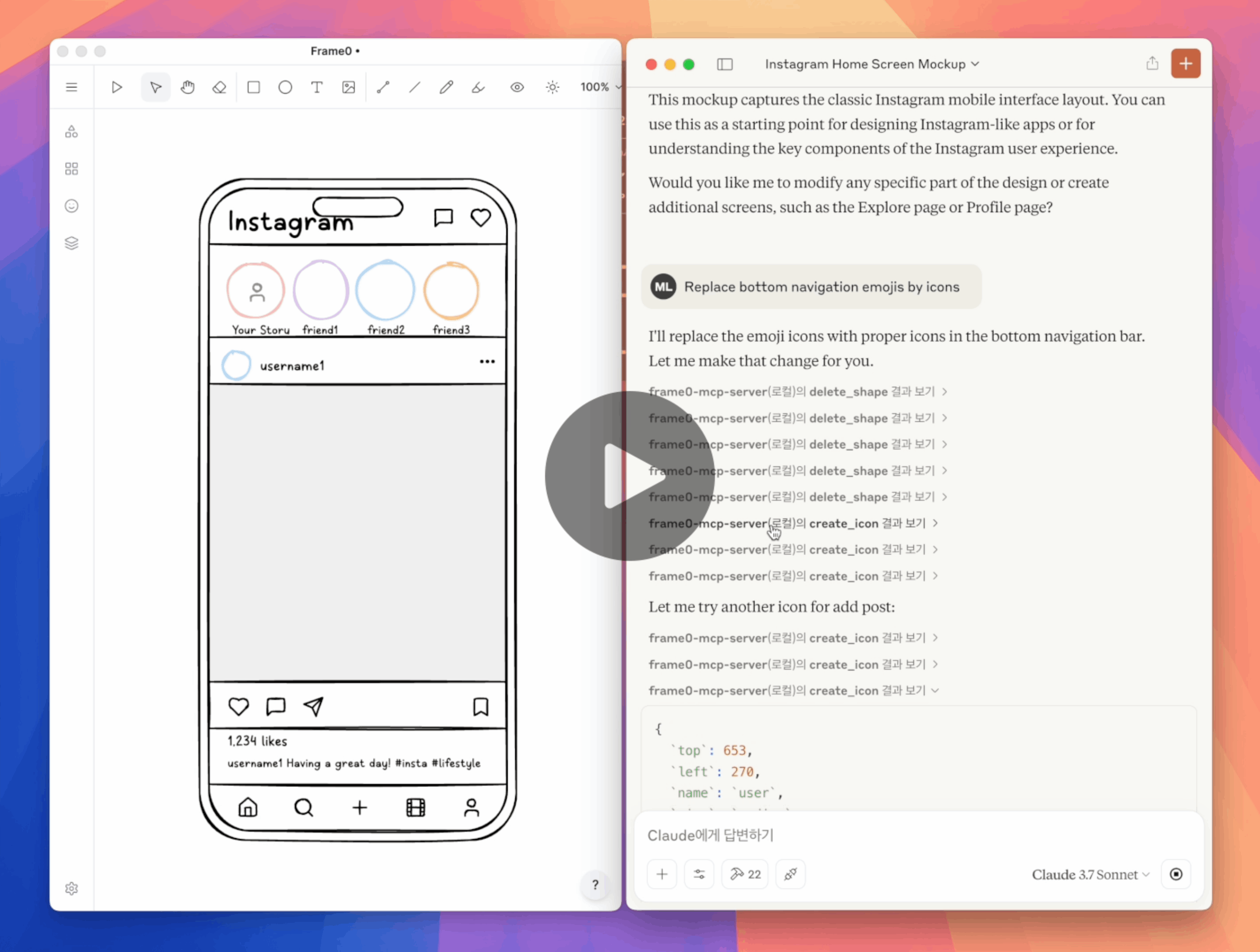
Frame0는 최신 앱을 위한 Balsamiq 대체 와이어프레임 도구입니다. Frame0 MCP 서버를 사용하면 Frame0에서 프롬프트를 통해 와이어프레임을 생성하고 수정할 수 있습니다.
필수 조건:
아래와 같이 claude_desktop_config.json 에서 Claude Desktop을 설정합니다.
지엑스피1
--api-port=<port> 선택적 매개변수를 사용하면 Frame0의 API 서버에 다른 포트 번호를 사용할 수 있습니다.
Related MCP server: maketa-mcp
“Frame0에 Phone 로그인 화면 만들기”
"Frame0에서 휴대폰용 Instagram 홈 화면 만들기"
“Frame0에서 TV용 Netflix 홈 화면 만들기”
“로그인 버튼 색상 변경”
“트위터 소셜 로그인 제거”
“이모지를 아이콘으로 바꿔주세요”
"Google 로그인 버튼에서 Google 웹사이트로의 링크를 설정하세요"
create_frame
create_rectangle
create_ellipse
create_text
create_line
create_connector
create_icon
create_image
update_shape
duplicate_shape
delete_shape
get_available_icons
move_shape
align_shapes
group
ungroup
set_link
export_shape_as_image
add_page
update_page
duplicate_page
delete_page
get_current_page_id
set_current_page_by_id
get_page
get_all_pages
export_page_as_image
이 저장소를 복제합니다.
npm run build 로 빌드합니다.
아래와 같이 Claude Desktop에서 claude_desktop_config.json 업데이트합니다.
Claude Desktop을 다시 시작합니다.
{
  "mcpServers": {
    "frame0-mcp-server": {
      "command": "node",
      "args": ["<full-path-to>/frame0-mcp-server/build/index.js"]
    }
  }
}Recent tool additions, removals, and schema changes observed during successful MCP inspections.
Loading tool schema changelog…
This server cannot be deployed
Design and edit UI in Subframe and open the design canvas in the chat
Agent-Native design tool - create and edit visual designs with agent assistance
Generate, inspect, and manage Flowstep UI designs directly from your AI assistant.
Build and edit app screen mockups and clickable prototypes from your AI assistant.