F
licenseNot graded
qualityC
maintenanceEnables AI assistants to autonomously create, layout, and export interactive UI mockups as native .bmpr files or Wireframe JSON, integrating with Balsamiq Wireframes 4.x.
1
-

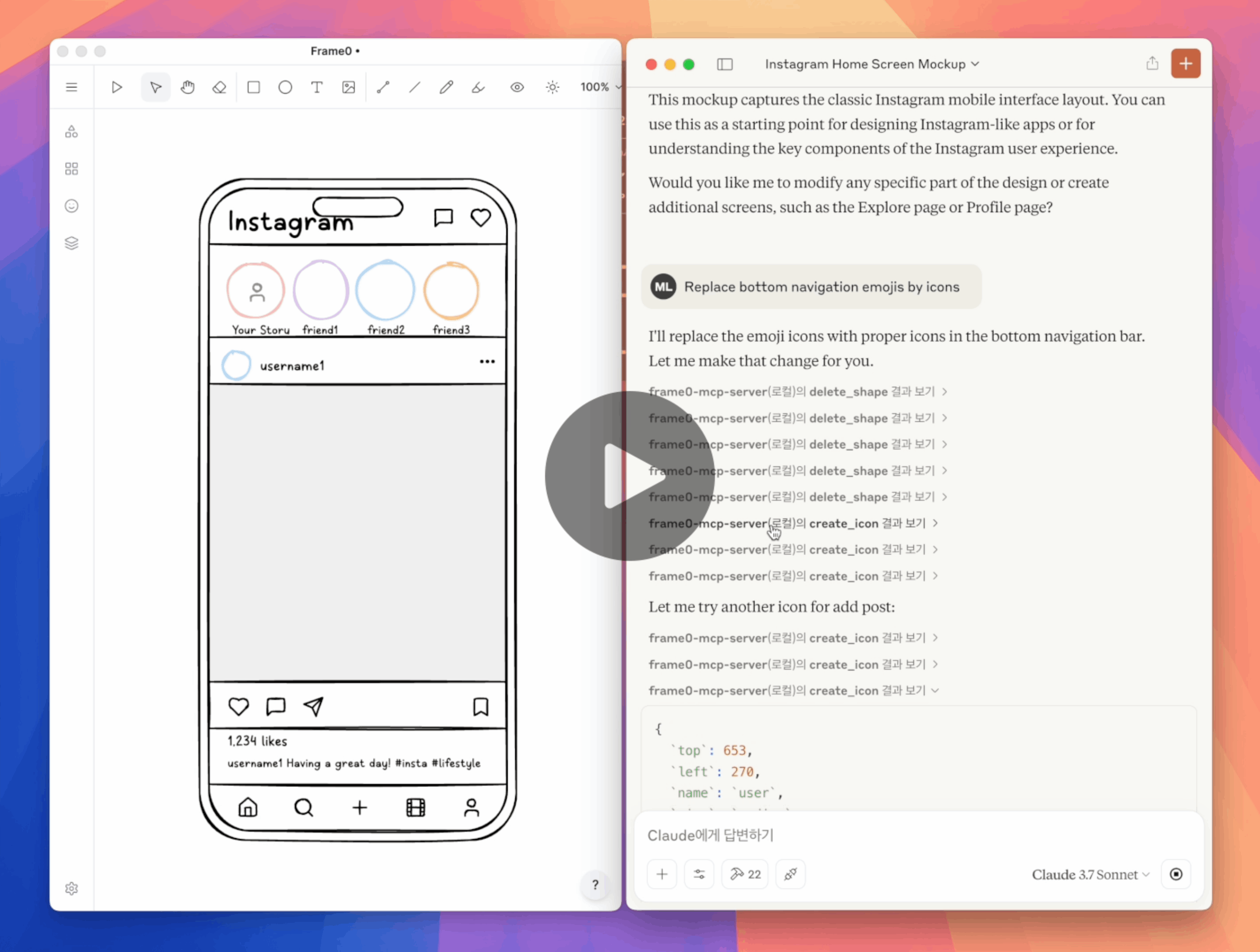
Frame0是一款适用于现代应用程序的 Balsamiq 替代线框工具。Frame0 MCP 服务器允许您通过提示在 Frame0 中创建和修改线框。
先决条件:
在claude_desktop_config.json中设置 Claude Desktop 如下:
{
  "mcpServers": {
    "frame0-mcp-server": {
      "command": "npx",
      "args": ["-y", "frame0-mcp-server"]
    }
  }
}您可以使用--api-port=<port>可选参数为 Frame0 的 API 服务器使用另一个端口号。
Related MCP server: maketa-mcp
“在 Frame0 中为手机创建登录屏幕”
“在 Frame0 中为手机创建 Instagram 主屏幕”
“在 Frame0 中为电视创建 Netflix 主屏幕”
“更改登录按钮的颜色”
“删除 Twitter 社交登录”
“用图标代替表情符号”
“设置从 Google 登录按钮到 Google 网站的链接”
create_frame
create_rectangle
create_ellipse
create_text
create_line
create_connector
create_icon
create_image
update_shape
duplicate_shape
delete_shape
get_available_icons
move_shape
align_shapes
group
ungroup
set_link
export_shape_as_image
add_page
update_page
duplicate_page
delete_page
get_current_page_id
set_current_page_by_id
get_page
get_all_pages
export_page_as_image
克隆此存储库。
使用npm run build进行构建。
更新 Claude Desktop 中的claude_desktop_config.json如下。
重新启动 Claude Desktop。
{
  "mcpServers": {
    "frame0-mcp-server": {
      "command": "node",
      "args": ["<full-path-to>/frame0-mcp-server/build/index.js"]
    }
  }
}Recent tool additions, removals, and schema changes observed during successful MCP inspections.
Loading tool schema changelog…
This server cannot be deployed
Design and edit UI in Subframe and open the design canvas in the chat
Agent-Native design tool - create and edit visual designs with agent assistance
Generate, inspect, and manage Flowstep UI designs directly from your AI assistant.
Build and edit app screen mockups and clickable prototypes from your AI assistant.