A
licenseNot graded
qualityF
maintenanceA Model Context Protocol server that enables AI assistants like Claude to perform Python development tasks through file operations, code analysis, project management, and safe code execution.
9
MIT

Un servidor de protocolo de contexto de modelo que proporciona capacidades de ejecución de código Python en entornos sandbox efímeros de Daytona.
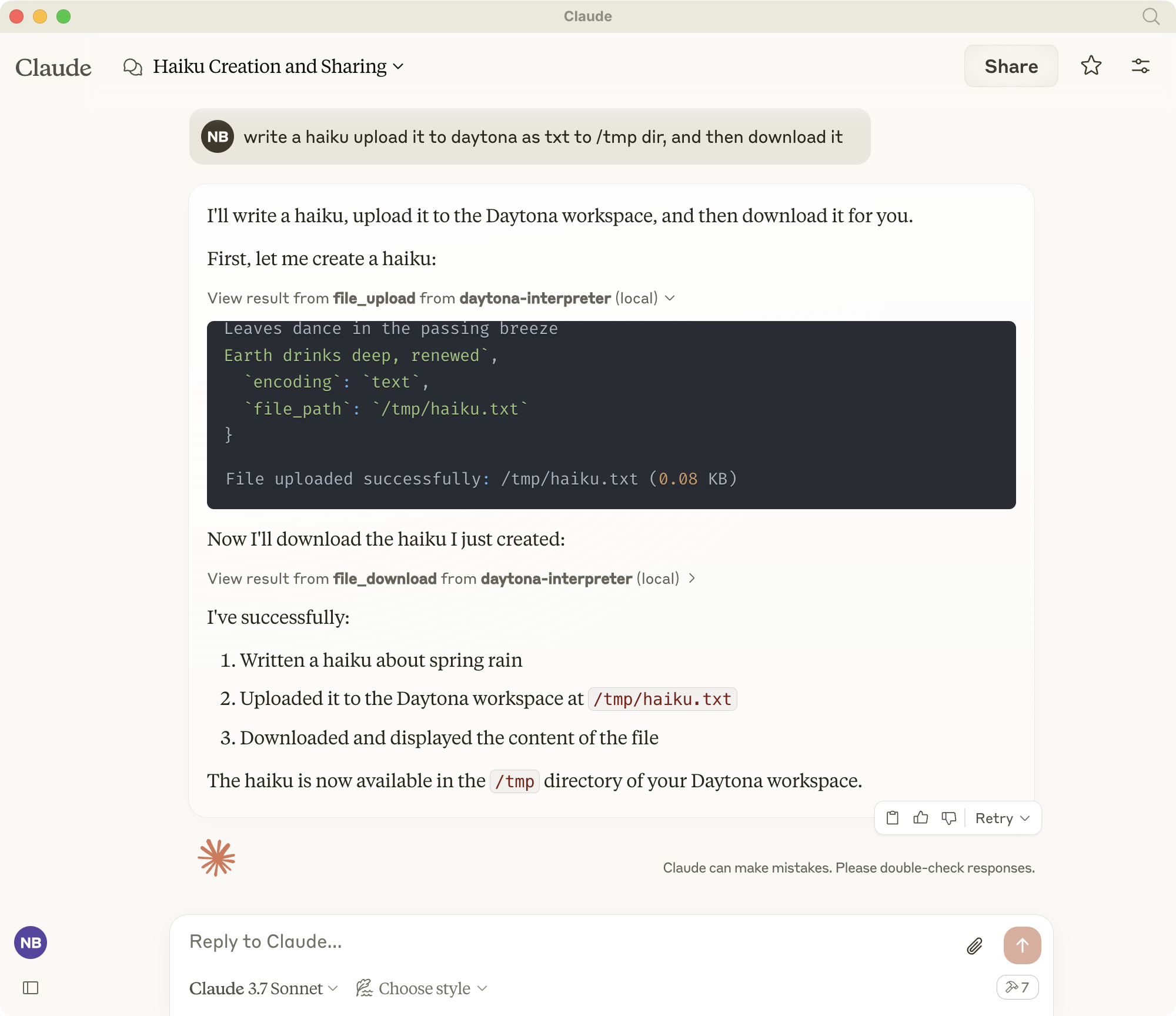
El intérprete MCP de Daytona permite a los asistentes de IA como Claude ejecutar código Python y comandos de shell en entornos seguros y aislados. Implementa el estándar del Protocolo de Contexto de Modelo (MCP) para proporcionar herramientas para:
Ejecución de código Python en entornos aislados
Ejecución de comandos de shell
Gestión de archivos (carga/descarga)
Clonación de repositorios Git
Generación de vista previa web para servidores en ejecución
Toda la ejecución ocurre en espacios de trabajo efímeros de Daytona que se limpian automáticamente después de su uso.
Related MCP server: mcp-run-python
Instale uv si aún no lo ha hecho:
curl -LsSf https://astral.sh/uv/install.sh | shCrear y activar entorno virtual.
Si tiene un entorno existente, desactívelo y elimínelo primero:
deactivate
rm -rf .venv
Crear y activar un nuevo entorno virtual:
uv venv
source .venv/bin/activate
(En Windows: .venv\Scripts\activate )
Instalar dependencias:
uv add "mcp[cli]" pydantic python-dotenv "daytona-sdk>=0.10.5"Nota: Este proyecto requiere la versión 0.10.5 o superior de daytona-sdk. Las versiones anteriores tienen una API de sistema de archivos incompatible.
Configure estas variables de entorno para un funcionamiento correcto:
MCP_DAYTONA_API_KEY : Clave API requerida para la autenticación de Daytona
MCP_DAYTONA_SERVER_URL : URL del servidor (predeterminado: https://app.daytona.io/api )
MCP_DAYTONA_TIMEOUT : Tiempo de espera de solicitud en segundos (valor predeterminado: 180,0)
MCP_DAYTONA_TARGET : Región de destino (predeterminado: eu)
MCP_VERIFY_SSL : Habilitar la verificación SSL (predeterminado: falso)
Ejecute el servidor directamente:
uv run src/daytona_mcp_interpreter/server.pyO si uv no está en tu camino:
/Users/USER/.local/bin/uv run ~LOCATION/daytona-mcp-interpreter/src/daytona_mcp_interpreter/server.pyUtilice MCP Inspector para probar el servidor:
npx @modelcontextprotocol/inspector \
  uv \
  --directory . \
  run \
  src/daytona_mcp_interpreter/server.py
Ver registros:
tail -f /tmp/daytona-interpreter.log
Configurar en Claude Desktop (u otros clientes compatibles con MCP):
En MacOS, edite: ~/Library/Application Support/Claude/claude_desktop_config.json En Windows, edite: %APPDATA%\Claude\claude_desktop_config.json
{
    "mcpServers": {
        "daytona-interpreter": {
            "command": "/Users/USER/.local/bin/uv",
            "args": [
                "--directory",
                "/Users/USER/dev/daytona-mcp-interpreter",
                "run",
                "src/daytona_mcp_interpreter/server.py"
            ],
            "env": {
                "PYTHONUNBUFFERED": "1",
                "MCP_DAYTONA_API_KEY": "api_key",
                "MCP_DAYTONA_SERVER_URL": "api_server_url",
                "MCP_DAYTONA_TIMEOUT": "30.0",
                "MCP_VERIFY_SSL": "false",
                "PATH": "/usr/local/bin:/usr/bin:/bin:/usr/sbin:/sbin"
            }
        }
    }
}
Reiniciar Claude Desktop
Las herramientas del intérprete de Python de Daytona estarán disponibles en Claude
Ejecuta comandos de shell en el espacio de trabajo de Daytona.
# Example: List files
ls -la

# Example: Install a package
pip install pandas
Descarga archivos del espacio de trabajo de Daytona con manejo inteligente para archivos grandes.
Uso básico:
file_download(file_path="/path/to/file.txt")Uso avanzado:
# Set custom file size limit
file_download(file_path="/path/to/large_file.csv", max_size_mb=10.0)

# Download partial content for large files
file_download(file_path="/path/to/large_file.csv", download_option="download_partial", chunk_size_kb=200)

# Convert large file to text
file_download(file_path="/path/to/large_file.pdf", download_option="convert_to_text")

# Compress file before downloading
file_download(file_path="/path/to/large_file.bin", download_option="compress_file")

# Force download despite size
file_download(file_path="/path/to/large_file.zip", download_option="force_download")Sube archivos al espacio de trabajo de Daytona. Admite archivos de texto y binarios.
Uso básico:
# Upload a text file
file_upload(file_path="/workspace/example.txt", content="Hello, World!")
Uso avanzado:
# Upload a text file with specific path
file_upload(
    file_path="/workspace/data/config.json",
    content='{"setting": "value", "enabled": true}'
)

# Upload a binary file using base64 encoding
import base64
with open("local_image.png", "rb") as f:
    base64_content = base64.b64encode(f.read()).decode('utf-8')

file_upload(
    file_path="/workspace/images/uploaded.png",
    content=base64_content,
    encoding="base64"
)

# Upload without overwriting existing files
file_upload(
    file_path="/workspace/important.txt",
    content="New content",
    overwrite=False
)Clona un repositorio Git en el espacio de trabajo de Daytona para análisis y ejecución de código.
Uso básico:
git_clone(repo_url="https://github.com/username/repository.git")Uso avanzado:
# Clone a specific branch
git_clone(
    repo_url="https://github.com/username/repository.git",
    branch="develop"
)

# Clone to a specific directory with full history
git_clone(
    repo_url="https://github.com/username/repository.git",
    target_path="my_project",
    depth=0  # 0 means full history
)

# Clone with Git LFS support for repositories with large files
git_clone(
    repo_url="https://github.com/username/large-files-repo.git",
    lfs=True
)Genera una URL de vista previa para los servidores web que se ejecutan dentro del espacio de trabajo de Daytona.
Uso básico:
# Generate a preview link for a web server running on port 3000
web_preview(port=3000)
Uso avanzado:
# Generate a preview link with a descriptive name
web_preview(
    port=8080,
    description="React Development Server"
)

# Generate a link without checking if server is running
web_preview(
    port=5000,
    check_server=False
)
Ejemplo:
# First run a simple web server using Python via the shell
shell_exec(command="python -m http.server 8000 &")

# Then generate a preview link for the server
web_preview(port=8000, description="Python HTTP Server")This server cannot be deployed
A comprehensive Model Context Protocol (MCP) server that enables AI assistants to interact with yo…
A Model Context Protocol server for Wix AI tools
Enable secure connectivity between Sentry issues and debugging data, and LLM clients, using a Model Context Protocol (MCP) server.
Model Context Protocol server for the Apideck Unified API. Connect any MCP-compatible agent framework to 100+ accounting systems, HRIS platforms, file storage providers, and more through one integration. More information https://www.apideck.com/mcp-server