descope-mcp-server
OfficialDescope MCP サーバー
導入
Descope モデル コンテキスト プロトコル (MCP) サーバーは、Descope の管理 API と対話するためのインターフェイスを提供し、プロジェクト関連情報の検索と取得を可能にします。
Related MCP server: Dify Management MCP
利用可能なツール
search-audits: Descope プロジェクトから最大 10 件の監査ログ エントリを取得します。search-users: Descope プロジェクトから最大 10 件のユーザー レコードを取得します。create-user: Descope プロジェクトに新しいユーザーを作成します。invite-user: Descope プロジェクトに新しいユーザーを招待します。
要件
続行する前に、次のものを用意してください。
Node.js (バージョン 18 以降)
Claude Desktopがシステムにインストールされています
Gitがインストールされている
Node.js のインストールを確認するには、次のコマンドを実行します。
node --version # Expected output: v18.0.0 or laterセットアップ手順
Smithery経由でインストール
Smithery経由で Claude Desktop 用の Descope MCP Server を自動的にインストールするには:
npx -y @smithery/cli install @descope-sample-apps/descope-mcp-server --client claude手動インストール
リポジトリをクローンします。
git clone https://github.com/descope-sample-apps/descope-mcp-server.git cd descope-mcp-server必要な依存関係をインストールします。
npm installプロジェクトをビルドします。
npm run build
構成
1. Claude DesktopをDescope MCPサーバーを認識するように設定する
claude_desktop_config.jsonファイルを見つけるには、Claude デスクトップ アプリを開き、左上のメニュー バーから開発者モードを有効にします。
有効にしたら、[設定] (左上のメニュー) に移動し、[開発者] セクションに移動して、[構成の編集] ボタンをクリックしてclaude_desktop_config.jsonにアクセスして編集します。
あるいは、ターミナル経由で構成ファイルを開くには、次のようにします。
macOSの場合:
code ~/Library/Application\ Support/Claude/claude_desktop_config.jsonWindowsの場合:
code %APPDATA%\Claude\claude_desktop_config.json2. Descope サーバー構成を追加します。
{
"mcpServers": {
"descope": {
"command": "node",
"args": ["/path/to/descope-mcp-server/build/index.js"],
"env": {
"DESCOPE_PROJECT_ID": "your-descope-project-id-here",
"DESCOPE_MANAGEMENT_KEY": "your-descope-management-key-here"
}
}
}
}your-descope-project-id-hereとyour-descope-management-key-here app.descope.com/settings/ project とapp.descope.com/settings/company/managementkeysからの実際の Descope プロジェクト ID と管理キーに置き換えます。
3. Claude Desktopを再起動します
変更を適用するには:
Claude Desktop を完全に終了します (最小化されているだけではないことを確認します)。
Claude Desktop を再起動します。
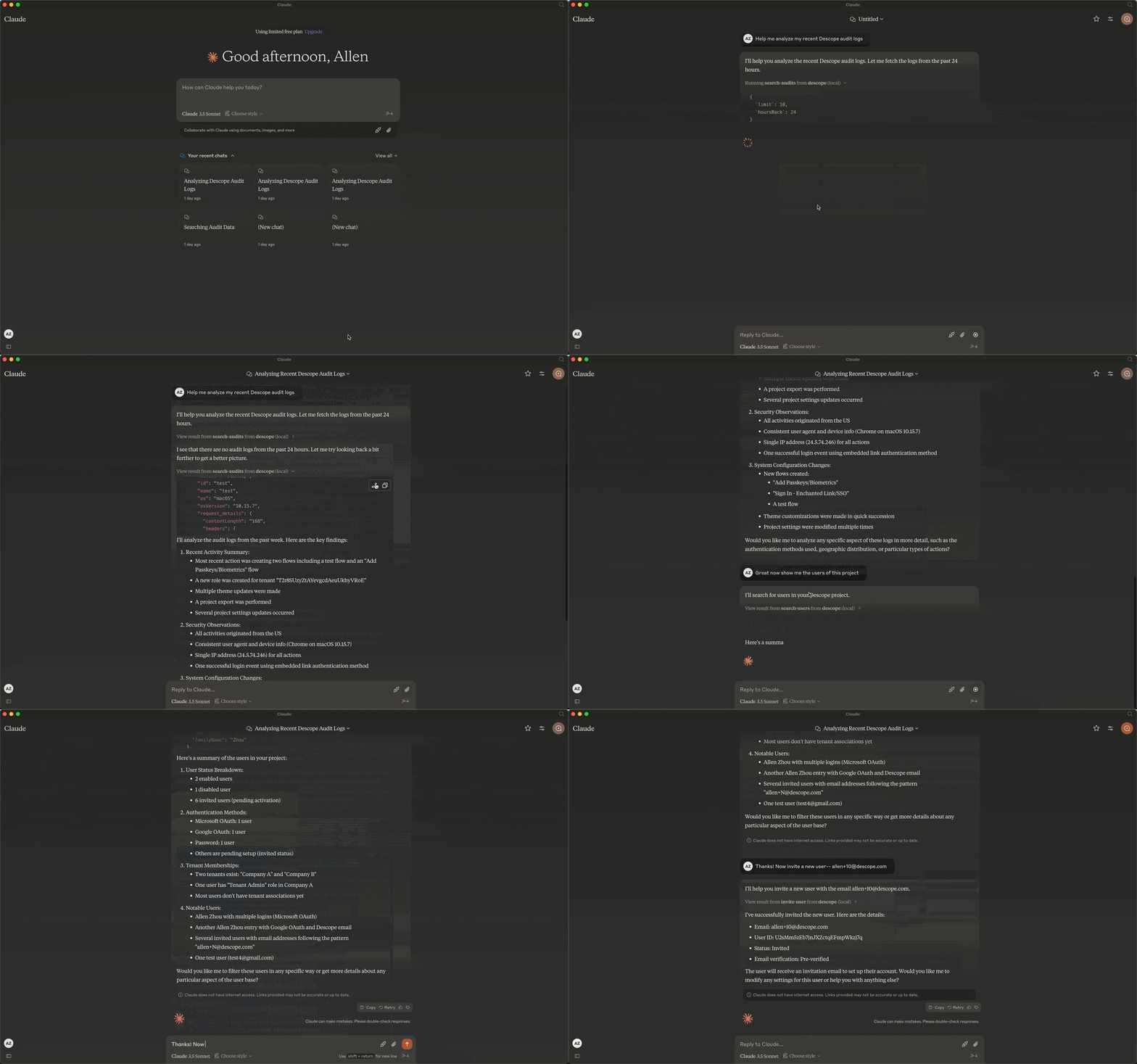
🔌 アイコンをチェックして、Descope サーバーが接続されていることを確認します。
サーバーの実行
まず、プロジェクトをビルドします。
npm run build1. stdioでサーバーを実行する
npm run start:stdio2. SSEでサーバーを実行する
npm run start:sseMaintenance
Resources
Unclaimed servers have limited discoverability.
Looking for Admin?
If you are the server author, to access and configure the admin panel.
Related MCP Servers
- AlicenseBqualityAmaintenanceEnables interaction with the Admina API to manage and query organizational SaaS resources including devices, user identities, service integrations, and account information across multiple services.313266Apache 2.0
- FlicenseNot gradedqualityCmaintenanceAllows programmatic management of a Dify instance, including listing and creating datasets, managing applications, and tool providers.
- FlicenseNot gradedqualityDmaintenanceEnables programmatic management of a Dify instance, including datasets, apps, and tools.

ConfigCat MCP Serverofficial
AlicenseBqualityBmaintenanceProvides access to ConfigCat's management API for feature flag and configuration management, enabling CRUD operations on entities like feature flags, configs, environments, and products, as well as SDK documentation.7943217MIT
Related MCP Connectors
Operate smplkit from your agent: feature flags, config, logging, audit, and scheduled jobs.
Tailscale device, route, DNS, key, user, and ACL management over MCP and CLI.
Manage SRG+ hubs, channels, content, assets, users, and workspaces from any MCP-aware AI agent.
Latest Blog Posts
- Who's Calling? MCP Hosts Are an Identity Blind Spot (And the Spec Knows It)By Om-Shree-0709 on .mcpAgent IdentityOAuth 2.1
- Your AI Chatbot Just Exposed Your CEO's Salary to an InternBy Om-Shree-0709 on .Agent IdentityMCP SecurityOAuth Delegation
- Why MCP Servers Need Execution Sandboxing (And Why Your Current Stack Isn't Enough)By Om-Shree-0709 on .Agentic AiPrompt InjectionWebAssembly
MCP directory API
We provide all the information about MCP servers via our MCP API.
curl -X GET 'https://glama.ai/api/mcp/v1/servers/descope-sample-apps/descope-mcp-server-stdio'
If you have feedback or need assistance with the MCP directory API, please join our Discord server