Chargebee 模型上下文协议 (MCP) 服务器


模型上下文协议 (MCP) 是一种标准化协议,旨在管理大型语言模型 (LLM) 和外部系统之间的上下文。
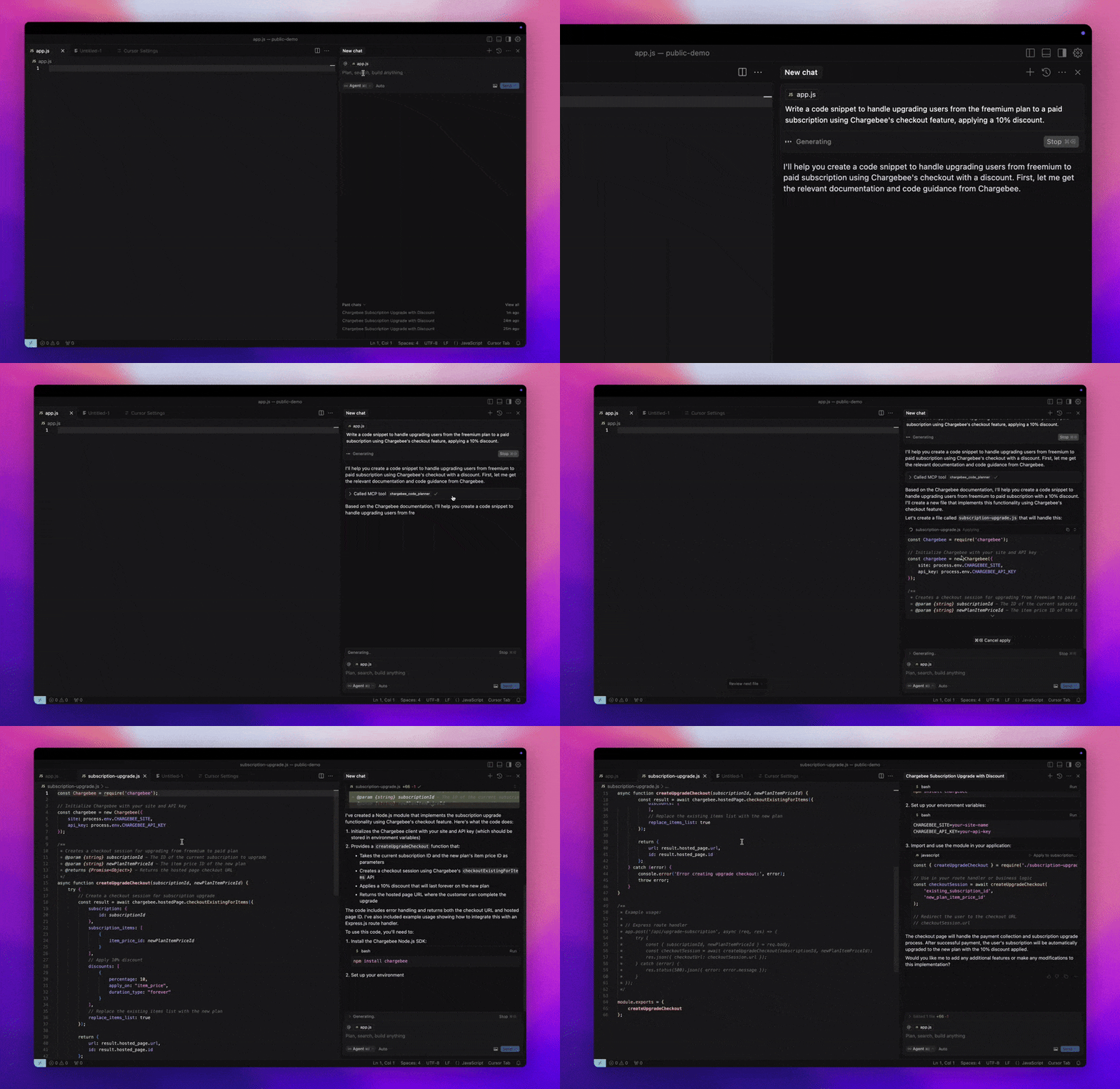
Chargebee MCP 服务器提供一套强大的工具来提高开发人员的效率。它集成了 Cursor、Windsurf 和 Cline 等 AI 代码编辑器,以及 Claude Desktop 等通用工具。它与任何 MCP 客户端兼容。
使用此 MCP 服务器,您可以:
先决条件
Related MCP server: Codinfy MCP
设置
要使用Node.js npx运行 Chargebee MCP 服务器,请执行以下命令:
npx -y @chargebee/mcp@latest
可用工具
工具 | 描述 |
chargebee_documentation_search
| 搜索 Chargebee 的文档以检索详细信息和使用指南。 |
chargebee_code_planner
| 生成结构化代码大纲和示例代码以集成 Chargebee 的 API 和功能。 |
安装
光标
要将此服务器添加到 Cursor IDE:
导航到Cursor Settings > MCP 。
单击+ Add new Global MCP Server 。
将以下配置添加到全局.cursor/mcp.json文件:
{
  "mcpServers": {
    "chargebee": {
      "command": "npx",
      "args": [
          "-y",
          "@chargebee/mcp"
      ]
    }
  }
}
有关更多详细信息,请参阅Cursor 文档。注意:您也可以将其添加到项目特定的 Cursor 配置中(Cursor 0.46+ 版本支持)。
风帆冲浪
要使用 Cascade 设置 MCP:
打开 Windsurf 并导航至Settings > Advanced Settings或使用“命令面板”> Open Windsurf Settings Page 。
滚动到 Cascade 部分以添加新服务器、查看现有服务器或访问mcp_config.json上的原始 JSON 配置文件。
单击“添加自定义服务器 +”将 Chargebee MCP 服务器直接包含在mcp_config.json中:
{
  "mcpServers": {
    "chargebee": {
      "command": "npx",
      "args": [
          "-y",
          "@chargebee/mcp"
      ]
    }
  }
}
请参阅Windsurf 文档以了解更多信息。
克莱恩
通过 Cline MCP 服务器设置手动将以下 JSON 添加到您的cline_mcp_settings.json文件中:
{
  "mcpServers": {
    "chargebee": {
      "command": "npx",
      "args": [
          "-y",
          "@chargebee/mcp"
      ]
    }
  }
}
罗奥代码
通过选择 Roo Code 设置中的Edit MCP Settings或使用 VS Code 命令面板中的Roo Code: Open MCP Config命令来访问 MCP 设置:
{
  "mcpServers": {
    "chargebee": {
      "command": "npx",
      "args": [
          "-y",
          "@chargebee/mcp"
      ]
    }
  }
}
克劳德
将以下配置添加到claude_desktop_config.json文件。更多详细信息,请参阅Claude Desktop 文档:
{
  "mcpServers": {
    "chargebee": {
      "command": "npx",
      "args": [
          "-y",
          "@chargebee/mcp"
      ]
    }
  }
}
命令行界面
您还可以通过执行以下命令将服务器作为 CLI 运行:
npx -y @chargebee/mcp@latest
贡献
要为该项目做出贡献,请参阅贡献指南。
执照
麻省理工学院