Chargebee モデルコンテキストプロトコル (MCP) サーバー


モデル コンテキスト プロトコル (MCP) は、大規模言語モデル (LLM) と外部システム間のコンテキストを管理するために設計された標準化されたプロトコルです。
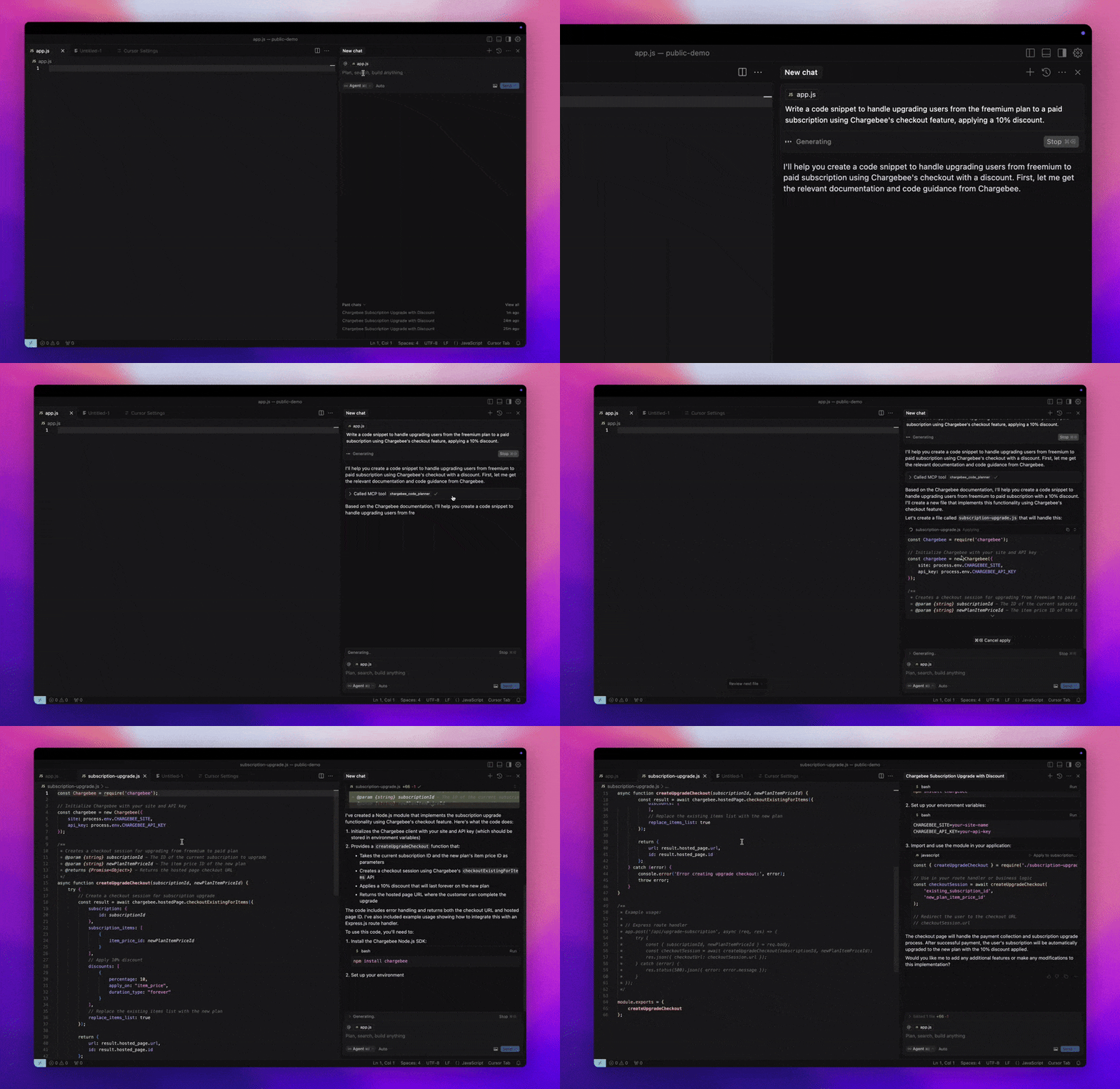
Chargebee MCPサーバーは、開発者の効率を向上させる強力なツールセットを提供します。Cursor、Windsurf、ClineといったAI搭載コードエディタや、Claude Desktopといった汎用ツールと連携し、あらゆるMCPクライアントと互換性があります。
この MCP サーバーを使用すると、次のことが可能になります。
Chargebee 製品および API サービスに関する回答をすぐに入手できます。
統合のニーズに合わせてカスタマイズされたコンテキスト対応のコード スニペットを受け取ります。
以下の内容を含む Chargebee のナレッジ ベースにアクセスします。
前提条件
Related MCP server: Codinfy MCP
設定
Node.js npxを使用して Chargebee MCP サーバーを実行するには、次のコマンドを実行します。
npx -y @chargebee/mcp@latest
利用可能なツール
道具 | 説明 |
chargebee_documentation_search
| Chargebee のドキュメントを検索して、詳細な情報と使用ガイドを取得します。 |
chargebee_code_planner
| Chargebee の API と機能を統合するための構造化されたコード アウトラインとサンプル コードを生成します。 |
インストール
カーソル
このサーバーをカーソル IDE に追加するには:
Cursor Settings > MCPに移動します。
+ Add new Global MCP Serverクリックします。
グローバル.cursor/mcp.jsonファイルに次の構成を追加します。
{
  "mcpServers": {
    "chargebee": {
      "command": "npx",
      "args": [
          "-y",
          "@chargebee/mcp"
      ]
    }
  }
}
詳細については、 Cursor のドキュメントを参照してください。注: これをプロジェクト固有の Cursor 設定に追加することもできます(Cursor 0.46 以降でサポートされています)。
ウィンドサーフィン
Cascade を使用して MCP を設定するには:
Windsurf を開き、 Settings > Advanced Settingsに移動するか、コマンド パレット > Open Windsurf Settings Pageを使用します。
カスケード セクションまでスクロールして、新しいサーバーを追加したり、既存のサーバーを表示したり、 mcp_config.jsonにある生の JSON 構成ファイルにアクセスしたりします。
「カスタムサーバーを追加 +」をクリックして、Chargebee MCP サーバーをmcp_config.jsonに直接含めます。
{
  "mcpServers": {
    "chargebee": {
      "command": "npx",
      "args": [
          "-y",
          "@chargebee/mcp"
      ]
    }
  }
}
詳細については、 Windsurf のドキュメントを参照してください。
クライン
Cline MCP サーバー設定を使用して、次の JSON をcline_mcp_settings.jsonファイルに手動で追加します。
{
  "mcpServers": {
    "chargebee": {
      "command": "npx",
      "args": [
          "-y",
          "@chargebee/mcp"
      ]
    }
  }
}
ルーコード
Roo Code 設定でEdit MCP Settingsを選択するか、VS Code コマンド パレットでRoo Code: Open MCP Configコマンドを使用して、MCP 設定にアクセスします。
{
  "mcpServers": {
    "chargebee": {
      "command": "npx",
      "args": [
          "-y",
          "@chargebee/mcp"
      ]
    }
  }
}
クロード
claude_desktop_config.jsonファイルに以下の設定を追加してください。詳細については、 Claude Desktop のドキュメントを参照してください。
{
  "mcpServers": {
    "chargebee": {
      "command": "npx",
      "args": [
          "-y",
          "@chargebee/mcp"
      ]
    }
  }
}
コマンドライン
次のコマンドを実行して、サーバーを CLI として実行することもできます。
npx -y @chargebee/mcp@latest
貢献
このプロジェクトに貢献するには、貢献ガイドを参照してください。
ライセンス
マサチューセッツ工科大学