Glama
chargebee

@chargebee/mcp

Official
by chargebee

Chargebee Model Context Protocol (MCP) Server

MCP Chargebee npm version

⚠️ Deprecation Notice

This package is deprecated and will no longer receive updates or support. Please migrate to our new KnowledgeBase MCP Server, which provides enhanced capabilities and improved accuracy. Learn more and upgrade here: Chargebee MCP Server Documentation


Model Context Protocol (MCP) is a standardized protocol designed to manage context between large language models (LLMs) and external systems.

The Chargebee MCP Server offers a robust set of tools to improve developer efficiency. It integrates with AI-powered code editors like Cursor, Windsurf, and Cline, as well as general-purpose tools such as Claude Desktop. It is compatible with any MCP Client.

With this MCP Server, you can:

  • Get immediate answers about the Chargebee products and API services.

  • Receive context-aware code snippets tailored to your integration needs.

  • Access Chargebee's knowledge base, including:

    • Documentation

    • FAQs

    • Release notes

    • And much more

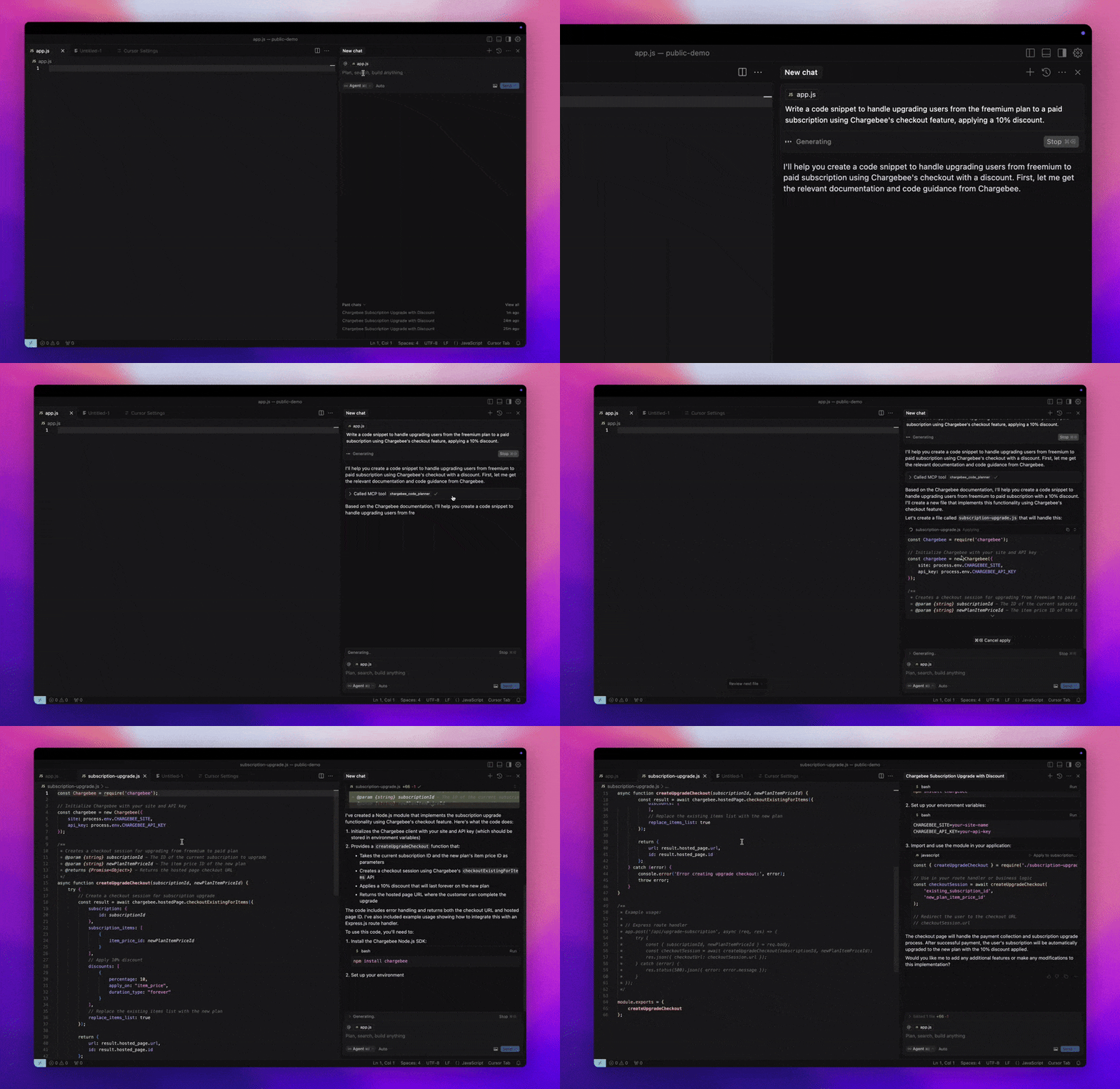
MCP Demo

Prerequisites

  • Node.js LTS - The Chargebee MCP server requires the Node.js LTS version to function correctly.

Related MCP server: Codinfy MCP

Setup

To run the Chargebee MCP server using Node.js npx, execute the following command:

npx -y @chargebee/mcp@latest

Available Tools

Tool

Description

chargebee_documentation_search

Search Chargebee's documentation to retrieve detailed information and usage guides.

chargebee_code_planner

Generate structured code outlines and sample code for integrating Chargebee's APIs and features.

Installation

Cursor

To add this server to Cursor IDE:

  1. Navigate to Cursor Settings > MCP.

  2. Click + Add new Global MCP Server.

  3. Add the following configuration to your global .cursor/mcp.json file:

{
  "mcpServers": {
    "chargebee": {
      "command": "npx",
      "args": [
          "-y",
          "@chargebee/mcp"
      ]
    }
  }
}

Refer to the Cursor documentation for additional details. Note: You can also add this to your project-specific Cursor configuration (supported in Cursor 0.46+).

Windsurf

To set up MCP with Cascade:

  1. Open Windsurf and navigate to Settings > Advanced Settings or use the Command Palette > Open Windsurf Settings Page.

  2. Scroll to the Cascade section to add a new server, view existing servers, or access the raw JSON config file at mcp_config.json.

  3. Click “Add custom server +” to include the Chargebee MCP server directly in mcp_config.json:

{
  "mcpServers": {
    "chargebee": {
      "command": "npx",
      "args": [
          "-y",
          "@chargebee/mcp"
      ]
    }
  }
}

Refer to the Windsurf documentation for more information.

VS Code

Install the Chargebee MCP server in VS Code using one of these buttons:

Alternatively, you can install the Chargebee MCP server using the VS Code CLI:

# For VS Code
code --add-mcp '{"name":"chargebee","command":"npx","args":["-y","@chargebee/mcp"]}'
# For VS Code Insiders
code-insiders --add-mcp '{"name":"chargebee","command":"npx","args":["-y","@chargebee/mcp"]}'

After installation, the Chargebee MCP server will be available for use with your GitHub Copilot agent in VS Code.

Claude

Add the following configuration to your claude_desktop_config.json file. Refer to the Claude Desktop documentation for more details:

{
  "mcpServers": {
    "chargebee": {
      "command": "npx",
      "args": [
          "-y",
          "@chargebee/mcp"
      ]
    }
  }
}

Cline

Manually add the following JSON to your cline_mcp_settings.json file via the Cline MCP Server settings:

{
  "mcpServers": {
    "chargebee": {
      "command": "npx",
      "args": [
          "-y",
          "@chargebee/mcp"
      ]
    }
  }
}

Roo Code

Access the MCP settings by selecting Edit MCP Settings in Roo Code settings or using the Roo Code: Open MCP Config command in the VS Code command palette:

{
  "mcpServers": {
    "chargebee": {
      "command": "npx",
      "args": [
          "-y",
          "@chargebee/mcp"
      ]
    }
  }
}

Contribution

To contribute to this project, refer to the contribution guide.

License

MIT

Available Tools

2 tools
chargebee_code_plannerA

Use this tool for any Chargebee integration questions or implementation needs.

Always use this tool to get the accurate integration code guide for Chargebee. This is the main tool developers need when asking about implementing Chargebee functionality (like "how to update billing address", "how to create subscription", "how to handle webhooks", etc.).

This tool will take in parameters about integrating with Chargebee in their application and generates an integration workflow along with the code snippets.

It takes the following arguments:

  • goal (string): What is the user's goal?

  • language (enum): Programming language the code to be generated in. Check the user's application language.

ParametersJSON Schema
NameRequiredDescriptionDefault
goalYesWhat is the user's goal?
languageNoProgramming language the code to be generated in. Check the user's application language.

TDQS

A3.5/5.0
Behavior2/5

Does the description disclose side effects, auth requirements, rate limits, or destructive behavior?

No annotations are provided, so the description must disclose behavioral traits. It only describes the tool as generating code but does not clarify that it is a read-only operation with no side effects or data mutations. Such information is essential for safe invocation.

Agents need to know what a tool does to the world before calling it. Descriptions should go beyond structured annotations to explain consequences.

Conciseness3/5

Is the description appropriately sized, front-loaded, and free of redundancy?

The description contains redundant phrasing (e.g., 'Use this tool' and 'Always use this tool') and could be more streamlined. However, it is not excessively long and includes necessary details.

Shorter descriptions cost fewer tokens and are easier for agents to parse. Every sentence should earn its place.

Completeness3/5

Given the tool's complexity, does the description cover enough for an agent to succeed on first attempt?

The description covers the tool's inputs and high-level output (workflow and code snippets) but lacks details on the output structure, error handling, or limitations. With no output schema, more specifics would improve completeness.

Complex tools with many parameters or behaviors need more documentation. Simple tools need less. This dimension scales expectations accordingly.

Parameters3/5

Does the description clarify parameter syntax, constraints, interactions, or defaults beyond what the schema provides?

Schema coverage is 100%, and the descriptions in the schema are adequate. The tool description reiterates the parameter meanings without adding new context or examples, meeting the baseline for high coverage.

Input schemas describe structure but not intent. Descriptions should explain non-obvious parameter relationships and valid value ranges.

Purpose5/5

Does the description clearly state what the tool does and how it differs from similar tools?

The description clearly states the tool's purpose: generating integration workflows and code snippets for Chargebee. It explicitly differentiates from the sibling tool 'chargebee_documentation_search' by positioning itself as the main tool for implementation questions.

Agents choose between tools based on descriptions. A clear purpose with a specific verb and resource helps agents select the right tool.

Usage Guidelines4/5

Does the description explain when to use this tool, when not to, or what alternatives exist?

The description advises to use this tool for Chargebee integration needs and to check the user's language. It implies a context for use but does not explicitly exclude scenarios or mention alternatives beyond the sibling.

Agents often have multiple tools that could apply. Explicit usage guidance like "use X instead of Y when Z" prevents misuse.

TDQS

A4.1/5.0
Disambiguation5/5

The two tools have explicitly distinct purposes: one for implementation guidance and code generation, the other for general documentation queries. Descriptions clearly separate their use cases, eliminating ambiguity.

Naming Consistency5/5

Both tools follow a consistent 'chargebee_<descriptive_noun>' pattern, making it easy to infer their roles. The naming is uniform and predictable.

Tool Count4/5

With only two tools, the server is very focused, but that matches its specific purpose of handling integration assistance and documentation search. While minimal, the count is reasonable for the intended scope.

Completeness5/5

The tool set covers both implementation needs (code planner) and conceptual understanding (documentation search), leaving no obvious gaps for its stated goal of answering Chargebee integration questions.

Maintenance

ActivityInactive
ResponsivenessNo issues

Resources

Unclaimed servers have limited discoverability.

Looking for Admin?

If you are the server author, to access and configure the admin panel.

Related MCP Connectors

Related MCP Servers

  • A
    license
    A
    quality
    C
    maintenance
    MCP server that connects AI agents to Codinfy platform APIs for validating licenses, creating checkouts, listing products, tracking analytics, managing OAuth identity, and handling ad placements.
    17
    MIT
  • F
    license
    A
    quality
    D
    maintenance
    MCP server for RevenueCat that lets AI agents query subscriber data, check entitlements, fetch offerings, and manage subscriptions via natural language.
    6
  • A
    license
    B
    quality
    B
    maintenance
    MCP server that connects AI assistants to the Conexa business management system, enabling CRUD operations on sales, customers, plans, contracts, charges, and more via 83 tools.
    83
    121
    1
    MIT

Latest Blog Posts

MCP directory API

We provide all the information about MCP servers via our MCP API.

curl -X GET 'https://glama.ai/api/mcp/v1/servers/chargebee/agentkit'

If you have feedback or need assistance with the MCP directory API, please join our Discord server